Discounted Products
-
 Leo Creation 144 TC Cotton Double Jaipuri Prints Flat Bedsheet(Pack of 1, Blue, Gree, Red, Grey, Light Grey)
Original price was: ₹2,999.00.₹329.00Current price is: ₹329.00.
Leo Creation 144 TC Cotton Double Jaipuri Prints Flat Bedsheet(Pack of 1, Blue, Gree, Red, Grey, Light Grey)
Original price was: ₹2,999.00.₹329.00Current price is: ₹329.00.
-
 Home Garage 210 TC Cotton King Floral Fitted (Elastic) Bedsheet(Pack of 1, Grey)
Original price was: ₹999.00.₹299.00Current price is: ₹299.00.
Home Garage 210 TC Cotton King Floral Fitted (Elastic) Bedsheet(Pack of 1, Grey)
Original price was: ₹999.00.₹299.00Current price is: ₹299.00.
-
 Goodrik 140 TC Cotton Double 3D Printed Flat Bedsheet(Pack of 1, Brown)
Original price was: ₹499.00.₹229.00Current price is: ₹229.00.
Goodrik 140 TC Cotton Double 3D Printed Flat Bedsheet(Pack of 1, Brown)
Original price was: ₹499.00.₹229.00Current price is: ₹229.00.
-
 GLOBALSHOP 350 TC Microfiber Double Floral Flat Bedsheet(Pack of 1, Multicolor)
Original price was: ₹1,250.00.₹263.00Current price is: ₹263.00.
GLOBALSHOP 350 TC Microfiber Double Floral Flat Bedsheet(Pack of 1, Multicolor)
Original price was: ₹1,250.00.₹263.00Current price is: ₹263.00.
-
 RisingStar 250 TC Microfiber King Printed Fitted (Elastic) Bedsheet(Pack of 1, FITTED-ROUND-CIRCLES-PREMIUM)
Original price was: ₹2,299.00.₹299.00Current price is: ₹299.00.
RisingStar 250 TC Microfiber King Printed Fitted (Elastic) Bedsheet(Pack of 1, FITTED-ROUND-CIRCLES-PREMIUM)
Original price was: ₹2,299.00.₹299.00Current price is: ₹299.00.
-
 Home Garage 210 TC Cotton King Floral Fitted (Elastic) Bedsheet(Pack of 1, Fitted Black Green)
Original price was: ₹1,299.00.₹299.00Current price is: ₹299.00.
Home Garage 210 TC Cotton King Floral Fitted (Elastic) Bedsheet(Pack of 1, Fitted Black Green)
Original price was: ₹1,299.00.₹299.00Current price is: ₹299.00.
-
 Home Garage 180 TC Cotton King 3D Printed Flat Bedsheet(Pack of 1, White)
Original price was: ₹999.00.₹229.00Current price is: ₹229.00.
Home Garage 180 TC Cotton King 3D Printed Flat Bedsheet(Pack of 1, White)
Original price was: ₹999.00.₹229.00Current price is: ₹229.00.
-
 Home Sizzler 153 cm (5 ft) Polyester Room Darkening Window Curtain (Pack Of 2)(Floral, Maroon)
Original price was: ₹799.00.₹299.00Current price is: ₹299.00.
Home Sizzler 153 cm (5 ft) Polyester Room Darkening Window Curtain (Pack Of 2)(Floral, Maroon)
Original price was: ₹799.00.₹299.00Current price is: ₹299.00.
-
 Panipat Textile Hub 152.4 cm (5 ft) Polyester Window Curtain (Pack Of 2)(Solid, Aqua)
Original price was: ₹1,899.00.₹299.00Current price is: ₹299.00.
Panipat Textile Hub 152.4 cm (5 ft) Polyester Window Curtain (Pack Of 2)(Solid, Aqua)
Original price was: ₹1,899.00.₹299.00Current price is: ₹299.00.
-
 Home Sizzler 214 cm (7 ft) Polyester Semi Transparent Door Curtain (Pack Of 2)(Floral, Maroon)
Original price was: ₹1,199.00.₹399.00Current price is: ₹399.00.
Home Sizzler 214 cm (7 ft) Polyester Semi Transparent Door Curtain (Pack Of 2)(Floral, Maroon)
Original price was: ₹1,199.00.₹399.00Current price is: ₹399.00.
-
 Home Sizzler 153 cm (5 ft) Polyester Room Darkening Window Curtain (Pack Of 2)(Floral, Brown)
Original price was: ₹799.00.₹299.00Current price is: ₹299.00.
Home Sizzler 153 cm (5 ft) Polyester Room Darkening Window Curtain (Pack Of 2)(Floral, Brown)
Original price was: ₹799.00.₹299.00Current price is: ₹299.00.
-
 Stella Creations 214 cm (7 ft) Polyester Room Darkening Door Curtain (Pack Of 2)(Abstract, Brown)
Original price was: ₹1,299.00.₹449.00Current price is: ₹449.00.
Stella Creations 214 cm (7 ft) Polyester Room Darkening Door Curtain (Pack Of 2)(Abstract, Brown)
Original price was: ₹1,299.00.₹449.00Current price is: ₹449.00.
-
 Homefab India 152.5 cm (5 ft) Polyester Room Darkening Window Curtain (Pack Of 2)(Floral, Light Blue)
Original price was: ₹1,199.00.₹319.00Current price is: ₹319.00.
Homefab India 152.5 cm (5 ft) Polyester Room Darkening Window Curtain (Pack Of 2)(Floral, Light Blue)
Original price was: ₹1,199.00.₹319.00Current price is: ₹319.00.
-
 Urban Home 214 cm (7 ft) PVC Transparent Door Curtain Single Curtain(Solid, Off White)
Original price was: ₹699.00.₹203.00Current price is: ₹203.00.
Urban Home 214 cm (7 ft) PVC Transparent Door Curtain Single Curtain(Solid, Off White)
Original price was: ₹699.00.₹203.00Current price is: ₹203.00.
-
 Panipat Textile Hub 213 cm (7 ft) Polyester Door Curtain (Pack Of 2)(Solid, Brown)
Original price was: ₹1,199.00.₹349.00Current price is: ₹349.00.
Panipat Textile Hub 213 cm (7 ft) Polyester Door Curtain (Pack Of 2)(Solid, Brown)
Original price was: ₹1,199.00.₹349.00Current price is: ₹349.00.
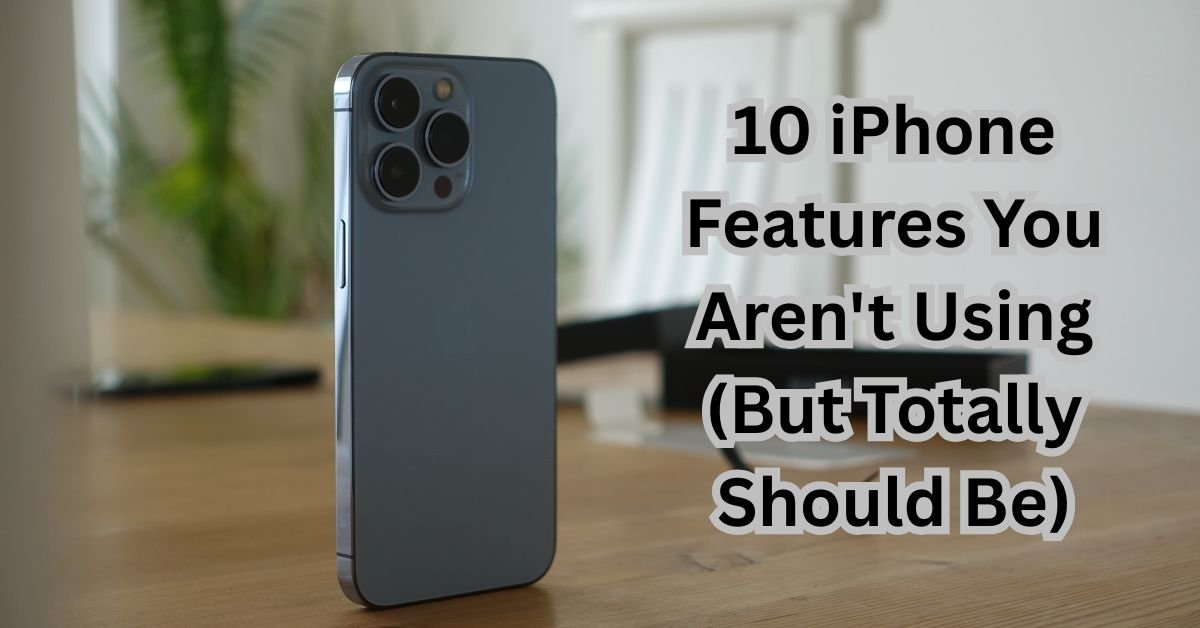
Let’s be honest: our iPhones are like digital Swiss Army knives. We use the same few tools every day—the camera, messages, maybe a social media app or two—while a whole suite of other incredibly useful tools sits hidden, just waiting to be discovered.
As a busy professional constantly juggling work and family life, I’ve made it a personal mission to find the iPhone features that save time, reduce stress, and add a little bit of magic to the everyday. These aren’t the gimmicky features you see in a keynote; these are the practical, powerful tools that have genuinely changed how I use my phone.
Here are 10 iPhone features you probably aren’t using, but totally should be.
1. The Back Tap: Your Secret Double-Click Command
This might be my favorite hidden feature. Your iPhone’s back casing is actually a secret button.
-
What it is: A customizable action you trigger by double- or triple-tapping the back of your iPhone.
-
Why it’s a game-changer: It provides a physical shortcut to almost any task, which is incredibly useful when your hands are full or you need to do something quickly. I have my double-tap set to take a screenshot (no more fumbling with buttons!) and my triple-tap set to bring up the Control Center for quick settings access.
-
How to set it up: Go to Settings > Accessibility > Touch > Back Tap. Choose between Double Tap or Triple Tap and assign a function from the list. Popular choices include Screenshot, Flashlight, App Switcher, or even running a custom Shortcut.
2. The Magnifier: See the Unseeable
Forget downloading a separate app. Your iPhone has a powerful, built-in magnifying glass.
-
What it is: A tool that uses your camera to act as a digital magnifier, complete with filters and brightness controls.
-
Why it’s a game-changer: It’s perfect for reading the fine print on a medication bottle, a restaurant menu in a dark setting, or the tiny serial number on the back of a router. As a parent, it’s been a lifesaver for finding nearly invisible splinters. It’s far more powerful and stable than just zooming with your camera.
-
How to set it up: Go to Settings > Accessibility > Shortcuts and add “Magnifier” to your Accessibility Shortcuts. Then, you can triple-click your side button to launch it instantly. You can also add it to your Control Center for easy access.
3. Live Text: Your Camera is a Text Scanner
Stop typing out information from photos or your camera feed. Just copy it.
-
What it is: A feature that uses on-device intelligence to recognize text in any photo in your camera roll or in your camera’s live view.
-
Why it’s a game-changer: See a Wi-Fi password on a sticker? Point your camera at it and tap the Live Text icon to copy and paste it. Need to quickly save a phone number from a flyer? Take a picture, then press and hold on the number in the photo to call or add it to your contacts. You can also translate text in real-time through the camera.
-
How to use it: Open your Camera app and point it at text. A little Live Text icon (lines of text with a square) will appear. Tap it to interact. In your Photos, simply press and hold on any text in a picture.
4. Visual Look Up: Identify the World Around You
See a beautiful plant on a hike, a specific dog breed at the park, or a piece of art and have no idea what it is? Your iPhone does.
-
What it is: When you view a photo in your gallery, your iPhone can identify landmarks, art, plants, pets, and books. A little “sparkle” icon (an “i” with stars) on the photo indicates this info is available.
-
Why it’s a game-changer: It turns your photo library into a searchable encyclopedia. My kids love taking pictures of flowers on our walks and then using Visual Look Up to learn their names. It’s like having a naturalist and an art historian in your pocket.
-
How to use it: Open a photo in your Photos app. If the “i” icon has little stars on it, tap it. Then, tap the icon that appears on the photo itself or the “Look Up” option at the bottom to get more information.
5. The Hidden Level: For Your DIY Projects
Tucked away in the Measure app is a tool that can save you a trip to the toolbox.
-
What it is: A digital, bubble level—just like the one you’d find in a physical toolkit.
-
Why it’s a game-changer: Perfect for hanging picture frames, checking if a shelf is level, or any other home DIY project. It’s surprisingly accurate and is always with you.
-
How to use it: Open the Measure app and swipe over to the “Level” tab. Place your iPhone on the surface you want to check. The screen will turn green and display 0° when the surface is level.
6. Text Replacement: Type Long Phrases Instantly
If you find yourself typing the same things over and over (your email address, your home address, a standard response), this is for you.
-
What it is: A system-wide shortcut that expands a short acronym into a full block of text.
-
Why it’s a game-changer: It’s a massive time-saver. I have “@@@” set to automatically expand to my full email address. I have “;add” set to type out my home address for online forms. You can use it for anything you type frequently.
-
How to set it up: Go to Settings > General > Keyboard > Text Replacement. Tap the “+” icon, type the long phrase in the “Phrase” field, and a quick, easy-to-remember shortcut in the “Shortcut” field.
7. Notes App Superpowers: Scan, Organize, and Lock
If you only use the Notes app for simple lists, you’re missing out. It’s one of the most powerful apps on your phone.
-
What it is: Advanced features within the native Notes app, including document scanning, folders with subfolders, and locking private notes.
-
Why it’s a game-changer:
-
Document Scanner: Tap the camera icon in a note and select “Scan Documents.” It will automatically detect edges and create a perfect, multi-page PDF. I use this for all school forms, receipts, and work documents.
-
Organization: Create folders and subfolders (like “Home > Renovation Ideas” or “Work > Marketing Plans”) to keep your life sorted.
-
Locking Notes: You can password-protect or Face ID-lock notes containing sensitive information like financial details, passwords, or private journals.
-
-
How to use it: The scanner is in the camera icon within a note. To lock a note, open it, tap the three dots (•••) at the top, and select “Lock.”
8. Scheduled Focus Modes: Automate Your Attention
Do Not Disturb is great, but Focus Modes are its smarter, more sophisticated sibling.
-
What it is: Customizable modes that filter notifications and apps based on what you’re doing (e.g., Work, Sleep, Personal).
-
Why it’s a game-changer: You can automate them. My “Work” Focus turns on automatically when I arrive at the office, silencing all non-work app notifications and showing only my work calendar on my Lock Screen. My “Wind Down” Focus activates an hour before bed, hiding my email app and promoting my audiobook app. It creates digital boundaries.
-
How to set it up: Go to Settings > Focus. Tap the “+” to create a new one or customize the existing ones. Set up a schedule or automation so they turn on and off by themselves.
9. The Spotlight Super-Search: Find Anything, Fast
Swipe down on your Home Screen. That search bar is the fastest way to do almost anything on your iPhone.
-
What it is: A universal search that looks across your entire phone and the web.
-
Why it’s a game-changer: You can use it to:
-
Find Apps: Type “bank” to find your banking app without scrolling.
-
Do Math: Type “45*12” for an instant calculation.
-
Convert Currency: Type “100 USD to EUR.”
-
Search within Apps: Find a specific message, email, or note.
-
Look Up Contacts: Start typing a name to call or message them instantly.
-
-
How to use it: Swipe down on the middle of any Home Screen and start typing. It’s your command center.
10. Sound Recognition: An Extra Set of Ears
This is a powerful accessibility feature with uses for everyone.
-
What it is: Your iPhone can continuously listen for specific sounds—like fire alarms, doorbells, sirens, or a baby crying—and send you a notification when it hears them.
-
Why it’s a game-changer: It’s incredibly useful if you have noise-cancelling headphones on while working and are worried about missing the doorbell or a kitchen timer. It can also provide peace of mind for those with hearing impairments.
-
How to set it up: Go to Settings > Accessibility > Sound Recognition and turn it on. Then, tap “Sounds” and choose which ones you want your phone to listen for.
Your iPhone is packed with thoughtful tools designed to make your life easier. Spending just a few minutes exploring these features can transform your device from a simple communication tool into a truly intelligent assistant. Which one will you try first?

- 7 Best Methods to Fix “Undoing Changes Made to Your PC” Error (Complete Guide)

- How to Turn On Spam Blocker on Android: Stop Unwanted Calls and Messages Easily

- Can’t View Comments on YouTube Shorts? 6 Ways to Fix It (Complete Guide)

- How to Block Users From Installing Programs in Windows 11 Complete Step-by-Step Guide for Better Security

- How to Fix Chrome Automatically Deleting Downloaded Files (Complete Step-by-Step Guide)

Products
-
![Apple Watch Ultra 3 [GPS + Cellular 49mm] Running & Multisport Smartwatch w/Rugged Titanium Case w/Black Titanium Milanese Loop - M. Satellite Communications, Advanced Health & Fitness Tracking](https://bazaronweb.com/retailstores/wp-content/uploads/2025/09/apple-watch-320x320.jpg) Apple Watch Ultra 3 [GPS + Cellular 49mm] Running & Multisport Smartwatch w/Rugged Titanium Case w/Black Titanium Milanese Loop - M. Satellite Communications, Advanced Health & Fitness Tracking
Apple Watch Ultra 3 [GPS + Cellular 49mm] Running & Multisport Smartwatch w/Rugged Titanium Case w/Black Titanium Milanese Loop - M. Satellite Communications, Advanced Health & Fitness Tracking
-
 Apple iPad mini (A17 Pro): Apple Intelligence, 8.3-inch Liquid Retina Display, 256GB, Wi-Fi 6E, 12MP Front/12MP Back Camera, Touch ID, All-Day Battery Life — Purple
-
 Apple AirPods Max Wireless Over-Ear Headphones, Active Noise Cancelling, Transparency Mode, Personalized Spatial Audio, Dolby Atmos, Bluetooth Headphones for iPhone – Space Gray
-
 Apple AirPods Pro 2 Wireless Earbuds, Active Noise Cancellation, Hearing Aid Feature, Bluetooth Headphones, Transparency, Personalized Spatial Audio, High-Fidelity Sound, H2 Chip, USB-C Charging
-
Leo Creation 144 TC Cotton Double Jaipuri Prints Flat Bedsheet(Pack of 1, Blue, Gree, Red, Grey, Light Grey)
Original price was: ₹2,999.00.₹329.00Current price is: ₹329.00.
Leave a Reply