Discounted Products
-
 Home Garage 210 TC Cotton King Floral Fitted (Elastic) Bedsheet(Pack of 1, Grey)
Original price was: ₹999.00.₹299.00Current price is: ₹299.00.
Home Garage 210 TC Cotton King Floral Fitted (Elastic) Bedsheet(Pack of 1, Grey)
Original price was: ₹999.00.₹299.00Current price is: ₹299.00.
-
 Goodrik 140 TC Cotton Double 3D Printed Flat Bedsheet(Pack of 1, Brown)
Original price was: ₹499.00.₹229.00Current price is: ₹229.00.
Goodrik 140 TC Cotton Double 3D Printed Flat Bedsheet(Pack of 1, Brown)
Original price was: ₹499.00.₹229.00Current price is: ₹229.00.
-
 GLOBALSHOP 350 TC Microfiber Double Floral Flat Bedsheet(Pack of 1, Multicolor)
Original price was: ₹1,250.00.₹263.00Current price is: ₹263.00.
GLOBALSHOP 350 TC Microfiber Double Floral Flat Bedsheet(Pack of 1, Multicolor)
Original price was: ₹1,250.00.₹263.00Current price is: ₹263.00.
-
 RisingStar 250 TC Microfiber King Printed Fitted (Elastic) Bedsheet(Pack of 1, FITTED-ROUND-CIRCLES-PREMIUM)
Original price was: ₹2,299.00.₹299.00Current price is: ₹299.00.
RisingStar 250 TC Microfiber King Printed Fitted (Elastic) Bedsheet(Pack of 1, FITTED-ROUND-CIRCLES-PREMIUM)
Original price was: ₹2,299.00.₹299.00Current price is: ₹299.00.
-
 Home Garage 210 TC Cotton King Floral Fitted (Elastic) Bedsheet(Pack of 1, Fitted Black Green)
Original price was: ₹1,299.00.₹299.00Current price is: ₹299.00.
Home Garage 210 TC Cotton King Floral Fitted (Elastic) Bedsheet(Pack of 1, Fitted Black Green)
Original price was: ₹1,299.00.₹299.00Current price is: ₹299.00.
-
 Home Garage 180 TC Cotton King 3D Printed Flat Bedsheet(Pack of 1, White)
Original price was: ₹999.00.₹229.00Current price is: ₹229.00.
Home Garage 180 TC Cotton King 3D Printed Flat Bedsheet(Pack of 1, White)
Original price was: ₹999.00.₹229.00Current price is: ₹229.00.
-
 Panipat Textile Hub 152.4 cm (5 ft) Polyester Window Curtain (Pack Of 2)(Solid, Aqua)
Original price was: ₹1,899.00.₹299.00Current price is: ₹299.00.
Panipat Textile Hub 152.4 cm (5 ft) Polyester Window Curtain (Pack Of 2)(Solid, Aqua)
Original price was: ₹1,899.00.₹299.00Current price is: ₹299.00.
-
 Home Sizzler 214 cm (7 ft) Polyester Semi Transparent Door Curtain (Pack Of 2)(Floral, Maroon)
Original price was: ₹1,199.00.₹399.00Current price is: ₹399.00.
Home Sizzler 214 cm (7 ft) Polyester Semi Transparent Door Curtain (Pack Of 2)(Floral, Maroon)
Original price was: ₹1,199.00.₹399.00Current price is: ₹399.00.
-
 Home Sizzler 153 cm (5 ft) Polyester Room Darkening Window Curtain (Pack Of 2)(Floral, Brown)
Original price was: ₹799.00.₹299.00Current price is: ₹299.00.
Home Sizzler 153 cm (5 ft) Polyester Room Darkening Window Curtain (Pack Of 2)(Floral, Brown)
Original price was: ₹799.00.₹299.00Current price is: ₹299.00.
-
 Stella Creations 214 cm (7 ft) Polyester Room Darkening Door Curtain (Pack Of 2)(Abstract, Brown)
Original price was: ₹1,299.00.₹449.00Current price is: ₹449.00.
Stella Creations 214 cm (7 ft) Polyester Room Darkening Door Curtain (Pack Of 2)(Abstract, Brown)
Original price was: ₹1,299.00.₹449.00Current price is: ₹449.00.
-
 Homefab India 152.5 cm (5 ft) Polyester Room Darkening Window Curtain (Pack Of 2)(Floral, Light Blue)
Original price was: ₹1,199.00.₹319.00Current price is: ₹319.00.
Homefab India 152.5 cm (5 ft) Polyester Room Darkening Window Curtain (Pack Of 2)(Floral, Light Blue)
Original price was: ₹1,199.00.₹319.00Current price is: ₹319.00.
-
 Urban Home 214 cm (7 ft) PVC Transparent Door Curtain Single Curtain(Solid, Off White)
Original price was: ₹699.00.₹203.00Current price is: ₹203.00.
Urban Home 214 cm (7 ft) PVC Transparent Door Curtain Single Curtain(Solid, Off White)
Original price was: ₹699.00.₹203.00Current price is: ₹203.00.
-
 Panipat Textile Hub 213 cm (7 ft) Polyester Door Curtain (Pack Of 2)(Solid, Brown)
Original price was: ₹1,199.00.₹349.00Current price is: ₹349.00.
Panipat Textile Hub 213 cm (7 ft) Polyester Door Curtain (Pack Of 2)(Solid, Brown)
Original price was: ₹1,199.00.₹349.00Current price is: ₹349.00.
-
 Home Sizzler 214 cm (7 ft) Polyester Semi Transparent Door Curtain (Pack Of 2)(Floral, Brown)
Original price was: ₹999.00.₹349.00Current price is: ₹349.00.
Home Sizzler 214 cm (7 ft) Polyester Semi Transparent Door Curtain (Pack Of 2)(Floral, Brown)
Original price was: ₹999.00.₹349.00Current price is: ₹349.00.
-
 Panipat Textile Hub 213 cm (7 ft) Polyester Semi Transparent Door Curtain (Pack Of 2)(Floral, Brown)
Original price was: ₹899.00.₹299.00Current price is: ₹299.00.
Panipat Textile Hub 213 cm (7 ft) Polyester Semi Transparent Door Curtain (Pack Of 2)(Floral, Brown)
Original price was: ₹899.00.₹299.00Current price is: ₹299.00.
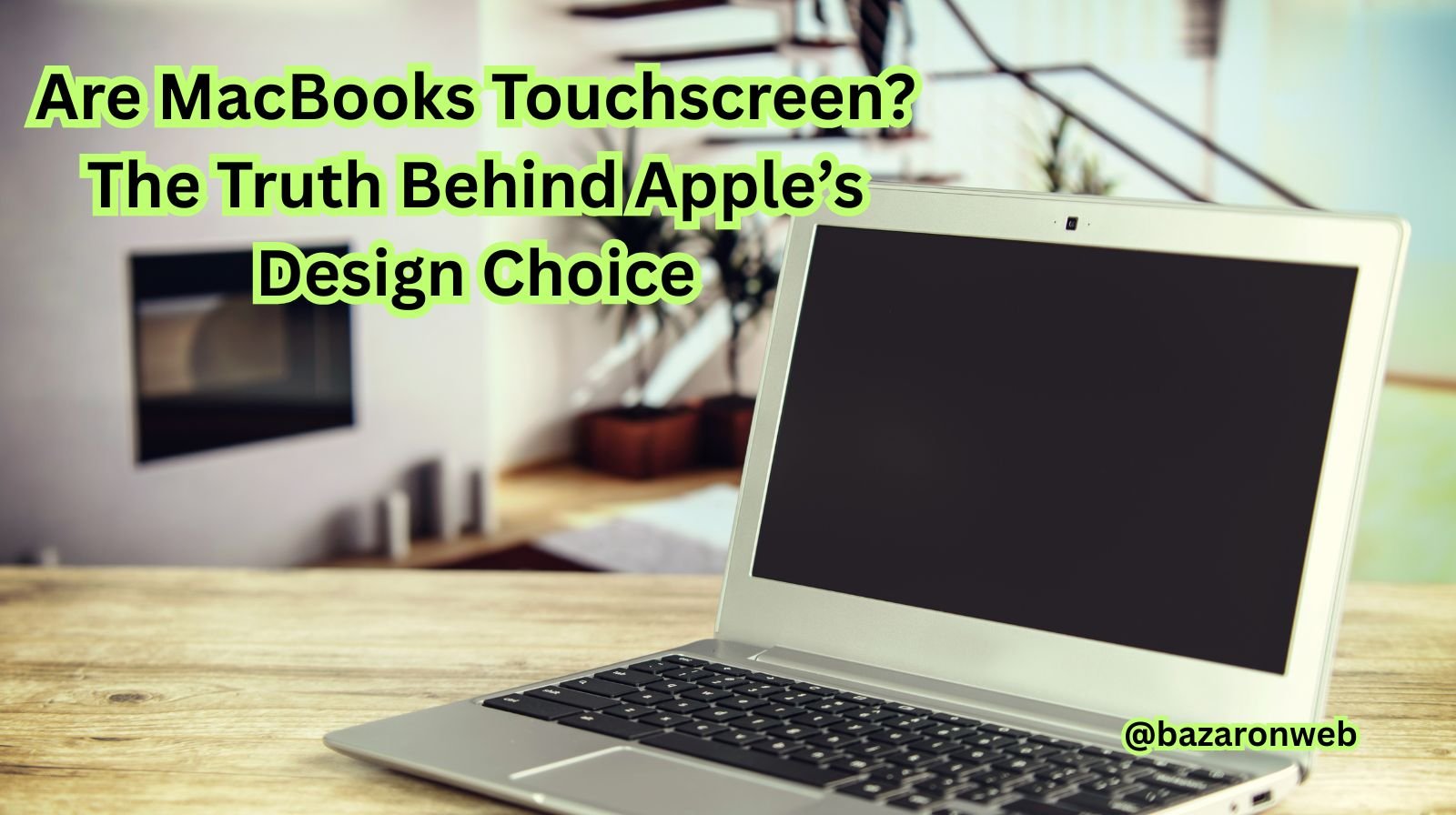
If you’ve ever used a touchscreen laptop from another brand — like Dell’s XPS, HP Spectre, or Microsoft Surface — and then switched to a MacBook, you might have asked the same question many Apple fans do: “Are MacBooks touchscreen?”
It seems like a natural expectation. After all, Apple’s iPhones and iPads have some of the most responsive touchscreens in the world. So why not the MacBook? In this article, we’ll explore whether MacBooks have touchscreen capability, why Apple hasn’t added one yet, what alternatives exist, and how you can achieve a similar experience.
Let’s dive into the full story.
1. The Straight Answer: No, MacBooks Don’t Have Touchscreens
As of now (2025), no MacBook model — including MacBook Air, MacBook Pro, or MacBook Pro M3 — has a touchscreen display. Apple has deliberately avoided adding touchscreen functionality to its laptops, even though many competitors have been offering it for years.
You can tap your MacBook’s screen all you want, but nothing will happen — except maybe leaving a few fingerprints behind!
So, if Apple can design top-of-the-line touch technology for iPhones and iPads, what’s holding them back from adding it to MacBooks?
2. Apple’s Official Reason: “The Mac Is Not an iPad”
Apple has consistently maintained that the MacBook and iPad serve different purposes.
While the iPad is designed for direct touch interaction, the MacBook is built for precision tasks that require a keyboard, trackpad, or mouse.
Apple’s late design chief, Jony Ive, and even CEO Tim Cook have previously stated that merging a Mac and iPad would lead to “a compromise” that weakens both.
In other words:
- iPads are for touch, creativity, and mobility.
- MacBooks are for productivity, precision, and performance.
This philosophy guides Apple’s entire design strategy — keeping their laptop and tablet experiences distinct instead of blending them.
3. The Evolution of Apple’s Touch Philosophy
Apple didn’t completely ignore the idea of touch integration. They’ve simply taken a different path.
a. The Touch Bar Experiment
In 2016, Apple introduced the Touch Bar on select MacBook Pro models.
It was a small OLED touchscreen strip above the keyboard that changed dynamically depending on the app being used. For example, it offered volume and brightness controls, emoji suggestions, or editing shortcuts in Photoshop.
However, while innovative, the Touch Bar didn’t resonate with most users. Many professionals found it less practical than traditional function keys, leading Apple to remove it in newer models (starting with the 2021 MacBook Pro).
This experiment showed that Apple was open to exploring touch input — but in a limited, targeted way.
b. The iPad Integration
Apple also blurred the line slightly by enhancing iPad capabilities. With iPadOS and accessories like the Magic Keyboard, the iPad can now function much like a laptop — with multitasking, external display support, and trackpad compatibility.
Essentially, instead of adding touch to the MacBook, Apple made the iPad more like a Mac.
4. Why Apple Avoids Touchscreens on MacBooks
There are several strategic and technical reasons why Apple has resisted touchscreen laptops — and they make sense when you look closer.
a. Ergonomics and Comfort
Using a touchscreen on a vertical laptop screen isn’t comfortable for long periods. Constantly reaching forward to touch the screen causes “gorilla arm” fatigue. Apple’s testing found that it’s simply not natural for laptop users.
b. Interface Design
macOS is built for precise cursor control, not finger taps. The menus, buttons, and icons are smaller compared to iOS. If you tried to use macOS by touch, it would feel awkward and inaccurate.
c. Product Line Differentiation
Apple already sells touch-enabled devices (iPhones and iPads). Making MacBooks touch-enabled might blur their product boundaries — and cannibalize iPad sales.
d. Hardware and Cost
Touch displays are more expensive and complex to manufacture. Adding them could raise MacBook prices or affect the ultra-thin design Apple is known for.
e. Focus on Existing Strengths
Instead of following trends, Apple refines what already works — powerful processors, Retina displays, and premium build quality. For Apple, user experience trumps checkboxes on a spec sheet.
5. What Apple Offers Instead of a Touchscreen
Even though MacBooks aren’t touchscreen, Apple provides several ways to get an intuitive, touch-like experience.
a. Multi-Touch Trackpad
Apple’s trackpads are arguably the best in the industry. They support a wide range of multi-touch gestures, such as:
- Pinch to zoom
- Swipe between full-screen apps
- Three-finger drag
- Mission Control gestures
This gives you similar convenience without actually touching the screen.
b. Continuity and Handoff
Apple’s Continuity features let your iPhone, iPad, and MacBook work seamlessly together. You can:
- Copy text on iPhone and paste on MacBook
- Answer iPhone calls from MacBook
- Use Universal Clipboard, Universal Control, and AirDrop
This integration creates a unified Apple ecosystem that makes touchscreen feel less essential.
c. Universal Control
This amazing feature allows you to use your MacBook’s keyboard and trackpad to control your iPad seamlessly — drag files across screens, use one cursor between devices, and more.
Essentially, you get a touchscreen iPad that complements your MacBook, rather than replacing it.
d. Sidecar Mode
With Sidecar, you can use your iPad as a second display for your MacBook — and yes, the iPad’s touchscreen still works in this setup!
This means you can draw, annotate, or use Apple Pencil on your iPad while controlling your MacBook apps.
So, indirectly, you can experience a “touchscreen Mac” using an iPad.
6. Rumors About Touchscreen MacBooks
Despite Apple’s resistance, industry insiders and tech analysts have occasionally reported rumors about touchscreen MacBook prototypes.
In 2023, Bloomberg’s Mark Gurman suggested that Apple engineers were exploring the idea of adding touchscreens to future MacBook Pro models, possibly by 2026.
If true, this would mark a major shift in Apple’s design philosophy. However, no official confirmation has been made, and Apple remains tight-lipped.
Given Apple’s perfectionism, they might introduce a touchscreen MacBook only when they can do it flawlessly — blending macOS and touch interaction without compromise.
7. Can You Make a MacBook Touchscreen with Accessories?
If you still want a touchscreen experience, several third-party products can simulate it.
a. AirBar Sensor
The AirBar by Neonode attaches magnetically below your MacBook’s display. It projects an invisible light field that tracks your finger movements, turning your regular screen into a touch-responsive one.
It works surprisingly well for simple gestures like scrolling, tapping, and zooming — though it’s not as smooth as a real touchscreen.
b. External Touch Displays
You can also connect a portable touchscreen monitor to your MacBook via USB-C. Brands like ASUS ZenScreen and ViewSonic offer displays that double as touch panels for supported systems.
However, note that macOS doesn’t natively support touch gestures, so functionality may be limited to basic taps and scrolls.
8. What Apple’s Design Approach Teaches Us
Apple’s refusal to add touchscreens isn’t a lack of innovation — it’s a reflection of their design discipline.
While competitors rush to merge tablets and laptops, Apple keeps their experiences specialized and seamless.
Instead of forcing touch into macOS, Apple offers:
- An iPad for touch creativity
- A MacBook for computing power
- An ecosystem that connects both effortlessly
This balance ensures each device excels at its intended purpose.
9. Alternatives for Touchscreen Lovers
If you’re a user who relies heavily on touch, there are alternatives within the Apple ecosystem:
- Buy an iPad Air or iPad Pro with a Magic Keyboard for a hybrid laptop-tablet experience.
- Use Sidecar or Universal Control with your MacBook to combine both worlds.
These setups let you enjoy Apple’s smooth hardware and software synergy without compromising on usability.
10. Will We Ever See a Touchscreen MacBook?
The million-dollar question!
Given Apple’s history, it’s possible but not guaranteed. Apple tends to take its time — they didn’t add stylus support until the Apple Pencil for iPad Pro, years after other brands had them.
If touchscreen MacBooks do arrive, expect them to feature:
- A redesigned macOS optimized for touch
- Hybrid functionality between macOS and iPadOS
- Next-gen M-series chips with adaptive UI support
Until then, Apple’s ecosystem already provides a near-perfect balance of convenience, speed, and design.
Conclusion
So, to answer the big question: No, MacBooks are not touchscreen — at least, not yet.
But that doesn’t mean you’re missing out. Apple has created an ecosystem where your devices complement each other perfectly. The iPad gives you the touch freedom, and the MacBook delivers unmatched productivity.
Rather than merging them prematurely, Apple ensures each product remains the best in its category.
And who knows? The future might just surprise us — maybe one day, we’ll see a MacBook that finally blends the magic of touch with the power of macOS.
Until then, your trackpad, keyboard, and iPad are more than capable companions.

- How to Remotely Control Another Computer Using Windows Quick Assist

- 5 Must-Have Electronics Gadgets for a More Comfortable Living Room

- How to Create a Windows 11 System Backup on an External Hard Drive

- 10 Smart Home Ideas That Make Everyday Life Easier

- Gemini Live Avatar: How to Talk to Gemini Face-to-Face

Products
-
![Apple Watch Ultra 3 [GPS + Cellular 49mm] Running & Multisport Smartwatch w/Rugged Titanium Case w/Black Titanium Milanese Loop - M. Satellite Communications, Advanced Health & Fitness Tracking](https://bazaronweb.com/retailstores/wp-content/uploads/2025/09/apple-watch-320x320.jpg) Apple Watch Ultra 3 [GPS + Cellular 49mm] Running & Multisport Smartwatch w/Rugged Titanium Case w/Black Titanium Milanese Loop - M. Satellite Communications, Advanced Health & Fitness Tracking
Apple Watch Ultra 3 [GPS + Cellular 49mm] Running & Multisport Smartwatch w/Rugged Titanium Case w/Black Titanium Milanese Loop - M. Satellite Communications, Advanced Health & Fitness Tracking
-
 Apple iPad mini (A17 Pro): Apple Intelligence, 8.3-inch Liquid Retina Display, 256GB, Wi-Fi 6E, 12MP Front/12MP Back Camera, Touch ID, All-Day Battery Life — Purple
-
 Apple AirPods Max Wireless Over-Ear Headphones, Active Noise Cancelling, Transparency Mode, Personalized Spatial Audio, Dolby Atmos, Bluetooth Headphones for iPhone – Space Gray
-
 Apple AirPods Pro 2 Wireless Earbuds, Active Noise Cancellation, Hearing Aid Feature, Bluetooth Headphones, Transparency, Personalized Spatial Audio, High-Fidelity Sound, H2 Chip, USB-C Charging
-
Home Garage 210 TC Cotton King Floral Fitted (Elastic) Bedsheet(Pack of 1, Grey)
Original price was: ₹999.00.₹299.00Current price is: ₹299.00.
Leave a Reply