Discounted Products
-
 Home Garage 210 TC Cotton King Floral Fitted (Elastic) Bedsheet(Pack of 1, Grey)
Original price was: ₹999.00.₹299.00Current price is: ₹299.00.
Home Garage 210 TC Cotton King Floral Fitted (Elastic) Bedsheet(Pack of 1, Grey)
Original price was: ₹999.00.₹299.00Current price is: ₹299.00.
-
 Goodrik 140 TC Cotton Double 3D Printed Flat Bedsheet(Pack of 1, Brown)
Original price was: ₹499.00.₹229.00Current price is: ₹229.00.
Goodrik 140 TC Cotton Double 3D Printed Flat Bedsheet(Pack of 1, Brown)
Original price was: ₹499.00.₹229.00Current price is: ₹229.00.
-
 GLOBALSHOP 350 TC Microfiber Double Floral Flat Bedsheet(Pack of 1, Multicolor)
Original price was: ₹1,250.00.₹263.00Current price is: ₹263.00.
GLOBALSHOP 350 TC Microfiber Double Floral Flat Bedsheet(Pack of 1, Multicolor)
Original price was: ₹1,250.00.₹263.00Current price is: ₹263.00.
-
 RisingStar 250 TC Microfiber King Printed Fitted (Elastic) Bedsheet(Pack of 1, FITTED-ROUND-CIRCLES-PREMIUM)
Original price was: ₹2,299.00.₹299.00Current price is: ₹299.00.
RisingStar 250 TC Microfiber King Printed Fitted (Elastic) Bedsheet(Pack of 1, FITTED-ROUND-CIRCLES-PREMIUM)
Original price was: ₹2,299.00.₹299.00Current price is: ₹299.00.
-
 Home Garage 210 TC Cotton King Floral Fitted (Elastic) Bedsheet(Pack of 1, Fitted Black Green)
Original price was: ₹1,299.00.₹299.00Current price is: ₹299.00.
Home Garage 210 TC Cotton King Floral Fitted (Elastic) Bedsheet(Pack of 1, Fitted Black Green)
Original price was: ₹1,299.00.₹299.00Current price is: ₹299.00.
-
 Home Garage 180 TC Cotton King 3D Printed Flat Bedsheet(Pack of 1, White)
Original price was: ₹999.00.₹229.00Current price is: ₹229.00.
Home Garage 180 TC Cotton King 3D Printed Flat Bedsheet(Pack of 1, White)
Original price was: ₹999.00.₹229.00Current price is: ₹229.00.
-
 Panipat Textile Hub 152.4 cm (5 ft) Polyester Window Curtain (Pack Of 2)(Solid, Aqua)
Original price was: ₹1,899.00.₹299.00Current price is: ₹299.00.
Panipat Textile Hub 152.4 cm (5 ft) Polyester Window Curtain (Pack Of 2)(Solid, Aqua)
Original price was: ₹1,899.00.₹299.00Current price is: ₹299.00.
-
 Home Sizzler 214 cm (7 ft) Polyester Semi Transparent Door Curtain (Pack Of 2)(Floral, Maroon)
Original price was: ₹1,199.00.₹399.00Current price is: ₹399.00.
Home Sizzler 214 cm (7 ft) Polyester Semi Transparent Door Curtain (Pack Of 2)(Floral, Maroon)
Original price was: ₹1,199.00.₹399.00Current price is: ₹399.00.
-
 Home Sizzler 153 cm (5 ft) Polyester Room Darkening Window Curtain (Pack Of 2)(Floral, Brown)
Original price was: ₹799.00.₹299.00Current price is: ₹299.00.
Home Sizzler 153 cm (5 ft) Polyester Room Darkening Window Curtain (Pack Of 2)(Floral, Brown)
Original price was: ₹799.00.₹299.00Current price is: ₹299.00.
-
 Stella Creations 214 cm (7 ft) Polyester Room Darkening Door Curtain (Pack Of 2)(Abstract, Brown)
Original price was: ₹1,299.00.₹449.00Current price is: ₹449.00.
Stella Creations 214 cm (7 ft) Polyester Room Darkening Door Curtain (Pack Of 2)(Abstract, Brown)
Original price was: ₹1,299.00.₹449.00Current price is: ₹449.00.
-
 Homefab India 152.5 cm (5 ft) Polyester Room Darkening Window Curtain (Pack Of 2)(Floral, Light Blue)
Original price was: ₹1,199.00.₹319.00Current price is: ₹319.00.
Homefab India 152.5 cm (5 ft) Polyester Room Darkening Window Curtain (Pack Of 2)(Floral, Light Blue)
Original price was: ₹1,199.00.₹319.00Current price is: ₹319.00.
-
 Urban Home 214 cm (7 ft) PVC Transparent Door Curtain Single Curtain(Solid, Off White)
Original price was: ₹699.00.₹203.00Current price is: ₹203.00.
Urban Home 214 cm (7 ft) PVC Transparent Door Curtain Single Curtain(Solid, Off White)
Original price was: ₹699.00.₹203.00Current price is: ₹203.00.
-
 Panipat Textile Hub 213 cm (7 ft) Polyester Door Curtain (Pack Of 2)(Solid, Brown)
Original price was: ₹1,199.00.₹349.00Current price is: ₹349.00.
Panipat Textile Hub 213 cm (7 ft) Polyester Door Curtain (Pack Of 2)(Solid, Brown)
Original price was: ₹1,199.00.₹349.00Current price is: ₹349.00.
-
 Home Sizzler 214 cm (7 ft) Polyester Semi Transparent Door Curtain (Pack Of 2)(Floral, Brown)
Original price was: ₹999.00.₹349.00Current price is: ₹349.00.
Home Sizzler 214 cm (7 ft) Polyester Semi Transparent Door Curtain (Pack Of 2)(Floral, Brown)
Original price was: ₹999.00.₹349.00Current price is: ₹349.00.
-
 Panipat Textile Hub 213 cm (7 ft) Polyester Semi Transparent Door Curtain (Pack Of 2)(Floral, Brown)
Original price was: ₹899.00.₹299.00Current price is: ₹299.00.
Panipat Textile Hub 213 cm (7 ft) Polyester Semi Transparent Door Curtain (Pack Of 2)(Floral, Brown)
Original price was: ₹899.00.₹299.00Current price is: ₹299.00.
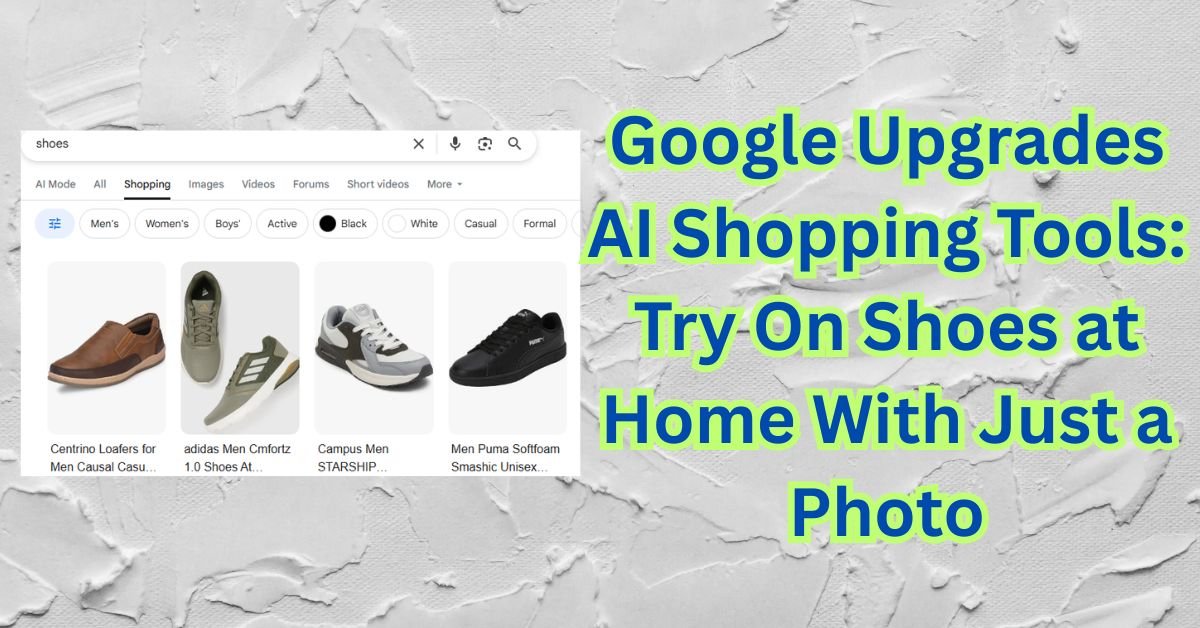
Hey friends, Jessica here. If you love online shopping as much as I do, you know one of the biggest struggles is figuring out whether the shoes you like will actually look good on you. Pictures are great, reviews help, but nothing beats trying a pair on in person.
Well, Google just solved that problem. Google has upgraded its AI shopping tools, and now you can virtually try on shoes at home by simply uploading a photo of yourself. Yes, you read that right. You can check how sneakers or boots look on your feet without stepping into a store.
In this guide, I am going to break down everything you need to know — how the feature works, who can use it, supported brands, pros and cons, and what this means for the future of online shopping.
What Is Google’s AI Shoe Try-On Feature?
Google’s new feature allows online shoppers to upload a picture of themselves and see how shoes will look on their feet in real-time. Instead of just rotating a 3D model of a shoe, the AI intelligently places the shoe on your feet in your uploaded photo.
Think of it as trying shoes on in a virtual dressing room. This feature builds on Google’s earlier clothing try-on tool for tops, but it is now expanding to footwear — which is a much bigger deal for everyday online shoppers.
How Does Google’s AI Try-On Work?
Google uses advanced generative AI, image recognition, and computer vision technology. In simple terms, here is what happens:
- You upload a full-body or feet photo.
- Google’s AI scans the image to find your feet.
- The tool digitally overlays the shoes on your feet.
- The result shows how the shoes would realistically look when worn.
It adjusts angle, size, lighting, shadows, and proportions — so it looks real, not like a sticker pasted on the image.
If you have ever used AR filters on social media, this is a more advanced version built for shopping accuracy.
Why Did Google Launch This Feature?
Three big reasons:
1. To reduce online returns
Footwear returns are one of the highest in e-commerce because shoppers cannot see how shoes look in real life. Virtual try-ons help customers make more confident decisions.
2. To make online shopping easier
People want more convenience. Online retail continues booming in the US, and technology like this removes friction.
3. To compete with Amazon and TikTok Shop
Retail tech is a race. Amazon has virtual try-on for eyewear and sneakers. TikTok Shop is pushing interactive shopping. Google had to level up.
Which Brands Support Google’s AI Shoe Try-On?
Google has partnered with several major footwear brands. You will find options across sports, casual sneaker culture, and fashion footwear.
Some expected supported brands include:
- Nike
- Adidas
- New Balance
- Puma
- Converse
- Vans
- Reebok
- Brooks
- Asics
As this feature rolls out, more brands are expected to join. The goal is to eventually support most shoe retailers listed in Google Shopping.
How to Use Google’s AI Shoe Try-On
You do not need any special app — it works in Google Shopping and Google Search.
Here is how to try it:
- Open the Google app or go to Google Shopping.
- Search for shoes (example: “Nike Air Max”).
- Tap the “Try On” feature when available.
- Upload a photo of your feet or yourself full-body.
- Preview how the shoes look.
- Try different colors and styles.
- Save photos or share with friends for feedback.
You can switch between shoe models without uploading a new picture each time. That’s a time-saver.
Is This Safe and Private?
Google says photos are processed securely and can be deleted after use. Your image is not used to train AI models unless you consent. Like all tech, privacy matters — so always read the settings and choose what you are comfortable with.
Benefits of Google’s AI Shoe Try-On
Here are the biggest wins for shoppers:
- No more guessing how sneakers look on your feet
- Makes online shopping faster and smarter
- Reduces the risk of buying the wrong style
- Helpful for kids’ shoes without dragging them to stores
- Useful for people who prefer ordering online due to busy schedules
This also helps fashion influencers and content creators — they can show shoe looks without buying every pair.
Limitations to Know
This tech is new, and like anything early-stage, expect some limitations:
- Fit accuracy is visual only — does not confirm comfort or size
- Lighting and angles in your photo may impact realism
- Not all brands or models are included yet
- Only available in select regions during rollout
Think of it as a helpful preview tool, not a replacement for real-world try-on when fit matters.
Future of AI Shopping
This is just the beginning. Shopping is moving toward a world where:
- You try full outfits digitally
- Sizes are predicted automatically
- AI gives suggestions based on your style
- You walk around in VR stores at home
Google’s shoe try-on is one big step toward that future.
Final Thoughts
Jessica here, wrapping this up. I am genuinely excited about this tool. As someone who shops online often, anything that helps me visualize products better is a win. I have bought sneakers before that looked great online but did not match my style once they arrived. If this technology saves shoppers from those moments, I call that progress.
The question is — will this become the new normal? I believe yes. Virtual try-on tech is only going to grow, and Google is leading one of the most practical shopping innovations we have seen in years.
Happy shopping, and enjoy trying new shoes without leaving your couch.

- How to Fix iPhone Updates Not Installing Overnight

- How to Add Notes or Comments to Folders in Windows 11

- How to Fix “Unable to Initialize Windows App SDK” Error in Windows 11

- How to Fix “Try Again Later – Something Happened on Our End” Error in Microsoft Store

- What Are iPhone Background Sounds? Their Uses and How to Enable Them

Products
-
![Apple Watch Ultra 3 [GPS + Cellular 49mm] Running & Multisport Smartwatch w/Rugged Titanium Case w/Black Titanium Milanese Loop - M. Satellite Communications, Advanced Health & Fitness Tracking](https://bazaronweb.com/retailstores/wp-content/uploads/2025/09/apple-watch-320x320.jpg) Apple Watch Ultra 3 [GPS + Cellular 49mm] Running & Multisport Smartwatch w/Rugged Titanium Case w/Black Titanium Milanese Loop - M. Satellite Communications, Advanced Health & Fitness Tracking
Apple Watch Ultra 3 [GPS + Cellular 49mm] Running & Multisport Smartwatch w/Rugged Titanium Case w/Black Titanium Milanese Loop - M. Satellite Communications, Advanced Health & Fitness Tracking
-
 Apple iPad mini (A17 Pro): Apple Intelligence, 8.3-inch Liquid Retina Display, 256GB, Wi-Fi 6E, 12MP Front/12MP Back Camera, Touch ID, All-Day Battery Life — Purple
-
 Apple AirPods Max Wireless Over-Ear Headphones, Active Noise Cancelling, Transparency Mode, Personalized Spatial Audio, Dolby Atmos, Bluetooth Headphones for iPhone – Space Gray
-
 Apple AirPods Pro 2 Wireless Earbuds, Active Noise Cancellation, Hearing Aid Feature, Bluetooth Headphones, Transparency, Personalized Spatial Audio, High-Fidelity Sound, H2 Chip, USB-C Charging
-
Home Garage 210 TC Cotton King Floral Fitted (Elastic) Bedsheet(Pack of 1, Grey)
Original price was: ₹999.00.₹299.00Current price is: ₹299.00.
Leave a Reply