Discounted Products
-
 Home Garage 210 TC Cotton King Floral Fitted (Elastic) Bedsheet(Pack of 1, Grey)
Original price was: ₹999.00.₹299.00Current price is: ₹299.00.
Home Garage 210 TC Cotton King Floral Fitted (Elastic) Bedsheet(Pack of 1, Grey)
Original price was: ₹999.00.₹299.00Current price is: ₹299.00.
-
 Goodrik 140 TC Cotton Double 3D Printed Flat Bedsheet(Pack of 1, Brown)
Original price was: ₹499.00.₹229.00Current price is: ₹229.00.
Goodrik 140 TC Cotton Double 3D Printed Flat Bedsheet(Pack of 1, Brown)
Original price was: ₹499.00.₹229.00Current price is: ₹229.00.
-
 GLOBALSHOP 350 TC Microfiber Double Floral Flat Bedsheet(Pack of 1, Multicolor)
Original price was: ₹1,250.00.₹263.00Current price is: ₹263.00.
GLOBALSHOP 350 TC Microfiber Double Floral Flat Bedsheet(Pack of 1, Multicolor)
Original price was: ₹1,250.00.₹263.00Current price is: ₹263.00.
-
 RisingStar 250 TC Microfiber King Printed Fitted (Elastic) Bedsheet(Pack of 1, FITTED-ROUND-CIRCLES-PREMIUM)
Original price was: ₹2,299.00.₹299.00Current price is: ₹299.00.
RisingStar 250 TC Microfiber King Printed Fitted (Elastic) Bedsheet(Pack of 1, FITTED-ROUND-CIRCLES-PREMIUM)
Original price was: ₹2,299.00.₹299.00Current price is: ₹299.00.
-
 Home Garage 210 TC Cotton King Floral Fitted (Elastic) Bedsheet(Pack of 1, Fitted Black Green)
Original price was: ₹1,299.00.₹299.00Current price is: ₹299.00.
Home Garage 210 TC Cotton King Floral Fitted (Elastic) Bedsheet(Pack of 1, Fitted Black Green)
Original price was: ₹1,299.00.₹299.00Current price is: ₹299.00.
-
 Home Garage 180 TC Cotton King 3D Printed Flat Bedsheet(Pack of 1, White)
Original price was: ₹999.00.₹229.00Current price is: ₹229.00.
Home Garage 180 TC Cotton King 3D Printed Flat Bedsheet(Pack of 1, White)
Original price was: ₹999.00.₹229.00Current price is: ₹229.00.
-
 Panipat Textile Hub 152.4 cm (5 ft) Polyester Window Curtain (Pack Of 2)(Solid, Aqua)
Original price was: ₹1,899.00.₹299.00Current price is: ₹299.00.
Panipat Textile Hub 152.4 cm (5 ft) Polyester Window Curtain (Pack Of 2)(Solid, Aqua)
Original price was: ₹1,899.00.₹299.00Current price is: ₹299.00.
-
 Home Sizzler 214 cm (7 ft) Polyester Semi Transparent Door Curtain (Pack Of 2)(Floral, Maroon)
Original price was: ₹1,199.00.₹399.00Current price is: ₹399.00.
Home Sizzler 214 cm (7 ft) Polyester Semi Transparent Door Curtain (Pack Of 2)(Floral, Maroon)
Original price was: ₹1,199.00.₹399.00Current price is: ₹399.00.
-
 Home Sizzler 153 cm (5 ft) Polyester Room Darkening Window Curtain (Pack Of 2)(Floral, Brown)
Original price was: ₹799.00.₹299.00Current price is: ₹299.00.
Home Sizzler 153 cm (5 ft) Polyester Room Darkening Window Curtain (Pack Of 2)(Floral, Brown)
Original price was: ₹799.00.₹299.00Current price is: ₹299.00.
-
 Stella Creations 214 cm (7 ft) Polyester Room Darkening Door Curtain (Pack Of 2)(Abstract, Brown)
Original price was: ₹1,299.00.₹449.00Current price is: ₹449.00.
Stella Creations 214 cm (7 ft) Polyester Room Darkening Door Curtain (Pack Of 2)(Abstract, Brown)
Original price was: ₹1,299.00.₹449.00Current price is: ₹449.00.
-
 Homefab India 152.5 cm (5 ft) Polyester Room Darkening Window Curtain (Pack Of 2)(Floral, Light Blue)
Original price was: ₹1,199.00.₹319.00Current price is: ₹319.00.
Homefab India 152.5 cm (5 ft) Polyester Room Darkening Window Curtain (Pack Of 2)(Floral, Light Blue)
Original price was: ₹1,199.00.₹319.00Current price is: ₹319.00.
-
 Urban Home 214 cm (7 ft) PVC Transparent Door Curtain Single Curtain(Solid, Off White)
Original price was: ₹699.00.₹203.00Current price is: ₹203.00.
Urban Home 214 cm (7 ft) PVC Transparent Door Curtain Single Curtain(Solid, Off White)
Original price was: ₹699.00.₹203.00Current price is: ₹203.00.
-
 Panipat Textile Hub 213 cm (7 ft) Polyester Door Curtain (Pack Of 2)(Solid, Brown)
Original price was: ₹1,199.00.₹349.00Current price is: ₹349.00.
Panipat Textile Hub 213 cm (7 ft) Polyester Door Curtain (Pack Of 2)(Solid, Brown)
Original price was: ₹1,199.00.₹349.00Current price is: ₹349.00.
-
 Home Sizzler 214 cm (7 ft) Polyester Semi Transparent Door Curtain (Pack Of 2)(Floral, Brown)
Original price was: ₹999.00.₹349.00Current price is: ₹349.00.
Home Sizzler 214 cm (7 ft) Polyester Semi Transparent Door Curtain (Pack Of 2)(Floral, Brown)
Original price was: ₹999.00.₹349.00Current price is: ₹349.00.
-
 Panipat Textile Hub 213 cm (7 ft) Polyester Semi Transparent Door Curtain (Pack Of 2)(Floral, Brown)
Original price was: ₹899.00.₹299.00Current price is: ₹299.00.
Panipat Textile Hub 213 cm (7 ft) Polyester Semi Transparent Door Curtain (Pack Of 2)(Floral, Brown)
Original price was: ₹899.00.₹299.00Current price is: ₹299.00.
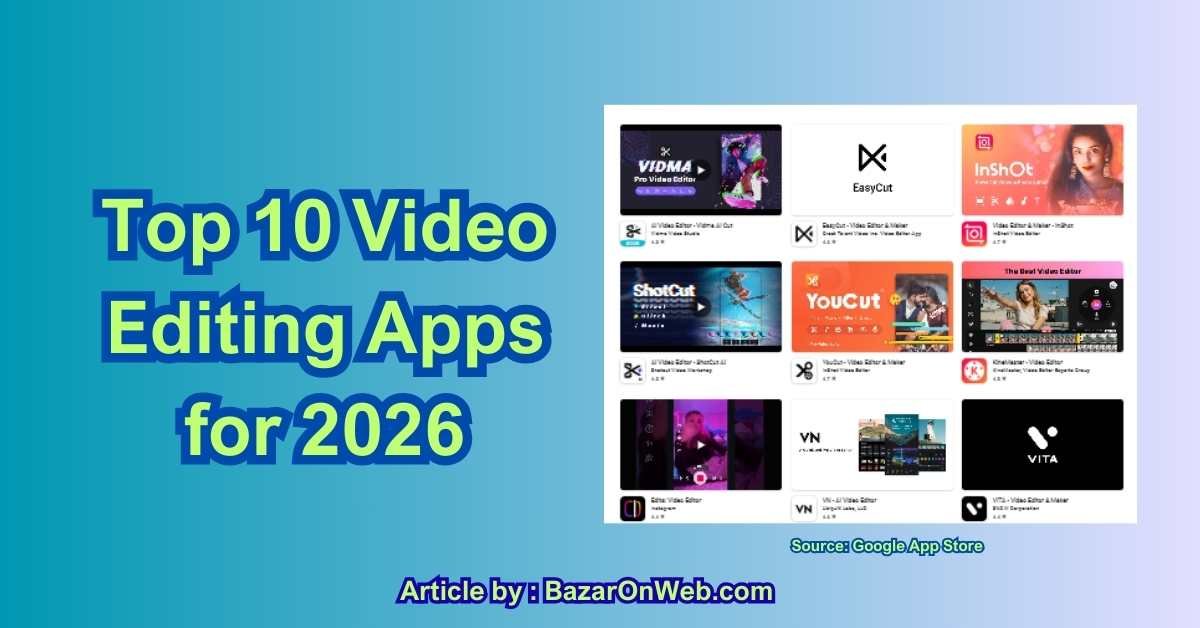
Introduction
As we step into 2026, video is no longer just a content format — it’s the primary way stories are told, brands are built, and ideas spread online. From quick Instagram Reels to long-form YouTube explainers, video has become the default language of the internet. And as a working professional juggling a career, family, and creative side projects, I’ve learned one thing very clearly: the right video editing app can save hours — or waste them.
What’s changed dramatically in recent years is the role of AI in video editing. Tasks that once required technical expertise — like removing backgrounds, generating captions, fixing audio, or even creating entire clips — can now be handled intelligently by software. At the same time, mobile-first tools have become powerful enough to handle professional-grade edits, while desktop software continues to evolve for filmmakers, agencies, and serious creators.
In 2026, choosing a video editor isn’t just about features. It’s about how fast you can move from idea to publish, how well the tool fits into your device ecosystem, and whether it helps you repurpose content across platforms without starting from scratch. Parents creating content at night, marketers working against deadlines, podcasters turning episodes into social clips, and creators building personal brands all need tools that work with their lives — not against them.
That’s why this list focuses on the best video editing apps for 2026, covering three key categories:
-
AI-powered editors that automate the hard parts
-
Mobile-friendly tools for fast, on-the-go creation
-
Pro-level software for serious storytelling and finishing
Whether you’re editing on a phone, tablet, laptop, or cloud-based platform, this guide is designed to help you find the editor that actually fits your workflow — not just the one with the longest feature list.
1) Adobe Premiere Pro (Desktop & Mobile ecosystem — pro-level + creative cloud AI)
Adobe Premiere Pro remains the industry standard for professional NLE (non-linear editing) workflows in 2026, and this year’s updates lean heavily into AI features that accelerate long-form and short-form production alike. At its core, Premiere Pro continues to provide robust timeline editing, multi-cam support, advanced color tools, and interchange with After Effects and Audition, but Adobe’s Firefly and AI integrations are the headline improvements that define the 2026 experience.
Generative Extend, Media Intelligence and Object Mask are among the AI tools that materially change how editors approach routine tasks. Generative Extend lets you synthesize a few frames to seamlessly extend action at clip edges (handy for slow ramp-ins/outs or patching weird cuts), while Media Intelligence indexes visuals and transcripts so you can search for shots by natural language and visual content (e.g., “find closeup of blue bike”). Object Mask and related AI-assisted rotoscoping have reduced the time spent on tedious masking, enabling faster isolation of people or objects for color grading and effects. Adobe’s platform-level approach (Premiere + After Effects + Firefly + cloud services) means AI tasks can be done either locally or by using cloud credits depending on your subscription and desired quality.
The new Premiere mobile app and browser-based Firefly video editor also democratize pro-level tools onto phones and tablets; many creators can now iterate a near-final cut on mobile and hand off to desktop for finishing. Collaboration features (team projects, cloud coediting) are matured, and the ecosystem supports formats from vertical shorts (auto-export profiles for TikTok/Shorts/IG) to theatrical delivery (IMF, HDR).
Where Premiere still needs caution: subscription costs and Firefly generative credits add recurring expense; heavy AI operations can require GPU/cloud resources for best quality; and the learning curve remains steeper than consumer apps. For agencies, post houses, and serious creators who need deep control, file-format fidelity, plugins (color, noise-reduction, VFX), and industry workflows, Premiere remains the top pick — particularly if you value the Adobe ecosystem’s interoperability and evolving AI toolset.
2) DaVinci Resolve (Pro finishing + AI-driven assembly & color)
DaVinci Resolve continues to blur the lines between editing, grading, audio, and visual effects by offering a single app that scales from indie creators to studio finishing. Blackmagic Design’s 2026 releases heavily emphasize AI-assisted editing workflows: AI-driven timeline assembly from scripts, AI Multicam SmartSwitch, Intelligent Scene Detection, AI-assisted animated subtitles, and a raft of ResolveFX powered by GPU acceleration. These tools make Resolve an outstanding choice for creators who want a single integrated environment for editorial, color, Fusion VFX, Fairlight audio mixing, and delivery — with pro-level fidelity.
Resolve’s color grading tools remain best-in-class; new AI-driven color presets and a Film Look Creator streamline achieving cinematic tones while retaining manual controls for colorists who want pixel-level precision. For multi-camera shoots and documentary styles, the AI Multicam SmartSwitch and speaker-detection assembly can reduce rough-cut time dramatically. Resolve’s Fairlight audio suite has also matured to include intelligent audio cleanup, auto-ducking, and voice-leveling features that used to require separate tools.
The Studio (paid) edition unlocks more GPU-accelerated plugins, higher-quality noise reduction, advanced stereoscopic/3D finishing, and collaborative project server options for multi-seat facilities. Resolve remains a heavy, resource-hungry app on complex timelines — you’ll want a beefy GPU and storage system for high-resolution, multi-track projects. But its free tier is unusually generous and can handle serious workflows, making it popular with indie filmmakers, educational labs, and pros who want studio-level grading without a huge software bill. If you need one app for editing → color → audio → VFX with a growing set of AI automations to speed assembly and metadata-driven editing, Resolve is arguably the best value in 2026.
3) Final Cut Pro (Apple ecosystem — speed, optimized for Apple silicon)
Final Cut Pro remains Apple’s flagship NLE, and in 2026 it’s optimized further for Apple silicon (M3/Max/Ultra etc.), offering blistering real-time playback and efficient handling of high-res codecs like ProRes RAW and 8K workflows on Mac. Final Cut’s magnetic timeline and role-based audio organization continue to be productivity multipliers for editors who prefer an Apple-centric pipeline: quick import from iPhone, seamless integration with Motion and Compressor, and tight performance advantages when using native hardware acceleration.
Recent updates have added AI-accelerated tools (object tracking and automatic intelligent tagging / caption generation), improved 360° editing support, and better integration between iPad and Mac (projects can be started on iPad and finished on Mac). Apple’s focus is on speed and a smooth UX rather than on exposing the deepest technical knobs — that makes Final Cut an excellent fit for professional editors who value quick turnarounds, documentary teams on tight deadlines, and creators in the Apple ecosystem.
Final Cut’s strengths also include efficient proxy workflows, strong color tools, and optimized export presets for streaming platforms and social verticals. However, plugin ecosystems remain more Mac-focused, and workflows that must integrate with Windows-based VFX houses can be trickier. The app is Mac-only: if you’re cross-platform or dependent on collaboration with mixed-OS teams, this matters. For Mac-native pros and solo creators who want a fast, powerful editor with excellent hardware acceleration and polished AI additions, Final Cut Pro remains a go-to in 2026.
4) Runway (AI-first creative suite — generative video & assisted editing)
Runway sits in a special class: an AI-first creative suite designed to make previously difficult tasks (background replacement, motion editing, text-to-video generation, and object-aware editing) accessible to creators without deep VFX knowledge. Runway’s Gen-3/Gen-4.x video models and tools — including motion brush, inpainting of video, and text-to-video capabilities — let you generate or alter footage in ways that were science-fiction a few years ago. Instead of relying solely on timeline tricks, Runway treats video as malleable media you can edit with semantic commands or generative passes.
It’s extremely powerful for concepting, rapid prototyping, and short-form content creation: replace backgrounds, change scene lighting, remove or insert objects, or generate stylistic clips from prompts. Newer Runway releases in 2024–2026 emphasized fidelity improvements and control interfaces (director-mode style controls for framing, camera moves, and temporal coherence) plus safer, moderated model releases for production use. Because Runway operates largely from the cloud, heavy generative tasks are offloaded from your local machine — useful for creators on lightweight hardware.
Runway also integrates conventional editing features (clip assembly, simple timelines) but its sweet spot is AI-driven creative tasks and fast experimentation. The caveats: generative content may require cleanup in a traditional NLE for final mastering; cloud costs can climb with heavy usage; and legal/provenance concerns about AI-generated content still require careful handling if you’re producing commercial work. For creators who want to push the bounds of what’s visually possible quickly — and prototype complex VFX without a big studio team — Runway is an indispensable 2026 tool.
5) CapCut (Mobile-first, social-native, heavy AI for short-form)
CapCut has evolved into a dominant mobile and desktop social-editing hub with deep AI features aimed at creators producing short-form content. CapCut’s strength is that it packages template-driven editing, smart auto-captions, motion tracking, background removal, text-to-speech, auto-subtitle timing, and even text/image-to-video generation into an easy, approachable UI — and it’s aggressively tuned for TikTok/Instagram/YouTube Shorts output.
The app provides end-to-end short-form workflows: quick trim / sync to beat, one-tap vertical crop, auto-caption templates, and a vast library of effects and music. Its AI-driven scene generators and avatar/dialogue features let you create stylized short clips from prompts or stills — which is why many social creators use CapCut as a primary drafting tool. The free tier is generous compared to many commercial editors, making it a go-to for influencers and SMBs.
Key cautions: CapCut’s ownership and terms-of-service updates have raised privacy and licensing conversations for professional users (check TOS for content rights if you’re producing client work). Additionally, CapCut is optimized for shorter content — long-form, multi-camera projects will feel constrained compared with desktop NLEs. Still, for mobile-first creators who need speed, templates, and AI-driven generation, CapCut is one of the fastest ways to produce viral-ready edits in 2026.
6) LumaFusion (Pro mobile editor — iPad/Android pro workflows)
LumaFusion is the gold standard for pro-grade mobile editing, particularly on iPad but increasingly on Android and ChromeOS. Built from the ground up as a touch-first editor, LumaFusion gives creators a magnetic-like timeline with multi-track editing, advanced keyframing, color correction, LUT support, and pro export formats — all in a mobile-optimized UI. In 2026 LumaFusion continues to expand its Creator Pass integrations (storyblocks/media subscriptions), performance improvements, and cloud-linked workflows.
Where LumaFusion stands out is in combining tactile, responsive editing with pro features: multiple video/audio tracks, detailed audio mixing, proxy workflows, and markers/metadata for complex projects. It’s used by indie filmmakers, run-and-gun journalists, and YouTube creators who prefer editing on tablets. The addition of subscription-linked libraries (Creator Pass) simplifies access to stock assets in app, speeding up turnaround for marketing teams.
Limitations: LumaFusion is still primarily for mobile-first or mobile-native workflows — extremely complex VFX or long-form feature finishing is better handled in desktop NLEs. But for editors who want professional controls in a portable package, LumaFusion is unmatched on tablet platforms in 2026.
7) Descript (Text-first editing & podcast-to-video workflows)
Descript popularized the “edit the transcript, edit the video” paradigm, and by 2026 it’s a strong choice for creators who prioritize speed, spoken-word content, and repurposing long-form audio/video into social clips. Descript’s transcription-first approach means you can cut filler words, rearrange sentences, and remove “ums/ahs” directly via the transcript; the underlying timeline then updates automatically. Overdub and multi-voice generative features let you create or replace spoken lines with realistic AI voices — a huge time-saver for podcast editors and educators.
The app also includes video-to-text repurposing, automatic captioning, filler removal, and simple scene composition tools that let creators produce social clips directly from long interviews. Descript’s AI co-editor can generate suggested cuts, create short highlights, and produce captions and chapter markers — making it ideal for content teams with heavy repurposing needs.
Descript is not a deep VFX or high-end color tool — consider it a productivity-first editor for spoken content, tutorial creators, video marketers, and podcast publishers who need fast turnaround. For final finishing in broadcast or cinema, you’ll still export to a traditional NLE, but for the bulk of social and educational workflows, Descript can cut hours out of post-production.
8) Wondershare Filmora (Beginner-friendly + growing AI toolkit)
Filmora aims at creators who want a gentle learning curve but increasingly capable results. In 2026, Filmora’s philosophy remains accessibly simple: drag-and-drop timelines, plentiful preset templates, transitions, stock media, and a growing set of AI-assisted features (auto reframe for social formats, AI background removal, auto-captioning, smart color match, and assisted scene detection). Filmora is often chosen by YouTubers, marketers, and small businesses that want quick, good-looking edits without the steeper learning curves of Premiere or Resolve.
A big advantage is Filmora’s built-in asset library and templates which accelerate content production for social platforms, tutorials, and promos. Its AI features help non-editors achieve conscientious results: automatic beat-syncing, text animations, and AI filters that quickly get footage to an appealing baseline.
Where Filmora isn’t ideal is in precision finishing: advanced color grading, high-end VFX, and large multi-cam productions still favor professional NLEs. But as a fast, approachable editor with increasing AI automation and a friendly price point, Filmora remains one of the best “move-fast-and-ship” tools for creators and small teams in 2026.
9) Canva Video Editor / Magic Studio (Web-first, AI-assisted rapid creation)
Canva’s Video Editor and Magic Studio features make it a powerful choice for marketers, social teams, and anyone who wants polished, template-driven content fast. In 2026 Canva has integrated advanced AI video tools (including Google’s Veo 3 and Leonardo.ai-derived features) so users can generate short video clips from text prompts, synchronize audio, and drop those clips into Canva’s editor for final assembly.
Canva’s value proposition remains its design-first UI, collaborative team features, and huge library of templates and licensed media — now combined with AI-assisted creation for quick concepting. For social campaigns, product explainers, and marketing assets that don’t require complex VFX, Canva reduces turnaround dramatically: generate a short cinematic clip via AI, refine with the editor, auto-caption, and download social-ready versions. The tool is web-based and cross-platform, which makes team collaboration and client reviews frictionless.
Limitations: generative outputs are short (Canva often limits clip lengths for AI generation), and deeper timeline control and high-end color/codec fidelity are less robust than desktop NLEs. Still, for cross-functional marketing teams and creators who prioritize speed, visual polish, and collaborative workflows, Canva’s video editor is a major productivity win in 2026.
10) VN (VlogNow) & VEGAS Pro — two ends of the spectrum (mobile-first simplicity vs. Windows pro suite)
This entry covers two complementary picks depending on your needs: VN (VlogNow) for mobile-first, no-watermark free editing; and VEGAS Pro for Windows-based professionals who want pro features with lower friction than some competitors.
VN (VlogNow) is a surprisingly capable free mobile editor for creators who value simplicity and no-watermark exports. It supports multi-track editing, keyframe animation, motion templates, and 4K exports while keeping the UI approachable. VN is used widely by vloggers, social creators, and educators who want a frictionless editing experience on phones and tablets. It’s especially valuable when time-to-publish matters and you want crisp results without a big learning curve. Google Play
On the other hand, VEGAS Pro (Magix) targets Windows pros and post houses that want a powerful editing and post suite with modern AI features (text-to-speech, speech-to-text, AI image optimization, and content-aware tools) built into a familiar timeline workflow. VEGAS has become more aggressive on cloud features and AI assistants for media management and quick creative tasks, while maintaining strong audio tools via SOUND FORGE integration. For Windows-based solo editors, YouTubers and indie filmmakers who prefer a native Windows experience with pro audio/video toolsets, VEGAS Pro is a strong 2026 contender.
Conclusion
If there’s one clear takeaway from exploring the top video editing apps of 2026, it’s this: there has never been a better time to be a creator — or a more confusing time to choose tools. The good news is that today’s editors are no longer defined solely by technical skill. AI has fundamentally changed the editing process, lowering the barrier to entry while dramatically increasing what’s possible in less time.
For professional editors and filmmakers, tools like Adobe Premiere Pro, DaVinci Resolve, Final Cut Pro, and VEGAS Pro continue to dominate with deep control, precision, and industry-grade workflows. These platforms are ideal when quality, consistency, and scalability matter — especially for client work, long-form projects, and collaborative environments. AI in these tools doesn’t replace creativity; it simply removes friction, allowing editors to focus on storytelling rather than repetitive tasks.
On the other end of the spectrum, mobile-first and social-native editors such as CapCut, LumaFusion, VN, and Canva reflect how content creation has shifted toward speed and accessibility. These apps understand modern publishing realities: vertical video, captions by default, platform-specific exports, and fast iteration. For creators managing busy lives, these tools make it realistic to create consistently without sacrificing quality.
Then there are AI-first platforms like Runway and Descript that challenge traditional ideas of what “editing” even means. Editing by text, generating video from prompts, or manipulating scenes without complex timelines feels less like post-production and more like creative direction. These tools are especially powerful for educators, podcasters, marketers, and experimental creators who want to move fast and try new formats.
What matters most in 2026 isn’t choosing the “best” video editor overall — it’s choosing the best editor for your workflow. Ask yourself:
-
Do I value speed over precision?
-
Am I editing on mobile, desktop, or both?
-
Do I need AI assistance or full manual control?
-
Is my content short-form, long-form, or both?
The smartest creators aren’t loyal to one tool — they build a stack. Draft on mobile, refine on desktop. Generate with AI, polish with pro software. The tools covered in this guide aren’t competitors as much as they are complementary pieces of a modern content workflow.
In 2026, video editing is no longer about mastering software. It’s about choosing tools that give you time back — time to create, experiment, and tell better stories.
Disclaimer
This article is for informational and educational purposes only. The video editing apps mentioned are based on publicly available features, updates, and industry trends as of 2026. Features, pricing, AI capabilities, and availability may change over time. We do not claim affiliation, partnership, or endorsement from any of the software companies listed. Readers are advised to review official websites, terms of service, and licensing policies before using any tool for commercial or professional projects. The opinions expressed reflect practical use-case analysis and are not guarantees of performance or results.

- Killer Network Service: Is It a Virus or Safe to Disable?

- How to Set Up Parental Controls on Windows 11: A Step-by-Step Guide

- How to Extract Audio From a Video: Easy Ways to Save Audio

- How to Set a Photo Album as Your Wallpaper on iPhone: Step-by-Step Guide

- How to Convert a Bootable USB Drive to an ISO File in Windows

Products
-
![Apple Watch Ultra 3 [GPS + Cellular 49mm] Running & Multisport Smartwatch w/Rugged Titanium Case w/Black Titanium Milanese Loop - M. Satellite Communications, Advanced Health & Fitness Tracking](https://bazaronweb.com/retailstores/wp-content/uploads/2025/09/apple-watch-320x320.jpg) Apple Watch Ultra 3 [GPS + Cellular 49mm] Running & Multisport Smartwatch w/Rugged Titanium Case w/Black Titanium Milanese Loop - M. Satellite Communications, Advanced Health & Fitness Tracking
Apple Watch Ultra 3 [GPS + Cellular 49mm] Running & Multisport Smartwatch w/Rugged Titanium Case w/Black Titanium Milanese Loop - M. Satellite Communications, Advanced Health & Fitness Tracking
-
 Apple iPad mini (A17 Pro): Apple Intelligence, 8.3-inch Liquid Retina Display, 256GB, Wi-Fi 6E, 12MP Front/12MP Back Camera, Touch ID, All-Day Battery Life — Purple
-
 Apple AirPods Max Wireless Over-Ear Headphones, Active Noise Cancelling, Transparency Mode, Personalized Spatial Audio, Dolby Atmos, Bluetooth Headphones for iPhone – Space Gray
-
 Apple AirPods Pro 2 Wireless Earbuds, Active Noise Cancellation, Hearing Aid Feature, Bluetooth Headphones, Transparency, Personalized Spatial Audio, High-Fidelity Sound, H2 Chip, USB-C Charging
-
Home Garage 210 TC Cotton King Floral Fitted (Elastic) Bedsheet(Pack of 1, Grey)
Original price was: ₹999.00.₹299.00Current price is: ₹299.00.
Leave a Reply