Discounted Products
-
 Home Garage 210 TC Cotton King Floral Fitted (Elastic) Bedsheet(Pack of 1, Grey)
Original price was: ₹999.00.₹299.00Current price is: ₹299.00.
Home Garage 210 TC Cotton King Floral Fitted (Elastic) Bedsheet(Pack of 1, Grey)
Original price was: ₹999.00.₹299.00Current price is: ₹299.00.
-
 Goodrik 140 TC Cotton Double 3D Printed Flat Bedsheet(Pack of 1, Brown)
Original price was: ₹499.00.₹229.00Current price is: ₹229.00.
Goodrik 140 TC Cotton Double 3D Printed Flat Bedsheet(Pack of 1, Brown)
Original price was: ₹499.00.₹229.00Current price is: ₹229.00.
-
 GLOBALSHOP 350 TC Microfiber Double Floral Flat Bedsheet(Pack of 1, Multicolor)
Original price was: ₹1,250.00.₹263.00Current price is: ₹263.00.
GLOBALSHOP 350 TC Microfiber Double Floral Flat Bedsheet(Pack of 1, Multicolor)
Original price was: ₹1,250.00.₹263.00Current price is: ₹263.00.
-
 RisingStar 250 TC Microfiber King Printed Fitted (Elastic) Bedsheet(Pack of 1, FITTED-ROUND-CIRCLES-PREMIUM)
Original price was: ₹2,299.00.₹299.00Current price is: ₹299.00.
RisingStar 250 TC Microfiber King Printed Fitted (Elastic) Bedsheet(Pack of 1, FITTED-ROUND-CIRCLES-PREMIUM)
Original price was: ₹2,299.00.₹299.00Current price is: ₹299.00.
-
 Home Garage 210 TC Cotton King Floral Fitted (Elastic) Bedsheet(Pack of 1, Fitted Black Green)
Original price was: ₹1,299.00.₹299.00Current price is: ₹299.00.
Home Garage 210 TC Cotton King Floral Fitted (Elastic) Bedsheet(Pack of 1, Fitted Black Green)
Original price was: ₹1,299.00.₹299.00Current price is: ₹299.00.
-
 Home Garage 180 TC Cotton King 3D Printed Flat Bedsheet(Pack of 1, White)
Original price was: ₹999.00.₹229.00Current price is: ₹229.00.
Home Garage 180 TC Cotton King 3D Printed Flat Bedsheet(Pack of 1, White)
Original price was: ₹999.00.₹229.00Current price is: ₹229.00.
-
 Panipat Textile Hub 152.4 cm (5 ft) Polyester Window Curtain (Pack Of 2)(Solid, Aqua)
Original price was: ₹1,899.00.₹299.00Current price is: ₹299.00.
Panipat Textile Hub 152.4 cm (5 ft) Polyester Window Curtain (Pack Of 2)(Solid, Aqua)
Original price was: ₹1,899.00.₹299.00Current price is: ₹299.00.
-
 Home Sizzler 214 cm (7 ft) Polyester Semi Transparent Door Curtain (Pack Of 2)(Floral, Maroon)
Original price was: ₹1,199.00.₹399.00Current price is: ₹399.00.
Home Sizzler 214 cm (7 ft) Polyester Semi Transparent Door Curtain (Pack Of 2)(Floral, Maroon)
Original price was: ₹1,199.00.₹399.00Current price is: ₹399.00.
-
 Home Sizzler 153 cm (5 ft) Polyester Room Darkening Window Curtain (Pack Of 2)(Floral, Brown)
Original price was: ₹799.00.₹299.00Current price is: ₹299.00.
Home Sizzler 153 cm (5 ft) Polyester Room Darkening Window Curtain (Pack Of 2)(Floral, Brown)
Original price was: ₹799.00.₹299.00Current price is: ₹299.00.
-
 Stella Creations 214 cm (7 ft) Polyester Room Darkening Door Curtain (Pack Of 2)(Abstract, Brown)
Original price was: ₹1,299.00.₹449.00Current price is: ₹449.00.
Stella Creations 214 cm (7 ft) Polyester Room Darkening Door Curtain (Pack Of 2)(Abstract, Brown)
Original price was: ₹1,299.00.₹449.00Current price is: ₹449.00.
-
 Homefab India 152.5 cm (5 ft) Polyester Room Darkening Window Curtain (Pack Of 2)(Floral, Light Blue)
Original price was: ₹1,199.00.₹319.00Current price is: ₹319.00.
Homefab India 152.5 cm (5 ft) Polyester Room Darkening Window Curtain (Pack Of 2)(Floral, Light Blue)
Original price was: ₹1,199.00.₹319.00Current price is: ₹319.00.
-
 Urban Home 214 cm (7 ft) PVC Transparent Door Curtain Single Curtain(Solid, Off White)
Original price was: ₹699.00.₹203.00Current price is: ₹203.00.
Urban Home 214 cm (7 ft) PVC Transparent Door Curtain Single Curtain(Solid, Off White)
Original price was: ₹699.00.₹203.00Current price is: ₹203.00.
-
 Panipat Textile Hub 213 cm (7 ft) Polyester Door Curtain (Pack Of 2)(Solid, Brown)
Original price was: ₹1,199.00.₹349.00Current price is: ₹349.00.
Panipat Textile Hub 213 cm (7 ft) Polyester Door Curtain (Pack Of 2)(Solid, Brown)
Original price was: ₹1,199.00.₹349.00Current price is: ₹349.00.
-
 Home Sizzler 214 cm (7 ft) Polyester Semi Transparent Door Curtain (Pack Of 2)(Floral, Brown)
Original price was: ₹999.00.₹349.00Current price is: ₹349.00.
Home Sizzler 214 cm (7 ft) Polyester Semi Transparent Door Curtain (Pack Of 2)(Floral, Brown)
Original price was: ₹999.00.₹349.00Current price is: ₹349.00.
-
 Panipat Textile Hub 213 cm (7 ft) Polyester Semi Transparent Door Curtain (Pack Of 2)(Floral, Brown)
Original price was: ₹899.00.₹299.00Current price is: ₹299.00.
Panipat Textile Hub 213 cm (7 ft) Polyester Semi Transparent Door Curtain (Pack Of 2)(Floral, Brown)
Original price was: ₹899.00.₹299.00Current price is: ₹299.00.
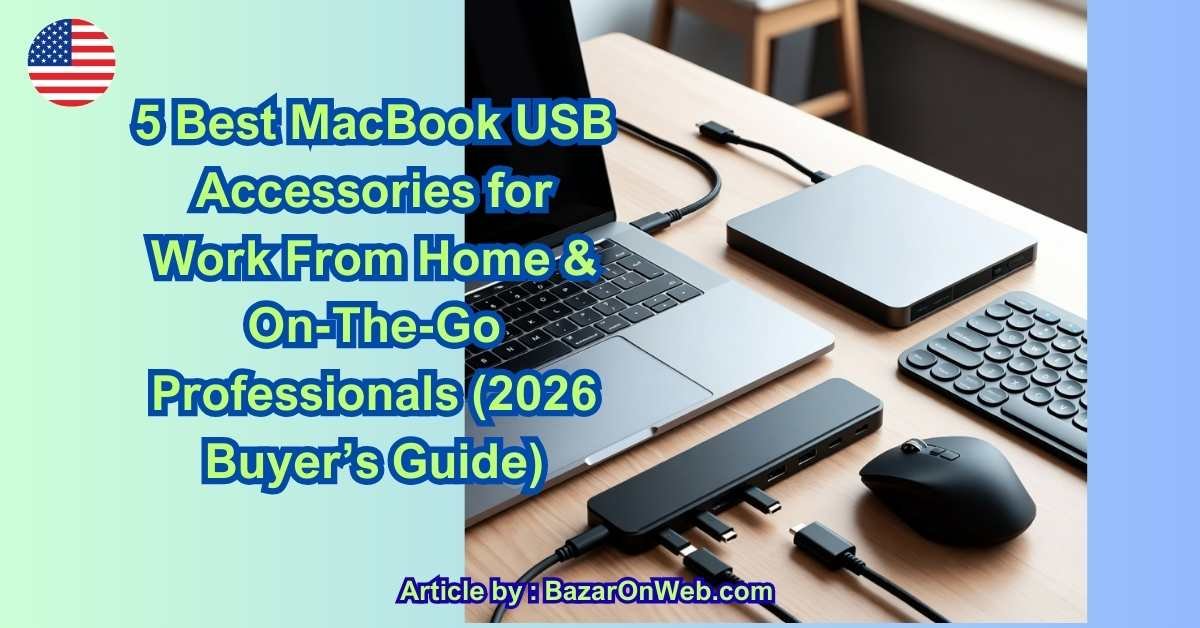
Introduction
As someone juggling a hybrid work schedule, family responsibilities, and frequent travel, I’ve learned one thing the hard way: a MacBook alone is not enough. On paper, it’s powerful, sleek, and reliable. In real life—working from my home office in Austin, hopping into coffee shops, or setting up quickly during family trips—it needs the right accessories to truly perform.
Modern MacBooks are designed around USB-C and Thunderbolt ports, which is great for speed and future-proofing, but not always practical for everyday work. Meetings, presentations, file transfers, backups, stable internet, and charging multiple devices all demand more flexibility than a bare laptop can provide. That’s where the right USB accessories make a real difference—not flashy extras, but practical tools that quietly improve productivity.
For professionals working from home, USB accessories help create a clean, efficient desk setup that rivals a traditional office. For those constantly on the move, they offer portability without compromise. And for people like me—balancing work, kids, and life—they reduce friction. Fewer cables to think about, fewer connection issues, and fewer moments where technology slows you down.
This guide focuses on the best MacBook USB accessories for working from home and on the go, chosen with real-world use in mind. These aren’t niche gadgets for tech enthusiasts—they’re everyday essentials for professionals who value time, reliability, and flexibility. Whether you’re managing campaigns, attending virtual meetings, editing files, or simply trying to stay productive wherever the day takes you, these accessories help your MacBook work with you, not against you.
1. USB-C Multiport Hub (The Non-Negotiable Essential)
If you use a modern MacBook, chances are you’re already living the dongle life. Apple’s shift to USB-C and Thunderbolt ports made MacBooks slimmer and faster—but also removed many everyday ports professionals still rely on. A high-quality USB-C multiport hub solves this instantly and remains the single most important MacBook USB accessory for work-from-home and mobile setups.
A good hub expands one USB-C port into multiple connections: HDMI or DisplayPort for external monitors, USB-A ports for legacy devices, SD/microSD card readers for creatives, Ethernet for stable internet, and USB-C power delivery so you can charge while working. For remote workers, this means walking into a café or coworking space and instantly creating a desktop-like setup.
Professionals working from home benefit even more. With one cable, your MacBook can connect to a monitor, keyboard, mouse, webcam, wired internet, and storage—keeping your desk clean and your workflow fast. On the go, the same hub fits easily into a laptop sleeve without adding weight.
When choosing a hub, prioritize:
-
4K or 5K display support
-
At least 85–100W power delivery
-
Aluminum housing for heat control
-
Thunderbolt compatibility if you use high-resolution monitors or fast storage
This single accessory often replaces five or six individual adapters, making it indispensable for both productivity and portability.
2. High-Speed External SSD (Portable Performance Upgrade)
Internal MacBook storage fills up faster than most professionals expect—especially if you deal with videos, design files, databases, or large project folders. A USB-C or Thunderbolt external SSD is the fastest, safest way to expand storage without sacrificing speed.
Unlike traditional hard drives, SSDs offer near-instant file access, silent operation, and strong shock resistance—perfect for professionals who travel frequently. With modern USB-C SSDs, you can edit videos directly from the drive, run development environments, or manage massive datasets without lag.
For work-from-home users, external SSDs are ideal for:
-
Project-based storage separation
-
Client file organization
-
Secure backups
-
Fast Time Machine snapshots
For on-the-go professionals, they act as a digital briefcase—holding everything from presentations to creative assets in a device smaller than a credit card.
Key features to look for:
-
USB 3.2 Gen 2 or Thunderbolt speeds
-
1TB or higher capacity
-
Hardware encryption support
-
Rugged casing for travel
An external SSD doesn’t just add storage—it adds confidence, knowing your data is fast, portable, and secure.
3. USB-C Monitor or USB Display Adapter (Instant Dual-Screen Setup)
Once you experience a dual-screen workflow, it’s almost impossible to go back. Whether you’re analyzing data, managing campaigns, coding, editing content, or handling spreadsheets, a second screen dramatically improves efficiency.
USB-C monitors allow a single cable to handle display, charging, and data—perfect for minimalist home offices. If you already own a monitor, a USB-C to HDMI or DisplayPort adapter delivers the same productivity boost at a lower cost.
For remote workers, dual monitors help separate tasks—meetings on one screen, work on another. For mobile professionals, compact USB-C adapters allow you to connect to hotel TVs, office monitors, or presentation displays without compatibility issues.
Why this accessory matters:
-
Faster multitasking
-
Reduced eye strain
-
Cleaner desk setup
-
Better video conferencing experience
Look for:
-
4K display support at 60Hz
-
Plug-and-play compatibility with macOS
-
Stable chipsets to avoid flickering or disconnects
A second screen isn’t a luxury anymore—it’s a productivity multiplier.
4. USB-C Ethernet Adapter (Stability Over Speed)
Wi-Fi is convenient, but it isn’t always reliable—especially during video calls, live demos, remote training sessions, or large uploads. A USB-C Ethernet adapter ensures a stable, low-latency internet connection when it matters most.
For work-from-home professionals, wired internet eliminates dropped calls, buffering, and unpredictable speeds caused by network congestion. For on-the-go users, Ethernet adapters are invaluable in hotels, offices, conference venues, and coworking spaces where Wi-Fi security or performance is questionable.
This accessory is particularly useful for:
-
Online trainers and educators
-
Remote IT professionals
-
Video editors uploading large files
-
Consultants attending client meetings
What to check before buying:
-
Gigabit Ethernet support
-
macOS native driver compatibility
-
Heat management during long sessions
It’s a small accessory that delivers big peace of mind—especially when reliability equals professionalism.
5. USB-C Charging Cable + Compact Power Adapter (Travel-Optimized Power)
Not all USB-C cables are created equal. Cheap cables may charge slowly, fail to support fast charging, or wear out quickly. A premium USB-C charging cable paired with a compact high-wattage power adapter ensures your MacBook stays powered efficiently wherever you work.
For mobile professionals, smaller GaN (Gallium Nitride) chargers are game-changers. They deliver high power output in a compact form factor—perfect for backpacks, briefcases, and carry-on luggage. Some even support charging multiple devices like your MacBook, iPhone, and AirPods simultaneously.
Work-from-home users benefit from dedicated charging setups at desks, avoiding constant cable swapping. On the go, a single reliable charger reduces clutter and charging anxiety.
Look for:
-
100W USB-C PD support
-
Braided or reinforced cables
-
Heat-efficient GaN chargers
-
Multi-port output if you carry multiple devices
Reliable power keeps your workflow uninterrupted—no matter where you open your MacBook.
Final Thoughts (Without the Fluff)
The right USB accessories transform a MacBook from a sleek laptop into a powerful, flexible workstation. Whether you’re working from a home office, café, airport lounge, or client site, these five accessories cover connectivity, storage, display, internet stability, and power—the foundations of professional productivity.
Instead of buying multiple low-quality adapters, investing in a few well-chosen USB accessories ensures smoother workflows, fewer technical interruptions, and a setup that adapts to your lifestyle. For modern professionals balancing remote work and mobility, these accessories aren’t optional—they’re strategic tools.
Conclusion
After years of working remotely and on the move, I’ve realized that productivity isn’t about having the most devices—it’s about having the right ones. MacBooks are powerful by design, but their minimalist approach means accessories play a critical role in how smoothly your day actually runs.
The five USB accessories covered in this guide each solve a specific, everyday problem. A multiport hub eliminates connection anxiety. An external SSD removes storage limitations and protects your work. A second display—via USB-C—changes how efficiently you multitask. A wired Ethernet adapter ensures professionalism during critical moments. And a reliable charging setup keeps everything powered without clutter or stress.
What matters most is how these tools adapt to different environments. At home, they help create a focused, organized workspace that supports deep work. On the road, they offer consistency—so your setup feels familiar no matter where you open your laptop. That consistency is underrated, especially when balancing work deadlines with personal responsibilities.
Another key takeaway is quality over quantity. Cheap accessories often lead to overheating, unstable connections, or slow performance—all of which cost time and patience. Investing in fewer, better accessories pays off quickly in reliability and peace of mind. When technology fades into the background, you can focus on what actually matters: your work.
For professionals, parents, freelancers, consultants, and hybrid workers, MacBook USB accessories aren’t optional add-ons anymore. They’re part of the modern work toolkit. The right setup doesn’t just improve efficiency—it reduces friction, minimizes interruptions, and supports a more flexible lifestyle.
If you’re setting up a home office, upgrading a mobile work kit, or simply tired of adapters that don’t deliver, start with these essentials. They’re practical, proven, and designed for how we actually work today. A well-equipped MacBook isn’t just a laptop—it’s a dependable workspace you can carry anywhere.
Disclaimer
This article is for informational purposes only. Product performance, compatibility, and availability may vary depending on MacBook model and region. Readers should verify specifications before purchasing.

- How to Remotely Control Another Computer Using Windows Quick Assist

- 5 Must-Have Electronics Gadgets for a More Comfortable Living Room

- How to Create a Windows 11 System Backup on an External Hard Drive

- 10 Smart Home Ideas That Make Everyday Life Easier

- Gemini Live Avatar: How to Talk to Gemini Face-to-Face

Products
-
![Apple Watch Ultra 3 [GPS + Cellular 49mm] Running & Multisport Smartwatch w/Rugged Titanium Case w/Black Titanium Milanese Loop - M. Satellite Communications, Advanced Health & Fitness Tracking](https://bazaronweb.com/retailstores/wp-content/uploads/2025/09/apple-watch-320x320.jpg) Apple Watch Ultra 3 [GPS + Cellular 49mm] Running & Multisport Smartwatch w/Rugged Titanium Case w/Black Titanium Milanese Loop - M. Satellite Communications, Advanced Health & Fitness Tracking
Apple Watch Ultra 3 [GPS + Cellular 49mm] Running & Multisport Smartwatch w/Rugged Titanium Case w/Black Titanium Milanese Loop - M. Satellite Communications, Advanced Health & Fitness Tracking
-
 Apple iPad mini (A17 Pro): Apple Intelligence, 8.3-inch Liquid Retina Display, 256GB, Wi-Fi 6E, 12MP Front/12MP Back Camera, Touch ID, All-Day Battery Life — Purple
-
 Apple AirPods Max Wireless Over-Ear Headphones, Active Noise Cancelling, Transparency Mode, Personalized Spatial Audio, Dolby Atmos, Bluetooth Headphones for iPhone – Space Gray
-
 Apple AirPods Pro 2 Wireless Earbuds, Active Noise Cancellation, Hearing Aid Feature, Bluetooth Headphones, Transparency, Personalized Spatial Audio, High-Fidelity Sound, H2 Chip, USB-C Charging
-
Home Garage 210 TC Cotton King Floral Fitted (Elastic) Bedsheet(Pack of 1, Grey)
Original price was: ₹999.00.₹299.00Current price is: ₹299.00.
Leave a Reply