Discounted Products
-
 Home Garage 210 TC Cotton King Floral Fitted (Elastic) Bedsheet(Pack of 1, Grey)
Original price was: ₹999.00.₹299.00Current price is: ₹299.00.
Home Garage 210 TC Cotton King Floral Fitted (Elastic) Bedsheet(Pack of 1, Grey)
Original price was: ₹999.00.₹299.00Current price is: ₹299.00.
-
 Goodrik 140 TC Cotton Double 3D Printed Flat Bedsheet(Pack of 1, Brown)
Original price was: ₹499.00.₹229.00Current price is: ₹229.00.
Goodrik 140 TC Cotton Double 3D Printed Flat Bedsheet(Pack of 1, Brown)
Original price was: ₹499.00.₹229.00Current price is: ₹229.00.
-
 GLOBALSHOP 350 TC Microfiber Double Floral Flat Bedsheet(Pack of 1, Multicolor)
Original price was: ₹1,250.00.₹263.00Current price is: ₹263.00.
GLOBALSHOP 350 TC Microfiber Double Floral Flat Bedsheet(Pack of 1, Multicolor)
Original price was: ₹1,250.00.₹263.00Current price is: ₹263.00.
-
 RisingStar 250 TC Microfiber King Printed Fitted (Elastic) Bedsheet(Pack of 1, FITTED-ROUND-CIRCLES-PREMIUM)
Original price was: ₹2,299.00.₹299.00Current price is: ₹299.00.
RisingStar 250 TC Microfiber King Printed Fitted (Elastic) Bedsheet(Pack of 1, FITTED-ROUND-CIRCLES-PREMIUM)
Original price was: ₹2,299.00.₹299.00Current price is: ₹299.00.
-
 Home Garage 210 TC Cotton King Floral Fitted (Elastic) Bedsheet(Pack of 1, Fitted Black Green)
Original price was: ₹1,299.00.₹299.00Current price is: ₹299.00.
Home Garage 210 TC Cotton King Floral Fitted (Elastic) Bedsheet(Pack of 1, Fitted Black Green)
Original price was: ₹1,299.00.₹299.00Current price is: ₹299.00.
-
 Home Garage 180 TC Cotton King 3D Printed Flat Bedsheet(Pack of 1, White)
Original price was: ₹999.00.₹229.00Current price is: ₹229.00.
Home Garage 180 TC Cotton King 3D Printed Flat Bedsheet(Pack of 1, White)
Original price was: ₹999.00.₹229.00Current price is: ₹229.00.
-
 Panipat Textile Hub 152.4 cm (5 ft) Polyester Window Curtain (Pack Of 2)(Solid, Aqua)
Original price was: ₹1,899.00.₹299.00Current price is: ₹299.00.
Panipat Textile Hub 152.4 cm (5 ft) Polyester Window Curtain (Pack Of 2)(Solid, Aqua)
Original price was: ₹1,899.00.₹299.00Current price is: ₹299.00.
-
 Home Sizzler 214 cm (7 ft) Polyester Semi Transparent Door Curtain (Pack Of 2)(Floral, Maroon)
Original price was: ₹1,199.00.₹399.00Current price is: ₹399.00.
Home Sizzler 214 cm (7 ft) Polyester Semi Transparent Door Curtain (Pack Of 2)(Floral, Maroon)
Original price was: ₹1,199.00.₹399.00Current price is: ₹399.00.
-
 Home Sizzler 153 cm (5 ft) Polyester Room Darkening Window Curtain (Pack Of 2)(Floral, Brown)
Original price was: ₹799.00.₹299.00Current price is: ₹299.00.
Home Sizzler 153 cm (5 ft) Polyester Room Darkening Window Curtain (Pack Of 2)(Floral, Brown)
Original price was: ₹799.00.₹299.00Current price is: ₹299.00.
-
 Stella Creations 214 cm (7 ft) Polyester Room Darkening Door Curtain (Pack Of 2)(Abstract, Brown)
Original price was: ₹1,299.00.₹449.00Current price is: ₹449.00.
Stella Creations 214 cm (7 ft) Polyester Room Darkening Door Curtain (Pack Of 2)(Abstract, Brown)
Original price was: ₹1,299.00.₹449.00Current price is: ₹449.00.
-
 Homefab India 152.5 cm (5 ft) Polyester Room Darkening Window Curtain (Pack Of 2)(Floral, Light Blue)
Original price was: ₹1,199.00.₹319.00Current price is: ₹319.00.
Homefab India 152.5 cm (5 ft) Polyester Room Darkening Window Curtain (Pack Of 2)(Floral, Light Blue)
Original price was: ₹1,199.00.₹319.00Current price is: ₹319.00.
-
 Urban Home 214 cm (7 ft) PVC Transparent Door Curtain Single Curtain(Solid, Off White)
Original price was: ₹699.00.₹203.00Current price is: ₹203.00.
Urban Home 214 cm (7 ft) PVC Transparent Door Curtain Single Curtain(Solid, Off White)
Original price was: ₹699.00.₹203.00Current price is: ₹203.00.
-
 Panipat Textile Hub 213 cm (7 ft) Polyester Door Curtain (Pack Of 2)(Solid, Brown)
Original price was: ₹1,199.00.₹349.00Current price is: ₹349.00.
Panipat Textile Hub 213 cm (7 ft) Polyester Door Curtain (Pack Of 2)(Solid, Brown)
Original price was: ₹1,199.00.₹349.00Current price is: ₹349.00.
-
 Home Sizzler 214 cm (7 ft) Polyester Semi Transparent Door Curtain (Pack Of 2)(Floral, Brown)
Original price was: ₹999.00.₹349.00Current price is: ₹349.00.
Home Sizzler 214 cm (7 ft) Polyester Semi Transparent Door Curtain (Pack Of 2)(Floral, Brown)
Original price was: ₹999.00.₹349.00Current price is: ₹349.00.
-
 Panipat Textile Hub 213 cm (7 ft) Polyester Semi Transparent Door Curtain (Pack Of 2)(Floral, Brown)
Original price was: ₹899.00.₹299.00Current price is: ₹299.00.
Panipat Textile Hub 213 cm (7 ft) Polyester Semi Transparent Door Curtain (Pack Of 2)(Floral, Brown)
Original price was: ₹899.00.₹299.00Current price is: ₹299.00.
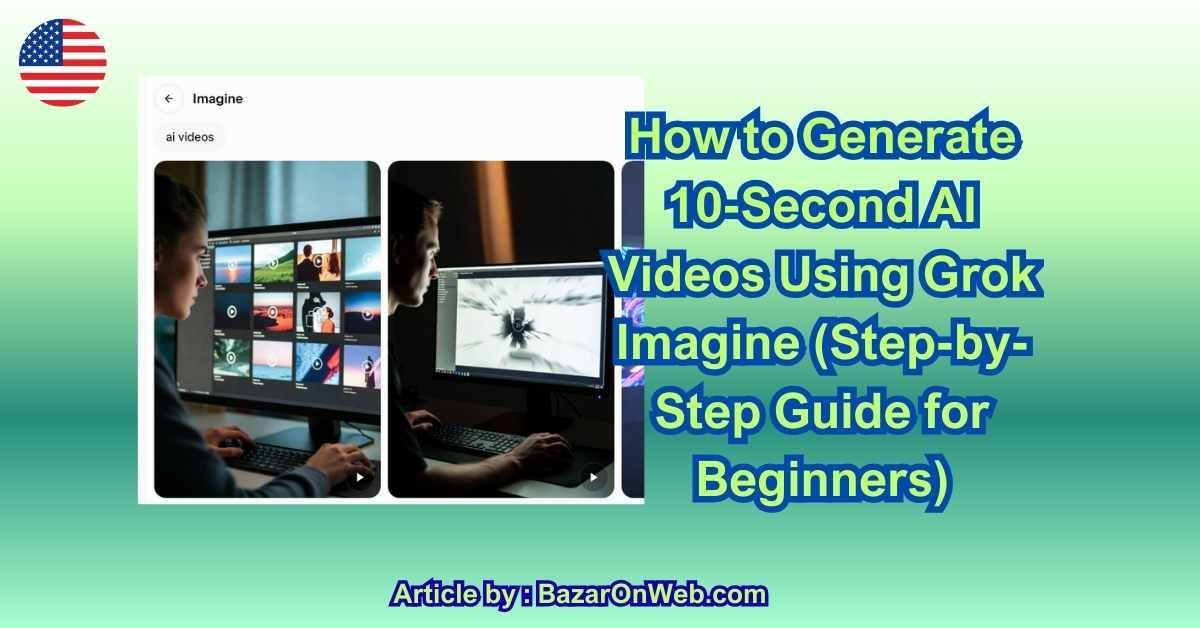
Short-form video is dominating social media, and AI tools are now making video creation insanely simple. One of the most talked-about tools right now is Grok Imagine, a feature from xAI that allows users to generate cinematic 10-second AI videos using simple text prompts.
If you’re curious about how Grok Imagine works and want a clear, step-by-step method to generate AI videos (even if you’ve never used AI tools before), this guide walks you through everything—from access to final export—without fluff.
What Is Grok Imagine and What Can It Do?
Grok Imagine is an AI-powered video generation feature inside the Grok ecosystem that converts text prompts into short, high-quality videos. Unlike traditional video editors, you don’t need footage, animations, or editing skills. You simply describe a scene, and the AI handles visuals, motion, lighting, and style.
Currently, Grok Imagine is optimized for 10-second video clips, making it perfect for:
-
Social media reels and shorts
-
Concept visuals and storyboards
-
Marketing teasers
-
AI-generated B-roll
The tool focuses on realism, cinematic motion, and smooth transitions, giving results that feel more like short movie scenes than animated slides.
Step 1: Get Access to Grok Imagine
To generate videos with Grok Imagine, you must first have access to Grok.
-
Visit the official Grok platform through X (Twitter)
-
Log in using your X account
-
Ensure you have access to Grok features (some regions or plans may require premium access)
-
Open the Grok chat interface
-
Look for Imagine / Video / Media generation options (availability may vary by rollout phase)
Once enabled, you can interact with Grok Imagine directly through prompts—no separate app required.
Step 2: Understand the 10-Second Video Limitation
Before generating your first video, it’s important to design your prompt around the 10-second duration.
Best practices:
-
Focus on one scene, not multiple locations
-
Limit character actions to 1–2 movements
-
Avoid long narratives or complex sequences
-
Think in terms of a single cinematic shot
Example mindset:
❌ “A man travels across cities and meets people”
✅ “A man standing on a rainy street at night, neon lights reflecting on the road”
This clarity helps the AI deliver smoother and more realistic results.
Step 3: Write a High-Quality Video Prompt
Your prompt is the most important part of the process. Grok Imagine responds best to descriptive but concise prompts.
A strong prompt includes:
-
Subject (person, object, or environment)
-
Action or motion
-
Visual style (cinematic, realistic, animated, etc.)
-
Lighting and mood
-
Camera angle or movement (optional but powerful)
Example Prompt:
“A cinematic 10-second shot of a futuristic city at night, glowing skyscrapers, flying cars moving slowly through the air, soft rain, neon reflections on wet streets, ultra-realistic lighting, smooth camera pan.”
Avoid vague words like cool, nice, or beautiful. Instead, describe what the camera sees.
Step 4: Submit the Prompt and Generate the Video
Once your prompt is ready:
-
Paste or type the prompt into Grok Imagine
-
Specify that you want a video (not an image)
-
Confirm or select the 10-second duration
-
Submit the prompt
-
Wait while the AI processes your request
Generation time may vary depending on server load, but most videos are created within minutes.
Step 5: Review the Generated Video Carefully
After generation, watch the full 10-second clip at least twice.
Check for:
-
Smooth motion (no jitter or glitches)
-
Logical movement of objects or people
-
Lighting consistency
-
Visual clarity
If something feels off—like awkward movement or unclear subjects—don’t worry. This is normal with AI video generation.
Step 6: Refine the Prompt for Better Results
If the first output isn’t perfect, tweak your prompt instead of starting from scratch.
Common refinements:
-
Add “slow motion” or “smooth camera movement”
-
Specify “single subject” to avoid clutter
-
Reduce action complexity
-
Add style keywords like “cinematic”, “film-grade”, or “ultra-realistic”
Refined Prompt Example:
“A slow cinematic pan across a futuristic city at night, rain falling gently, neon lights reflecting on wet streets, ultra-realistic, shallow depth of field, smooth motion.”
Re-generate until you’re satisfied.
Step 7: Download or Export the Video
Once happy with the result:
-
Click the download or export option
-
Save the video in the available format
-
Check resolution and playback compatibility
-
Rename the file for easy reuse
These videos are ideal for:
-
Instagram Reels
-
YouTube Shorts
-
X (Twitter) posts
-
Website hero sections
-
Concept presentations
Step 8: Use Videos Responsibly and Creatively
AI-generated videos are powerful, but they should be used ethically.
Best practices:
-
Avoid misleading or deceptive content
-
Don’t impersonate real people without consent
-
Clearly disclose AI usage for commercial projects if required
-
Use AI video as creative support, not misinformation
When used correctly, Grok Imagine can dramatically reduce video production time while unlocking creative freedom.
Grok Imagine makes AI video creation surprisingly accessible. With just a clear prompt and the right expectations, anyone can generate stunning 10-second cinematic videos—no cameras, no editing software, and no technical background required.
As the technology evolves, we can expect longer durations, better motion accuracy, and even more creative control. For now, mastering prompt clarity and scene simplicity is the key to getting impressive results.
Here are 5 ready-to-use prompt templates you can directly plug into Grok Imagine.
Each one is optimized for 10-second AI videos and keeps motion clean and cinematic.
1. Cinematic Scene Prompt (Best for Reels & Shorts)
“A cinematic 10-second shot of [SUBJECT] in [LOCATION], [PRIMARY ACTION], dramatic lighting, realistic textures, shallow depth of field, smooth camera movement, ultra-realistic, film-grade visuals.”
Example use: storytelling, mood videos, Instagram Reels
2. Product / Brand Promo Prompt
“A clean 10-second cinematic product video of [PRODUCT NAME], placed on [BACKGROUND/ENVIRONMENT], slow rotation, soft studio lighting, sharp focus, minimal style, premium commercial look, smooth motion.”
Example use: ads, landing pages, brand teasers
3. Futuristic / AI Concept Prompt
“A futuristic 10-second cinematic shot of [SCENE DESCRIPTION], neon lighting, advanced technology elements, subtle motion, cyberpunk atmosphere, ultra-realistic visuals, smooth camera pan.”
Example use: tech concepts, AI visuals, innovation content
4. Nature / Calm Aesthetic Prompt
“A peaceful 10-second cinematic video of [NATURAL SCENE], gentle movement, soft sunlight, realistic environment, slow camera motion, calming mood, ultra-high detail.”
Example use: wellness, meditation, background visuals
5. Social Media Viral Style Prompt
“A visually striking 10-second video showing [SIMPLE ACTION OR SCENE], bold composition, dynamic lighting, smooth motion, cinematic style, optimized for short-form social media.”
Example use: YouTube Shorts, Instagram Reels, X videos
Pro Tip for Better Results
-
Stick to one scene
-
Limit action to 1 main movement
-
Add words like cinematic, smooth motion, ultra-realistic
-
Avoid long stories or multiple locations
Once you understand how Grok Imagine interprets prompts, the real magic happens when you start thinking like a director instead of a writer. I learned quickly that AI video tools don’t respond well to long stories or emotional backstories. They respond to visual clarity. If you can picture the exact 10-second shot in your head, you’re already halfway to a great result. I usually ask myself: What would the camera see in a single take? That mindset alone improves output quality dramatically.
Another thing that makes a noticeable difference is camera language. Words like slow pan, static shot, shallow depth of field, wide angle, or close-up help the AI understand how the scene should feel. When I stopped writing prompts like a paragraph and started writing them like camera instructions, the videos became smoother and far more cinematic. Even subtle additions such as “soft lighting” or “natural shadows” can completely change the mood of a clip.
Style consistency is also important, especially if you plan to post AI videos regularly on social platforms. Whether you’re going for futuristic, minimal, calm, or dramatic, sticking to a recognizable visual style helps your content feel intentional rather than random. I recommend saving your best-performing prompts and reusing the structure while changing only the subject or setting. That way, your videos start to look like part of the same brand or theme.
It’s also worth mentioning that AI videos work best when they’re treated as visual hooks, not full stories. Ten seconds is perfect for grabbing attention, setting a mood, or teasing an idea—but not for explaining everything. I often pair AI-generated videos with text overlays, captions, or voiceovers added later using simple editing tools. This combination keeps the visuals clean while letting the message do the heavy lifting elsewhere.
Finally, don’t underestimate experimentation. Some of my best results came from prompts I thought were too simple. AI video generation is still evolving, and sometimes less instruction actually gives better motion and realism. If a video feels cluttered or awkward, I usually remove details rather than add more. Simplicity almost always wins.
Conclusion
Grok Imagine makes AI video creation feel accessible, even if you’ve never touched video editing software before. With a clear idea, a focused prompt, and realistic expectations around the 10-second format, it’s possible to generate visually stunning clips in minutes. For creators, marketers, and curious beginners, this tool opens up a new way to experiment with storytelling—one scene at a time. The key is learning how to communicate visually, not verbally, and letting the AI handle the rest.
Disclaimer
This article is for informational and educational purposes only. Features, access, and capabilities of AI tools may change over time. Always review platform guidelines and usage policies before creating or publishing AI-generated content.






Products
-
![Apple Watch Ultra 3 [GPS + Cellular 49mm] Running & Multisport Smartwatch w/Rugged Titanium Case w/Black Titanium Milanese Loop - M. Satellite Communications, Advanced Health & Fitness Tracking](https://bazaronweb.com/retailstores/wp-content/uploads/2025/09/apple-watch-320x320.jpg) Apple Watch Ultra 3 [GPS + Cellular 49mm] Running & Multisport Smartwatch w/Rugged Titanium Case w/Black Titanium Milanese Loop - M. Satellite Communications, Advanced Health & Fitness Tracking
Apple Watch Ultra 3 [GPS + Cellular 49mm] Running & Multisport Smartwatch w/Rugged Titanium Case w/Black Titanium Milanese Loop - M. Satellite Communications, Advanced Health & Fitness Tracking
-
 Apple iPad mini (A17 Pro): Apple Intelligence, 8.3-inch Liquid Retina Display, 256GB, Wi-Fi 6E, 12MP Front/12MP Back Camera, Touch ID, All-Day Battery Life — Purple
-
 Apple AirPods Max Wireless Over-Ear Headphones, Active Noise Cancelling, Transparency Mode, Personalized Spatial Audio, Dolby Atmos, Bluetooth Headphones for iPhone – Space Gray
-
 Apple AirPods Pro 2 Wireless Earbuds, Active Noise Cancellation, Hearing Aid Feature, Bluetooth Headphones, Transparency, Personalized Spatial Audio, High-Fidelity Sound, H2 Chip, USB-C Charging
-
Home Garage 210 TC Cotton King Floral Fitted (Elastic) Bedsheet(Pack of 1, Grey)
Original price was: ₹999.00.₹299.00Current price is: ₹299.00.
Leave a Reply