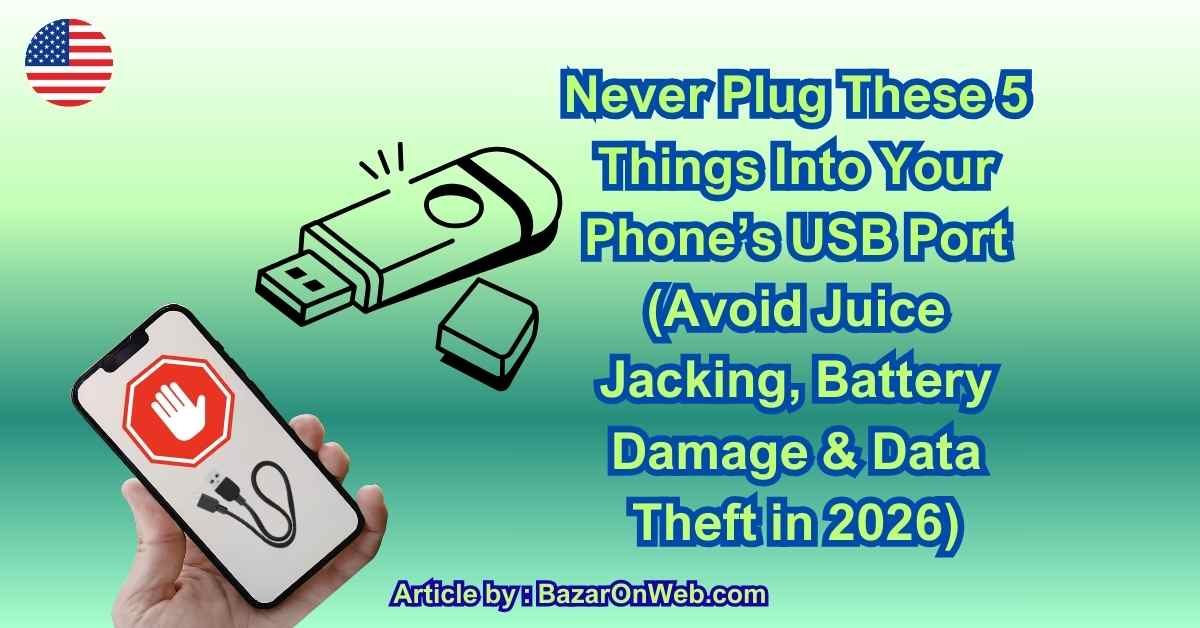
Never Plug These 5 Things Into Your Phone’s USB Port (Avoid Juice Jacking, Battery Damage & Data Theft in 2026)

Never Plug These 5 Things Into Your Phone’s USB Port (Avoid Juice Jacking, Battery Damage & Data Theft in 2026)

Hey, it’s Jessica.

We plug things into our phones without thinking.

Airport charging stations.
Random cables at a friend’s house.
Cheap chargers from online deals.
That old adapter sitting in a drawer.

It feels harmless. It’s just a USB port, right?

But here’s the truth: your phone’s USB port isn’t just for charging. It’s a data gateway, a power input, and a security vulnerability — all in one tiny slot.

And plugging the wrong thing into it can:

  • Drain or permanently damage your battery

  • Corrupt your phone’s charging system

  • Overheat internal components

  • Inject malware

  • Steal personal data (yes, really)

In 2026, USB-related phone damage and data theft are more common than most people realize. The risks aren’t just about “cheap chargers.” They include something called juice jacking, uncertified fast chargers, poorly designed accessories, and even seemingly harmless public charging stations.

In this guide, I’ll walk you through the 5 things you should never plug into your phone’s USB port — and explain exactly why.

Let’s protect your device properly.


Why Your Phone’s USB Port Is More Sensitive Than You Think

Your USB port handles:

  • Power regulation

  • Battery charging cycles

  • Data transfer

  • Device authentication

  • Voltage management

Modern smartphones contain advanced power management chips that regulate how much voltage enters the battery. If unstable or excessive power flows in, it can:

  • Degrade battery health

  • Cause charging IC failure

  • Trigger overheating

  • Short-circuit internal components

On top of that, USB connections allow two-way communication. That means data can flow in — not just electricity.

This is where risks like juice jacking come into play.

Let’s break down what you should avoid.


1. Public USB Charging Stations (Juice Jacking Risk)

Airports. Hotels. Cafes. Conference centers.

You’ve seen those built-in USB ports on walls or kiosks.

They seem convenient.

But here’s the risk: you don’t know what’s behind that port.

Public USB ports can be modified to:

  • Install malware

  • Extract data

  • Copy contact lists

  • Capture authentication tokens

  • Inject malicious software silently

This is called juice jacking.

Juice jacking happens when a compromised charging station uses the data pins inside the USB connection to access your device.

Modern iPhones and Android devices usually prompt:

“Trust This Computer?”

But sophisticated malicious ports can exploit vulnerabilities before you even see a prompt.

The safest approach?

Never plug directly into public USB ports.

Instead:

  • Use your own wall adapter

  • Plug into a regular AC outlet

  • Use a USB data blocker (also called a “USB condom”)

Power outlets are safe. Unknown USB ports are not.


2. Cheap, Uncertified Chargers

Not all chargers are equal.

Certified chargers are designed with:

  • Voltage regulation

  • Overcurrent protection

  • Temperature monitoring

  • Surge protection

  • Short-circuit protection

Cheap, uncertified chargers often skip these safety systems.

They may:

  • Deliver unstable voltage

  • Overheat

  • Damage battery cells

  • Cause slow charging

  • Reduce long-term battery health

You might not notice damage immediately. But over months, uncertified chargers can:

  • Reduce battery capacity faster

  • Cause swelling

  • Shorten device lifespan

If you see:

  • Extremely low price

  • No certification markings

  • No brand reputation

  • Poor build quality

It’s not worth the risk.

Always use:

  • Manufacturer-certified chargers

  • MFi-certified cables (for iPhone)

  • USB-IF certified chargers

Your battery is one of the most expensive components in your phone.

Protect it.


3. Random Cables (Especially Old or Damaged Ones)

Cables matter just as much as chargers.

Damaged or low-quality cables can:

  • Cause voltage spikes

  • Interrupt power flow

  • Overheat connectors

  • Corrupt charging cycles

Signs a cable is unsafe:

  • Frayed edges

  • Exposed wiring

  • Loose connector

  • Overheats during use

  • Only works at certain angles

Using damaged cables stresses your charging port and battery repeatedly.

Over time, this can:

  • Damage the USB port itself

  • Cause inconsistent charging

  • Lead to “Accessory Not Supported” errors

  • Reduce charging speed

Also, extremely cheap cables may lack proper data shielding.

That increases juice jacking risks when plugged into unknown sources.

Never assume “a cable is just a cable.”

Quality matters.


4. Unknown USB Accessories

Phone fans. Mini humidifiers. USB lights. Cheap cooling attachments. Unbranded OTG devices.

Many USB-powered accessories draw power directly from your phone.

If poorly designed, they can:

  • Overdraw current

  • Overheat the USB port

  • Damage internal charging circuits

  • Drain battery rapidly

Worse, some OTG (On-The-Go) devices allow data exchange.

If the accessory contains hidden firmware, it could theoretically:

  • Transfer malicious code

  • Access stored files

  • Trigger vulnerabilities

Stick to reputable, reviewed accessories from known brands.

If a gadget looks suspiciously cheap and plugs directly into your phone’s USB port — skip it.


5. Power Banks With No Safety Certification

Power banks are convenient — but they’re not all safe.

A poorly designed power bank can:

  • Output unstable voltage

  • Overheat during fast charging

  • Fail surge protection

  • Damage battery management systems

Look for:

  • Overcharge protection

  • Temperature control

  • Short-circuit protection

  • Brand reputation

Avoid:

  • No-name brands

  • Extremely low-cost high-capacity claims

  • Swollen or damaged units

Fast charging requires intelligent communication between device and charger.

If a power bank lacks proper communication protocols, it can stress your battery.

Long-term result?

Battery health drops faster than expected.


How Juice Jacking Actually Works

Let’s go a bit deeper.

USB cables have:

  • Power pins

  • Data pins

Juice jacking uses the data pins.

A compromised charging station can:

  • Inject malicious code

  • Request file access

  • Install spyware

  • Exploit outdated software vulnerabilities

Modern phones reduce risk by:

  • Asking permission before data transfer

  • Restricting locked-device access

But security is never 100%.

Best practice:
Avoid unknown USB ports entirely.


Signs Your Phone May Have Been Affected

If you used an unsafe charger or station and notice:

  • Rapid battery drain

  • Phone overheating

  • Random pop-ups

  • Unknown apps installed

  • Charging port loose or inconsistent

  • Battery health dropping quickly

You may need:

  • Battery diagnostics

  • Malware scan

  • Charging port inspection

Most USB damage builds slowly — not instantly.


Safe Charging Habits in 2026

To protect your phone:

  • Use original or certified chargers

  • Avoid public USB ports

  • Carry your own adapter

  • Inspect cables regularly

  • Replace damaged accessories

  • Keep phone software updated

  • Use surge-protected outlets

  • Avoid charging under pillow or high heat

Charging seems simple — but it directly affects:

Battery lifespan
Device safety
Personal data security


Why This Matters More Today

Phones now store:

  • Banking apps

  • Two-factor authentication

  • Crypto wallets

  • Business emails

  • Personal photos

  • Health data

A compromised USB connection isn’t just about battery damage anymore.

It’s about identity protection.

And battery damage from poor chargers adds up over time.

Many users replace phones earlier than necessary simply because of charging-related wear.


Final Thoughts Before We Continue

Your phone’s USB port is small — but powerful.

And plugging the wrong thing into it can:

  • Damage your battery

  • Reduce device lifespan

  • Expose your data

  • Create long-term hardware issues

The 5 biggest risks are:

Public USB charging stations
Uncertified chargers
Damaged or cheap cables
Unknown USB accessories
Unsafe power banks

Charging safely isn’t paranoia.

It’s prevention.

In the next section, we’ll go deeper into how to detect USB-based threats, how to protect your phone while traveling, and what to do if you suspect charging-related damage.

Stay smart — and protect your device properly.

Continuing smoothly — and going deeper now.

If you’ve ever plugged your phone into something questionable and later wondered, “Was that safe?” — this section is for you.

We’re going to talk about how to detect USB-related threats, protect your phone while traveling, and handle charging damage before it becomes permanent.

Let’s make this practical.


How to Tell If a Charger or USB Port Damaged Your Phone

USB-related damage rarely happens dramatically. It builds gradually.

Here are warning signs to watch for:

🔥 1. Your Phone Gets Hot While Charging

Some warmth is normal. But if your phone becomes unusually hot — especially near the charging port — that can indicate unstable voltage.

Heat accelerates battery degradation.

🔋 2. Rapid Battery Health Decline

If your battery health drops faster than expected, cheap chargers may be stressing internal cells.

Modern lithium-ion batteries degrade naturally — but unstable power speeds it up significantly.

⚡ 3. Charging Only Works at Certain Angles

This may signal:

  • Port damage

  • Internal connector strain

  • Worn-out cable pins

Repeated use of loose cables can physically damage the USB port.

📲 4. Random “Accessory Not Supported” Errors

This often happens when:

  • The cable lacks proper certification

  • The charger isn’t communicating correctly with the phone

Ignore it repeatedly, and you risk stressing the charging controller chip.

🧠 5. Strange Behavior After Public Charging

If you notice:

  • Unusual pop-ups

  • Unknown apps

  • Settings changed

  • Slower performance

Run a system check immediately and update your OS.

While juice jacking is rare, it’s not impossible.


How to Protect Your Phone While Traveling

Airports and hotels are where most USB mistakes happen.

Here’s the safest travel charging setup in 2026:

✔ Carry Your Own Wall Adapter

Never rely on built-in USB wall ports.

Instead:
Plug your own certified charger into a standard AC outlet.

✔ Use a USB Data Blocker

A small USB data blocker (sometimes called a “USB condom”) allows power through but blocks data pins.

It prevents juice jacking entirely.

✔ Use a Certified Power Bank

Charge your power bank at home.
Use it during travel.
Avoid plugging your phone directly into public sources.

✔ Keep Phone Locked While Charging

If you must use a public port:
Keep your phone locked.
Decline “Trust This Computer” prompts.

Modern phones restrict data access when locked — but don’t rely solely on that.


Why Fast Charging Makes Charger Quality Even More Important

Fast charging pushes higher wattage into your battery.

If a charger falsely claims high output without proper regulation, it can:

  • Overheat your battery

  • Shorten charging cycles

  • Stress internal power management chips

Certified fast chargers communicate with your phone before delivering higher voltage.

Uncertified ones guess.

That guessing damages components.


Can a Bad Charger Permanently Kill a Phone?

Yes — but usually over time, not instantly.

Long-term use of unstable power can damage:

  • Battery cells

  • Charging IC (integrated circuit)

  • USB-C port pins

  • Motherboard traces

Replacing a battery is manageable.

Replacing a charging IC? Much more expensive.

This is why prevention matters.


How to Check If Your Charging Accessories Are Safe

Look for:

  • Brand reputation

  • Certification logos (USB-IF, MFi for iPhone)

  • Clear wattage labeling

  • Temperature protection claims

  • Solid build quality

Avoid:

  • Unrealistic high-capacity claims

  • No-name online sellers

  • “Super Fast 120W” for extremely low prices

  • Extremely lightweight adapters (often low-quality internals)

If it feels cheaply made, it probably is.


What to Do If You Suspect Juice Jacking

While rare, if you believe your phone connected to a compromised port:

  1. Disconnect immediately.

  2. Restart your device.

  3. Update your OS to the latest version.

  4. Run built-in security scan (Android).

  5. Change important passwords (email, banking).

  6. Enable two-factor authentication if not already active.

If behavior continues:
Back up data.
Perform factory reset.

Most modern phones are protected — but caution is smart.


The Hidden Risk: Overcharging Overnight With Cheap Chargers

Overnight charging itself isn’t dangerous.

But using low-quality chargers overnight is.

Cheap adapters may:

  • Lack temperature control

  • Continue unstable trickle charging

  • Overheat during long sessions

Certified chargers reduce current once battery reaches 100%.

Cheap ones sometimes don’t regulate as precisely.

If charging overnight:
Use certified adapter.
Avoid placing phone under pillow.
Keep it on flat surface.


Why Your USB Port Is More Fragile Than You Think

Frequent plugging and unplugging with loose cables can:

  • Loosen internal solder joints

  • Bend charging pins

  • Cause inconsistent power flow

Replacing a USB-C or Lightning port often requires device disassembly.

Repair costs can be high.

Using stable, well-fitting cables protects the physical port long-term.


The 2026 Charging Rule You Should Follow

If you didn’t bring it…
Don’t plug into it.

If it’s extremely cheap…
Don’t trust it.

If it looks damaged…
Replace it.

Your phone likely costs hundreds (or over a thousand) dollars.

Saving a few dollars on a charger isn’t worth the long-term damage.


Conclusion

Your phone’s USB port is not just a charging hole.

It’s a gateway to:

  • Your battery health

  • Your device’s internal hardware

  • Your personal data

  • Your financial security

The 5 things you should never plug into your phone’s USB port are:

  • Public USB charging stations

  • Uncertified chargers

  • Damaged or cheap cables

  • Unknown USB accessories

  • Unsafe or low-quality power banks

Modern smartphones are powerful — but they’re also sensitive.

Protecting your device isn’t about fear.
It’s about awareness.

With smart charging habits, certified accessories, and a little caution while traveling, you can extend your battery life, protect your data, and avoid expensive repairs.

Charge smart.
Stay secure.
And treat your USB port like the security gateway it really is.

Disclaimer

This guide is for informational purposes only. Always use certified accessories from trusted manufacturers. If you suspect hardware damage or data compromise, consult an authorized service provider.

Leave a Reply

Your email address will not be published. Required fields are marked *

Select the fields to be shown. Others will be hidden. Drag and drop to rearrange the order.
  • Image
  • SKU
  • Rating
  • Price
  • Stock
  • Availability
  • Add to cart
  • Description
  • Content
  • Weight
  • Dimensions
  • Additional information
Click outside to hide the comparison bar
Compare