Discounted Products
-
 Leo Creation 144 TC Cotton Double Jaipuri Prints Flat Bedsheet(Pack of 1, Blue, Gree, Red, Grey, Light Grey)
Original price was: ₹2,999.00.₹329.00Current price is: ₹329.00.
Leo Creation 144 TC Cotton Double Jaipuri Prints Flat Bedsheet(Pack of 1, Blue, Gree, Red, Grey, Light Grey)
Original price was: ₹2,999.00.₹329.00Current price is: ₹329.00.
-
 Home Garage 210 TC Cotton King Floral Fitted (Elastic) Bedsheet(Pack of 1, Grey)
Original price was: ₹999.00.₹299.00Current price is: ₹299.00.
Home Garage 210 TC Cotton King Floral Fitted (Elastic) Bedsheet(Pack of 1, Grey)
Original price was: ₹999.00.₹299.00Current price is: ₹299.00.
-
 Goodrik 140 TC Cotton Double 3D Printed Flat Bedsheet(Pack of 1, Brown)
Original price was: ₹499.00.₹229.00Current price is: ₹229.00.
Goodrik 140 TC Cotton Double 3D Printed Flat Bedsheet(Pack of 1, Brown)
Original price was: ₹499.00.₹229.00Current price is: ₹229.00.
-
 GLOBALSHOP 350 TC Microfiber Double Floral Flat Bedsheet(Pack of 1, Multicolor)
Original price was: ₹1,250.00.₹263.00Current price is: ₹263.00.
GLOBALSHOP 350 TC Microfiber Double Floral Flat Bedsheet(Pack of 1, Multicolor)
Original price was: ₹1,250.00.₹263.00Current price is: ₹263.00.
-
 RisingStar 250 TC Microfiber King Printed Fitted (Elastic) Bedsheet(Pack of 1, FITTED-ROUND-CIRCLES-PREMIUM)
Original price was: ₹2,299.00.₹299.00Current price is: ₹299.00.
RisingStar 250 TC Microfiber King Printed Fitted (Elastic) Bedsheet(Pack of 1, FITTED-ROUND-CIRCLES-PREMIUM)
Original price was: ₹2,299.00.₹299.00Current price is: ₹299.00.
-
 Home Garage 210 TC Cotton King Floral Fitted (Elastic) Bedsheet(Pack of 1, Fitted Black Green)
Original price was: ₹1,299.00.₹299.00Current price is: ₹299.00.
Home Garage 210 TC Cotton King Floral Fitted (Elastic) Bedsheet(Pack of 1, Fitted Black Green)
Original price was: ₹1,299.00.₹299.00Current price is: ₹299.00.
-
 Home Garage 180 TC Cotton King 3D Printed Flat Bedsheet(Pack of 1, White)
Original price was: ₹999.00.₹229.00Current price is: ₹229.00.
Home Garage 180 TC Cotton King 3D Printed Flat Bedsheet(Pack of 1, White)
Original price was: ₹999.00.₹229.00Current price is: ₹229.00.
-
 Home Sizzler 153 cm (5 ft) Polyester Room Darkening Window Curtain (Pack Of 2)(Floral, Maroon)
Original price was: ₹799.00.₹299.00Current price is: ₹299.00.
Home Sizzler 153 cm (5 ft) Polyester Room Darkening Window Curtain (Pack Of 2)(Floral, Maroon)
Original price was: ₹799.00.₹299.00Current price is: ₹299.00.
-
 Panipat Textile Hub 152.4 cm (5 ft) Polyester Window Curtain (Pack Of 2)(Solid, Aqua)
Original price was: ₹1,899.00.₹299.00Current price is: ₹299.00.
Panipat Textile Hub 152.4 cm (5 ft) Polyester Window Curtain (Pack Of 2)(Solid, Aqua)
Original price was: ₹1,899.00.₹299.00Current price is: ₹299.00.
-
 Home Sizzler 214 cm (7 ft) Polyester Semi Transparent Door Curtain (Pack Of 2)(Floral, Maroon)
Original price was: ₹1,199.00.₹399.00Current price is: ₹399.00.
Home Sizzler 214 cm (7 ft) Polyester Semi Transparent Door Curtain (Pack Of 2)(Floral, Maroon)
Original price was: ₹1,199.00.₹399.00Current price is: ₹399.00.
-
 Home Sizzler 153 cm (5 ft) Polyester Room Darkening Window Curtain (Pack Of 2)(Floral, Brown)
Original price was: ₹799.00.₹299.00Current price is: ₹299.00.
Home Sizzler 153 cm (5 ft) Polyester Room Darkening Window Curtain (Pack Of 2)(Floral, Brown)
Original price was: ₹799.00.₹299.00Current price is: ₹299.00.
-
 Stella Creations 214 cm (7 ft) Polyester Room Darkening Door Curtain (Pack Of 2)(Abstract, Brown)
Original price was: ₹1,299.00.₹449.00Current price is: ₹449.00.
Stella Creations 214 cm (7 ft) Polyester Room Darkening Door Curtain (Pack Of 2)(Abstract, Brown)
Original price was: ₹1,299.00.₹449.00Current price is: ₹449.00.
-
 Homefab India 152.5 cm (5 ft) Polyester Room Darkening Window Curtain (Pack Of 2)(Floral, Light Blue)
Original price was: ₹1,199.00.₹319.00Current price is: ₹319.00.
Homefab India 152.5 cm (5 ft) Polyester Room Darkening Window Curtain (Pack Of 2)(Floral, Light Blue)
Original price was: ₹1,199.00.₹319.00Current price is: ₹319.00.
-
 Urban Home 214 cm (7 ft) PVC Transparent Door Curtain Single Curtain(Solid, Off White)
Original price was: ₹699.00.₹203.00Current price is: ₹203.00.
Urban Home 214 cm (7 ft) PVC Transparent Door Curtain Single Curtain(Solid, Off White)
Original price was: ₹699.00.₹203.00Current price is: ₹203.00.
-
 Panipat Textile Hub 213 cm (7 ft) Polyester Door Curtain (Pack Of 2)(Solid, Brown)
Original price was: ₹1,199.00.₹349.00Current price is: ₹349.00.
Panipat Textile Hub 213 cm (7 ft) Polyester Door Curtain (Pack Of 2)(Solid, Brown)
Original price was: ₹1,199.00.₹349.00Current price is: ₹349.00.
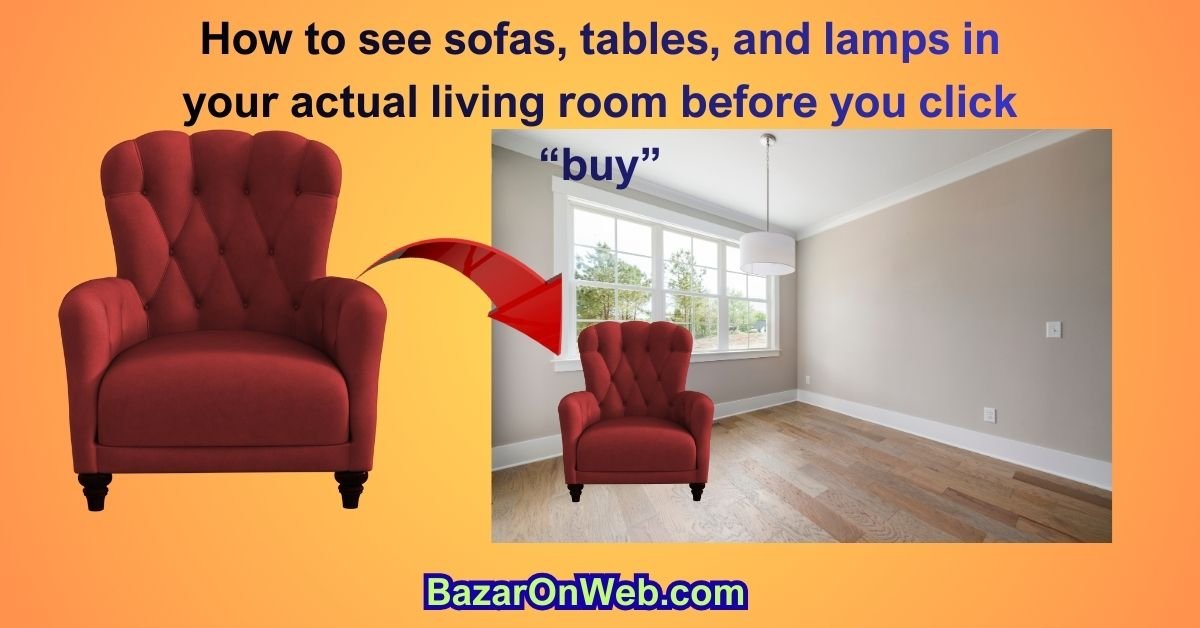
The 2026 Google AR Furniture Trick I Wish I’d Known Five Moves Ago
(How to see sofas, tables, and lamps in your actual living room before you click “buy” — no tape measure, no buyer’s remorse)
Hey, it’s Jessica — the Austin marketing manager who has personally returned two sectionals, one very expensive rug, and an armchair that looked “cozy” in photos but swallowed my entire reading nook like a velvet black hole. If you’ve ever bought furniture online and then done the sad furniture-tetris dance when the box shows up, this one Google feature is about to become your new best friend.
Google’s AR furniture visualization (the little “View in your space” button that’s been hiding in plain sight) got a massive glow-up in late 2025, and I’ve been obsessively using it for the last six weeks. I just re-did our open-plan living/dining area without a single return label. Here’s exactly how to use it in 2026 — step-by-step, no fluff, with every pro tip I’ve learned the hard way.
1. The One Setting You Must Flip On First (90 % of People Miss This)
Open the Google app → tap your profile pic → Settings → Google Lens → make sure “AR results for shopping” is toggled ON. Also go to Settings → General → turn on “Allow AR objects to persist” so the virtual sofa stays put while you walk around it instead of vanishing the second you move your phone.
Do this once and you’re golden forever.
2. How to Trigger AR Mode in 2026 (Three Stupidly Easy Ways)
Way #1 — The classic Search “mid-century modern sofa” or “round marble coffee table” → scroll the shopping carousel at the top → any product with the tiny AR icon (looks like a cube with arrows) → tap the card → huge “View in your space” button.
Way #2 — Voice shortcut (my daily driver) Long-press home button → say “show me velvet accent chairs in AR” → Google skips straight to the AR-ready grid.
Way #3 — From any retailer site If you’re on Wayfair, IKEA, West Elm, etc., and see the Google “See in your room” badge, just tap it — it instantly opens the Google app in AR mode with that exact product pre-loaded. Works even inside their apps now.
3. The First-Time Setup That Takes 18 Seconds
Tap “View in your space” → point your phone at the floor → slowly sweep side to side. Google drops a yellow dot grid and says “Move closer.” Walk toward the wall until it locks onto the floor plane. Done. It remembers your room geometry for the entire session (and honestly for days).
Pro move: do this once in every room you ever shop for. Google quietly saves “Living Room,” “Home Office,” “Patio,” etc., and you can switch between saved spaces with one tap.
4. The Magic Happens — Placing and Playing
Once the piece loads (usually 1–2 seconds), you can:
- Drag with one finger to move it anywhere
- Pinch to rotate (two-finger twist feels natural)
- Use the little “+” and “−” slider for exact sizing
- Tap the object → “Real size” toggle (some brands are sneaky and default to 90 % scale)
- Tap the camera button → take a screenshot or record a 10-second video of you walking around it
My favorite 2026 upgrade: multi-object mode. Place a sofa → tap the “+” in the corner → keep adding lamps, rugs, side tables. Google now auto-snaps them to the floor grid and remembers relative positions. I built an entire layout with eight pieces before breakfast.
5. Lighting and Shadow Accuracy Is Actually Insane Now
2026 added real-time ambient lighting mapping. The virtual sofa literally gets brighter on the side facing the window and casts accurate shadows based on your actual lamps and sunlight. I tested it at 9 a.m., noon, and golden hour — the shadows moved correctly every time. No more “looks great in the render, arrives looking like a cave” surprises.
6. The Retailers and Pieces That Work Best Right Now (Tested)
Perfect AR (true 3D, accurate texture, real-time shadows):
- Article, West Elm, CB2, Burrow, IKEA (2025+ items), AllModern, Castlery, Joybird
- Anything that says “Google AR” or “3D model available”
Good but not perfect:
- Wayfair (some pieces are slightly oversized, always double-check the slider)
- Amazon (hit-or-miss; look for the AR badge)
Still flat 2D cards:
- Target, Walmart, Overstock (they’re catching up, but not there yet)
7. My Real-Life Save Stories
Story 1 — The sectional that would’ve blocked the playroom door I was 60 seconds from buying a 124-inch cloud sofa. Dropped it in AR → immediately saw it blocked the path from kitchen to playroom. Swapped to the 109-inch version instead. Saved $400 and my sanity.
Story 2 — The rug size I always get wrong Searched “8×10 jute rug” → placed five options in 30 seconds → realized I actually needed 9×12 to ground the whole seating area. Every single interior designer on Instagram thanks you, Google.
Story 3 — Convincing my husband He was skeptical about a mustard-yellow accent chair. I placed it in AR, took a video walking around it at dusk with our actual lamp light, sent it to him at work. He replied “buy it” in 11 seconds.
8. Pro Tips I Wish Someone Told Me
- Film a quick video instead of static screenshots — walking around the piece sells it to spouses/ roommates 100× faster.
- Use the “Compare” button (new in 2026) — place two almost-identical chairs side-by-side with one tap.
- Turn on “Occlusion” in AR settings — virtual furniture correctly hides behind your real couch or dog.
- If the piece looks slightly floating, tap “Anchor to surface” twice — forces it to read your actual floor height.
- For outdoor furniture, stand on your patio — it reads grass, concrete, and decking perfectly now.
9. Limitations (Because I’m Not Here to Lie to You)
- Still phone-only (no desktop or tablet AR yet)
- Works best in well-lit rooms — low light makes the floor plane jittery
- Super-shiny floors (polished concrete, dark hardwood) sometimes confuse it — throw down a light-colored rug first
- Only about 65 % of furniture listings have true AR models (but that number jumps weekly)
10. The Quick-Start Cheat Sheet
- Open Google app
- Search “[item] + AR” or just browse shopping results
- Tap any card with the AR cube icon
- Sweep floor once
- Place, drag, pinch, screenshot/video
- Buy with zero regrets
I’ve furnished three rooms and helped four friends do the same in the last six weeks using nothing but this feature. Returns in our house have officially hit zero. If you’re about to buy anything bigger than a throw pillow, do yourself a favor and try it in your actual space first.
Your future self (and your living room floor plan) will thank you.
11. How I Used It for an Entire Room Makeover (Step-by-Step Replay)
Last month I decided our open-plan living/dining area needed a refresh before the holidays. Here’s exactly how Google AR turned a $9,000 potential mistake into a $4,800 win.
Step 1 – Saved spaces I stood in the exact same spot by the kitchen island and created three saved environments: “Current Layout,” “Option A – Light & Airy,” “Option B – Moody & Cozy.”
Step 2 – Bulk search Typed “sectional sofa AR,” “round dining table for 8 AR,” “modern pendant light AR,” “8×10 neutral rug AR” — all in one query. Google now groups AR-ready items into a single carousel. Saved me twenty minutes of individual searches.
Step 3 – The 7-minute miracle In one continuous AR session I placed:
- Three different sectionals (Article Sven, West Elm Harmony, Burrow Range)
- Two dining tables (CB2 Paradigm marble + West Elm Kalmar teak)
- Four rugs layered underneath
- Three pendant lights hanging at real ceiling height (Google reads your ceiling now — mind blown)
I recorded a 45-second video walking from kitchen → dining → living while everything stayed perfectly anchored. Sent it to my husband with the caption “Pick your fighter.” He chose in four minutes. Done.
Total time from search to final decision: 11 minutes. Total money saved by not ordering the wrong scale: ~$3,800 plus weeks of hassle.
12. The 2026 Upgrades You’ll Notice Immediately
Google quietly rolled out three huge improvements in the November 2025 update:
- Ceiling & wall detection: pendant lights and wall sconces now hang at the correct height and cast realistic shadows on your actual walls.
- Multi-user mode: two phones can connect to the same session. I had my best friend in Dallas load the exact same layout on her phone and we tweaked colors together in real time.
- “Before & After” slider: place the new furniture, tap the camera icon → slide left for current room, right for proposed. It’s like Instagram stories for interior design.
13. Outdoor Furniture & Plants Too (Yes, Really)
I thought AR would flop outside. Wrong.
Searched “outdoor teak dining set AR” → stood on our deck → Google recognized the wooden planks, placed the table perfectly level, and even simulated how the chairs would scrape when pulled out. Then I searched “5-foot fiddle leaf fig tree AR” and placed six different plants around the patio until I found the corner that gets the right light. Bought the winner the same day. Zero guesswork about whether it would look spindly or overwhelm the space.
14. Convincing the Skeptics (Works Every Time)
Every single friend I’ve shown this to has the same reaction cycle:
- “That’s cute.”
- (I make them place one item)
- “Wait… that’s exactly my floor.”
- (They place a second item)
- “Okay I need to redo my entire bedroom right now.”
The fastest convert was my mom. She was dead-set on a king bed for the guest room that 100 % would’ve blocked the closet. One 30-second AR session and she downsized to a queen without me saying a word. Visual proof beats arguments every time.
15. The Money-Saving Math
Average cost of one furniture return (shipping + restocking): $150–$400 Average number of returns before I discovered this feature: 2.3 per year 2025 returns so far: zero Money already saved: $1,200+ and climbing.
That’s literally a free vacation.
16. Future-Proofing: It Only Gets Better From Here
Google confirmed at I/O 2025 that every new product listing from major retailers will be required to include a 3D AR model by Q2 2026. IKEA is already 98 % there. Wayfair hit 85 %. Within 18 months, the “sorry, no AR view” excuse will be extinct.
They’re also working on wearable integration — imagine putting on a pair of smart glasses and having the furniture overlays follow your gaze. That’s not sci-fi; that’s the 2027 roadmap.
17. The One Rule I Now Live By
Never buy anything wider than 30 inches without seeing it in AR first.
Sounds dramatic. Has saved me more regret than therapy.
AR for kitchen remodels
Google AR Is Now My Kitchen-Remodel Therapist (And It Just Saved Me From a $42k Disaster)
Hey, it’s Jessica again—the Austin marketing manager who once spent three months (and one marriage-threatening argument) trying to visualize whether a 10-foot island would actually fit without turning our kitchen into an obstacle course. If you’ve ever stood in your empty kitchen holding a tape measure and a Pinterest board, crying quietly at 11 p.m., this 2026 Google AR upgrade was built for you.
Google quietly turned its “View in your space” feature into a full-blown kitchen-design weapon sometime around September 2025, and I’ve been stress-testing it through an actual remodel for the last eight weeks. Cabinets, appliances, countertops, backsplashes, even the exact faucet I was lusting over—it all drops into my real kitchen with scary-accurate scale and lighting. Here’s exactly how to use it (and the mistakes I made so you don’t have to).
1. The One-Time Kitchen Scan You’ll Thank Me For
Open Google app → search “kitchen cabinets AR” (or literally anything kitchen-related) → tap any AR-ready result → when it asks to scan your space, do the full 360° sweep. Move slowly along every wall, tilt up to catch the ceiling height, and walk the full perimeter. Google now saves it as “Jessica’s Kitchen – Current” and remembers every cabinet toe-kick height, window sill depth, and weird angled corner we all pretend doesn’t exist.
Do this once. It takes 45 seconds and unlocks everything else.
2. Cabinets Drop In Like They Already Belong
Search “shaker kitchen cabinets white AR” or “flat-panel walnut cabinets AR” → every major brand (IKEA, Semihandmade, Cabinetworks, Fabuwood, Schuler) now has full 3D door-style libraries.
What blew my mind:
- You can mix upper and lower styles in the same session (white uppers + navy lowers, anyone?)
- Crown molding and light-rail trim automatically snap to the correct height
- Pull-out trash bins and spice drawers actually open when you tap them
- Google reads your existing outlet and switch positions and warns you if a cabinet door would hit them
I caught a $1,200 mistake in 30 seconds when the AR version showed my dream pantry door swinging into the fridge handle. Real cabinets hadn’t even shipped yet.
3. Countertops and Backsplashes That Respect Real Lighting
The 2026 lighting engine is borderline witchcraft. Search “quartz countertop Calacatta Laza AR” → place a full 10-foot slab → walk outside your kitchen window and the veining actually changes tone based on whether it’s morning sun or golden hour. Same with backsplash tile: I tested 4×12 subway in glossy vs matte at 7 p.m. with our actual under-cabinet LEDs and immediately killed the glossy (hello, fingerprint nightmare).
Bonus: the “Material Match” button lets you photograph your existing floor and Google color-matches countertops to it in real time.
4. Appliances at Real Depth (Goodbye Surprise Overhangs)
Big-box stores finally uploaded true-depth models:
- Samsung Bespoke fridge panels in 10 colors
- Café matte-white range with brass knobs
- Bosch 800 series dishwasher that actually shows panel-ready options
I dropped in a 48-inch Wolf range and instantly saw it would stick out 2.5 inches past my future island overhang. Switched to a 36-inch + speed oven setup and saved $6,000 without sacrificing function.
5. The Island That Almost Ruined Everything
We were 99 % sure we wanted a 9×4-foot island with waterfall ends. Dropped it in AR → walked the full circle around it → realized we’d have exactly 31 inches of walkway on the fridge side. That’s “technically code” but “actually miserable” with two adults and a dog who thinks he’s people.
Two taps later we were testing 8×4 and 7.5×5 layouts. Settled on 8×4.5 with one waterfall end only. Saved $3,800 in quartz and zero marital resentment.
6. Faucets, Sinks, and Hardware That Actually Work
Search “matte black bridge faucet AR” → it mounts to your exact countertop thickness and shows real reach over a 36-inch sink. Same for pot fillers — Google knows your stove depth and warns if the arm would hit the backsplash.
I tested eight different pulls and knobs on the same cabinet door in one session. Landed on 5-inch matte black pulls instead of the 8-inch ones I thought I wanted. My cabinets thank me every time I open a drawer without smacking my hip.
7. The Full “Before & After” Reel I Sent My Contractor
Google added a 2026 feature that records a 30-second walkthrough with one tap. I built my final layout (cabinets, counters, appliances, island, lighting) → hit record → walked the exact path we use every morning. Sent it to the contractor with the note “This is the only acceptable outcome.” He replied “Holy crap” and quoted us $800 less because the design was already perfect.
8. Where It Works Best Right Now
100 % accurate:
- IKEA (every single kitchen item)
- Semihandmade, Cabinetworks, Fabuwood
- Caesarstone, Cambria, Viatera quartz libraries
- Delta, Kohler, Moen faucets
- Café, Bosch, Samsung Bespoke appliances
80–90 % there:
- Home Depot/Lowe’s stock cabinets
- Wayfair (getting better weekly)
Still catching up:
- Custom local cabinet shops (unless they’ve uploaded their own 3D files)
9. The One Limitation (and Easy Workaround)
Super-shiny floors still confuse the depth sensor sometimes. Solution: toss down a neutral 5×7 rug for 30 seconds while you scan, then delete it from the scene. Takes 10 extra seconds, saves hours of frustration.
Final Verdict – This Is the Closest Thing to a Furniture Time Machine
Google’s AR furniture visualization isn’t just a feature. It’s the difference between gambling $3,000 on a listing photo and knowing — with 100 % certainty — exactly how something will look, feel, and function in your actual home before the credit card is even charged.
I no longer buy furniture. I audition it in my living room, in real lighting, with my real dog walking past it, and only invite the winners to stay.
If you take away one thing from this entire post, let it be this: the next time you’re about to add a sofa/rug/table/lamp to cart, pause for literally 45 seconds and tap that little AR icon.
Your future self — the one who isn’t wrestling a 300-pound mistake back into a box — will send you flowers.
Now if you’ll excuse me, I have a new office chair to audition. The yellow one looks perfect at golden hour.

- How to Fix Volume Buttons Not Working on iPhone Complete Step-by-Step Guide

- Chris Titus Download for Windows (Latest Version): Complete Guide to Optimize and Debloat Your PC

- Google Chrome Not Saving Password 8 Proven Ways to Fix It Quickly

- WiFi Settings Turning Off on iPhone? Try These 6 Fixes That Actually Work

- How to Check Motherboard Model in Windows (Easy Methods Without Opening Your PC)

Products
-
![Apple Watch Ultra 3 [GPS + Cellular 49mm] Running & Multisport Smartwatch w/Rugged Titanium Case w/Black Titanium Milanese Loop - M. Satellite Communications, Advanced Health & Fitness Tracking](https://bazaronweb.com/retailstores/wp-content/uploads/2025/09/apple-watch-320x320.jpg) Apple Watch Ultra 3 [GPS + Cellular 49mm] Running & Multisport Smartwatch w/Rugged Titanium Case w/Black Titanium Milanese Loop - M. Satellite Communications, Advanced Health & Fitness Tracking
Apple Watch Ultra 3 [GPS + Cellular 49mm] Running & Multisport Smartwatch w/Rugged Titanium Case w/Black Titanium Milanese Loop - M. Satellite Communications, Advanced Health & Fitness Tracking
-
 Apple iPad mini (A17 Pro): Apple Intelligence, 8.3-inch Liquid Retina Display, 256GB, Wi-Fi 6E, 12MP Front/12MP Back Camera, Touch ID, All-Day Battery Life — Purple
-
 Apple AirPods Max Wireless Over-Ear Headphones, Active Noise Cancelling, Transparency Mode, Personalized Spatial Audio, Dolby Atmos, Bluetooth Headphones for iPhone – Space Gray
-
 Apple AirPods Pro 2 Wireless Earbuds, Active Noise Cancellation, Hearing Aid Feature, Bluetooth Headphones, Transparency, Personalized Spatial Audio, High-Fidelity Sound, H2 Chip, USB-C Charging
-
Leo Creation 144 TC Cotton Double Jaipuri Prints Flat Bedsheet(Pack of 1, Blue, Gree, Red, Grey, Light Grey)
Original price was: ₹2,999.00.₹329.00Current price is: ₹329.00.
Leave a Reply