Discounted Products
-
 Leo Creation 144 TC Cotton Double Jaipuri Prints Flat Bedsheet(Pack of 1, Blue, Gree, Red, Grey, Light Grey)
Original price was: ₹2,999.00.₹329.00Current price is: ₹329.00.
Leo Creation 144 TC Cotton Double Jaipuri Prints Flat Bedsheet(Pack of 1, Blue, Gree, Red, Grey, Light Grey)
Original price was: ₹2,999.00.₹329.00Current price is: ₹329.00.
-
 Home Garage 210 TC Cotton King Floral Fitted (Elastic) Bedsheet(Pack of 1, Grey)
Original price was: ₹999.00.₹299.00Current price is: ₹299.00.
Home Garage 210 TC Cotton King Floral Fitted (Elastic) Bedsheet(Pack of 1, Grey)
Original price was: ₹999.00.₹299.00Current price is: ₹299.00.
-
 Goodrik 140 TC Cotton Double 3D Printed Flat Bedsheet(Pack of 1, Brown)
Original price was: ₹499.00.₹229.00Current price is: ₹229.00.
Goodrik 140 TC Cotton Double 3D Printed Flat Bedsheet(Pack of 1, Brown)
Original price was: ₹499.00.₹229.00Current price is: ₹229.00.
-
 GLOBALSHOP 350 TC Microfiber Double Floral Flat Bedsheet(Pack of 1, Multicolor)
Original price was: ₹1,250.00.₹263.00Current price is: ₹263.00.
GLOBALSHOP 350 TC Microfiber Double Floral Flat Bedsheet(Pack of 1, Multicolor)
Original price was: ₹1,250.00.₹263.00Current price is: ₹263.00.
-
 RisingStar 250 TC Microfiber King Printed Fitted (Elastic) Bedsheet(Pack of 1, FITTED-ROUND-CIRCLES-PREMIUM)
Original price was: ₹2,299.00.₹299.00Current price is: ₹299.00.
RisingStar 250 TC Microfiber King Printed Fitted (Elastic) Bedsheet(Pack of 1, FITTED-ROUND-CIRCLES-PREMIUM)
Original price was: ₹2,299.00.₹299.00Current price is: ₹299.00.
-
 Home Garage 210 TC Cotton King Floral Fitted (Elastic) Bedsheet(Pack of 1, Fitted Black Green)
Original price was: ₹1,299.00.₹299.00Current price is: ₹299.00.
Home Garage 210 TC Cotton King Floral Fitted (Elastic) Bedsheet(Pack of 1, Fitted Black Green)
Original price was: ₹1,299.00.₹299.00Current price is: ₹299.00.
-
 Home Garage 180 TC Cotton King 3D Printed Flat Bedsheet(Pack of 1, White)
Original price was: ₹999.00.₹229.00Current price is: ₹229.00.
Home Garage 180 TC Cotton King 3D Printed Flat Bedsheet(Pack of 1, White)
Original price was: ₹999.00.₹229.00Current price is: ₹229.00.
-
 Home Sizzler 153 cm (5 ft) Polyester Room Darkening Window Curtain (Pack Of 2)(Floral, Maroon)
Original price was: ₹799.00.₹299.00Current price is: ₹299.00.
Home Sizzler 153 cm (5 ft) Polyester Room Darkening Window Curtain (Pack Of 2)(Floral, Maroon)
Original price was: ₹799.00.₹299.00Current price is: ₹299.00.
-
 Panipat Textile Hub 152.4 cm (5 ft) Polyester Window Curtain (Pack Of 2)(Solid, Aqua)
Original price was: ₹1,899.00.₹299.00Current price is: ₹299.00.
Panipat Textile Hub 152.4 cm (5 ft) Polyester Window Curtain (Pack Of 2)(Solid, Aqua)
Original price was: ₹1,899.00.₹299.00Current price is: ₹299.00.
-
 Home Sizzler 214 cm (7 ft) Polyester Semi Transparent Door Curtain (Pack Of 2)(Floral, Maroon)
Original price was: ₹1,199.00.₹399.00Current price is: ₹399.00.
Home Sizzler 214 cm (7 ft) Polyester Semi Transparent Door Curtain (Pack Of 2)(Floral, Maroon)
Original price was: ₹1,199.00.₹399.00Current price is: ₹399.00.
-
 Home Sizzler 153 cm (5 ft) Polyester Room Darkening Window Curtain (Pack Of 2)(Floral, Brown)
Original price was: ₹799.00.₹299.00Current price is: ₹299.00.
Home Sizzler 153 cm (5 ft) Polyester Room Darkening Window Curtain (Pack Of 2)(Floral, Brown)
Original price was: ₹799.00.₹299.00Current price is: ₹299.00.
-
 Stella Creations 214 cm (7 ft) Polyester Room Darkening Door Curtain (Pack Of 2)(Abstract, Brown)
Original price was: ₹1,299.00.₹449.00Current price is: ₹449.00.
Stella Creations 214 cm (7 ft) Polyester Room Darkening Door Curtain (Pack Of 2)(Abstract, Brown)
Original price was: ₹1,299.00.₹449.00Current price is: ₹449.00.
-
 Homefab India 152.5 cm (5 ft) Polyester Room Darkening Window Curtain (Pack Of 2)(Floral, Light Blue)
Original price was: ₹1,199.00.₹319.00Current price is: ₹319.00.
Homefab India 152.5 cm (5 ft) Polyester Room Darkening Window Curtain (Pack Of 2)(Floral, Light Blue)
Original price was: ₹1,199.00.₹319.00Current price is: ₹319.00.
-
 Urban Home 214 cm (7 ft) PVC Transparent Door Curtain Single Curtain(Solid, Off White)
Original price was: ₹699.00.₹203.00Current price is: ₹203.00.
Urban Home 214 cm (7 ft) PVC Transparent Door Curtain Single Curtain(Solid, Off White)
Original price was: ₹699.00.₹203.00Current price is: ₹203.00.
-
 Panipat Textile Hub 213 cm (7 ft) Polyester Door Curtain (Pack Of 2)(Solid, Brown)
Original price was: ₹1,199.00.₹349.00Current price is: ₹349.00.
Panipat Textile Hub 213 cm (7 ft) Polyester Door Curtain (Pack Of 2)(Solid, Brown)
Original price was: ₹1,199.00.₹349.00Current price is: ₹349.00.
Hey friends, I’m Jessica!
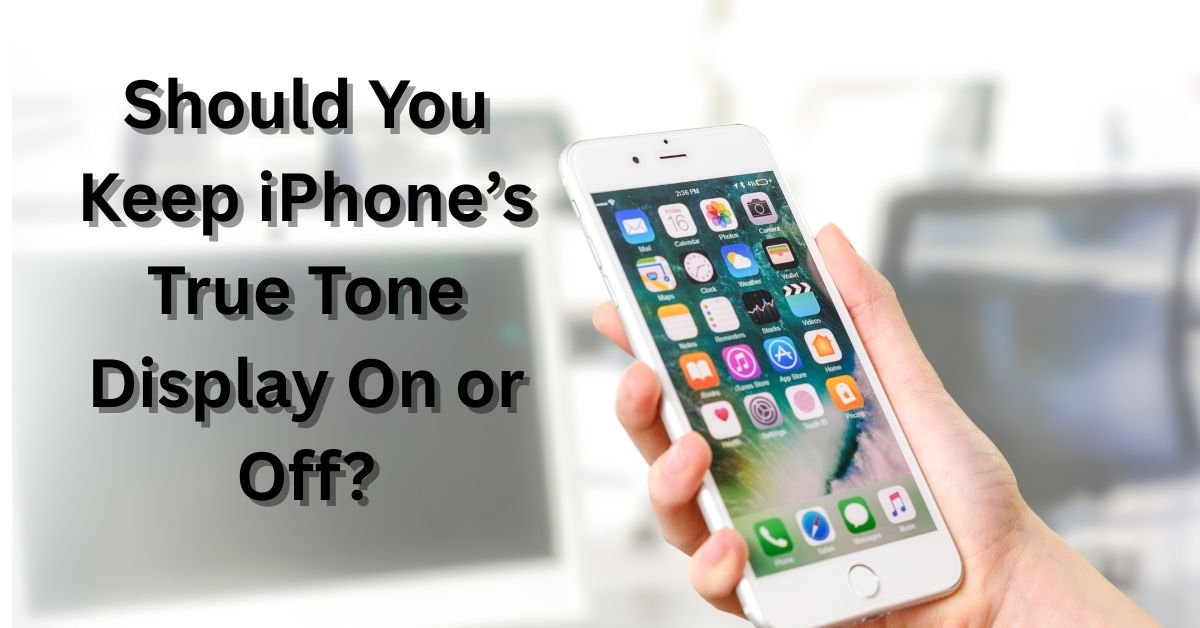
If you’ve ever looked at your iPhone screen and thought, “Wait, why does it look warmer or cooler today?” — that’s True Tone at work. It’s one of those features that quietly makes your iPhone feel more natural to use, but not everyone knows if they should leave it on or turn it off.
I remember when I first upgraded to an iPhone with True Tone — I was editing vacation photos, and suddenly my beach pictures looked a little… yellowish. That’s when I started wondering, is True Tone always the right choice? Let’s explore what it does, its benefits, and when you might want to disable it.
What is True Tone on iPhone?
True Tone is a smart display technology that Apple introduced with the iPhone 8 and later models. It uses advanced ambient light sensors to measure the color temperature and brightness of your surroundings. Then, it automatically adjusts the display’s white balance to match the environment.
For example:
- If you’re sitting under warm indoor lighting, True Tone adds a warmer tone to your display.
- If you step outside into bright daylight, the display shifts to a cooler, bluer tone.
The goal? To make the screen look more natural and easier on your eyes — like a piece of paper that subtly changes under different lights.
How to Check if True Tone is Enabled
You can easily find the setting in your iPhone’s control center or settings:
Option 1: Control Center
- Swipe down from the top-right corner of your iPhone screen.
- Press and hold the brightness slider.
- You’ll see a “True Tone” button at the bottom — tap to turn it on or off.
Option 2: Settings Menu
- Go to Settings → Display & Brightness.
- Scroll down and toggle True Tone on or off.
You can test the difference instantly — toggle it off and notice how the display looks cooler or more “white.”
Pros of Keeping True Tone On
Let’s start with why most iPhone users (including me) love keeping it turned on.
1. More Natural Viewing Experience
True Tone makes the screen blend with your environment. It feels less harsh in dim light and more balanced under bright sunlight. Reading an email or scrolling Instagram at night feels softer on your eyes.
2. Reduced Eye Strain
If you’re someone who uses your phone late into the night, True Tone helps minimize blue light exposure by adding warmer hues. It doesn’t replace Night Shift, but together they make a powerful pair for eye comfort.
3. Better Color Consistency for Everyday Use
Most of us aren’t color grading photos daily. For casual use — messaging, browsing, streaming — True Tone ensures consistent and pleasing visuals. Everything looks smoother and more comfortable.
4. Adaptive to Any Lighting Condition
Whether you’re in your office with fluorescent lights or on a porch at sunset, True Tone automatically adjusts without needing to tweak brightness or color manually.
Cons of Keeping True Tone On
While True Tone feels magical most of the time, there are situations where you might prefer it off.
1. Inaccurate Color Display for Editing
If you’re a photographer, designer, or content creator, True Tone can shift the color balance enough to throw off color accuracy. When editing photos or videos, you need to see the true tones (pun intended), not what the sensors think looks best.
2. Slightly Warmer Whites Indoors
In warm lighting, whites may look creamier or yellowish. This can make some users feel like the screen has lost its crispness.
3. Battery Use
While True Tone doesn’t drain your battery significantly, the continuous adjustment of sensors and processing does consume a bit of power. It’s not major, but for users who monitor every percent, it’s worth noting.
4. Not Ideal for Comparing Screens
If you’re comparing images or testing display quality between two devices, keep True Tone off. Otherwise, each screen may adjust differently based on its surroundings.
When You Should Turn True Tone Off
There’s no one-size-fits-all answer, but here’s when you might consider turning it off:
- When doing photo or video editing for professional accuracy.
- When using your iPhone for graphic design or digital art.
- When showing photos to others and you want to ensure they look consistent.
- If you prefer a cooler, more neutral display tone.
Otherwise, for day-to-day scrolling, video calls, and reading, True Tone is a great feature to keep on.
My Personal Experience with True Tone
When I first switched from an older iPhone without True Tone, I noticed how the display seemed to “breathe” with the environment. During a sunny morning in California, the screen looked sharp and bright. At night, under warm lamps, it felt calm and soothing.
But when I was editing some vacation photos for my blog, I realized the beach sky looked duller on True Tone. Once I turned it off, the blue popped back. That’s when I decided — True Tone is perfect for daily comfort, but not for color-critical work.
Now, I keep it on most of the time, and only toggle it off when I’m editing photos or working on design projects.
Bonus Tip: Combine True Tone with Night Shift
If you love reading before bed or watching videos in a dark room, enable Night Shift along with True Tone.
- True Tone adjusts to your environment.
- Night Shift reduces blue light based on time of day.
This combination gives your screen a gentle, warm glow that’s much easier on your eyes — and helps you sleep better afterward.
How to Turn True Tone On or Off on a MacBook or iPad
Apple’s ecosystem keeps things consistent. You’ll find True Tone available on:
- MacBook Air / Pro (2018 and later)
- iPad Pro (2018 and later)
- iPad Air (3rd Gen and later)
To toggle it:
- Go to System Settings → Displays.
- Find the True Tone checkbox and toggle it on/off.
If you use multiple Apple devices, it’s fun to compare how each adjusts differently to the same room light!
Final Thoughts
So, should you keep True Tone on or off?
Here’s my honest take:
- Keep it ON if you use your iPhone mostly for everyday tasks — it’s easier on your eyes and makes your display feel more natural.
- Turn it OFF only when you need precise color accuracy — like editing photos, videos, or designing visuals.
True Tone is one of those Apple features that quietly enhances comfort without you even realizing it. Most of the time, you’ll love it. And when you don’t, you can toggle it off in seconds.
Jessica’s Verdict:
I keep True Tone ON 90% of the time — it’s one of those smart features that just makes my iPhone feel effortlessly adaptive to my day.

- How to Fix Chrome Automatically Deleting Downloaded Files (Complete Step-by-Step Guide)

- How to View Apps That Windows Security Identifies as PUA (Step-by-Step Guide)

- How to Add Custom DNS Server on iPhone to Fix DNS Errors and Improve Internet Speed

- AI Automation in 2026: How It’s Transforming Jobs, Businesses, and Everyday Life

- How to Check Startup and Shutdown History in Windows for Better Troubleshooting

Products
-
![Apple Watch Ultra 3 [GPS + Cellular 49mm] Running & Multisport Smartwatch w/Rugged Titanium Case w/Black Titanium Milanese Loop - M. Satellite Communications, Advanced Health & Fitness Tracking](https://bazaronweb.com/retailstores/wp-content/uploads/2025/09/apple-watch-320x320.jpg) Apple Watch Ultra 3 [GPS + Cellular 49mm] Running & Multisport Smartwatch w/Rugged Titanium Case w/Black Titanium Milanese Loop - M. Satellite Communications, Advanced Health & Fitness Tracking
Apple Watch Ultra 3 [GPS + Cellular 49mm] Running & Multisport Smartwatch w/Rugged Titanium Case w/Black Titanium Milanese Loop - M. Satellite Communications, Advanced Health & Fitness Tracking
-
 Apple iPad mini (A17 Pro): Apple Intelligence, 8.3-inch Liquid Retina Display, 256GB, Wi-Fi 6E, 12MP Front/12MP Back Camera, Touch ID, All-Day Battery Life — Purple
-
 Apple AirPods Max Wireless Over-Ear Headphones, Active Noise Cancelling, Transparency Mode, Personalized Spatial Audio, Dolby Atmos, Bluetooth Headphones for iPhone – Space Gray
-
 Apple AirPods Pro 2 Wireless Earbuds, Active Noise Cancellation, Hearing Aid Feature, Bluetooth Headphones, Transparency, Personalized Spatial Audio, High-Fidelity Sound, H2 Chip, USB-C Charging
-
Leo Creation 144 TC Cotton Double Jaipuri Prints Flat Bedsheet(Pack of 1, Blue, Gree, Red, Grey, Light Grey)
Original price was: ₹2,999.00.₹329.00Current price is: ₹329.00.
Leave a Reply