Discounted Products
-
 Leo Creation 144 TC Cotton Double Jaipuri Prints Flat Bedsheet(Pack of 1, Blue, Gree, Red, Grey, Light Grey)
Original price was: ₹2,999.00.₹329.00Current price is: ₹329.00.
Leo Creation 144 TC Cotton Double Jaipuri Prints Flat Bedsheet(Pack of 1, Blue, Gree, Red, Grey, Light Grey)
Original price was: ₹2,999.00.₹329.00Current price is: ₹329.00.
-
 Home Garage 210 TC Cotton King Floral Fitted (Elastic) Bedsheet(Pack of 1, Grey)
Original price was: ₹999.00.₹299.00Current price is: ₹299.00.
Home Garage 210 TC Cotton King Floral Fitted (Elastic) Bedsheet(Pack of 1, Grey)
Original price was: ₹999.00.₹299.00Current price is: ₹299.00.
-
 Goodrik 140 TC Cotton Double 3D Printed Flat Bedsheet(Pack of 1, Brown)
Original price was: ₹499.00.₹229.00Current price is: ₹229.00.
Goodrik 140 TC Cotton Double 3D Printed Flat Bedsheet(Pack of 1, Brown)
Original price was: ₹499.00.₹229.00Current price is: ₹229.00.
-
 GLOBALSHOP 350 TC Microfiber Double Floral Flat Bedsheet(Pack of 1, Multicolor)
Original price was: ₹1,250.00.₹263.00Current price is: ₹263.00.
GLOBALSHOP 350 TC Microfiber Double Floral Flat Bedsheet(Pack of 1, Multicolor)
Original price was: ₹1,250.00.₹263.00Current price is: ₹263.00.
-
 RisingStar 250 TC Microfiber King Printed Fitted (Elastic) Bedsheet(Pack of 1, FITTED-ROUND-CIRCLES-PREMIUM)
Original price was: ₹2,299.00.₹299.00Current price is: ₹299.00.
RisingStar 250 TC Microfiber King Printed Fitted (Elastic) Bedsheet(Pack of 1, FITTED-ROUND-CIRCLES-PREMIUM)
Original price was: ₹2,299.00.₹299.00Current price is: ₹299.00.
-
 Home Garage 210 TC Cotton King Floral Fitted (Elastic) Bedsheet(Pack of 1, Fitted Black Green)
Original price was: ₹1,299.00.₹299.00Current price is: ₹299.00.
Home Garage 210 TC Cotton King Floral Fitted (Elastic) Bedsheet(Pack of 1, Fitted Black Green)
Original price was: ₹1,299.00.₹299.00Current price is: ₹299.00.
-
 Home Garage 180 TC Cotton King 3D Printed Flat Bedsheet(Pack of 1, White)
Original price was: ₹999.00.₹229.00Current price is: ₹229.00.
Home Garage 180 TC Cotton King 3D Printed Flat Bedsheet(Pack of 1, White)
Original price was: ₹999.00.₹229.00Current price is: ₹229.00.
-
 Home Sizzler 153 cm (5 ft) Polyester Room Darkening Window Curtain (Pack Of 2)(Floral, Maroon)
Original price was: ₹799.00.₹299.00Current price is: ₹299.00.
Home Sizzler 153 cm (5 ft) Polyester Room Darkening Window Curtain (Pack Of 2)(Floral, Maroon)
Original price was: ₹799.00.₹299.00Current price is: ₹299.00.
-
 Panipat Textile Hub 152.4 cm (5 ft) Polyester Window Curtain (Pack Of 2)(Solid, Aqua)
Original price was: ₹1,899.00.₹299.00Current price is: ₹299.00.
Panipat Textile Hub 152.4 cm (5 ft) Polyester Window Curtain (Pack Of 2)(Solid, Aqua)
Original price was: ₹1,899.00.₹299.00Current price is: ₹299.00.
-
 Home Sizzler 214 cm (7 ft) Polyester Semi Transparent Door Curtain (Pack Of 2)(Floral, Maroon)
Original price was: ₹1,199.00.₹399.00Current price is: ₹399.00.
Home Sizzler 214 cm (7 ft) Polyester Semi Transparent Door Curtain (Pack Of 2)(Floral, Maroon)
Original price was: ₹1,199.00.₹399.00Current price is: ₹399.00.
-
 Home Sizzler 153 cm (5 ft) Polyester Room Darkening Window Curtain (Pack Of 2)(Floral, Brown)
Original price was: ₹799.00.₹299.00Current price is: ₹299.00.
Home Sizzler 153 cm (5 ft) Polyester Room Darkening Window Curtain (Pack Of 2)(Floral, Brown)
Original price was: ₹799.00.₹299.00Current price is: ₹299.00.
-
 Stella Creations 214 cm (7 ft) Polyester Room Darkening Door Curtain (Pack Of 2)(Abstract, Brown)
Original price was: ₹1,299.00.₹449.00Current price is: ₹449.00.
Stella Creations 214 cm (7 ft) Polyester Room Darkening Door Curtain (Pack Of 2)(Abstract, Brown)
Original price was: ₹1,299.00.₹449.00Current price is: ₹449.00.
-
 Homefab India 152.5 cm (5 ft) Polyester Room Darkening Window Curtain (Pack Of 2)(Floral, Light Blue)
Original price was: ₹1,199.00.₹319.00Current price is: ₹319.00.
Homefab India 152.5 cm (5 ft) Polyester Room Darkening Window Curtain (Pack Of 2)(Floral, Light Blue)
Original price was: ₹1,199.00.₹319.00Current price is: ₹319.00.
-
 Urban Home 214 cm (7 ft) PVC Transparent Door Curtain Single Curtain(Solid, Off White)
Original price was: ₹699.00.₹203.00Current price is: ₹203.00.
Urban Home 214 cm (7 ft) PVC Transparent Door Curtain Single Curtain(Solid, Off White)
Original price was: ₹699.00.₹203.00Current price is: ₹203.00.
-
 Panipat Textile Hub 213 cm (7 ft) Polyester Door Curtain (Pack Of 2)(Solid, Brown)
Original price was: ₹1,199.00.₹349.00Current price is: ₹349.00.
Panipat Textile Hub 213 cm (7 ft) Polyester Door Curtain (Pack Of 2)(Solid, Brown)
Original price was: ₹1,199.00.₹349.00Current price is: ₹349.00.
Introduction
As an analyst, your job doesn’t end when you step away from your laptop. Insights don’t wait for desk time, dashboards don’t pause after meetings, and data-driven questions often show up when you’re in transit, between calls, or reviewing notes before a presentation. That’s where your smartphone—especially an Android device—becomes more than just a communication tool. It becomes an extension of your analytical workflow.
In 2026, analysts are expected to be faster, more responsive, and more connected than ever. Whether you’re a data analyst reviewing KPIs, a business analyst validating assumptions, or a marketing analyst tracking campaign performance, the ability to access, review, and communicate insights on the go is now a core professional skill. Android’s flexibility and ecosystem make it particularly well-suited for this kind of mobile-first analytical work.
What’s important to understand is that mobile apps are not meant to replace full-scale analytical tools. Instead, they support critical moments—quick validations, stakeholder questions, last-minute checks, and real-time monitoring. The right Android apps help reduce friction, improve responsiveness, and ensure you stay informed without being tied to your desk.
This list is curated specifically for analysts who want practical value, not hype. Every app included supports at least one of three essential analyst needs: data access, insight communication, or workflow organization. Together, they form a mobile toolkit that complements desktop tools while respecting the realities of modern work.
If you rely on data to make decisions, influence stakeholders, or drive business outcomes, your Android device—used intentionally—can become one of your most valuable professional assets.
Data analysts, business analysts, marketing analysts, and financial analysts increasingly rely on Android smartphones to review data, collaborate with teams, and make quick decisions on the go. While laptops remain essential, the right Android apps can dramatically improve productivity, insight generation, and responsiveness.
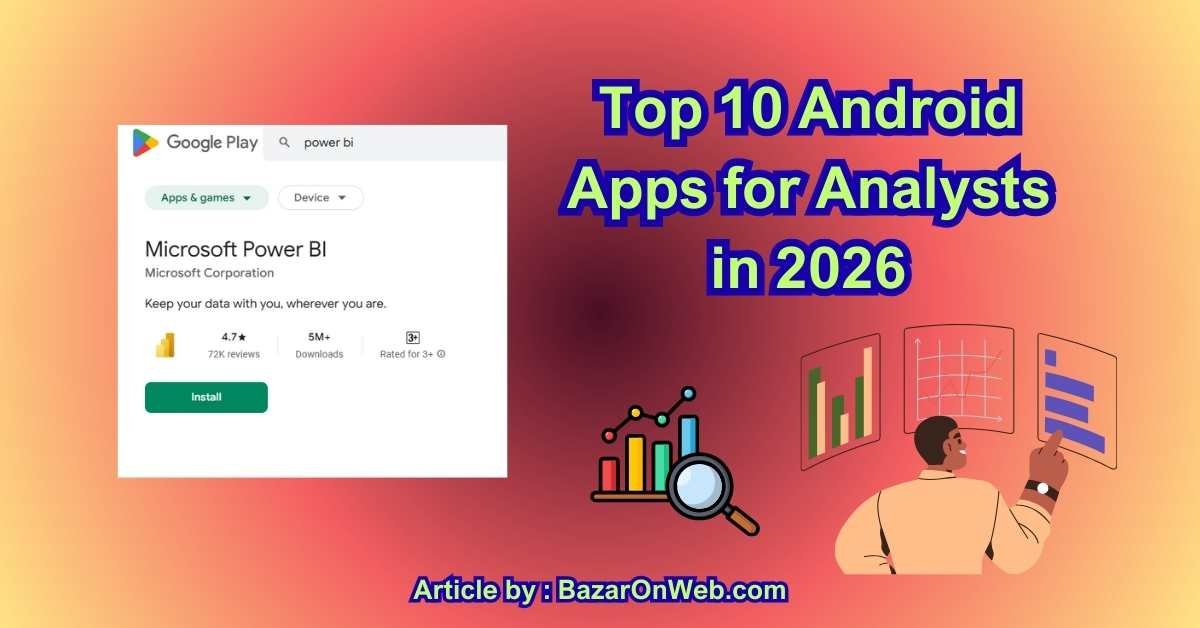
1. Microsoft Power BI
Microsoft Power BI is one of the most powerful tools available for analysts who need mobile access to dashboards and reports. The Android app allows users to view interactive dashboards, drill down into data, and receive real-time alerts when key metrics change. This makes it ideal for executives and analysts who need instant insights without opening a laptop.
Power BI’s Android interface is optimized for touch navigation, making it easy to filter reports, explore trends, and share insights during meetings. It integrates seamlessly with Excel, Azure, SQL databases, and Microsoft 365, which is especially valuable in enterprise environments. Analysts can securely access cloud-hosted datasets and maintain data governance standards. While report creation is still desktop-based, Power BI’s Android app excels as a decision-support tool, ensuring analysts stay informed and responsive wherever they are.
2. Microsoft Excel (Android)
Microsoft Excel remains a foundational tool for analysts, and the Android version has evolved into a highly capable companion app. Analysts can open, edit, and analyze spreadsheets directly on their phones, making it easy to review models, validate numbers, and make quick adjustments on the go.
The app supports formulas, charts, pivot tables (viewing), and data filtering, allowing analysts to extract insights without relying on a laptop. Excel for Android integrates smoothly with OneDrive and SharePoint, ensuring real-time access to updated files. While complex modeling is best handled on desktop, the Android app is perfect for reviewing datasets, approving changes, and collaborating with teammates. For analysts who work across finance, operations, or marketing, Excel on Android remains an indispensable tool for quick data checks and decision-making.
3. Google Sheets
Google Sheets is a favorite among analysts who prioritize collaboration and cloud-based workflows. The Android app allows analysts to view, edit, and comment on spreadsheets in real time, making it ideal for distributed teams and fast-paced environments.
One of its biggest strengths is seamless collaboration—multiple users can work on the same dataset simultaneously, with changes saved instantly. Analysts can use filters, formulas, charts, and conditional formatting directly from their Android devices. Integration with Google Drive ensures easy access to historical data and shared files. While advanced analytics may still require desktop tools, Google Sheets on Android is excellent for quick analysis, validating assumptions, and responding to stakeholder questions. It’s particularly valuable for startups, marketing teams, and analysts who rely heavily on cloud-first ecosystems.
4. Tableau Mobile
Tableau Mobile is designed for analysts and decision-makers who rely on visual analytics. The Android app provides secure access to Tableau dashboards hosted on Tableau Server or Tableau Cloud, allowing users to explore data visually from anywhere.
Analysts can filter dashboards, drill down into metrics, and interact with charts using intuitive touch gestures. The app supports offline snapshots, enabling access to key insights even without internet connectivity. Tableau Mobile is especially valuable for executives and analysts who need high-level insights during meetings or travel. While dashboard creation is done on desktop, the Android app excels at data consumption and storytelling, helping analysts communicate insights clearly. For organizations already using Tableau, the mobile app extends analytical reach without compromising security or performance.
5. SQL Client / SQL Editor Apps
SQL client apps for Android, such as SQL Editor or SQLite Viewer, are extremely useful for analysts who work directly with databases. These apps allow users to run SQL queries, inspect tables, and validate datasets from their mobile devices.
Analysts can quickly troubleshoot issues, verify records, or explore data structures without needing full desktop access. Many SQL apps support MySQL, PostgreSQL, SQLite, and SQL Server connections, making them versatile across industries. While mobile SQL editing is not ideal for complex query development, it’s perfect for quick checks, debugging, and validation. For analysts working in data engineering, operations, or backend analytics, having a SQL tool on Android ensures faster response times and better data control.
6. Notion
Notion is a powerful workspace app that analysts use to document insights, manage projects, and organize research. On Android, Notion allows analysts to access dashboards, notes, databases, and documentation seamlessly.
Analysts often use Notion for:
- Data analysis notes
- Business requirements documentation
- KPI tracking
- Research repositories
The Android app supports offline access, quick edits, and collaboration, making it ideal for capturing insights immediately after meetings or data reviews. While it’s not a data analysis tool itself, Notion plays a critical role in structuring analytical thinking and ensuring insights are documented and shared effectively. For analysts who work across teams and projects, Notion helps turn raw data into organized, actionable knowledge.
7. Trello
Trello is widely used by analysts to manage analytical workflows, reporting cycles, and project timelines. The Android app offers a clean, visual interface that makes task tracking simple and intuitive.
Analysts can use Trello boards to:
- Track data requests
- Manage reporting deadlines
- Organize analysis stages
- Collaborate with stakeholders
The drag-and-drop interface works well on Android, and integrations with tools like Google Drive, Slack, and Jira enhance functionality. Trello is especially helpful for analysts working in agile or cross-functional teams where visibility and accountability matter. While it doesn’t analyze data, Trello ensures analytical work stays organized, on time, and aligned with business priorities.
8. Slack
Slack is an essential communication app for analysts working in collaborative environments. The Android app allows analysts to stay connected with teams, respond to data questions, and share insights instantly.
Analysts often use Slack to:
- Discuss findings
- Share dashboards and reports
- Clarify data assumptions
- Coordinate with engineering or marketing teams
Slack’s Android app supports file sharing, voice notes, threads, and integrations with analytics tools like Power BI, Tableau, and Google Sheets. This makes it easier for analysts to stay informed without constant email checking. When used strategically, Slack reduces communication delays and improves alignment across teams—an essential factor for data-driven decision-making.
9. Google Analytics (GA4)
The Google Analytics Android app is essential for digital and marketing analysts who monitor website and app performance. It provides real-time access to key metrics such as traffic, engagement, conversions, and user behavior.
Analysts can quickly check campaign performance, identify traffic spikes, and respond to anomalies without logging into a desktop dashboard. The app supports custom reports and alerts, helping analysts stay proactive. While deep analysis still requires desktop access, the Android app excels at monitoring and validation. For analysts working in eCommerce, SaaS, or digital marketing, Google Analytics on Android ensures continuous visibility into performance metrics.
10. Adobe Acrobat Reader
Adobe Acrobat Reader is often overlooked, but it’s extremely valuable for analysts who work with reports, research papers, and documentation. Many analytical outputs—especially in finance, consulting, and policy analysis—are shared as PDFs.
The Android app allows analysts to:
- Read and annotate reports
- Highlight insights
- Add comments
- Search large documents quickly
This makes it easy to review findings during meetings or while traveling. Integration with cloud storage ensures documents are always accessible. While it doesn’t perform analysis, Adobe Acrobat Reader supports the final stages of analytical work, helping analysts consume, validate, and communicate insights effectively.
Top 3 Apps in My Eyes (As a Busy, Data-Driven Professional)
If I had to narrow my daily toolkit down to just three apps, these are the ones I’d keep without hesitation. Not because they’re trendy—but because they consistently make my workday smoother, clearer, and more manageable.
1. Microsoft Power BI
Power BI earns the top spot for one simple reason: clarity. As someone who works with data and stakeholders daily, being able to check dashboards, spot anomalies, and answer questions in real time is invaluable. I don’t build reports on my phone—but I absolutely use them. Whether I’m heading into a meeting or reviewing performance between calls, Power BI gives me confidence because I’m looking at live, reliable data. It turns my phone into a decision-support tool, not just a screen.
2. Microsoft Excel
Excel is non-negotiable. It’s where assumptions get tested and numbers get validated. On mobile, I use Excel less for heavy analysis and more for verification and quick edits. When someone asks, “Can you double-check that figure?” I don’t need to wait until I’m back at my desk. That responsiveness matters in fast-moving environments. Excel on mobile keeps me sharp and credible.
3. Notion
Notion is where everything comes together. Notes, insights, ideas, project context—it all lives here. What I love most is that Notion helps me think, not just store information. After meetings or data reviews, I capture insights immediately so nothing gets lost. Over time, it becomes a knowledge system I can actually rely on.
Together, these three apps help me stay informed, organized, and effective—without feeling overwhelmed.
Conclusion
For analysts in 2026, productivity is no longer defined by how much data you can process, but by how quickly and clearly you can turn information into action. As work environments become more hybrid and expectations continue to rise, mobile tools play an increasingly important role in supporting analytical performance.
The Android apps discussed in this guide represent more than convenience—they represent mobility, continuity, and responsiveness. They allow analysts to stay connected to their data, collaborate with teams in real time, and maintain momentum even when away from traditional work setups. Whether it’s reviewing dashboards before a meeting, validating figures during a discussion, or capturing insights the moment they appear, mobile access strengthens analytical impact.
One of the most important shifts we’re seeing is that analysts are no longer isolated specialists working behind the scenes. They are active contributors in conversations, strategy sessions, and decision-making processes. Mobile apps support this evolution by enabling faster responses and better communication. When insights are accessible anytime, analysts become more visible, more influential, and more trusted.
Another key takeaway is that the best analysts don’t overload themselves with tools—they build intentional workflows. Each app has a purpose, and each serves a specific stage of the analytical process. Some support data review, others enable collaboration, while some help manage tasks, documentation, or mental clarity. Together, they create balance rather than complexity.
It’s also worth recognizing that sustainable performance matters. Analytical work requires focus, accuracy, and clear thinking. Tools that help reduce stress, manage workload, and maintain structure indirectly improve the quality of insights. In high-pressure environments, this balance is not optional—it’s essential.
Ultimately, the goal is not to be “always online,” but to be always prepared. Prepared to answer questions, prepared to validate assumptions, and prepared to act when data signals change. With the right Android apps, analysts can maintain control over their workday without sacrificing flexibility or focus.
As analytical roles continue to evolve across industries in the US and Canada, professionals who thoughtfully integrate mobile tools into their workflows will remain agile, relevant, and effective—no matter where work happens.
Check or Shop Page for latest deals and Offers

- 7 Best Methods to Fix “Undoing Changes Made to Your PC” Error (Complete Guide)

- How to Turn On Spam Blocker on Android: Stop Unwanted Calls and Messages Easily

- Can’t View Comments on YouTube Shorts? 6 Ways to Fix It (Complete Guide)

- How to Block Users From Installing Programs in Windows 11 Complete Step-by-Step Guide for Better Security

- How to Fix Chrome Automatically Deleting Downloaded Files (Complete Step-by-Step Guide)

Products
-
![Apple Watch Ultra 3 [GPS + Cellular 49mm] Running & Multisport Smartwatch w/Rugged Titanium Case w/Black Titanium Milanese Loop - M. Satellite Communications, Advanced Health & Fitness Tracking](https://bazaronweb.com/retailstores/wp-content/uploads/2025/09/apple-watch-320x320.jpg) Apple Watch Ultra 3 [GPS + Cellular 49mm] Running & Multisport Smartwatch w/Rugged Titanium Case w/Black Titanium Milanese Loop - M. Satellite Communications, Advanced Health & Fitness Tracking
Apple Watch Ultra 3 [GPS + Cellular 49mm] Running & Multisport Smartwatch w/Rugged Titanium Case w/Black Titanium Milanese Loop - M. Satellite Communications, Advanced Health & Fitness Tracking
-
 Apple iPad mini (A17 Pro): Apple Intelligence, 8.3-inch Liquid Retina Display, 256GB, Wi-Fi 6E, 12MP Front/12MP Back Camera, Touch ID, All-Day Battery Life — Purple
-
 Apple AirPods Max Wireless Over-Ear Headphones, Active Noise Cancelling, Transparency Mode, Personalized Spatial Audio, Dolby Atmos, Bluetooth Headphones for iPhone – Space Gray
-
 Apple AirPods Pro 2 Wireless Earbuds, Active Noise Cancellation, Hearing Aid Feature, Bluetooth Headphones, Transparency, Personalized Spatial Audio, High-Fidelity Sound, H2 Chip, USB-C Charging
-
Leo Creation 144 TC Cotton Double Jaipuri Prints Flat Bedsheet(Pack of 1, Blue, Gree, Red, Grey, Light Grey)
Original price was: ₹2,999.00.₹329.00Current price is: ₹329.00.
Leave a Reply