Discounted Products
-
 Home Garage 210 TC Cotton King Floral Fitted (Elastic) Bedsheet(Pack of 1, Grey)
Original price was: ₹999.00.₹299.00Current price is: ₹299.00.
Home Garage 210 TC Cotton King Floral Fitted (Elastic) Bedsheet(Pack of 1, Grey)
Original price was: ₹999.00.₹299.00Current price is: ₹299.00.
-
 Goodrik 140 TC Cotton Double 3D Printed Flat Bedsheet(Pack of 1, Brown)
Original price was: ₹499.00.₹229.00Current price is: ₹229.00.
Goodrik 140 TC Cotton Double 3D Printed Flat Bedsheet(Pack of 1, Brown)
Original price was: ₹499.00.₹229.00Current price is: ₹229.00.
-
 GLOBALSHOP 350 TC Microfiber Double Floral Flat Bedsheet(Pack of 1, Multicolor)
Original price was: ₹1,250.00.₹263.00Current price is: ₹263.00.
GLOBALSHOP 350 TC Microfiber Double Floral Flat Bedsheet(Pack of 1, Multicolor)
Original price was: ₹1,250.00.₹263.00Current price is: ₹263.00.
-
 RisingStar 250 TC Microfiber King Printed Fitted (Elastic) Bedsheet(Pack of 1, FITTED-ROUND-CIRCLES-PREMIUM)
Original price was: ₹2,299.00.₹299.00Current price is: ₹299.00.
RisingStar 250 TC Microfiber King Printed Fitted (Elastic) Bedsheet(Pack of 1, FITTED-ROUND-CIRCLES-PREMIUM)
Original price was: ₹2,299.00.₹299.00Current price is: ₹299.00.
-
 Home Garage 210 TC Cotton King Floral Fitted (Elastic) Bedsheet(Pack of 1, Fitted Black Green)
Original price was: ₹1,299.00.₹299.00Current price is: ₹299.00.
Home Garage 210 TC Cotton King Floral Fitted (Elastic) Bedsheet(Pack of 1, Fitted Black Green)
Original price was: ₹1,299.00.₹299.00Current price is: ₹299.00.
-
 Home Garage 180 TC Cotton King 3D Printed Flat Bedsheet(Pack of 1, White)
Original price was: ₹999.00.₹229.00Current price is: ₹229.00.
Home Garage 180 TC Cotton King 3D Printed Flat Bedsheet(Pack of 1, White)
Original price was: ₹999.00.₹229.00Current price is: ₹229.00.
-
 Panipat Textile Hub 152.4 cm (5 ft) Polyester Window Curtain (Pack Of 2)(Solid, Aqua)
Original price was: ₹1,899.00.₹299.00Current price is: ₹299.00.
Panipat Textile Hub 152.4 cm (5 ft) Polyester Window Curtain (Pack Of 2)(Solid, Aqua)
Original price was: ₹1,899.00.₹299.00Current price is: ₹299.00.
-
 Home Sizzler 214 cm (7 ft) Polyester Semi Transparent Door Curtain (Pack Of 2)(Floral, Maroon)
Original price was: ₹1,199.00.₹399.00Current price is: ₹399.00.
Home Sizzler 214 cm (7 ft) Polyester Semi Transparent Door Curtain (Pack Of 2)(Floral, Maroon)
Original price was: ₹1,199.00.₹399.00Current price is: ₹399.00.
-
 Home Sizzler 153 cm (5 ft) Polyester Room Darkening Window Curtain (Pack Of 2)(Floral, Brown)
Original price was: ₹799.00.₹299.00Current price is: ₹299.00.
Home Sizzler 153 cm (5 ft) Polyester Room Darkening Window Curtain (Pack Of 2)(Floral, Brown)
Original price was: ₹799.00.₹299.00Current price is: ₹299.00.
-
 Stella Creations 214 cm (7 ft) Polyester Room Darkening Door Curtain (Pack Of 2)(Abstract, Brown)
Original price was: ₹1,299.00.₹449.00Current price is: ₹449.00.
Stella Creations 214 cm (7 ft) Polyester Room Darkening Door Curtain (Pack Of 2)(Abstract, Brown)
Original price was: ₹1,299.00.₹449.00Current price is: ₹449.00.
-
 Homefab India 152.5 cm (5 ft) Polyester Room Darkening Window Curtain (Pack Of 2)(Floral, Light Blue)
Original price was: ₹1,199.00.₹319.00Current price is: ₹319.00.
Homefab India 152.5 cm (5 ft) Polyester Room Darkening Window Curtain (Pack Of 2)(Floral, Light Blue)
Original price was: ₹1,199.00.₹319.00Current price is: ₹319.00.
-
 Urban Home 214 cm (7 ft) PVC Transparent Door Curtain Single Curtain(Solid, Off White)
Original price was: ₹699.00.₹203.00Current price is: ₹203.00.
Urban Home 214 cm (7 ft) PVC Transparent Door Curtain Single Curtain(Solid, Off White)
Original price was: ₹699.00.₹203.00Current price is: ₹203.00.
-
 Panipat Textile Hub 213 cm (7 ft) Polyester Door Curtain (Pack Of 2)(Solid, Brown)
Original price was: ₹1,199.00.₹349.00Current price is: ₹349.00.
Panipat Textile Hub 213 cm (7 ft) Polyester Door Curtain (Pack Of 2)(Solid, Brown)
Original price was: ₹1,199.00.₹349.00Current price is: ₹349.00.
-
 Home Sizzler 214 cm (7 ft) Polyester Semi Transparent Door Curtain (Pack Of 2)(Floral, Brown)
Original price was: ₹999.00.₹349.00Current price is: ₹349.00.
Home Sizzler 214 cm (7 ft) Polyester Semi Transparent Door Curtain (Pack Of 2)(Floral, Brown)
Original price was: ₹999.00.₹349.00Current price is: ₹349.00.
-
 Panipat Textile Hub 213 cm (7 ft) Polyester Semi Transparent Door Curtain (Pack Of 2)(Floral, Brown)
Original price was: ₹899.00.₹299.00Current price is: ₹299.00.
Panipat Textile Hub 213 cm (7 ft) Polyester Semi Transparent Door Curtain (Pack Of 2)(Floral, Brown)
Original price was: ₹899.00.₹299.00Current price is: ₹299.00.
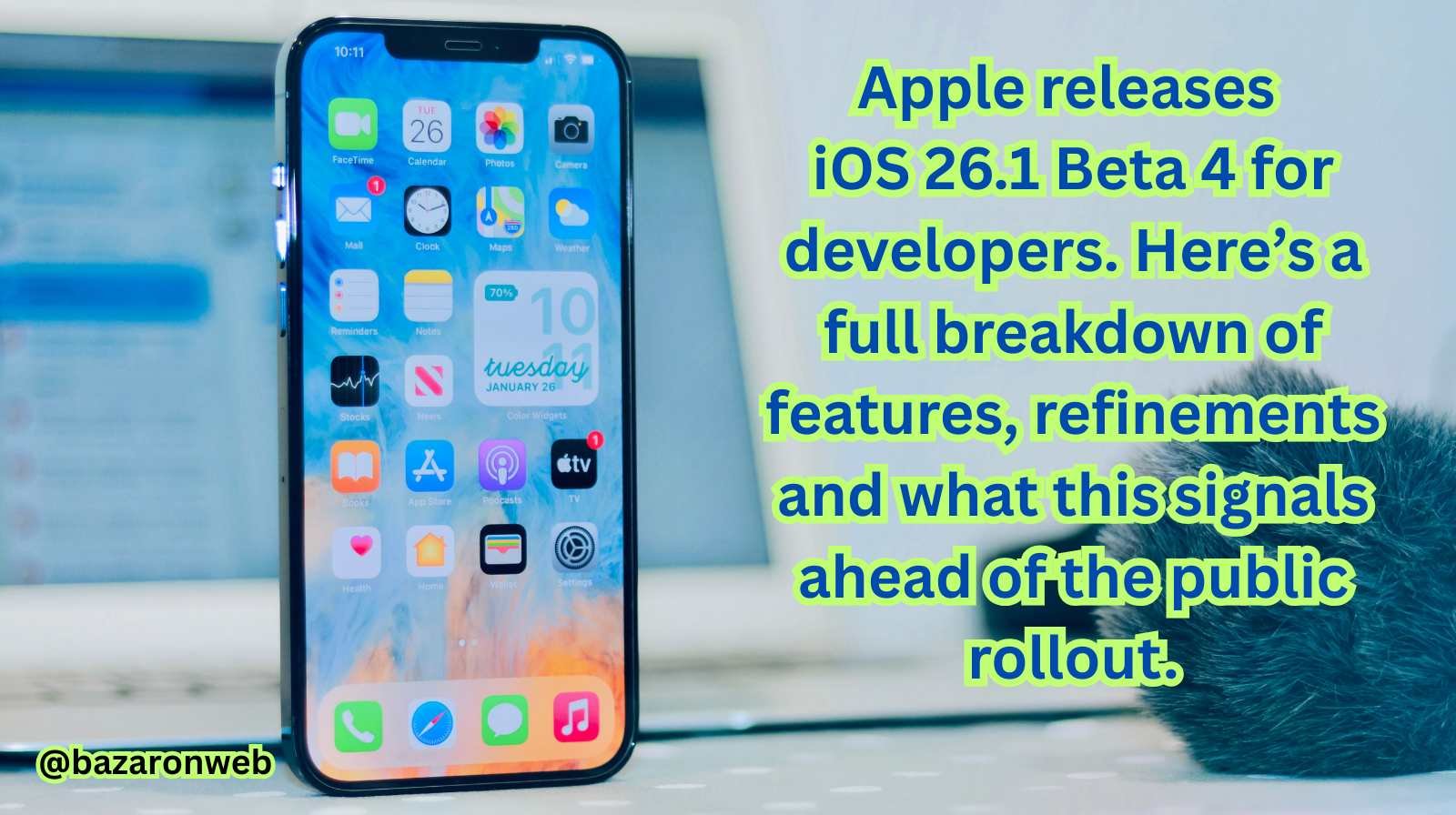
Hey friends, I’m Jessica. As someone who uses my iPhone every day—from family photo shoots to managing my marketing role at a tech startup—I keep a close eye on Apple’s software updates. So when iOS 26.1 Beta 4 dropped for developers, I was immediately curious about what’s changed and what this next step means for all of us.
Let’s walk through what this update brings, how it fits into the larger iOS 26 cycle, whether you should install it (and if so, how), and what to look forward to as the public release draws near.
What is iOS 26.1 Beta 4?
Apple released iOS 26 Beta 4 to developers on July 22, 2025. This version follows the earlier betas of iOS 26 (which introduced the major Liquid Glass redesign, Apple Intelligence enhancements and system-wide improvements).
iOS 26.1 is viewed as a “mid-cycle” update. Most of the big new features landed in iOS 26 proper, and 26.1 is expected to focus on polishing key elements, refining user feedback, improving compatibility and preparing for full public release. For developers, Beta 4 represents a near-release candidate that’s closer to what everyday users will see.
What’s New in Beta 4?
While Apple hasn’t published exhaustive notes just yet, the community has identified a number of refinements in Beta 4:
• Design refinements to “Liquid Glass”
The Liquid Glass design update in iOS 26 introduced transparent, layered UI elements throughout the system. In Beta 4 we’re seeing more fine-tuning: for example, improved legibility in navigation bars, refined transparency effects, and enhanced contrast for better readability.
• AI-powered news and notification summaries
Beta 4 includes enhancements to how your iPhone presents news summaries and notifications using Apple Intelligence features. The update introduces a “Welcome” splash screen and intro screens for features like Siri and AI summaries.
• Performance & stability improvements
As with any major beta in the later phase of the cycle, Beta 4 focuses on bug fixes, system optimizations, and better compatibility with third-party apps. If you’re a developer, this is the build where your app should be nearly ready for release.
• Public beta nearing arrival
With Beta 4 now live for developers, Apple appears to be preparing to deliver the public beta of iOS 26 very soon—possibly within days of this developer build.
Which Devices Will Support iOS 26 / iOS 26.1?
iOS 26 supports iPhones dating back to the iPhone 11, iPhone SE (2nd gen) and newer. Some older models (such as iPhone XR/XS/XS Max) are excluded from the full experience. As for iOS 26.1, any device already compatible with iOS 26 will get the update.
Should You Install iOS 26.1 Beta 4 Now?
Here are my thoughts—based on my own experience and what I believe is best practice:
✅ Good reasons to install:
- You’re a developer or advanced user who wants to test app compatibility, new UI changes or early features.
- You have a spare device (not your primary iPhone) to experiment on.
- You’re comfortable with possible bugs, battery drain or app incompatibilities.
⚠️ Reasons to wait:
- This is a developer beta—not yet fully polished for everyday use. Some apps may crash or behave unpredictably.
- If you rely on your iPhone for work or depend on all apps functioning flawlessly, waiting for the public beta or final release is safer.
- Always back up your iPhone before installing; betas (even late-stage ones) can still lead to data loss or needing to restore.
How to Install Beta 4 (For Developers)
If you’re in the Apple Developer Program or enrolled in the Beta Program, here’s how to get this update:
- Go to Settings > General > Software Update > Beta Updates.
- Select iOS 26 Developer Beta.
- Download and install.
- After restart, explore the new features and pay attention to any app issues or bugs.
Note: If you installed an earlier developer beta, make sure your device was backed up before updating. Also, keep an eye on battery performance, app stability and how third-party tools behave.
What This Update Signals for Everyday Users
While Beta 4 is aimed at developers, it gives important signals for everyday iPhone users:
- We’re very close to the public beta of iOS 26. If you’ve been waiting to try out the major update, you won’t have to wait much longer.
- Apple is transitioning from major feature-releases to refinements—so the final release of iOS 26 is likely more stable and polished than past years.
- Feedback from beta builds is clearly influencing the final look and feel (especially the UI refinements) — meaning your input as a user matters.
What To Expect in the Final Release
Once iOS 26 (and 26.1) reach the full public release, you should expect:
- The core features introduced in iOS 26 (Liquid Glass redesign, enhanced Apple Intelligence, updated Camera, new CarPlay features) to be refined and bug-free.
- Performance optimizations for iPhone 11 and newer, ensuring older supported models still feel smooth.
- iOS 26.1 likely adding minor but meaningful improvements: better accessibility options, refined visuals and small new features like new languages for Apple Intelligence.
My Personal Take
As someone who lives and breathes my iPhone—balancing work, family and creative hobbies—I feel that Beta 4 marks the point where iOS 26 is sentimentally ready for broader use. The refinements around transparency, design and AI feel more mature now.
If I were you, and you rely on your iPhone every day (as I do), I’d wait for the public beta unless you’re comfortable with experimenting and having a backup phone handy. Once public release hits, I’ll definitely be upgrading—and I’ll keep an eye on battery and app performance to share my full experience.
Final Thoughts
The availability of iOS 26.1 Beta 4 shows us that Apple is moving from major changes to incremental polish—and that’s a good sign. Whether you’re an early-adopter who wants to dive into the beta or a daily user who’s patiently waiting for the stable public build, you’re at the doorstep of a significant update that’s been refined and tested.
Keep an eye on Settings > Software Update in the coming days — your iPhone may soon prompt you for iOS 26 public beta or the final release. And when you’re ready, I’ll be here sharing tips, bugs to watch out for and what the update means for your everyday life.
Until next time, stay curious and enjoy your iPhone journey.
— Jessica

- How to Fix iPhone Updates Not Installing Overnight
- How to Add Notes or Comments to Folders in Windows 11

- How to Fix “Unable to Initialize Windows App SDK” Error in Windows 11

- How to Fix “Try Again Later – Something Happened on Our End” Error in Microsoft Store

- What Are iPhone Background Sounds? Their Uses and How to Enable Them
Products
-
![Apple Watch Ultra 3 [GPS + Cellular 49mm] Running & Multisport Smartwatch w/Rugged Titanium Case w/Black Titanium Milanese Loop - M. Satellite Communications, Advanced Health & Fitness Tracking](https://bazaronweb.com/retailstores/wp-content/uploads/2025/09/apple-watch-320x320.jpg) Apple Watch Ultra 3 [GPS + Cellular 49mm] Running & Multisport Smartwatch w/Rugged Titanium Case w/Black Titanium Milanese Loop - M. Satellite Communications, Advanced Health & Fitness Tracking
Apple Watch Ultra 3 [GPS + Cellular 49mm] Running & Multisport Smartwatch w/Rugged Titanium Case w/Black Titanium Milanese Loop - M. Satellite Communications, Advanced Health & Fitness Tracking
-
 Apple iPad mini (A17 Pro): Apple Intelligence, 8.3-inch Liquid Retina Display, 256GB, Wi-Fi 6E, 12MP Front/12MP Back Camera, Touch ID, All-Day Battery Life — Purple
-
 Apple AirPods Max Wireless Over-Ear Headphones, Active Noise Cancelling, Transparency Mode, Personalized Spatial Audio, Dolby Atmos, Bluetooth Headphones for iPhone – Space Gray
-
 Apple AirPods Pro 2 Wireless Earbuds, Active Noise Cancellation, Hearing Aid Feature, Bluetooth Headphones, Transparency, Personalized Spatial Audio, High-Fidelity Sound, H2 Chip, USB-C Charging
-
Home Garage 210 TC Cotton King Floral Fitted (Elastic) Bedsheet(Pack of 1, Grey)
Original price was: ₹999.00.₹299.00Current price is: ₹299.00.
Leave a Reply