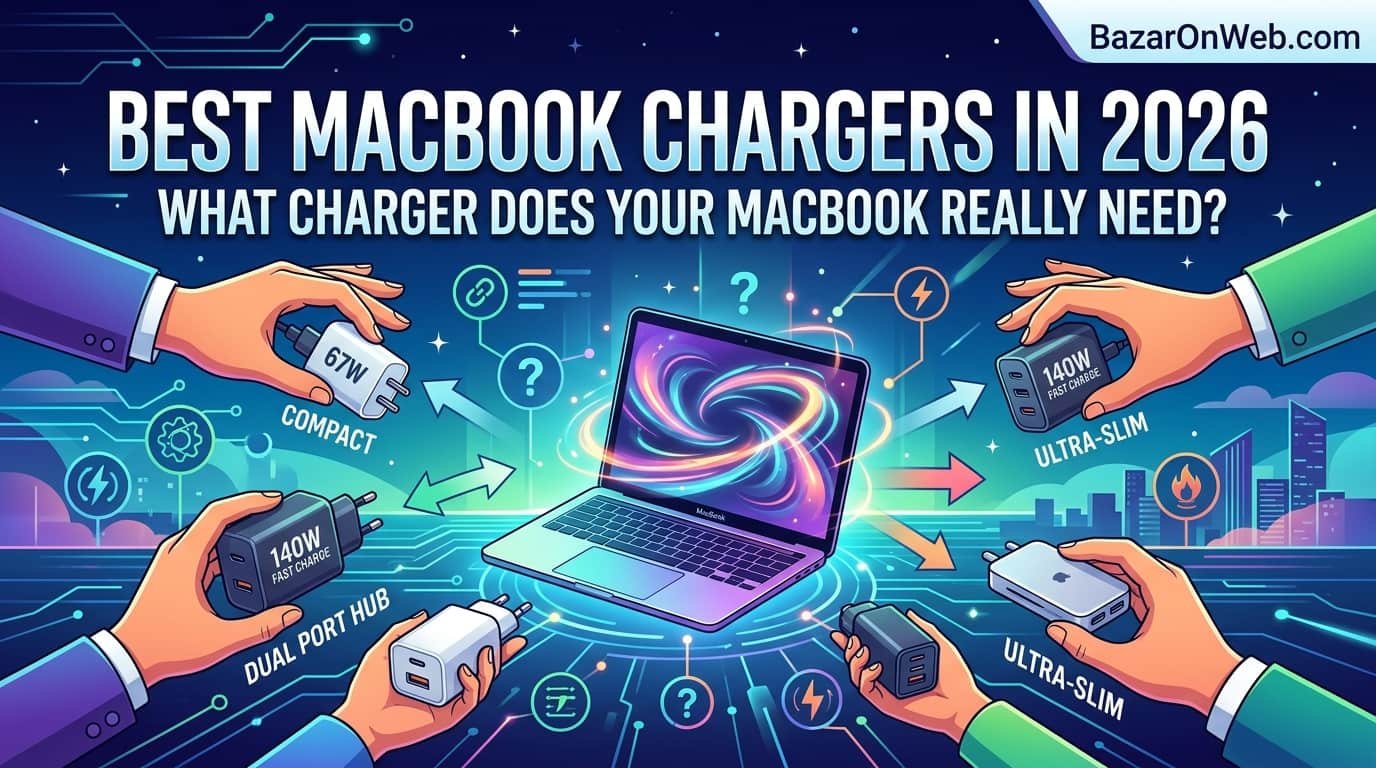
Best MacBook Chargers in 2026 What Charger Does Your MacBook Really Need

Best MacBook Chargers in 2026 What Charger Does Your MacBook Really Need

Hi, I’m Jessica, and I recently ran into one of the most confusing MacBook problems I’ve experienced in years. My MacBook Pro was plugged in for hours, yet the battery barely moved. At first, I thought the battery was failing or maybe macOS Tahoe had some strange bug. But when I clicked the battery icon, I noticed a new warning called the “Slow Charger” indicator. That was the moment I realized I had been using the wrong charger entirely.

In 2026, Apple’s MacBook lineup has become more powerful than ever, but that also means charging requirements are more specific. Many users still assume any USB-C charger will work properly with a MacBook. Technically, it may charge, but not always at the speed or efficiency your device needs. Apple’s newer macOS Tahoe 26.4 update now actively warns users when a charger cannot provide the recommended wattage. That means older adapters, low-powered phone chargers, cheap third-party accessories, or weak USB hubs can all trigger charging performance issues.

Understanding the correct wattage, cable type, charging standard, and adapter compatibility has become essential for every MacBook owner. Whether you own a MacBook Air, a 14-inch MacBook Pro, or a high-performance 16-inch MacBook Pro, choosing the right charger directly affects charging speed, battery health, heat management, and overall performance. Here’s everything you need to know about selecting the correct MacBook charger in 2026.

Why macOS Tahoe 26.4 Introduced the Slow Charger Warning

Apple added the Slow Charger indicator in macOS Tahoe 26.4 because too many users were unknowingly using underpowered charging accessories. Before this update, many people assumed that if the battery icon showed charging, everything was working normally. However, Macs can still lose battery percentage during heavy workloads if the charger cannot deliver enough power to match the device’s consumption.

The new warning system helps users identify charging limitations immediately. If your charger delivers less than the recommended wattage for your MacBook model, macOS now displays a notification directly in the battery menu. This warning becomes especially important for users running intensive tasks like video editing, AI applications, software development, gaming, or multitasking with external monitors.

For example, a 14-inch MacBook Pro may technically charge using a 30W or 45W adapter, but during demanding workloads, the battery can still drain because the system consumes more power than the charger supplies. The same issue becomes even more noticeable on 16-inch MacBook Pro models, which are designed for extremely high-performance tasks and require significantly more power input.

Apple’s goal with this feature is not simply faster charging. It is also about maintaining performance consistency and protecting battery longevity. Underpowered charging can increase heat cycles, extend charging durations, and create unnecessary battery stress over time. The Slow Charger indicator essentially acts as a smart diagnostic tool that helps users identify whether their charging setup truly matches their MacBook’s requirements.

Understanding MacBook Charger Wattage Requirements

One of the biggest mistakes MacBook users make is assuming all USB-C chargers are equal. In reality, wattage matters tremendously. Every MacBook model is designed around a minimum recommended power input, and falling below that threshold affects charging efficiency.

The MacBook Air models in 2026 typically require chargers between 30W and 45W depending on screen size and chipset generation. These systems are optimized for efficiency, so they can still function reasonably well with lower-powered adapters. However, charging speeds will decrease significantly if you use something like an old iPhone charging brick.

The 14-inch MacBook Pro lineup requires much more power. Standard M4 configurations generally perform best with a 70W charger, while M4 Pro and M4 Max variants are optimized for 96W adapters. These systems contain powerful CPUs and GPUs capable of consuming large amounts of energy during professional workloads.

The 16-inch MacBook Pro sits at the top of Apple’s power requirements. Apple recommends a 140W USB-C power adapter for full-speed charging and maximum sustained performance. Using anything below this level may result in slow charging warnings, especially during rendering, exporting, or AI processing tasks.

Wattage also affects charging behavior during sleep versus active usage. A charger that appears fine while the MacBook is idle may struggle heavily once the system is under load. That is why users should always prioritize Apple’s recommended wattage instead of simply looking for a charger that “works.”

Why Phone Chargers Are No Longer Practical for MacBooks

A surprisingly large number of people still try charging MacBooks with smartphone chargers. While USB-C compatibility technically allows this connection, practical performance is often terrible. In 2026, this issue has become even more obvious because modern MacBooks are significantly more powerful than earlier generations.

Using a 20W iPhone charger on a MacBook Air might eventually charge the battery if the laptop is sleeping and unused. However, the process becomes painfully slow. If you actively browse the web, attend video meetings, or run applications, battery drain may continue despite being plugged in.

The situation becomes far worse for MacBook Pro users. A 14-inch or 16-inch MacBook Pro can consume far more power than a phone charger can deliver. During intensive workloads, the battery may continue dropping rapidly even while connected to power. macOS Tahoe now clearly identifies this mismatch through the Slow Charger warning.

Another overlooked issue is thermal stress. Underpowered chargers sometimes operate continuously at maximum load, creating excessive heat in both the adapter and charging circuitry. Cheap third-party adapters can become particularly problematic because they often lack advanced heat regulation and power management features.

Phone chargers are designed for efficiency and portability, not high-performance computing systems. While emergency charging scenarios are understandable, relying on low-wattage chargers for daily MacBook usage is no longer realistic in 2026. Users investing thousands of dollars into professional laptops should also invest in a charging setup designed to handle those systems properly.

USB-C Power Delivery and Why It Matters

USB-C Power Delivery, often called USB-PD, is the technology that enables modern MacBooks to negotiate charging speeds intelligently with compatible adapters. This communication system determines voltage, current, and safe power transfer between the charger and the device.

Without proper USB-PD support, even a high-wattage charger may fail to deliver optimal charging performance. Some inexpensive adapters advertise impressive wattage numbers but do not properly support Apple’s charging standards. As a result, the MacBook may fall back to slower charging modes or show instability during heavy workloads.

Apple’s latest MacBooks depend heavily on advanced USB-PD protocols for efficient fast charging. For example, the 16-inch MacBook Pro’s 140W charging system uses USB Power Delivery 3.1 Extended Power Range technology. Older USB-PD standards cannot always deliver the same performance capabilities.

Cable quality also becomes critical. Not every USB-C cable supports high-wattage charging. Some cables are limited to 60W, while others support 100W or 240W. Using the wrong cable can bottleneck charging speeds even when the adapter itself is powerful enough.

Modern USB-PD systems also improve safety. Properly certified chargers regulate temperature, voltage fluctuations, and current delivery more effectively than cheap alternatives. This helps reduce risks like overheating, unstable charging behavior, or long-term battery degradation.

For MacBook owners in 2026, understanding USB-C Power Delivery is no longer optional technical knowledge. It directly affects how quickly your laptop charges, how efficiently it performs under load, and how reliable your charging experience feels overall.

Choosing the Right Charger for a MacBook Air

MacBook Air models remain the most power-efficient laptops in Apple’s lineup, but selecting the right charger still matters. Many users buy compact third-party adapters without realizing they may sacrifice charging speed, heat efficiency, or long-term reliability.

Most MacBook Air configurations in 2026 work best with chargers ranging from 35W to 45W. Apple’s dual USB-C compact charger has become popular because it balances portability with sufficient power delivery for daily usage. For students, travelers, and office users, this setup usually provides excellent convenience.

However, workload intensity changes everything. If you frequently connect external monitors, run creative software, multitask heavily, or use AI-powered productivity tools, stepping up to a 65W charger can improve charging consistency significantly. The laptop remains cooler and maintains battery levels more effectively during active use.

GaN chargers have also become extremely popular for MacBook Air users. Gallium Nitride technology allows chargers to remain compact while still delivering high wattage efficiently. This makes modern travel chargers smaller and lighter than older Apple adapters.

Users should also pay attention to cable certification. A poor-quality cable may reduce charging speed or cause intermittent charging behavior. Investing in a certified 100W USB-C cable ensures compatibility with future devices as well.

While the MacBook Air is more forgiving than the MacBook Pro lineup, choosing a reliable charger still improves overall usability. A proper charging setup means faster top-ups, less heat generation, better portability, and fewer interruptions during work or travel.

Best Charging Setup for the 14-Inch MacBook Pro

The 14-inch MacBook Pro occupies an interesting middle ground in Apple’s lineup. It is portable enough for everyday mobility while still delivering professional-level performance. Because of this balance, charger selection becomes especially important.

Apple recommends a 70W charger for standard configurations, while M4 Pro and M4 Max models benefit from 96W charging. These higher-performance systems consume significantly more energy during demanding tasks like 4K video editing, software compiling, machine learning workloads, or music production.

Using lower-powered chargers may seem acceptable during light usage, but performance limitations become obvious during intensive workloads. Battery percentage may stagnate or slowly decrease while plugged in, triggering macOS Tahoe’s Slow Charger warning.

Many professionals now prefer multi-port GaN chargers in the 100W range because they can charge both a MacBook Pro and additional accessories simultaneously. However, users should verify total power distribution carefully. Some adapters advertise 100W total output but reduce MacBook charging speed once multiple devices are connected.

MagSafe charging also remains popular for MacBook Pro users because it supports fast charging while offering quick magnetic detachment for safety. However, USB-C charging still provides flexibility for docking stations and universal charging setups.

A high-quality 96W charger paired with a certified 100W or 240W USB-C cable delivers the best balance of performance, safety, and future compatibility. For most 14-inch MacBook Pro owners in 2026, investing in a premium charging setup directly improves daily productivity and charging reliability.

Why the 16-Inch MacBook Pro Requires 140W Charging

The 16-inch MacBook Pro is essentially a portable workstation. It is designed for filmmakers, engineers, developers, 3D artists, AI professionals, and other users running extremely demanding applications. Because of this, its charging requirements are dramatically higher than smaller MacBook models.

Apple’s recommended 140W charger exists for a reason. Under heavy workloads, the 16-inch MacBook Pro can consume enormous amounts of power while simultaneously charging the battery. Lower-powered chargers often cannot keep up with these demands, especially during GPU-intensive rendering or multitasking with multiple external displays.

The introduction of USB Power Delivery 3.1 made 140W charging possible through USB-C technology. However, not all chargers and cables support this standard. Users attempting to save money with older 100W accessories may experience slower charging, reduced battery stability, or repeated Slow Charger warnings.

Fast charging is another major advantage of the official 140W setup. Apple designed the system to recharge the battery rapidly while maintaining safe thermal performance. This becomes valuable for professionals working on tight deadlines who need quick charging between meetings, flights, or production sessions.

Another factor many users overlook is sustained performance. Insufficient power delivery can sometimes affect how aggressively the system manages performance under heavy load. A proper 140W adapter helps ensure the MacBook receives enough power for both operation and charging simultaneously.

For anyone using a 16-inch MacBook Pro as a serious professional workstation, the 140W charger is not optional luxury equipment. It is a critical component of the overall system experience.

Are Third-Party MacBook Chargers Safe in 2026?

Third-party chargers have improved dramatically over the past few years, but quality differences still matter enormously. In 2026, reputable brands produce excellent GaN chargers that rival or sometimes exceed Apple’s own charging accessories in portability and efficiency.

However, not every charger marketed online is trustworthy. Many low-cost adapters exaggerate wattage claims, use poor internal components, or lack proper safety certifications. These issues can result in overheating, unstable charging, reduced battery lifespan, or even hardware damage in extreme cases.

Users should prioritize chargers supporting USB-PD 3.1, especially for higher-end MacBook Pro models. Certification from trusted safety organizations also matters because it indicates the charger has passed electrical safety and thermal testing standards.

Cable quality is equally important. Some users buy premium chargers but pair them with cheap low-capacity cables that limit charging performance. For high-wattage MacBook setups, certified cables rated for 100W or 240W charging provide the safest and most reliable experience.

GaN technology has become one of the biggest improvements in the charging industry. These chargers operate more efficiently, generate less heat, and remain physically smaller than traditional silicon-based adapters. Travelers and remote workers especially benefit from these compact high-performance designs.

Third-party chargers can absolutely be safe and effective in 2026, but users should avoid treating chargers as generic accessories. Your MacBook’s charging system is a critical part of the device’s long-term health, and investing in reliable hardware makes a meaningful difference.

How Charging Accessories Affect Battery Health

Most people focus only on charging speed, but charger quality also affects long-term battery health. Modern MacBooks contain sophisticated battery management systems, yet charging habits and accessory quality still influence how well the battery ages over time.

Underpowered chargers force the MacBook to balance limited incoming power against active system usage. This constant power fluctuation can generate additional heat and increase charging stress during demanding tasks. Heat remains one of the biggest contributors to lithium-ion battery degradation.

Cheap chargers with unstable voltage regulation can also create inconsistent charging behavior. While Apple’s systems include protective mechanisms, prolonged exposure to poor-quality charging environments may still impact battery efficiency and lifespan gradually.

High-quality chargers maintain stable power delivery and manage thermal performance more effectively. Proper USB-PD communication also allows the MacBook to optimize charging intelligently depending on workload, battery condition, and temperature.

Fast charging itself is generally safe because Apple’s charging systems dynamically regulate current and temperature. However, combining fast charging with excessive heat from poor ventilation or low-quality accessories may increase long-term wear.

Battery optimization features in macOS Tahoe also work more effectively when paired with proper chargers. The operating system can better manage adaptive charging schedules, temperature control, and energy efficiency when it receives stable power input.

In 2026, protecting MacBook battery health is not only about avoiding overcharging. It also involves using certified chargers, proper cables, adequate wattage, and well-designed charging environments that minimize unnecessary thermal and electrical stress.

Future Trends in MacBook Charging Technology

MacBook charging technology continues evolving rapidly, and the industry is moving toward even higher efficiency standards. USB-C has now become the dominant universal charging platform, making cross-device compatibility far easier than it was several years ago.

One major trend is the rise of ultra-compact GaN chargers with extremely high wattage capabilities. Chargers delivering 140W or even 240W are becoming smaller, cooler, and more travel-friendly. This allows users to replace multiple bulky adapters with a single powerful charger for laptops, tablets, and smartphones.

Smart charging management is also becoming more advanced. macOS Tahoe’s Slow Charger warning represents Apple’s broader shift toward intelligent power diagnostics. Future systems will likely provide even deeper insights into charging efficiency, cable limitations, battery wear, and adapter compatibility.

Wireless charging technology may also expand eventually, although current power limitations make full wireless MacBook charging impractical for high-performance systems. However, accessory ecosystems using magnetic charging docks and hybrid desktop charging stations are already gaining popularity.

Environmental sustainability is another major focus. Manufacturers are improving energy efficiency, reducing standby power consumption, and adopting recyclable materials for chargers and cables. Users increasingly value durable accessories that last across multiple device generations.

As MacBooks become more powerful, charging technology must continue evolving alongside them. The future is clearly moving toward smarter, safer, faster, and more efficient charging systems designed to support professional workloads without sacrificing portability or reliability.

Disclaimer

This article is for informational and educational purposes only. Charger compatibility, wattage recommendations, and charging behavior may vary depending on specific MacBook models, macOS versions, battery health conditions, third-party accessories, and regional hardware variations. Users should always verify official charging specifications and safety recommendations directly from Apple or certified accessory manufacturers before purchasing chargers or cables.

Leave a Reply

Your email address will not be published. Required fields are marked *

Select the fields to be shown. Others will be hidden. Drag and drop to rearrange the order.
  • Image
  • SKU
  • Rating
  • Price
  • Stock
  • Availability
  • Add to cart
  • Description
  • Content
  • Weight
  • Dimensions
  • Additional information
Click outside to hide the comparison bar
Compare