Discounted Products
-
 Home Garage 210 TC Cotton King Floral Fitted (Elastic) Bedsheet(Pack of 1, Grey)
Original price was: ₹999.00.₹299.00Current price is: ₹299.00.
Home Garage 210 TC Cotton King Floral Fitted (Elastic) Bedsheet(Pack of 1, Grey)
Original price was: ₹999.00.₹299.00Current price is: ₹299.00.
-
 Goodrik 140 TC Cotton Double 3D Printed Flat Bedsheet(Pack of 1, Brown)
Original price was: ₹499.00.₹229.00Current price is: ₹229.00.
Goodrik 140 TC Cotton Double 3D Printed Flat Bedsheet(Pack of 1, Brown)
Original price was: ₹499.00.₹229.00Current price is: ₹229.00.
-
 GLOBALSHOP 350 TC Microfiber Double Floral Flat Bedsheet(Pack of 1, Multicolor)
Original price was: ₹1,250.00.₹263.00Current price is: ₹263.00.
GLOBALSHOP 350 TC Microfiber Double Floral Flat Bedsheet(Pack of 1, Multicolor)
Original price was: ₹1,250.00.₹263.00Current price is: ₹263.00.
-
 RisingStar 250 TC Microfiber King Printed Fitted (Elastic) Bedsheet(Pack of 1, FITTED-ROUND-CIRCLES-PREMIUM)
Original price was: ₹2,299.00.₹299.00Current price is: ₹299.00.
RisingStar 250 TC Microfiber King Printed Fitted (Elastic) Bedsheet(Pack of 1, FITTED-ROUND-CIRCLES-PREMIUM)
Original price was: ₹2,299.00.₹299.00Current price is: ₹299.00.
-
 Home Garage 210 TC Cotton King Floral Fitted (Elastic) Bedsheet(Pack of 1, Fitted Black Green)
Original price was: ₹1,299.00.₹299.00Current price is: ₹299.00.
Home Garage 210 TC Cotton King Floral Fitted (Elastic) Bedsheet(Pack of 1, Fitted Black Green)
Original price was: ₹1,299.00.₹299.00Current price is: ₹299.00.
-
 Home Garage 180 TC Cotton King 3D Printed Flat Bedsheet(Pack of 1, White)
Original price was: ₹999.00.₹229.00Current price is: ₹229.00.
Home Garage 180 TC Cotton King 3D Printed Flat Bedsheet(Pack of 1, White)
Original price was: ₹999.00.₹229.00Current price is: ₹229.00.
-
 Panipat Textile Hub 152.4 cm (5 ft) Polyester Window Curtain (Pack Of 2)(Solid, Aqua)
Original price was: ₹1,899.00.₹299.00Current price is: ₹299.00.
Panipat Textile Hub 152.4 cm (5 ft) Polyester Window Curtain (Pack Of 2)(Solid, Aqua)
Original price was: ₹1,899.00.₹299.00Current price is: ₹299.00.
-
 Home Sizzler 214 cm (7 ft) Polyester Semi Transparent Door Curtain (Pack Of 2)(Floral, Maroon)
Original price was: ₹1,199.00.₹399.00Current price is: ₹399.00.
Home Sizzler 214 cm (7 ft) Polyester Semi Transparent Door Curtain (Pack Of 2)(Floral, Maroon)
Original price was: ₹1,199.00.₹399.00Current price is: ₹399.00.
-
 Home Sizzler 153 cm (5 ft) Polyester Room Darkening Window Curtain (Pack Of 2)(Floral, Brown)
Original price was: ₹799.00.₹299.00Current price is: ₹299.00.
Home Sizzler 153 cm (5 ft) Polyester Room Darkening Window Curtain (Pack Of 2)(Floral, Brown)
Original price was: ₹799.00.₹299.00Current price is: ₹299.00.
-
 Stella Creations 214 cm (7 ft) Polyester Room Darkening Door Curtain (Pack Of 2)(Abstract, Brown)
Original price was: ₹1,299.00.₹449.00Current price is: ₹449.00.
Stella Creations 214 cm (7 ft) Polyester Room Darkening Door Curtain (Pack Of 2)(Abstract, Brown)
Original price was: ₹1,299.00.₹449.00Current price is: ₹449.00.
-
 Homefab India 152.5 cm (5 ft) Polyester Room Darkening Window Curtain (Pack Of 2)(Floral, Light Blue)
Original price was: ₹1,199.00.₹319.00Current price is: ₹319.00.
Homefab India 152.5 cm (5 ft) Polyester Room Darkening Window Curtain (Pack Of 2)(Floral, Light Blue)
Original price was: ₹1,199.00.₹319.00Current price is: ₹319.00.
-
 Urban Home 214 cm (7 ft) PVC Transparent Door Curtain Single Curtain(Solid, Off White)
Original price was: ₹699.00.₹203.00Current price is: ₹203.00.
Urban Home 214 cm (7 ft) PVC Transparent Door Curtain Single Curtain(Solid, Off White)
Original price was: ₹699.00.₹203.00Current price is: ₹203.00.
-
 Panipat Textile Hub 213 cm (7 ft) Polyester Door Curtain (Pack Of 2)(Solid, Brown)
Original price was: ₹1,199.00.₹349.00Current price is: ₹349.00.
Panipat Textile Hub 213 cm (7 ft) Polyester Door Curtain (Pack Of 2)(Solid, Brown)
Original price was: ₹1,199.00.₹349.00Current price is: ₹349.00.
-
 Home Sizzler 214 cm (7 ft) Polyester Semi Transparent Door Curtain (Pack Of 2)(Floral, Brown)
Original price was: ₹999.00.₹349.00Current price is: ₹349.00.
Home Sizzler 214 cm (7 ft) Polyester Semi Transparent Door Curtain (Pack Of 2)(Floral, Brown)
Original price was: ₹999.00.₹349.00Current price is: ₹349.00.
-
 Panipat Textile Hub 213 cm (7 ft) Polyester Semi Transparent Door Curtain (Pack Of 2)(Floral, Brown)
Original price was: ₹899.00.₹299.00Current price is: ₹299.00.
Panipat Textile Hub 213 cm (7 ft) Polyester Semi Transparent Door Curtain (Pack Of 2)(Floral, Brown)
Original price was: ₹899.00.₹299.00Current price is: ₹299.00.
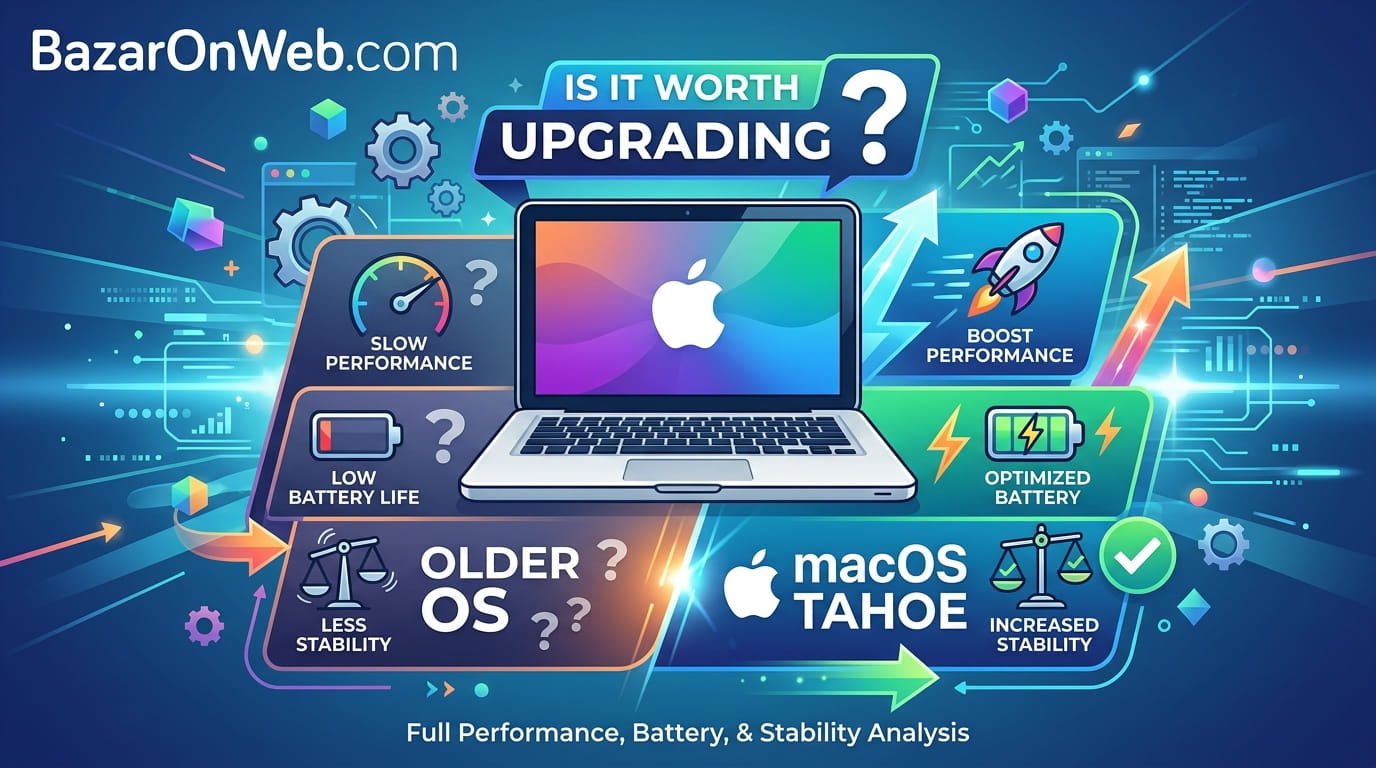
Hi, I’m Jessica, and I recently faced the same question many MacBook users are asking right now: should you upgrade an older MacBook to macOS Tahoe, or is it better to stay on your current version? I use my MacBook daily for work, browsing, video calls, editing, and streaming, so performance and battery life matter a lot to me. The moment a major macOS update arrives, I always hesitate because I remember how some previous updates made older systems feel slower or caused temporary overheating and battery drain issues.
When macOS Tahoe launched, many users with M1 and M2 MacBooks reported mixed experiences. Some loved the new features and security enhancements, while others noticed lag, reduced battery backup, or background indexing activity after installation. At the same time, people using newer M3 and M4 MacBooks generally experienced smoother transitions thanks to newer hardware optimizations built specifically for modern Apple Silicon chips.
The good news is that macOS Tahoe has improved significantly through later updates, especially version 26.4, which includes important security patches, battery control enhancements, and performance refinements. However, whether the upgrade is worth it depends on how you use your MacBook, the chip generation you own, your storage condition, and your expectations from performance. If you are wondering whether upgrading is the right move for your older MacBook, this detailed guide will help you understand everything clearly before making the decision.
Why macOS Tahoe Feels Different on Older MacBooks
One of the first things users notice after upgrading to macOS Tahoe is that the operating system feels heavier compared to earlier versions. This is not necessarily because Apple intentionally slows older devices, but because modern operating systems are built with advanced visual effects, AI-assisted processes, enhanced background security systems, and more demanding multitasking frameworks. Even though M1 and M2 chips remain extremely capable, they are now handling software that was partly optimized around the newer M3 and M4 architectures.
Older MacBooks may initially experience slower app launches, higher RAM usage, increased swap memory activity, and temporary thermal spikes after installation. This often happens because macOS performs background indexing, photo analysis, Spotlight rebuilding, iCloud syncing, and optimization tasks for several days after the update. During this adjustment period, many users mistakenly assume the update permanently damaged performance.
Another reason Tahoe feels different is the growing reliance on machine learning and AI-powered features within macOS. These background intelligence systems continuously process data to improve search results, battery management, app suggestions, and workflow automation. While newer chips handle these operations more efficiently through upgraded Neural Engines, older chips may consume more power while executing the same tasks.
Storage availability also plays a major role. Users with nearly full SSDs often experience more severe slowdowns after updating. macOS requires free storage for caching, swap memory, indexing, and system optimization. On older MacBooks with limited free space, Tahoe can feel noticeably less responsive until unnecessary files are removed and background tasks settle down properly.
Battery Drain Concerns After Upgrading to macOS Tahoe
Battery drain is one of the most common complaints after installing macOS Tahoe, especially among users of M1 and M2 MacBooks. In many cases, the battery issue is temporary rather than permanent. After the upgrade, the system performs extensive indexing and optimization tasks in the background. These include Spotlight indexing, Photos library scanning, iCloud synchronization, app reconfiguration, and security verification processes. All of these tasks increase CPU usage and consume additional power during the first few days.
Many users report that battery life stabilizes after two to five days of normal use. Once background processing completes, power consumption often returns close to previous levels. However, some users continue to notice slightly reduced battery backup compared to earlier macOS versions. This usually happens because newer operating systems continuously run more advanced services in the background than older versions did.
macOS Tahoe also introduces new battery management controls designed to improve long-term battery health. These features intelligently manage charging cycles, thermal behavior, and power distribution. On M3 and M4 devices, the hardware integration works exceptionally well because the chips were engineered alongside the software optimizations. Older chips still benefit from these improvements, but they may not achieve the same level of efficiency.
Users who experience severe battery drain should check for problematic applications. Older Intel-based apps running through Rosetta translation, browser extensions, cloud syncing tools, or outdated utilities can dramatically increase energy usage. Updating applications, removing unnecessary startup items, and monitoring Activity Monitor can significantly improve battery performance after upgrading to Tahoe.
Performance on M1 MacBooks After Installing Tahoe
The M1 chip remains one of Apple’s most successful processors, and many M1 MacBooks still perform extremely well in 2026. However, macOS Tahoe pushes the system harder than earlier versions, especially when multitasking or running modern productivity applications. Users upgrading from older macOS releases may initially feel that the system is slightly less snappy, particularly during the first week after installation.
Basic activities such as web browsing, document editing, streaming, and video conferencing still work smoothly on M1 devices. Problems usually appear when users run memory-intensive workloads like video editing, virtual machines, heavy Chrome multitasking, AI-powered tools, or multiple professional apps simultaneously. Systems with 8GB RAM may feel the impact more than models with 16GB or higher configurations because Tahoe relies heavily on unified memory management.
Thermal behavior is another factor. Fanless MacBook Air models using the M1 chip can throttle performance during extended heavy workloads. Tahoe’s advanced background services occasionally add to thermal pressure, causing longer rendering times or temporary interface lag under demanding usage conditions.
Despite these concerns, many users still prefer upgrading because Tahoe delivers stronger security protections, compatibility with modern applications, and improved ecosystem integration with newer Apple devices. Staying on outdated software for too long can eventually create app compatibility problems and expose systems to security vulnerabilities.
For M1 users, the overall experience depends heavily on workload type. Casual users may barely notice performance differences after optimization settles, while professional users handling large projects daily may observe modest slowdowns compared to earlier macOS versions.
How M2 MacBooks Handle macOS Tahoe
M2 MacBooks generally manage macOS Tahoe better than M1 systems because they include architectural improvements, stronger graphics capabilities, and better efficiency handling for multitasking operations. However, some M2 users still report battery drain and occasional interface lag immediately after updating, especially on systems with limited RAM or storage.
The M2 chip performs particularly well during moderate professional workloads such as content creation, coding, photo editing, and multitasking with productivity applications. macOS Tahoe introduces enhancements that better utilize GPU acceleration and machine learning capabilities, allowing M2 devices to maintain smoother responsiveness compared to M1 models under similar workloads.
One area where M2 systems benefit significantly is memory bandwidth. This helps reduce performance bottlenecks during multitasking and improves responsiveness when switching between resource-heavy applications. Even so, users with 8GB configurations may still encounter swap memory pressure when using demanding software combinations.
Battery life on M2 systems often improves after several days of optimization. Users who initially experienced rapid drain frequently report stabilization once indexing and synchronization processes finish running in the background. Apple’s later Tahoe updates, especially version 26.4, also introduced refinements that improved efficiency on M2 hardware.
Gaming performance, external monitor handling, and video rendering workloads generally remain strong on M2 MacBooks after upgrading. However, older third-party utilities and poorly optimized applications may still create occasional instability or increased power consumption.
Overall, M2 users tend to experience a more balanced Tahoe upgrade compared to M1 owners. The software feels more aligned with the hardware generation, making the transition smoother for most daily and professional usage scenarios.
Why M3 and M4 MacBooks Experience Fewer Problems
Users with M3 and M4 MacBooks typically report far fewer issues after upgrading to macOS Tahoe. This is mainly because Apple designed these newer chips alongside many of the software technologies powering Tahoe’s advanced features. The hardware includes stronger Neural Engines, improved efficiency cores, enhanced thermal management, and more advanced power distribution systems that handle modern macOS demands more effectively.
One of the biggest advantages of M3 and M4 systems is their ability to process AI-driven background tasks without significantly affecting overall responsiveness or battery life. Features such as intelligent search indexing, adaptive battery optimization, machine learning enhancements, and advanced multitasking consume fewer resources compared to how the same tasks behave on older chips.
Thermal efficiency also improves substantially on newer hardware. Even during heavy multitasking or professional workloads, M3 and M4 systems maintain cooler operating temperatures and more stable sustained performance. This contributes to smoother animations, faster app launches, and fewer instances of thermal throttling.
Battery management features introduced in Tahoe integrate especially well with newer MacBooks. Charging behavior, thermal balancing, and energy optimization systems work together more intelligently, helping preserve long-term battery health while maintaining strong daily battery life.
Another major advantage is future software longevity. M3 and M4 devices are likely to receive optimized support for upcoming macOS releases for many more years. Users investing in these systems generally experience fewer compatibility concerns and better long-term performance consistency.
While no operating system update is entirely free from bugs, M3 and M4 users usually encounter a noticeably more refined Tahoe experience compared to owners of older Apple Silicon devices.
The Importance of Updating to macOS Tahoe 26.4
If you decide to upgrade to macOS Tahoe, installing the latest version is extremely important. Earlier Tahoe releases had several optimization inconsistencies, battery management bugs, and occasional stability issues that affected older Apple Silicon devices more aggressively. Version 26.4 addresses many of these concerns and provides a noticeably more polished experience.
Security improvements are one of the biggest reasons to upgrade. Apple continuously patches vulnerabilities that could potentially expose user data, browser sessions, saved passwords, financial information, or sensitive files. Running outdated operating systems for extended periods increases security risks, especially for users who frequently browse online, handle work documents, or use financial services on their MacBooks.
Version 26.4 also introduces refined battery control features. These tools improve charging behavior, optimize thermal management, and help regulate background energy consumption more effectively. While the impact is more noticeable on newer hardware, many M1 and M2 users also report better stability and reduced idle battery drain after updating.
Performance tuning in 26.4 focuses on memory allocation, app compatibility, graphics rendering efficiency, and system responsiveness. Some users who experienced lag or overheating on earlier Tahoe versions noticed meaningful improvements after installing the latest update.
Another important factor is application support. Developers gradually optimize apps for newer operating systems, meaning future versions of professional software, creative tools, and productivity applications may work better on the latest macOS releases.
For most users considering Tahoe, skipping earlier versions and directly installing 26.4 provides the safest and most optimized experience currently available.
Common Problems Users Face After Upgrading
Although many users eventually enjoy a stable Tahoe experience, the upgrade process can still introduce temporary or persistent issues depending on system condition and software compatibility. One of the most common complaints is reduced responsiveness immediately after installation. This usually results from indexing tasks, synchronization activity, and background optimization processes running continuously during the first few days.
Another common issue involves excessive RAM usage. Modern browsers, productivity suites, AI-powered apps, and multitasking workflows can consume significant memory resources under Tahoe. Systems with 8GB RAM are especially vulnerable to swap memory pressure, which may lead to occasional lag or slower app switching performance.
Some users also experience overheating during charging or multitasking. This often happens because the system is simultaneously performing background indexing while running user applications. Fanless MacBook Air models may feel particularly warm during this adjustment period.
Application compatibility problems occasionally occur as well. Older plugins, outdated antivirus software, unsupported utilities, and legacy drivers may behave unpredictably after the update. Certain third-party applications can increase CPU usage dramatically until developers release compatibility patches.
Wi-Fi instability, Bluetooth connectivity glitches, and battery calibration inconsistencies are also reported by some users. Fortunately, many of these issues improve after system updates, app updates, or clean restarts.
Users considering the upgrade should prepare properly by creating backups, freeing storage space, updating apps beforehand, and allowing several days for the system to optimize itself fully before judging overall performance quality.
When Upgrading to Tahoe Is Absolutely Worth It
For many users, upgrading to macOS Tahoe is definitely worth it despite the temporary adjustment period. If you rely heavily on Apple ecosystem integration, security updates, app compatibility, or modern productivity workflows, staying updated provides significant long-term benefits.
Users working with newer applications often need the latest macOS versions for full compatibility. Creative software, development tools, cloud collaboration apps, and security-focused utilities increasingly prioritize support for current operating systems. Delaying updates too long may eventually prevent access to important features or application versions.
Security is another major reason to upgrade. Modern cyber threats continue evolving rapidly, and Apple regularly releases patches protecting against newly discovered vulnerabilities. Users handling business files, online banking, sensitive communication, or professional work should strongly consider staying on supported software versions.
Tahoe also introduces improvements to battery management, workflow automation, multitasking efficiency, and ecosystem connectivity. Features that integrate across iPhone, iPad, and Apple services often work more reliably on the latest software releases.
If you own an M2, M3, or M4 MacBook, the upgrade is generally much easier to recommend because the hardware handles Tahoe efficiently. Even many M1 users experience excellent results after the initial optimization phase settles down.
Users who prefer modern features, stronger security, future software support, and long-term compatibility will likely find Tahoe worthwhile, especially after installing version 26.4 and ensuring their apps are fully updated.
Situations Where You May Want to Wait Before Updating
Despite Tahoe’s improvements, there are still situations where delaying the upgrade could be the smarter decision. Users with older base-model M1 MacBooks containing only 8GB RAM and limited storage may experience more noticeable slowdowns under demanding workloads. If your system already struggles with multitasking on your current macOS version, Tahoe may increase that pressure further.
Professional users relying on highly specialized software should also be cautious. Some creative plugins, enterprise tools, audio production systems, or legacy applications may not yet be fully optimized for Tahoe. In work environments where stability matters more than new features, waiting until all critical software receives confirmed compatibility support can prevent workflow interruptions.
Battery-sensitive users who travel frequently or work remotely for extended periods may also prefer postponing the update initially. Although battery behavior often stabilizes after several days, some older systems continue experiencing slightly reduced endurance compared to previous macOS versions.
Users who dislike troubleshooting technical issues may want to wait until later incremental updates refine stability even further. While version 26.4 resolved many earlier problems, every major operating system still carries some risk of unexpected bugs.
Another reason to delay involves storage limitations. Systems with extremely limited free space can suffer more heavily during installation and indexing processes. Cleaning the system and creating backups beforehand becomes essential.
Ultimately, waiting can be reasonable if your MacBook currently performs perfectly and your workflow depends on maximum stability over access to the latest features.
Final Verdict: Should Older MacBook Owners Upgrade?
Whether upgrading to macOS Tahoe is worth it ultimately depends on your MacBook model, workload requirements, and tolerance for temporary adjustment issues. For many users, especially those with M2, M3, and M4 devices, the answer is yes. The improved security protections, ecosystem enhancements, app compatibility, and battery management features make Tahoe a valuable long-term upgrade.
M1 users face a more balanced decision. While performance and battery drain concerns are real during the initial setup period, many systems stabilize after a few days and continue delivering solid everyday performance. Casual users focused on browsing, streaming, office work, and light productivity tasks will likely remain satisfied even on older Apple Silicon hardware.
However, users with limited RAM, nearly full storage, or highly demanding professional workflows may notice reduced responsiveness compared to older macOS versions. In these cases, preparing carefully before upgrading becomes extremely important.
The most important recommendation is to install the latest release, especially version 26.4, rather than earlier Tahoe builds. Apple has significantly improved optimization, battery behavior, security protections, and system stability through ongoing updates.
For users who value security, future compatibility, and modern Apple ecosystem features, upgrading usually makes sense. But if your current setup is perfectly stable and critical workflows depend on absolute consistency, waiting slightly longer may still be the safer option for certain older MacBook configurations.
Disclaimer
This article is for informational and educational purposes only. macOS performance, battery life, and system stability can vary depending on MacBook model, storage condition, RAM configuration, installed applications, usage patterns, and individual hardware health. Software updates may produce different results across devices. Users should always back up important data before upgrading macOS and verify compatibility with essential applications and workflows before installation. Apple may release future updates that further improve or change the behavior of macOS Tahoe.






Products
-
![Apple Watch Ultra 3 [GPS + Cellular 49mm] Running & Multisport Smartwatch w/Rugged Titanium Case w/Black Titanium Milanese Loop - M. Satellite Communications, Advanced Health & Fitness Tracking](https://bazaronweb.com/retailstores/wp-content/uploads/2025/09/apple-watch-320x320.jpg) Apple Watch Ultra 3 [GPS + Cellular 49mm] Running & Multisport Smartwatch w/Rugged Titanium Case w/Black Titanium Milanese Loop - M. Satellite Communications, Advanced Health & Fitness Tracking
Apple Watch Ultra 3 [GPS + Cellular 49mm] Running & Multisport Smartwatch w/Rugged Titanium Case w/Black Titanium Milanese Loop - M. Satellite Communications, Advanced Health & Fitness Tracking
-
 Apple iPad mini (A17 Pro): Apple Intelligence, 8.3-inch Liquid Retina Display, 256GB, Wi-Fi 6E, 12MP Front/12MP Back Camera, Touch ID, All-Day Battery Life — Purple
-
 Apple AirPods Max Wireless Over-Ear Headphones, Active Noise Cancelling, Transparency Mode, Personalized Spatial Audio, Dolby Atmos, Bluetooth Headphones for iPhone – Space Gray
-
 Apple AirPods Pro 2 Wireless Earbuds, Active Noise Cancellation, Hearing Aid Feature, Bluetooth Headphones, Transparency, Personalized Spatial Audio, High-Fidelity Sound, H2 Chip, USB-C Charging
-
Home Garage 210 TC Cotton King Floral Fitted (Elastic) Bedsheet(Pack of 1, Grey)
Original price was: ₹999.00.₹299.00Current price is: ₹299.00.
Leave a Reply