Discounted Products
-
 Home Garage 210 TC Cotton King Floral Fitted (Elastic) Bedsheet(Pack of 1, Grey)
Original price was: ₹999.00.₹299.00Current price is: ₹299.00.
Home Garage 210 TC Cotton King Floral Fitted (Elastic) Bedsheet(Pack of 1, Grey)
Original price was: ₹999.00.₹299.00Current price is: ₹299.00.
-
 Goodrik 140 TC Cotton Double 3D Printed Flat Bedsheet(Pack of 1, Brown)
Original price was: ₹499.00.₹229.00Current price is: ₹229.00.
Goodrik 140 TC Cotton Double 3D Printed Flat Bedsheet(Pack of 1, Brown)
Original price was: ₹499.00.₹229.00Current price is: ₹229.00.
-
 GLOBALSHOP 350 TC Microfiber Double Floral Flat Bedsheet(Pack of 1, Multicolor)
Original price was: ₹1,250.00.₹263.00Current price is: ₹263.00.
GLOBALSHOP 350 TC Microfiber Double Floral Flat Bedsheet(Pack of 1, Multicolor)
Original price was: ₹1,250.00.₹263.00Current price is: ₹263.00.
-
 RisingStar 250 TC Microfiber King Printed Fitted (Elastic) Bedsheet(Pack of 1, FITTED-ROUND-CIRCLES-PREMIUM)
Original price was: ₹2,299.00.₹299.00Current price is: ₹299.00.
RisingStar 250 TC Microfiber King Printed Fitted (Elastic) Bedsheet(Pack of 1, FITTED-ROUND-CIRCLES-PREMIUM)
Original price was: ₹2,299.00.₹299.00Current price is: ₹299.00.
-
 Home Garage 210 TC Cotton King Floral Fitted (Elastic) Bedsheet(Pack of 1, Fitted Black Green)
Original price was: ₹1,299.00.₹299.00Current price is: ₹299.00.
Home Garage 210 TC Cotton King Floral Fitted (Elastic) Bedsheet(Pack of 1, Fitted Black Green)
Original price was: ₹1,299.00.₹299.00Current price is: ₹299.00.
-
 Home Garage 180 TC Cotton King 3D Printed Flat Bedsheet(Pack of 1, White)
Original price was: ₹999.00.₹229.00Current price is: ₹229.00.
Home Garage 180 TC Cotton King 3D Printed Flat Bedsheet(Pack of 1, White)
Original price was: ₹999.00.₹229.00Current price is: ₹229.00.
-
 Panipat Textile Hub 152.4 cm (5 ft) Polyester Window Curtain (Pack Of 2)(Solid, Aqua)
Original price was: ₹1,899.00.₹299.00Current price is: ₹299.00.
Panipat Textile Hub 152.4 cm (5 ft) Polyester Window Curtain (Pack Of 2)(Solid, Aqua)
Original price was: ₹1,899.00.₹299.00Current price is: ₹299.00.
-
 Home Sizzler 214 cm (7 ft) Polyester Semi Transparent Door Curtain (Pack Of 2)(Floral, Maroon)
Original price was: ₹1,199.00.₹399.00Current price is: ₹399.00.
Home Sizzler 214 cm (7 ft) Polyester Semi Transparent Door Curtain (Pack Of 2)(Floral, Maroon)
Original price was: ₹1,199.00.₹399.00Current price is: ₹399.00.
-
 Home Sizzler 153 cm (5 ft) Polyester Room Darkening Window Curtain (Pack Of 2)(Floral, Brown)
Original price was: ₹799.00.₹299.00Current price is: ₹299.00.
Home Sizzler 153 cm (5 ft) Polyester Room Darkening Window Curtain (Pack Of 2)(Floral, Brown)
Original price was: ₹799.00.₹299.00Current price is: ₹299.00.
-
 Stella Creations 214 cm (7 ft) Polyester Room Darkening Door Curtain (Pack Of 2)(Abstract, Brown)
Original price was: ₹1,299.00.₹449.00Current price is: ₹449.00.
Stella Creations 214 cm (7 ft) Polyester Room Darkening Door Curtain (Pack Of 2)(Abstract, Brown)
Original price was: ₹1,299.00.₹449.00Current price is: ₹449.00.
-
 Homefab India 152.5 cm (5 ft) Polyester Room Darkening Window Curtain (Pack Of 2)(Floral, Light Blue)
Original price was: ₹1,199.00.₹319.00Current price is: ₹319.00.
Homefab India 152.5 cm (5 ft) Polyester Room Darkening Window Curtain (Pack Of 2)(Floral, Light Blue)
Original price was: ₹1,199.00.₹319.00Current price is: ₹319.00.
-
 Urban Home 214 cm (7 ft) PVC Transparent Door Curtain Single Curtain(Solid, Off White)
Original price was: ₹699.00.₹203.00Current price is: ₹203.00.
Urban Home 214 cm (7 ft) PVC Transparent Door Curtain Single Curtain(Solid, Off White)
Original price was: ₹699.00.₹203.00Current price is: ₹203.00.
-
 Panipat Textile Hub 213 cm (7 ft) Polyester Door Curtain (Pack Of 2)(Solid, Brown)
Original price was: ₹1,199.00.₹349.00Current price is: ₹349.00.
Panipat Textile Hub 213 cm (7 ft) Polyester Door Curtain (Pack Of 2)(Solid, Brown)
Original price was: ₹1,199.00.₹349.00Current price is: ₹349.00.
-
 Home Sizzler 214 cm (7 ft) Polyester Semi Transparent Door Curtain (Pack Of 2)(Floral, Brown)
Original price was: ₹999.00.₹349.00Current price is: ₹349.00.
Home Sizzler 214 cm (7 ft) Polyester Semi Transparent Door Curtain (Pack Of 2)(Floral, Brown)
Original price was: ₹999.00.₹349.00Current price is: ₹349.00.
-
 Panipat Textile Hub 213 cm (7 ft) Polyester Semi Transparent Door Curtain (Pack Of 2)(Floral, Brown)
Original price was: ₹899.00.₹299.00Current price is: ₹299.00.
Panipat Textile Hub 213 cm (7 ft) Polyester Semi Transparent Door Curtain (Pack Of 2)(Floral, Brown)
Original price was: ₹899.00.₹299.00Current price is: ₹299.00.
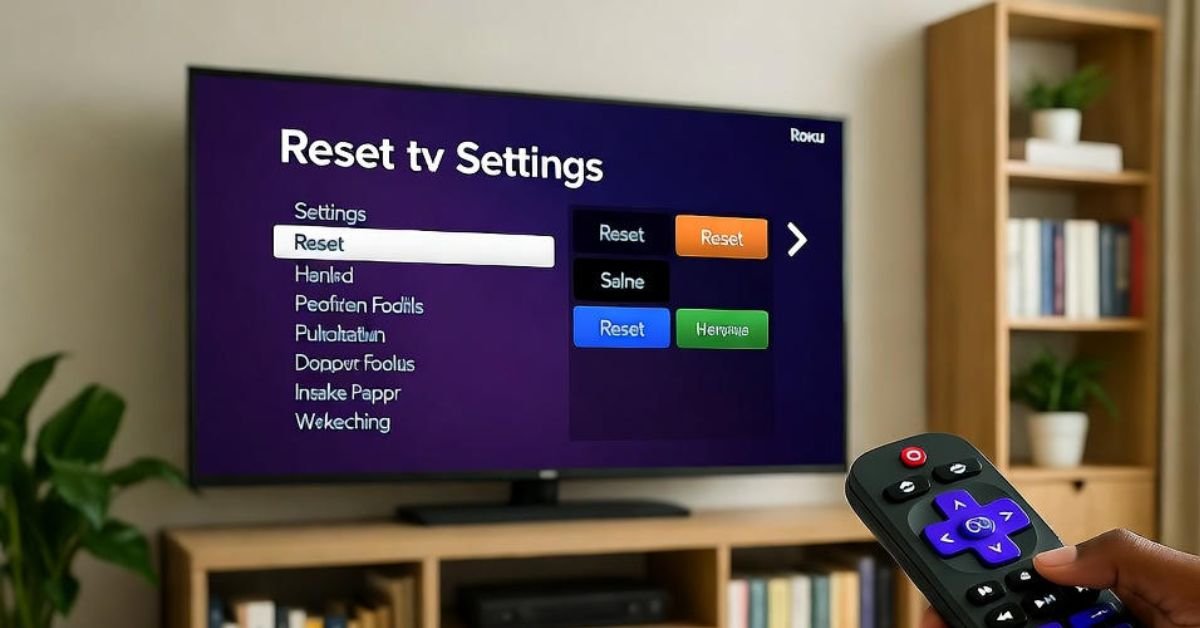
Hi everyone, Jessica here. If your Roku TV has been acting up—freezing, lagging, apps not working, or Wi-Fi dropping—you’re not alone. I’ve used Roku TVs for years, and while they are incredibly reliable, sometimes they need a fresh start. The good news is that resetting your Roku TV is simple, and you can do it with or without the remote.
In this guide, I’ll walk you through every method to reset a Roku TV and explain when each option is best. Let’s get started.
Why You Might Need to Reset Your Roku TV
Before jumping into the steps, it’s helpful to understand why resetting helps. You may need a reset if:
- The TV is frozen or unresponsive
- Streaming apps crash or don’t load
- Your Wi-Fi keeps disconnecting
- You changed network settings and lost connection
- Screen mirroring stops working
- You’re selling or giving away the TV
- You installed a new update and things feel glitchy
Sometimes a quick restart fixes the issue. Other times, a full factory reset is needed to wipe everything and start fresh.
Types of Roku TV Resets
There are two main reset types:
1. Soft Reset (Restart)
This restarts the TV without erasing data. Useful for:
- Freezing
- Lag
- Temporary bugs
- Network hiccups
2. Factory Reset
This wipes everything—like new out of the box. Best for:
- Selling or gifting the TV
- Persistent system problems
- Major software issues
- Parental control removal
Be sure to back up your login details and settings before a factory reset.
How to Soft Reset (Restart) a Roku TV
Method 1: Using Remote
- Press Home
- Go to Settings
- Select System
- Tap Power (if available)
- Select System restart > Restart
Your Roku TV will turn off and restart automatically.
Method 2: Restart Using Remote Shortcut
If the TV is frozen, use this combination:
Press in order:
Home x5
Up x1
Rewind x2
Fast Forward x2
The system will reboot after a few seconds.
Method 3: Unplug the TV
If the screen won’t respond at all:
- Unplug TV from power
- Wait 60 seconds
- Plug it back in
Don’t rush—waiting helps drain residual power and reset memory.
How to Factory Reset a Roku TV
Method 1: Factory Reset from Settings
Use this when your TV is responsive.
- Press Home
- Go to Settings
- Select System
- Go to Advanced system settings
- Select Factory reset
- Choose Factory reset everything
- Enter on-screen code to confirm
This will erase:
- Wi-Fi settings
- Roku account link
- Apps & login info
- Personal settings
After reset, you’ll set it up just like new.
How to Reset Roku TV Without Remote
If you lost your remote or the TV won’t respond, try these methods.
Method 1: Use Roku Mobile App
- Install the Roku App on your phone
- Connect phone to same Wi-Fi network
- Open app > Devices
- Select your Roku TV
- Use the remote function to navigate
- Go to Settings > System > Advanced System Settings > Factory reset
If the TV isn’t connected to Wi-Fi, try the next option.
Method 2: Use Physical Reset Button
Most Roku TVs have a reset button on the back or bottom panel.
Look for a pin-hole labeled RESET.
- Turn TV on
- Press and hold the reset button for 10–15 seconds
- Release when the TV restarts
Use a paperclip for small reset holes.
Method 3: Power Cycle Without Buttons
If your TV has no reset button and you can’t use the app:
- Unplug TV
- Hold Power button on TV (not remote) for 10 seconds
- Plug back in
This won’t factory reset but may recover frozen software.
How to Reset Network Settings Only
Sometimes you don’t want a full reset—just network settings reset.
- Press Home
- Go to Settings
- Select System
- Choose Advanced system settings
- Tap Network connection reset
- Select Reset connection
Your Wi-Fi credentials will clear, and you’ll reconnect freshly.
After Reset: Setting Up Your Roku TV Again
Once the reset is complete, you’ll go through:
- Language selection
- Wi-Fi setup
- Roku account login
- Channel selection
- Software update download
- Display calibration (if prompted)
Keep your Wi-Fi password handy.
Troubleshooting Tips
If Roku TV still freezes or misbehaves:
- Check for system updates
- Restart your modem/router
- Remove and re-add problem apps
- Reset picture mode settings
- Check HDMI cables if using consoles/devices
If remote doesn’t work:
- Replace batteries
- Re-pair the remote
- Clean IR sensor
If Wi-Fi won’t connect:
- Move router closer
- Use 2.4 GHz network for older models
- Reset network settings
Common Mistakes to Avoid
- Don’t unplug too quickly—wait full 60 seconds
- Write down app logins before resetting
- Don’t reset the TV while updating firmware
- Avoid factory reset unless necessary
- Ensure your Roku account email is accessible
When a Reset Won’t Help
If the issue is hardware-related, resetting can’t fix:
- Broken screen
- Faulty motherboard
- Damaged Wi-Fi module
- Power supply issues
That’s when warranty or service comes into play.
Final Thoughts
Resetting a Roku TV is one of the simplest ways to fix freezing, app glitches, Wi-Fi problems, and performance issues. Start with a soft reset, and only do a factory reset when absolutely necessary. And if you ever lose a remote, don’t panic—you still have options.
Whether you’re troubleshooting or giving your TV a clean slate, these steps have you covered.
If you’d like, I can also help you with:
- Screen mirroring not working
- Remote pairing
- Roku Wi-Fi issues
- Channel update problems
- Best settings for picture quality
Just tell me what’s happening, and we’ll fix it together.






Products
-
![Apple Watch Ultra 3 [GPS + Cellular 49mm] Running & Multisport Smartwatch w/Rugged Titanium Case w/Black Titanium Milanese Loop - M. Satellite Communications, Advanced Health & Fitness Tracking](https://bazaronweb.com/retailstores/wp-content/uploads/2025/09/apple-watch-320x320.jpg) Apple Watch Ultra 3 [GPS + Cellular 49mm] Running & Multisport Smartwatch w/Rugged Titanium Case w/Black Titanium Milanese Loop - M. Satellite Communications, Advanced Health & Fitness Tracking
Apple Watch Ultra 3 [GPS + Cellular 49mm] Running & Multisport Smartwatch w/Rugged Titanium Case w/Black Titanium Milanese Loop - M. Satellite Communications, Advanced Health & Fitness Tracking
-
 Apple iPad mini (A17 Pro): Apple Intelligence, 8.3-inch Liquid Retina Display, 256GB, Wi-Fi 6E, 12MP Front/12MP Back Camera, Touch ID, All-Day Battery Life — Purple
-
 Apple AirPods Max Wireless Over-Ear Headphones, Active Noise Cancelling, Transparency Mode, Personalized Spatial Audio, Dolby Atmos, Bluetooth Headphones for iPhone – Space Gray
-
 Apple AirPods Pro 2 Wireless Earbuds, Active Noise Cancellation, Hearing Aid Feature, Bluetooth Headphones, Transparency, Personalized Spatial Audio, High-Fidelity Sound, H2 Chip, USB-C Charging
-
Home Garage 210 TC Cotton King Floral Fitted (Elastic) Bedsheet(Pack of 1, Grey)
Original price was: ₹999.00.₹299.00Current price is: ₹299.00.
Leave a Reply