Discounted Products
-
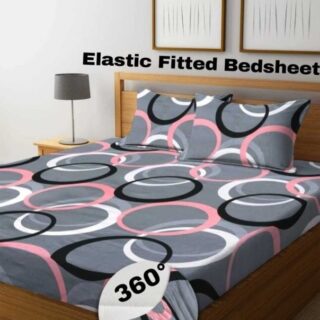 Home Garage 210 TC Cotton King Floral Fitted (Elastic) Bedsheet(Pack of 1, Grey)
Original price was: ₹999.00.₹299.00Current price is: ₹299.00.
Home Garage 210 TC Cotton King Floral Fitted (Elastic) Bedsheet(Pack of 1, Grey)
Original price was: ₹999.00.₹299.00Current price is: ₹299.00.
-
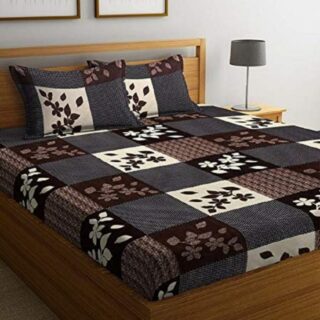 Goodrik 140 TC Cotton Double 3D Printed Flat Bedsheet(Pack of 1, Brown)
Original price was: ₹499.00.₹229.00Current price is: ₹229.00.
Goodrik 140 TC Cotton Double 3D Printed Flat Bedsheet(Pack of 1, Brown)
Original price was: ₹499.00.₹229.00Current price is: ₹229.00.
-
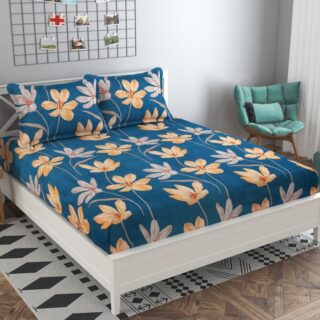 GLOBALSHOP 350 TC Microfiber Double Floral Flat Bedsheet(Pack of 1, Multicolor)
Original price was: ₹1,250.00.₹263.00Current price is: ₹263.00.
GLOBALSHOP 350 TC Microfiber Double Floral Flat Bedsheet(Pack of 1, Multicolor)
Original price was: ₹1,250.00.₹263.00Current price is: ₹263.00.
-
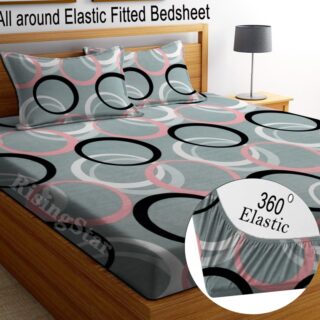 RisingStar 250 TC Microfiber King Printed Fitted (Elastic) Bedsheet(Pack of 1, FITTED-ROUND-CIRCLES-PREMIUM)
Original price was: ₹2,299.00.₹299.00Current price is: ₹299.00.
RisingStar 250 TC Microfiber King Printed Fitted (Elastic) Bedsheet(Pack of 1, FITTED-ROUND-CIRCLES-PREMIUM)
Original price was: ₹2,299.00.₹299.00Current price is: ₹299.00.
-
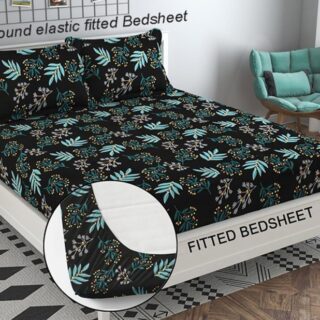 Home Garage 210 TC Cotton King Floral Fitted (Elastic) Bedsheet(Pack of 1, Fitted Black Green)
Original price was: ₹1,299.00.₹299.00Current price is: ₹299.00.
Home Garage 210 TC Cotton King Floral Fitted (Elastic) Bedsheet(Pack of 1, Fitted Black Green)
Original price was: ₹1,299.00.₹299.00Current price is: ₹299.00.
-
 Home Garage 180 TC Cotton King 3D Printed Flat Bedsheet(Pack of 1, White)
Original price was: ₹999.00.₹229.00Current price is: ₹229.00.
Home Garage 180 TC Cotton King 3D Printed Flat Bedsheet(Pack of 1, White)
Original price was: ₹999.00.₹229.00Current price is: ₹229.00.
-
 Panipat Textile Hub 152.4 cm (5 ft) Polyester Window Curtain (Pack Of 2)(Solid, Aqua)
Original price was: ₹1,899.00.₹299.00Current price is: ₹299.00.
Panipat Textile Hub 152.4 cm (5 ft) Polyester Window Curtain (Pack Of 2)(Solid, Aqua)
Original price was: ₹1,899.00.₹299.00Current price is: ₹299.00.
-
 Home Sizzler 214 cm (7 ft) Polyester Semi Transparent Door Curtain (Pack Of 2)(Floral, Maroon)
Original price was: ₹1,199.00.₹399.00Current price is: ₹399.00.
Home Sizzler 214 cm (7 ft) Polyester Semi Transparent Door Curtain (Pack Of 2)(Floral, Maroon)
Original price was: ₹1,199.00.₹399.00Current price is: ₹399.00.
-
 Home Sizzler 153 cm (5 ft) Polyester Room Darkening Window Curtain (Pack Of 2)(Floral, Brown)
Original price was: ₹799.00.₹299.00Current price is: ₹299.00.
Home Sizzler 153 cm (5 ft) Polyester Room Darkening Window Curtain (Pack Of 2)(Floral, Brown)
Original price was: ₹799.00.₹299.00Current price is: ₹299.00.
-
 Stella Creations 214 cm (7 ft) Polyester Room Darkening Door Curtain (Pack Of 2)(Abstract, Brown)
Original price was: ₹1,299.00.₹449.00Current price is: ₹449.00.
Stella Creations 214 cm (7 ft) Polyester Room Darkening Door Curtain (Pack Of 2)(Abstract, Brown)
Original price was: ₹1,299.00.₹449.00Current price is: ₹449.00.
-
 Homefab India 152.5 cm (5 ft) Polyester Room Darkening Window Curtain (Pack Of 2)(Floral, Light Blue)
Original price was: ₹1,199.00.₹319.00Current price is: ₹319.00.
Homefab India 152.5 cm (5 ft) Polyester Room Darkening Window Curtain (Pack Of 2)(Floral, Light Blue)
Original price was: ₹1,199.00.₹319.00Current price is: ₹319.00.
-
 Urban Home 214 cm (7 ft) PVC Transparent Door Curtain Single Curtain(Solid, Off White)
Original price was: ₹699.00.₹203.00Current price is: ₹203.00.
Urban Home 214 cm (7 ft) PVC Transparent Door Curtain Single Curtain(Solid, Off White)
Original price was: ₹699.00.₹203.00Current price is: ₹203.00.
-
 Panipat Textile Hub 213 cm (7 ft) Polyester Door Curtain (Pack Of 2)(Solid, Brown)
Original price was: ₹1,199.00.₹349.00Current price is: ₹349.00.
Panipat Textile Hub 213 cm (7 ft) Polyester Door Curtain (Pack Of 2)(Solid, Brown)
Original price was: ₹1,199.00.₹349.00Current price is: ₹349.00.
-
 Home Sizzler 214 cm (7 ft) Polyester Semi Transparent Door Curtain (Pack Of 2)(Floral, Brown)
Original price was: ₹999.00.₹349.00Current price is: ₹349.00.
Home Sizzler 214 cm (7 ft) Polyester Semi Transparent Door Curtain (Pack Of 2)(Floral, Brown)
Original price was: ₹999.00.₹349.00Current price is: ₹349.00.
-
 Panipat Textile Hub 213 cm (7 ft) Polyester Semi Transparent Door Curtain (Pack Of 2)(Floral, Brown)
Original price was: ₹899.00.₹299.00Current price is: ₹299.00.
Panipat Textile Hub 213 cm (7 ft) Polyester Semi Transparent Door Curtain (Pack Of 2)(Floral, Brown)
Original price was: ₹899.00.₹299.00Current price is: ₹299.00.
Make Your Living Room Smarter and More Comfortable.
Your living room is probably one of the busiest spaces in your home. It’s where you relax after a long day, watch your favorite shows, spend time with family, and sometimes even catch up on work. So, why not make this space more comfortable with a few useful electronic gadgets?
The good news is that you don’t need an expensive home makeover to improve your living room. A handful of carefully chosen electronics can make entertainment more enjoyable, simplify everyday tasks, and create a more relaxing atmosphere.
Whether you’re living in a cozy apartment in Toronto, a suburban home in Texas, or a family house in Vancouver, the right gadgets can make a noticeable difference. The trick is to choose products that solve everyday problems instead of buying devices just because they look impressive.
In this guide, I’ll walk you through five practical electronics gadgets worth considering for your living room. These ideas focus on convenience, entertainment, and comfort, helping you create a space that works better for your lifestyle.
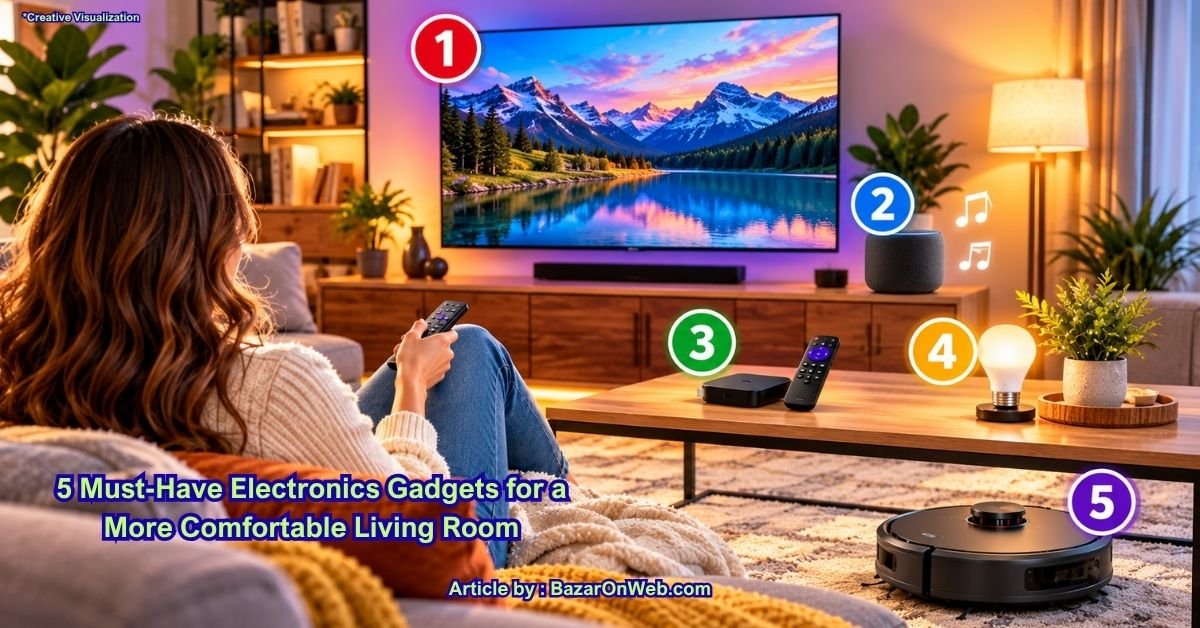
1. Smart Television
A smart television is one of the most useful electronic devices you can have in your living room. It brings streaming services, online videos, music apps, and other entertainment options together in one place, often without requiring a separate streaming device.
Imagine settling onto your couch after dinner and opening your favorite streaming service directly from your television. You can watch movies, catch up on television shows, enjoy documentaries, or stream online videos on a much larger screen than your phone or tablet.
Many modern smart televisions also support voice controls, screen mirroring, and connections with compatible speakers or gaming consoles. Some offer built-in features that improve picture quality depending on the content you’re watching.
What to look for: Consider the screen size, picture quality, available streaming apps, number of HDMI ports, and compatibility with your existing devices. A 4K television may be a good choice if you want detailed images and plan to watch compatible content.
Before buying, measure the available space and consider how far you’ll sit from the screen. A television that fits your room comfortably is usually a better choice than the biggest model you can afford.
For renters and homeowners alike, a smart television can become the central entertainment hub of the living room.
2. Wireless Bluetooth Speaker
A wireless Bluetooth speaker is a simple way to improve the sound experience in your living room without filling the space with complicated equipment.
You can connect a compatible speaker to your smartphone, tablet, or computer and play music, podcasts, audiobooks, or other audio content. It’s particularly useful when you’re entertaining guests, cooking nearby, or simply relaxing on the couch.
Some speakers are compact enough to sit on a bookshelf or side table, while larger models provide fuller sound for music and casual entertainment. Many portable speakers also include rechargeable batteries, allowing you to move them between rooms when needed.
If you enjoy watching movies, remember that a standard Bluetooth speaker may not provide the best television audio experience. Audio delay and compatibility can vary, so check whether the speaker is suitable for your intended use. A dedicated soundbar may be a better option if improving television dialogue and movie sound is your main goal.
What to look for: Check sound quality, battery life, connection options, volume performance, and the space where you plan to place the speaker.
You don’t necessarily need a large or expensive model. For everyday listening, a well-reviewed compact speaker can be enough to make your living room feel more inviting.
It’s a particularly useful gadget for households that enjoy music throughout the day without wanting a complicated audio setup.
3. Streaming Media Device
If your television is older or its built-in apps are slow, a streaming media device can be a practical upgrade. These small gadgets connect to a compatible television, usually through an HDMI port, and provide access to supported streaming services over the internet.
Depending on the model, you may be able to watch movies, television shows, live-streaming services, online videos, and other digital content. Many devices include a remote control, voice search, and recommendations based on the services you use.
The biggest advantage is that you may not need to replace an otherwise perfectly good television just to access newer streaming features.
What to look for: Check the device’s compatibility with your television, supported video resolution, available apps, Wi-Fi requirements, and remote-control features. Some models support 4K streaming, while others are designed for Full HD televisions.
You’ll also need a reliable internet connection and, in most cases, separate subscriptions for paid streaming services. The device itself does not automatically provide free access to every movie or television show.
Before purchasing, confirm that the services you use are available on your chosen device in your country. Availability can differ between the United States and Canada.
For anyone who wants more entertainment options without buying a new television, a streaming media device can be an affordable and convenient solution.
4. Smart Lighting System
Lighting has a bigger effect on your living room than you might expect. The right lighting can make the space feel warm and relaxing in the evening, brighter during the day, or more suitable for watching movies.
A smart lighting system lets you control compatible bulbs, lamps, or switches through a smartphone app, voice assistant, or automated schedule. Depending on the products you choose, you can adjust brightness, change color temperature, and create different lighting scenes.
For example, you could set up a movie-night scene that dims the lights, a brighter setting for reading, and a gentle evening schedule that turns on a lamp around sunset.
Smart bulbs are often an easy starting point because they can fit into compatible existing fixtures without requiring major changes to your home. However, you should check the bulb type, fixture requirements, and compatibility with your preferred smart home platform.
What to look for: Consider brightness, warm and cool white settings, dimming support, app controls, and whether you need a separate hub.
If you’re renting, smart bulbs and plug-in lamps can be particularly convenient because they generally require little or no permanent installation.
Start with one or two lights in the living room rather than replacing every bulb at once. Once you find a setup you enjoy, you can gradually expand it.
5. Robot Vacuum Cleaner
A robot vacuum cleaner is a practical gadget for anyone who wants to spend less time cleaning floors. These compact devices move around your home, collecting dust, crumbs, pet hair, and everyday debris from compatible floor surfaces.
Many models can be scheduled to clean automatically, allowing you to run a cleaning session while you’re working, shopping, or relaxing in another room. Depending on the model, you may also get room mapping, app controls, automatic charging, obstacle detection, and self-emptying features.
A robot vacuum can be particularly useful in living rooms where people regularly eat snacks, pets shed hair, or dust accumulates around furniture.
However, these devices work best when the floor is reasonably clear. Loose charging cables, small toys, socks, and other objects can interfere with cleaning, while thick rugs and high thresholds may present challenges for some models.
What to look for: Consider suction performance, battery life, carpet compatibility, pet-hair handling, navigation features, and replacement filter costs.
You should also check whether the vacuum fits beneath your furniture and can navigate the layout of your living room.
A robot vacuum won’t replace every deep-cleaning task, but it can help maintain cleaner floors between regular vacuuming sessions. For busy households, that’s one less chore to worry about.
Conclusion: Choose Gadgets That Fit Your Lifestyle
Making your living room more comfortable doesn’t require filling it with expensive electronics. A smart television can improve entertainment, a wireless speaker can make music more enjoyable, and a streaming device can bring new features to an older television. Smart lighting adds atmosphere, while a robot vacuum helps reduce everyday cleaning.
My advice is to start by identifying what would make the biggest difference in your home. If you love movie nights, prioritize your television and audio setup. If cleaning takes too much time, consider a robot vacuum. If you want a more relaxing atmosphere, smart lighting might be the best first purchase.
Before buying anything, compare features, check compatibility, and consider ongoing costs such as subscriptions or replacement parts. You don’t have to purchase everything at once.
The best living room gadgets are the ones you’ll actually use. Choose a few practical upgrades, make them work for your routine, and enjoy a living space that’s more comfortable, convenient, and entertaining.
Disclaimer
This article is for general informational purposes only and does not constitute a product endorsement. Features, compatibility, prices, and availability vary by manufacturer and location. Check product specifications and safety instructions before purchasing or installing any electronic device.






Products
-
![Apple Watch Ultra 3 [GPS + Cellular 49mm] Running & Multisport Smartwatch w/Rugged Titanium Case w/Black Titanium Milanese Loop - M. Satellite Communications, Advanced Health & Fitness Tracking](https://bazaronweb.com/retailstores/wp-content/uploads/2025/09/apple-watch-320x320.jpg) Apple Watch Ultra 3 [GPS + Cellular 49mm] Running & Multisport Smartwatch w/Rugged Titanium Case w/Black Titanium Milanese Loop - M. Satellite Communications, Advanced Health & Fitness Tracking
Apple Watch Ultra 3 [GPS + Cellular 49mm] Running & Multisport Smartwatch w/Rugged Titanium Case w/Black Titanium Milanese Loop - M. Satellite Communications, Advanced Health & Fitness Tracking
-
 Apple iPad mini (A17 Pro): Apple Intelligence, 8.3-inch Liquid Retina Display, 256GB, Wi-Fi 6E, 12MP Front/12MP Back Camera, Touch ID, All-Day Battery Life — Purple
-
 Apple AirPods Max Wireless Over-Ear Headphones, Active Noise Cancelling, Transparency Mode, Personalized Spatial Audio, Dolby Atmos, Bluetooth Headphones for iPhone – Space Gray
-
 Apple AirPods Pro 2 Wireless Earbuds, Active Noise Cancellation, Hearing Aid Feature, Bluetooth Headphones, Transparency, Personalized Spatial Audio, High-Fidelity Sound, H2 Chip, USB-C Charging
-
Home Garage 210 TC Cotton King Floral Fitted (Elastic) Bedsheet(Pack of 1, Grey)
Original price was: ₹999.00.₹299.00Current price is: ₹299.00.
Leave a Reply