Discounted Products
-
 Home Garage 210 TC Cotton King Floral Fitted (Elastic) Bedsheet(Pack of 1, Grey)
Original price was: ₹999.00.₹299.00Current price is: ₹299.00.
Home Garage 210 TC Cotton King Floral Fitted (Elastic) Bedsheet(Pack of 1, Grey)
Original price was: ₹999.00.₹299.00Current price is: ₹299.00.
-
 Goodrik 140 TC Cotton Double 3D Printed Flat Bedsheet(Pack of 1, Brown)
Original price was: ₹499.00.₹229.00Current price is: ₹229.00.
Goodrik 140 TC Cotton Double 3D Printed Flat Bedsheet(Pack of 1, Brown)
Original price was: ₹499.00.₹229.00Current price is: ₹229.00.
-
 GLOBALSHOP 350 TC Microfiber Double Floral Flat Bedsheet(Pack of 1, Multicolor)
Original price was: ₹1,250.00.₹263.00Current price is: ₹263.00.
GLOBALSHOP 350 TC Microfiber Double Floral Flat Bedsheet(Pack of 1, Multicolor)
Original price was: ₹1,250.00.₹263.00Current price is: ₹263.00.
-
 RisingStar 250 TC Microfiber King Printed Fitted (Elastic) Bedsheet(Pack of 1, FITTED-ROUND-CIRCLES-PREMIUM)
Original price was: ₹2,299.00.₹299.00Current price is: ₹299.00.
RisingStar 250 TC Microfiber King Printed Fitted (Elastic) Bedsheet(Pack of 1, FITTED-ROUND-CIRCLES-PREMIUM)
Original price was: ₹2,299.00.₹299.00Current price is: ₹299.00.
-
 Home Garage 210 TC Cotton King Floral Fitted (Elastic) Bedsheet(Pack of 1, Fitted Black Green)
Original price was: ₹1,299.00.₹299.00Current price is: ₹299.00.
Home Garage 210 TC Cotton King Floral Fitted (Elastic) Bedsheet(Pack of 1, Fitted Black Green)
Original price was: ₹1,299.00.₹299.00Current price is: ₹299.00.
-
 Home Garage 180 TC Cotton King 3D Printed Flat Bedsheet(Pack of 1, White)
Original price was: ₹999.00.₹229.00Current price is: ₹229.00.
Home Garage 180 TC Cotton King 3D Printed Flat Bedsheet(Pack of 1, White)
Original price was: ₹999.00.₹229.00Current price is: ₹229.00.
-
 Panipat Textile Hub 152.4 cm (5 ft) Polyester Window Curtain (Pack Of 2)(Solid, Aqua)
Original price was: ₹1,899.00.₹299.00Current price is: ₹299.00.
Panipat Textile Hub 152.4 cm (5 ft) Polyester Window Curtain (Pack Of 2)(Solid, Aqua)
Original price was: ₹1,899.00.₹299.00Current price is: ₹299.00.
-
 Home Sizzler 214 cm (7 ft) Polyester Semi Transparent Door Curtain (Pack Of 2)(Floral, Maroon)
Original price was: ₹1,199.00.₹399.00Current price is: ₹399.00.
Home Sizzler 214 cm (7 ft) Polyester Semi Transparent Door Curtain (Pack Of 2)(Floral, Maroon)
Original price was: ₹1,199.00.₹399.00Current price is: ₹399.00.
-
 Home Sizzler 153 cm (5 ft) Polyester Room Darkening Window Curtain (Pack Of 2)(Floral, Brown)
Original price was: ₹799.00.₹299.00Current price is: ₹299.00.
Home Sizzler 153 cm (5 ft) Polyester Room Darkening Window Curtain (Pack Of 2)(Floral, Brown)
Original price was: ₹799.00.₹299.00Current price is: ₹299.00.
-
 Stella Creations 214 cm (7 ft) Polyester Room Darkening Door Curtain (Pack Of 2)(Abstract, Brown)
Original price was: ₹1,299.00.₹449.00Current price is: ₹449.00.
Stella Creations 214 cm (7 ft) Polyester Room Darkening Door Curtain (Pack Of 2)(Abstract, Brown)
Original price was: ₹1,299.00.₹449.00Current price is: ₹449.00.
-
 Homefab India 152.5 cm (5 ft) Polyester Room Darkening Window Curtain (Pack Of 2)(Floral, Light Blue)
Original price was: ₹1,199.00.₹319.00Current price is: ₹319.00.
Homefab India 152.5 cm (5 ft) Polyester Room Darkening Window Curtain (Pack Of 2)(Floral, Light Blue)
Original price was: ₹1,199.00.₹319.00Current price is: ₹319.00.
-
 Urban Home 214 cm (7 ft) PVC Transparent Door Curtain Single Curtain(Solid, Off White)
Original price was: ₹699.00.₹203.00Current price is: ₹203.00.
Urban Home 214 cm (7 ft) PVC Transparent Door Curtain Single Curtain(Solid, Off White)
Original price was: ₹699.00.₹203.00Current price is: ₹203.00.
-
 Panipat Textile Hub 213 cm (7 ft) Polyester Door Curtain (Pack Of 2)(Solid, Brown)
Original price was: ₹1,199.00.₹349.00Current price is: ₹349.00.
Panipat Textile Hub 213 cm (7 ft) Polyester Door Curtain (Pack Of 2)(Solid, Brown)
Original price was: ₹1,199.00.₹349.00Current price is: ₹349.00.
-
 Home Sizzler 214 cm (7 ft) Polyester Semi Transparent Door Curtain (Pack Of 2)(Floral, Brown)
Original price was: ₹999.00.₹349.00Current price is: ₹349.00.
Home Sizzler 214 cm (7 ft) Polyester Semi Transparent Door Curtain (Pack Of 2)(Floral, Brown)
Original price was: ₹999.00.₹349.00Current price is: ₹349.00.
-
 Panipat Textile Hub 213 cm (7 ft) Polyester Semi Transparent Door Curtain (Pack Of 2)(Floral, Brown)
Original price was: ₹899.00.₹299.00Current price is: ₹299.00.
Panipat Textile Hub 213 cm (7 ft) Polyester Semi Transparent Door Curtain (Pack Of 2)(Floral, Brown)
Original price was: ₹899.00.₹299.00Current price is: ₹299.00.
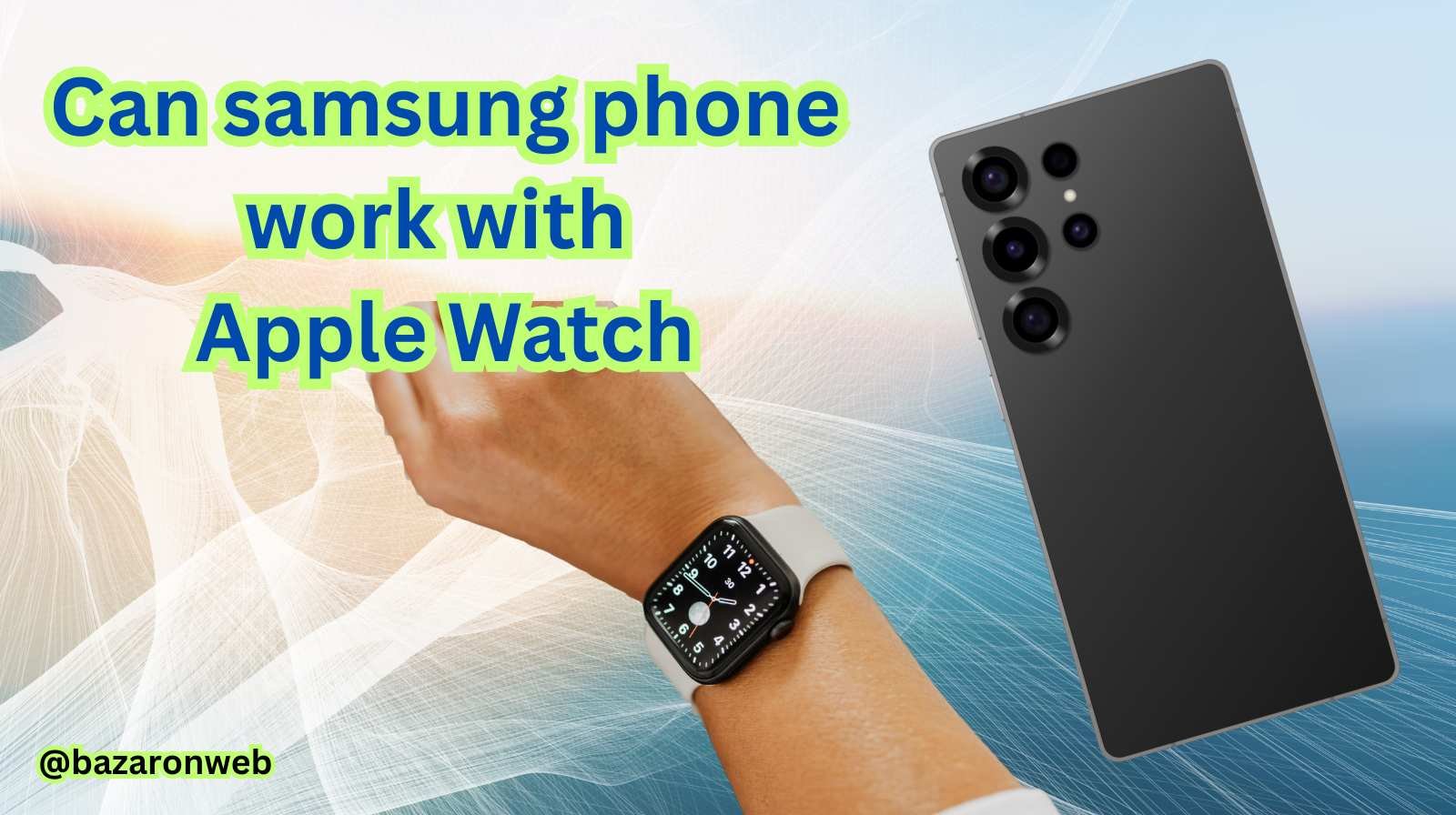
Hey friends, Jessica here! 👋
If you’re like me, you’ve probably wondered — can a Samsung phone work with an Apple Watch? I get this question a lot from readers who use Android devices but love the sleek design and premium features of the Apple Watch.
Well, the short answer is: not really — at least not in any meaningful way.
But let’s dig deeper. In this blog, I’ll explain why Apple Watches don’t work with Samsung phones, what the limitations are, and what your best alternatives are if you’re a Samsung or Android user who wants that smart, connected wrist experience.
So, let’s get started!
Why People Want to Connect a Samsung Phone with an Apple Watch
The Apple Watch has become more than just a smartwatch — it’s practically an extension of the iPhone. From tracking workouts and health data to receiving calls, messages, and controlling music, it’s packed with convenience.
And Samsung users? They love tech. Many of them admire Apple Watch features like:
- Accurate heart rate and ECG tracking
- Fall detection and emergency SOS
- Sleek, premium design
- Seamless fitness tracking with the Activity Rings
- Excellent app ecosystem
So naturally, the question arises — “If I buy an Apple Watch, can I pair it with my Samsung Galaxy phone?”
Let’s find out.
Can You Pair an Apple Watch with a Samsung or Any Android Phone?
Here’s the straightforward answer: No, Apple Watches are not compatible with Samsung or Android phones.
Apple has designed the Watch to work exclusively with iPhones. This means you must have an iPhone to set it up, activate it, and use most of its smart features.
Let’s break that down:
1. Setup Requires an iPhone
When you first buy an Apple Watch, you need to pair it using the Apple Watch app on an iPhone. The setup process involves linking your Apple ID, syncing apps, enabling features like Messages and Health data, and updating watchOS.
Since the Apple Watch app doesn’t exist for Android or Samsung devices, you can’t even complete this setup.
2. No App or Connection Support on Android
Even if you somehow manage to set it up using someone else’s iPhone, you won’t be able to use the Apple Watch app on your Samsung phone afterward — because Android doesn’t support it.
That means you can’t:
- Change settings
- Install or manage apps
- Sync health data
- Receive message notifications
Basically, the Watch will lose all “smart” functionality.
3. Bluetooth Limitations
Now, technically speaking, Apple Watches can connect to Android phones over Bluetooth, but it’s very limited. You might be able to use it only as a basic fitness tracker or see the time. You won’t get any advanced features, notifications, or health syncing.
So, even though Bluetooth can connect the two devices, they won’t “talk” properly.
What If You Try a Workaround?
Some tech enthusiasts have tried creative tricks to make an Apple Watch work with a Samsung phone. For example:
- Set up the Apple Watch using an iPhone first.
- Turn off the iPhone and connect the Watch via Bluetooth to your Samsung phone.
In this case, the Watch might stay paired to your iPhone account in the background while you try using it with your Samsung phone.
But — and this is a big but — you’ll only get:
- The ability to tell time
- Step counting
- Basic fitness tracking (locally)
You won’t get:
- Message notifications
- Calls
- App sync
- iCloud or Health data sync
- Software updates
Plus, this setup will break the moment the Watch disconnects or runs out of battery. You’ll need the iPhone again to reconnect it.
So yes, it’s technically possible to use an Apple Watch near a Samsung phone — but it’s not useful.
Why Apple Doesn’t Allow Apple Watch to Work with Samsung Phones
Apple’s ecosystem is famously closed, meaning they design their devices to work best with each other — not with competitors.
Here’s why:
- Security and Integration: Apple wants to maintain tight control over data like health, messages, and Apple Pay. Allowing Android access could compromise their secure environment.
- Ecosystem Lock-In: Apple builds devices that complement each other — iPhone, Apple Watch, iPad, and Mac. By limiting cross-platform compatibility, Apple keeps users loyal to its ecosystem.
- Software Dependence: The WatchOS system relies on iOS frameworks, which simply don’t exist on Android. Many core features like notifications, Siri, and app syncing require direct communication with iOS.
In other words, even if Apple wanted to make it compatible, it would require rebuilding huge chunks of their system.
The Best Alternatives for Samsung Users
Don’t worry — just because you can’t use an Apple Watch doesn’t mean you’re out of luck.
Samsung makes some of the best smartwatches in the world, often rivaling (and sometimes even surpassing) the Apple Watch in certain areas.
Here are a few top options:
1. Samsung Galaxy Watch 7 / Watch 6 Classic
- Runs on Wear OS (Google + Samsung collaboration)
- Seamlessly integrates with Samsung phones
- Tracks heart rate, ECG, sleep, and stress
- Google Assistant and Bixby support
- Long battery life compared to Apple Watch
- Works with Google apps and services
This is by far the best smartwatch for Samsung and other Android users. It gives you everything the Apple Watch offers — and then some.
2. Google Pixel Watch 2
- Clean, minimal design
- Perfect for Android and Google users
- Deep integration with Google Fit and Fitbit
- Great for fitness and daily productivity
If you’re deep into Google’s ecosystem, this is a strong choice.
3. Garmin Venu 3 or Forerunner Series
- Built for athletes and fitness enthusiasts
- Extremely accurate GPS and heart rate tracking
- Long battery life
- Works with Android (and iOS too)
Garmin watches are great if your main focus is health, outdoor, and fitness tracking.
4. Fitbit Versa 4 / Sense 2
- Budget-friendly smartwatch
- Tracks heart rate, SpO2, sleep, and more
- Syncs easily with Samsung phones via the Fitbit app
While not as premium as the Galaxy or Pixel watches, Fitbit devices are simple, reliable, and great for casual users.
Apple Watch vs Samsung Watch – Quick Comparison
| Feature | Apple Watch Series 9 | Samsung Galaxy Watch 7 |
|---|---|---|
| Compatibility | iPhone only | Android (best with Samsung) |
| Battery Life | ~18 hours | Up to 2 days |
| Health Tracking | Excellent | Excellent |
| Display | OLED | Super AMOLED |
| Apps | App Store (watchOS) | Google Play (Wear OS) |
| Design | Premium, elegant | Sleek, sporty |
| Charging | Magnetic | Wireless / Fast charge |
| Assistant | Siri | Bixby / Google Assistant |
As you can see, Samsung’s latest watches give the Apple Watch a serious run for its money — and they’re fully compatible with your Samsung Galaxy or Android phone.
What If You’re Switching from iPhone to Samsung?
If you already own an Apple Watch but you’re planning to switch to a Samsung phone, here’s what you should do:
- Unpair your Apple Watch from your iPhone before you reset or sell your old device.
- Back up your data via iCloud or iTunes.
- Erase your Apple Watch through the iPhone’s Watch app.
- Once unpaired, the Watch can’t be reconnected without an iPhone.
So if you no longer plan to use an iPhone, you might want to sell or trade your Apple Watch for a Samsung Galaxy Watch — it’ll make your life much easier.
So, can a Samsung phone work with an Apple Watch?
Technically — only in the most basic way. But practically, no. The Apple Watch is designed to function within Apple’s ecosystem, relying on iPhone-specific software and integration. Without that connection, it’s just an expensive timepiece.
However, Samsung users don’t need to feel left out! The Galaxy Watch 7, Pixel Watch 2, or even Garmin models are exceptional alternatives — packed with smart features, long battery life, and full Android compatibility.
As someone who has used both Apple and Samsung products for years, I can confidently say: stick to your ecosystem. Your experience will be smoother, faster, and more enjoyable.
If you’re using a Samsung Galaxy phone, go with a Galaxy Watch — it’s a perfect match!

- How to Fix “Unable to Initialize Windows App SDK” Error in Windows 11

- How to Fix “Try Again Later – Something Happened on Our End” Error in Microsoft Store

- What Are iPhone Background Sounds? Their Uses and How to Enable Them
- How to Run a Safety Check in Google Chrome and Protect Your Browser

- Samsung Phone’s Keyboard Not Working? Here’s How to Fix It

Products
-
![Apple Watch Ultra 3 [GPS + Cellular 49mm] Running & Multisport Smartwatch w/Rugged Titanium Case w/Black Titanium Milanese Loop - M. Satellite Communications, Advanced Health & Fitness Tracking](https://bazaronweb.com/retailstores/wp-content/uploads/2025/09/apple-watch-320x320.jpg) Apple Watch Ultra 3 [GPS + Cellular 49mm] Running & Multisport Smartwatch w/Rugged Titanium Case w/Black Titanium Milanese Loop - M. Satellite Communications, Advanced Health & Fitness Tracking
Apple Watch Ultra 3 [GPS + Cellular 49mm] Running & Multisport Smartwatch w/Rugged Titanium Case w/Black Titanium Milanese Loop - M. Satellite Communications, Advanced Health & Fitness Tracking
-
 Apple iPad mini (A17 Pro): Apple Intelligence, 8.3-inch Liquid Retina Display, 256GB, Wi-Fi 6E, 12MP Front/12MP Back Camera, Touch ID, All-Day Battery Life — Purple
-
 Apple AirPods Max Wireless Over-Ear Headphones, Active Noise Cancelling, Transparency Mode, Personalized Spatial Audio, Dolby Atmos, Bluetooth Headphones for iPhone – Space Gray
-
 Apple AirPods Pro 2 Wireless Earbuds, Active Noise Cancellation, Hearing Aid Feature, Bluetooth Headphones, Transparency, Personalized Spatial Audio, High-Fidelity Sound, H2 Chip, USB-C Charging
-
Home Garage 210 TC Cotton King Floral Fitted (Elastic) Bedsheet(Pack of 1, Grey)
Original price was: ₹999.00.₹299.00Current price is: ₹299.00.
Leave a Reply