Discounted Products
-
 Home Garage 210 TC Cotton King Floral Fitted (Elastic) Bedsheet(Pack of 1, Grey)
Original price was: ₹999.00.₹299.00Current price is: ₹299.00.
Home Garage 210 TC Cotton King Floral Fitted (Elastic) Bedsheet(Pack of 1, Grey)
Original price was: ₹999.00.₹299.00Current price is: ₹299.00.
-
 Goodrik 140 TC Cotton Double 3D Printed Flat Bedsheet(Pack of 1, Brown)
Original price was: ₹499.00.₹229.00Current price is: ₹229.00.
Goodrik 140 TC Cotton Double 3D Printed Flat Bedsheet(Pack of 1, Brown)
Original price was: ₹499.00.₹229.00Current price is: ₹229.00.
-
 GLOBALSHOP 350 TC Microfiber Double Floral Flat Bedsheet(Pack of 1, Multicolor)
Original price was: ₹1,250.00.₹263.00Current price is: ₹263.00.
GLOBALSHOP 350 TC Microfiber Double Floral Flat Bedsheet(Pack of 1, Multicolor)
Original price was: ₹1,250.00.₹263.00Current price is: ₹263.00.
-
 RisingStar 250 TC Microfiber King Printed Fitted (Elastic) Bedsheet(Pack of 1, FITTED-ROUND-CIRCLES-PREMIUM)
Original price was: ₹2,299.00.₹299.00Current price is: ₹299.00.
RisingStar 250 TC Microfiber King Printed Fitted (Elastic) Bedsheet(Pack of 1, FITTED-ROUND-CIRCLES-PREMIUM)
Original price was: ₹2,299.00.₹299.00Current price is: ₹299.00.
-
 Home Garage 210 TC Cotton King Floral Fitted (Elastic) Bedsheet(Pack of 1, Fitted Black Green)
Original price was: ₹1,299.00.₹299.00Current price is: ₹299.00.
Home Garage 210 TC Cotton King Floral Fitted (Elastic) Bedsheet(Pack of 1, Fitted Black Green)
Original price was: ₹1,299.00.₹299.00Current price is: ₹299.00.
-
 Home Garage 180 TC Cotton King 3D Printed Flat Bedsheet(Pack of 1, White)
Original price was: ₹999.00.₹229.00Current price is: ₹229.00.
Home Garage 180 TC Cotton King 3D Printed Flat Bedsheet(Pack of 1, White)
Original price was: ₹999.00.₹229.00Current price is: ₹229.00.
-
 Panipat Textile Hub 152.4 cm (5 ft) Polyester Window Curtain (Pack Of 2)(Solid, Aqua)
Original price was: ₹1,899.00.₹299.00Current price is: ₹299.00.
Panipat Textile Hub 152.4 cm (5 ft) Polyester Window Curtain (Pack Of 2)(Solid, Aqua)
Original price was: ₹1,899.00.₹299.00Current price is: ₹299.00.
-
 Home Sizzler 214 cm (7 ft) Polyester Semi Transparent Door Curtain (Pack Of 2)(Floral, Maroon)
Original price was: ₹1,199.00.₹399.00Current price is: ₹399.00.
Home Sizzler 214 cm (7 ft) Polyester Semi Transparent Door Curtain (Pack Of 2)(Floral, Maroon)
Original price was: ₹1,199.00.₹399.00Current price is: ₹399.00.
-
 Home Sizzler 153 cm (5 ft) Polyester Room Darkening Window Curtain (Pack Of 2)(Floral, Brown)
Original price was: ₹799.00.₹299.00Current price is: ₹299.00.
Home Sizzler 153 cm (5 ft) Polyester Room Darkening Window Curtain (Pack Of 2)(Floral, Brown)
Original price was: ₹799.00.₹299.00Current price is: ₹299.00.
-
 Stella Creations 214 cm (7 ft) Polyester Room Darkening Door Curtain (Pack Of 2)(Abstract, Brown)
Original price was: ₹1,299.00.₹449.00Current price is: ₹449.00.
Stella Creations 214 cm (7 ft) Polyester Room Darkening Door Curtain (Pack Of 2)(Abstract, Brown)
Original price was: ₹1,299.00.₹449.00Current price is: ₹449.00.
-
 Homefab India 152.5 cm (5 ft) Polyester Room Darkening Window Curtain (Pack Of 2)(Floral, Light Blue)
Original price was: ₹1,199.00.₹319.00Current price is: ₹319.00.
Homefab India 152.5 cm (5 ft) Polyester Room Darkening Window Curtain (Pack Of 2)(Floral, Light Blue)
Original price was: ₹1,199.00.₹319.00Current price is: ₹319.00.
-
 Urban Home 214 cm (7 ft) PVC Transparent Door Curtain Single Curtain(Solid, Off White)
Original price was: ₹699.00.₹203.00Current price is: ₹203.00.
Urban Home 214 cm (7 ft) PVC Transparent Door Curtain Single Curtain(Solid, Off White)
Original price was: ₹699.00.₹203.00Current price is: ₹203.00.
-
 Panipat Textile Hub 213 cm (7 ft) Polyester Door Curtain (Pack Of 2)(Solid, Brown)
Original price was: ₹1,199.00.₹349.00Current price is: ₹349.00.
Panipat Textile Hub 213 cm (7 ft) Polyester Door Curtain (Pack Of 2)(Solid, Brown)
Original price was: ₹1,199.00.₹349.00Current price is: ₹349.00.
-
 Home Sizzler 214 cm (7 ft) Polyester Semi Transparent Door Curtain (Pack Of 2)(Floral, Brown)
Original price was: ₹999.00.₹349.00Current price is: ₹349.00.
Home Sizzler 214 cm (7 ft) Polyester Semi Transparent Door Curtain (Pack Of 2)(Floral, Brown)
Original price was: ₹999.00.₹349.00Current price is: ₹349.00.
-
 Panipat Textile Hub 213 cm (7 ft) Polyester Semi Transparent Door Curtain (Pack Of 2)(Floral, Brown)
Original price was: ₹899.00.₹299.00Current price is: ₹299.00.
Panipat Textile Hub 213 cm (7 ft) Polyester Semi Transparent Door Curtain (Pack Of 2)(Floral, Brown)
Original price was: ₹899.00.₹299.00Current price is: ₹299.00.
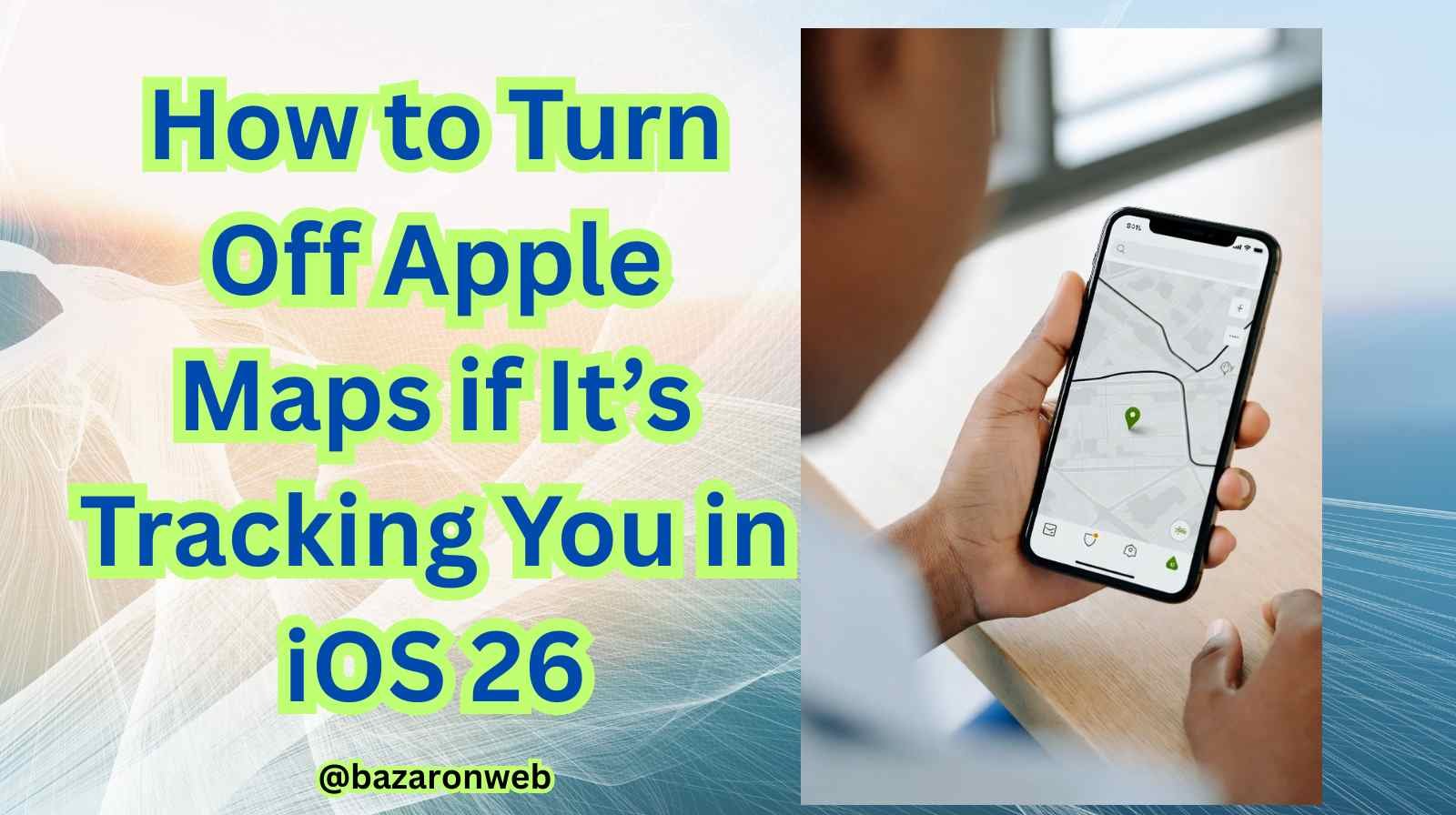
Apple has always positioned itself as a privacy-focused tech company. And to its credit, Apple Maps includes strong privacy controls, using on-device processing for many functions and limiting how long location data is stored. Still, location tracking—whether intentional or background-based—can feel uncomfortable, especially if you’re privacy-conscious.
With iOS 26, Apple has introduced new privacy interfaces and more granular location controls. But many users are still unsure how to fully stop Apple Maps from tracking or accessing their location.
In this guide, I’ll walk you through how to turn off Apple Maps tracking on iOS 26, protect your location, and take back complete control over your privacy.
Understanding Apple Maps Location Tracking
Before jumping into settings, let’s clarify what “tracking” means in this context.
Apple Maps can access your location for:
- Turn-by-turn navigation
- Nearby place suggestions (restaurants, gas stations, etc.)
- Traffic and accident reporting
- Personalized recommendations
- Location-based notifications
- Background updates for faster map loading
These functions can make travel easier—but they also mean Apple Maps may keep working in the background to track your movements unless you disable it.
How to Turn Off Apple Maps Tracking in iOS 26
Let’s go step-by-step through the most effective methods.
1. Disable Location Access for Apple Maps Completely
If you want Apple Maps to stop using your location altogether, do this:
- Go to Settings
- Tap Privacy & Security
- Select Location Services
- Scroll and tap Maps
- Choose Never
This completely blocks the Maps app from accessing GPS or location data.
Keep in mind:
You won’t be able to use turn-by-turn navigation or see your live position on a map after doing this.
2. Allow Location Only While Using the App
If you still want navigation but don’t want background tracking:
- Open Settings
- Go to Privacy & Security
- Select Location Services
- Tap Maps
- Choose While Using the App
This lets Maps track you only when you have it open, preventing background location activity.
3. Turn Off Precise Location
iOS 26 gives two types of location access:
- Precise – pinpoint accuracy (within a few feet)
- Approximate – general area (like your neighborhood)
To turn off precise location:
- Go to Settings
- Tap Privacy & Security
- Select Location Services
- Tap Maps
- Toggle off Precise Location
Now, Maps knows only your approximate region—not your exact movements.
4. Disable Significant Location Tracking
Apple keeps “Significant Locations”—places you frequently visit—to improve suggestions and Maps accuracy. If that feels invasive, turn it off:
- Open Settings
- Tap Privacy & Security
- Select Location Services
- Scroll down and tap System Services
- Select Significant Locations
- Turn it Off
To erase previously stored locations, tap Clear History.
5. Turn Off Location-Based Alerts & Suggestions
Apple Maps sends suggestions based on places you visit. Disable this for more privacy:
- Go to Settings
- Tap Privacy & Security
- Select Location Services
- Tap System Services
- Toggle off:
- Location-Based Alerts
- Location-Based Suggestions
This stops alerts like “It looks like you’re going to work.”
6. Turn Off Background App Refresh for Apple Maps
Background App Refresh lets apps update even when closed. You can stop Maps from using this:
- Go to Settings
- Tap General
- Select Background App Refresh
- Find Maps
- Toggle Off
Now Maps won’t refresh or track while you’re not using it.
7. Disable Find My Tracking (If Relevant)
Sometimes Apple Maps accesses location via the Find My network. If you only want your device tracked via Find My, not Maps:
- Leave Find My on
- Disable Maps location as described above
If you want to disable all device tracking:
- Open Settings
- Tap your Apple ID
- Select Find My
- Turn off Share My Location
8. Turn Off Compass Calibration & Motion Tracking
These motion settings help Maps orient direction. Turning them off reduces tracking accuracy:
- Open Settings
- Select Privacy & Security
- Tap Motion & Fitness
- Turn off Fitness Tracking
Now Apple Maps won’t use motion sensors for orientation.
How to Check if Apple Maps is Accessing Your Location
iOS 26 shows icons when apps use location:
- Solid arrow – app is using location now
- Hollow arrow – app used location recently
- Blue location dot – your exact location is active
Swipe down Control Center to check indicators instantly.
Stop Maps From Showing Recent Places & History
To prevent stored location history inside the app:
- Open Apple Maps
- Swipe up to show search bar & history
- Tap Clear
- Select Clear All Recents
This deletes locations you’ve searched or visited.
Extra Privacy Tips for iOS 26 Users
If privacy is a top priority, here are additional settings to consider:
Use Private Relay (iCloud+)
Hides browsing and IP-related tracking.
Turn Off Personalized Ads
Settings → Privacy → Apple Advertising
Review App Permissions
Settings → Privacy → check each category
Does Turning Off Tracking Affect Functionality?
Yes, depending on how much access you disable:
| Feature | Impact |
|---|---|
| Turn-by-turn navigation | Won’t work if location disabled fully |
| Live traffic updates | Limited/disabled |
| Nearby suggestions | Disabled |
| Compass navigation | Less accurate |
| Search accuracy | Slightly affected |
Choose settings based on privacy vs convenience balance.
Can Apple Still Track You With Location Off?
Apple states it does not track user movement, even when Maps is active. Turning off all the features above gives strong control. However:
- Cellular networks track location to some extent
- Emergency services can access location if required
- Third-party apps may collect location if permissions granted
So review settings across the device—not just Maps.
Final Thoughts
Location services are incredibly useful—but they also require trust. Whether you’re concerned about digital privacy, battery life, or just don’t need Maps tracking, iOS 26 gives you full control.
By adjusting the settings above, you can:
- Prevent Apple Maps from running in the background
- Stop precise location tracking
- Clear and block location history
- Limit personalized recommendations
- Maintain privacy without losing navigation when needed
Take a moment to review these settings regularly. Privacy isn’t a one-time action—it’s ongoing awareness and control.

- How to Fix iPhone Updates Not Installing Overnight

- How to Add Notes or Comments to Folders in Windows 11

- How to Fix “Unable to Initialize Windows App SDK” Error in Windows 11

- How to Fix “Try Again Later – Something Happened on Our End” Error in Microsoft Store

- What Are iPhone Background Sounds? Their Uses and How to Enable Them
Products
-
![Apple Watch Ultra 3 [GPS + Cellular 49mm] Running & Multisport Smartwatch w/Rugged Titanium Case w/Black Titanium Milanese Loop - M. Satellite Communications, Advanced Health & Fitness Tracking](https://bazaronweb.com/retailstores/wp-content/uploads/2025/09/apple-watch-320x320.jpg) Apple Watch Ultra 3 [GPS + Cellular 49mm] Running & Multisport Smartwatch w/Rugged Titanium Case w/Black Titanium Milanese Loop - M. Satellite Communications, Advanced Health & Fitness Tracking
Apple Watch Ultra 3 [GPS + Cellular 49mm] Running & Multisport Smartwatch w/Rugged Titanium Case w/Black Titanium Milanese Loop - M. Satellite Communications, Advanced Health & Fitness Tracking
-
 Apple iPad mini (A17 Pro): Apple Intelligence, 8.3-inch Liquid Retina Display, 256GB, Wi-Fi 6E, 12MP Front/12MP Back Camera, Touch ID, All-Day Battery Life — Purple
-
 Apple AirPods Max Wireless Over-Ear Headphones, Active Noise Cancelling, Transparency Mode, Personalized Spatial Audio, Dolby Atmos, Bluetooth Headphones for iPhone – Space Gray
-
 Apple AirPods Pro 2 Wireless Earbuds, Active Noise Cancellation, Hearing Aid Feature, Bluetooth Headphones, Transparency, Personalized Spatial Audio, High-Fidelity Sound, H2 Chip, USB-C Charging
-
Home Garage 210 TC Cotton King Floral Fitted (Elastic) Bedsheet(Pack of 1, Grey)
Original price was: ₹999.00.₹299.00Current price is: ₹299.00.
Leave a Reply