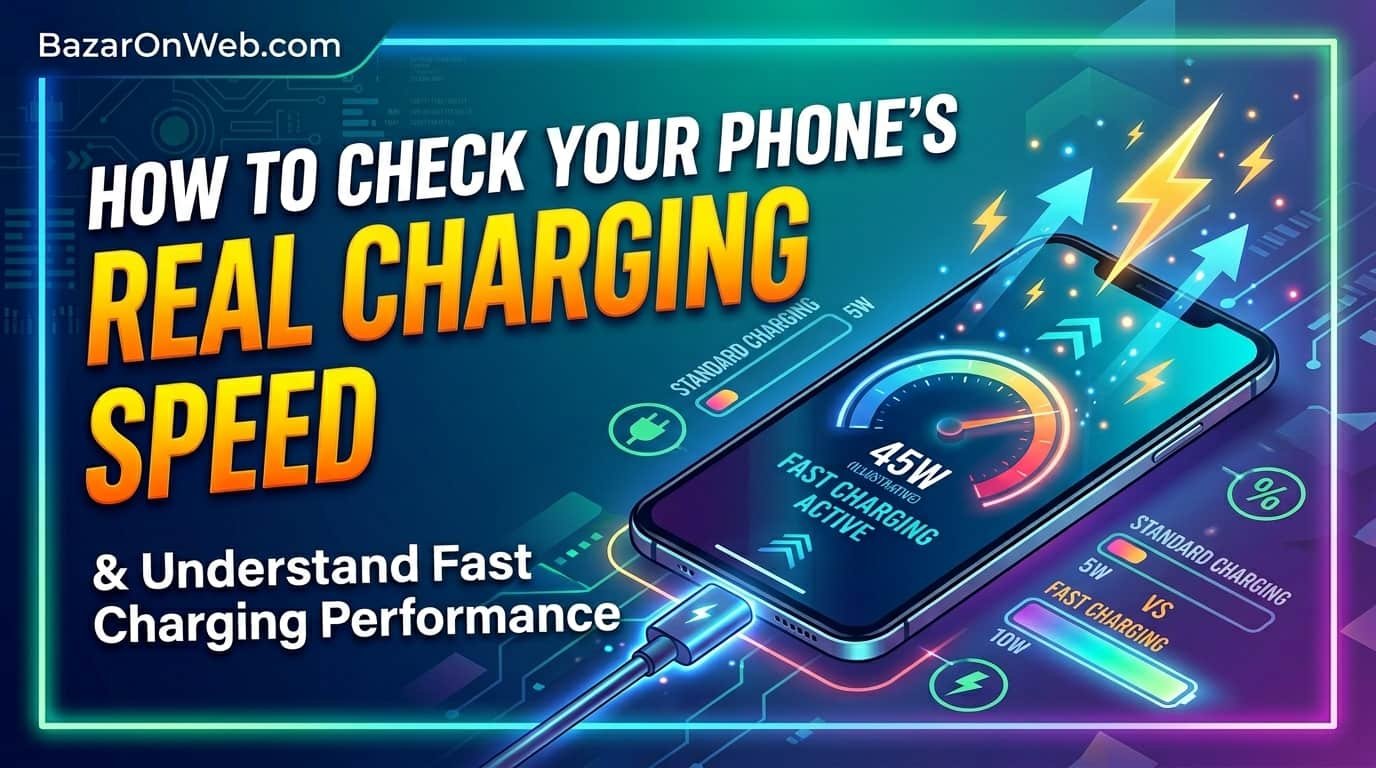
How to Check Your Phone’s Real Charging Speed and Understand Fast Charging Performance

How to Check Your Phone’s Real Charging Speed and Understand Fast Charging Performance

Hi, I’m Jessica, and I recently noticed something strange while charging my smartphone. Some days my phone would jump from 10% to 50% incredibly fast, while on other days it felt painfully slow even though I was using the same charger. Like many people, I assumed a 120W or 150W fast charger should always deliver maximum speed. But after digging deeper, I realized modern smartphones are far smarter than we think. They constantly adjust charging speed depending on battery temperature, phone usage, ambient heat, battery health, and even the type of cable being used.

Despite manufacturers advertising ultra-fast charging technologies, your phone rarely charges at peak wattage for the entire session. This is completely intentional. Smartphones are designed to protect internal components and extend battery lifespan by dynamically reducing power when necessary. Many users become confused when their phone charges slower than expected, but in reality the device is usually working exactly as intended.

If you are curious about the actual charging speed your phone is receiving at any moment, there are several easy ways to monitor it. Understanding these charging behaviors can help you diagnose slow charging problems, improve battery longevity, and get the best performance from your charger. In this guide, I’ll explain how charging speed works, why it changes, and how you can accurately check the real-time charging wattage of your smartphone.

Understanding How Fast Charging Actually Works

Fast charging technology has evolved dramatically over the last few years. Earlier smartphones typically charged at 5W or 10W, but modern devices now support 65W, 100W, 120W, and even 150W charging systems. However, many users misunderstand what these numbers actually represent. The advertised wattage is usually the maximum peak charging speed achieved under ideal conditions rather than the constant speed maintained throughout the charging cycle.

When you connect your phone to a fast charger, the charging system communicates with the charger through specialized protocols. The phone determines how much power it can safely accept based on internal battery conditions. During the initial charging stage, especially when the battery percentage is low, the phone may allow very high wattage to quickly refill power. This is often referred to as the “fast charging phase.”

As the battery level rises, charging speed gradually slows down. This slowdown is intentional because lithium-ion batteries become more sensitive at higher charge levels. Excessive heat or voltage during later stages could damage the battery over time. To avoid this, smartphones reduce charging speed significantly after crossing certain percentages such as 50%, 70%, or 80%.

Temperature is another major factor. If your phone becomes warm due to gaming, background apps, sunlight exposure, or hot room temperatures, charging speed automatically decreases. Manufacturers prioritize safety and long-term battery health over maintaining maximum charging wattage at all times.

Why Your Phone Does Not Charge at Maximum Wattage Constantly

Many smartphone advertisements create the impression that a 120W charger will continuously deliver 120W power until the battery reaches 100%. In reality, this almost never happens. Smartphones use intelligent charging algorithms designed to balance speed, heat management, and battery longevity. Constant maximum-speed charging would generate excessive heat and significantly reduce battery lifespan over time.

When charging begins at a low battery percentage, the device often enters a high-speed charging phase where it accepts maximum power. However, this phase usually lasts only for a limited duration. As internal temperature rises or battery percentage increases, the charging controller reduces power intake gradually.

Battery chemistry plays an important role in this process. Lithium-ion batteries are sensitive to heat and high voltage. Charging too aggressively for extended periods can lead to battery swelling, faster degradation, or reduced overall capacity. Manufacturers therefore use multiple protective layers that dynamically adjust current and voltage levels throughout the charging cycle.

Your phone’s software also monitors various sensors during charging. If you are watching videos, gaming, using mobile data heavily, or running demanding apps, the device may intentionally lower charging speed because the processor is already generating heat. Similarly, thick phone cases can trap heat and slow charging performance.

Even environmental conditions matter. Charging in a hot car, under direct sunlight, or inside a warm room may cause your device to significantly reduce wattage. This behavior is completely normal and actually helps preserve the health of your battery over the long term.

How to Check Charging Speed on Android Phones

Android users have several convenient methods to monitor charging speed in real time. Some smartphone brands include built-in charging indicators, while others require third-party apps for detailed information. The simplest method is checking the lock screen or charging animation. Many modern Android phones display labels such as “Fast Charging,” “Super Fast Charging,” or “Turbo Charging” when connected to compatible chargers.

However, these labels do not reveal the actual wattage being delivered. To see more detailed information, users can install battery monitoring applications from the Play Store. Popular apps like Ampere, AccuBattery, Battery Guru, and Electron provide real-time charging current, voltage, battery temperature, and estimated wattage data.

Once installed, these apps show how much power your phone is currently receiving. The readings fluctuate continuously because charging speed changes dynamically depending on battery percentage and thermal conditions. For example, you may initially see very high wattage that later decreases as the battery fills.

Some smartphone manufacturers also include battery diagnostics inside system settings. Brands like Xiaomi, Samsung, OnePlus, Vivo, and Realme often display enhanced charging details within battery menus or hidden diagnostic sections. Developer options may also provide additional charging information on certain devices.

It is important to remember that charging apps estimate values based on battery sensors. Therefore, readings may not perfectly match manufacturer-advertised charging speeds. Still, they provide useful insight into how your phone behaves during charging sessions and help identify potential charging issues.

Best Apps to Measure Real-Time Charging Wattage

If you truly want to understand how quickly your phone is charging, specialized battery monitoring apps are extremely useful. These applications analyze voltage, current, battery temperature, and charging behavior in real time. While no app can perfectly replicate professional hardware measurements, they provide a reasonably accurate picture of your charging performance.

One of the most popular apps is Ampere. It displays charging current in milliamps and helps users determine whether the charger and cable are functioning properly. You can compare different chargers and cables to identify which setup delivers the best performance. Ampere also shows battery health information and charging trends over time.

Another excellent option is AccuBattery. This app focuses heavily on battery health analysis while also monitoring charging speed. It tracks charging sessions, battery wear, screen usage, and estimated battery capacity. Many users appreciate its detailed statistics and long-term battery health reports.

Battery Guru is another advanced tool that offers charging wattage estimates, battery temperature tracking, and health monitoring features. It can also notify users when the battery reaches a certain percentage, which is helpful for people trying to avoid overnight overcharging.

Electron is a lightweight app that provides quick charging statistics without excessive background features. It is ideal for users who simply want fast access to charging information.

Using these apps regularly can help you understand how factors like heat, usage patterns, and charging accessories influence charging speed. They also help diagnose whether slow charging problems are caused by the charger, cable, battery, or software limitations.

The Importance of Using the Original Charger and Cable

One of the most common reasons phones fail to achieve advertised charging speeds is the use of incompatible chargers or low-quality cables. Many users assume any USB cable or fast charger will deliver identical performance, but modern fast charging systems rely heavily on specific hardware standards and communication protocols.

Manufacturers often develop proprietary charging technologies. For example, Xiaomi HyperCharge, OnePlus SUPERVOOC, Samsung Super Fast Charging, and other branded systems require compatible chargers and cables to reach maximum speed. Using a generic charger may still charge the phone, but often at much lower wattage.

Cables are equally important. High-speed charging requires cables capable of handling larger current flow safely. Cheap or damaged cables may limit charging speed automatically because they cannot support high power transfer efficiently. Some cables also lack proper internal chips required for advanced fast charging protocols.

Counterfeit chargers can create serious problems. Besides slow charging, they may produce unstable voltage, excessive heat, or even damage your battery over time. Certified original accessories are designed specifically to match the phone’s charging system and safety requirements.

USB ports also matter. Dust, lint, or debris inside the charging port can interrupt power delivery and reduce charging performance. Cleaning the charging port carefully can sometimes restore normal charging speed instantly.

If your phone suddenly charges slowly despite supporting high wattage, testing with the original charger and cable should be your first troubleshooting step. In many cases, accessory compatibility is the main reason behind reduced charging performance.

How Heat Affects Charging Speed and Battery Health

Heat is one of the biggest enemies of smartphone batteries. Modern devices include sophisticated thermal management systems that constantly monitor temperature during charging. Whenever the battery or processor becomes too warm, the phone automatically reduces charging speed to prevent long-term damage.

Fast charging naturally generates heat because large amounts of power flow into the battery within a short period. While manufacturers design batteries to handle this process safely, excessive heat still accelerates chemical aging inside lithium-ion cells. Over time, repeated exposure to high temperatures can reduce battery capacity and overall lifespan.

Several factors contribute to heat buildup during charging. Gaming while charging is one of the biggest causes because both the processor and battery generate heat simultaneously. Watching videos, using mobile hotspots, or running demanding apps can also increase internal temperatures significantly.

Environmental conditions matter as well. Charging your phone under direct sunlight, inside a car, or in a hot room may force the device to reduce charging speed dramatically. Thick protective cases sometimes trap heat and worsen thermal buildup during charging sessions.

Many phones now include optimized charging features that intentionally slow charging overnight or during prolonged sessions. This helps reduce heat exposure and preserves long-term battery health.

If you want faster and healthier charging, try charging your phone in a cool environment, remove thick cases when necessary, and avoid heavy usage during charging. Lower temperatures allow the phone to maintain higher charging speeds safely while also protecting the battery from unnecessary stress.

Why Charging Speed Slows Down After 80 Percent

Many smartphone users notice that their phone charges extremely quickly from 0% to 50%, reasonably fast until 80%, and then suddenly slows down near the end. This behavior is completely normal and exists to protect the battery from stress and overheating.

Lithium-ion batteries charge in multiple phases. During the early stage, the battery accepts high current because its voltage is relatively low. This allows manufacturers to advertise impressive charging times such as “0 to 50% in 10 minutes.” However, as the battery becomes fuller, charging safely becomes more complicated.

Once the battery reaches around 70% or 80%, the charging system enters a slower topping-off phase. At this stage, voltage management becomes much more sensitive. Continuing aggressive fast charging at high percentages would generate excessive heat and place additional stress on the battery chemistry.

To avoid this, the charging controller gradually lowers current flow. The closer the battery gets to 100%, the slower charging becomes. This controlled slowdown helps prevent overheating and reduces long-term degradation.

Many phones also include battery optimization features that intentionally pause charging at around 80% overnight and finish charging shortly before the user typically wakes up. This minimizes the amount of time the battery spends sitting at maximum charge.

Although slower charging near 100% may seem frustrating, it actually benefits battery health significantly. Manufacturers prioritize battery longevity because maintaining full-speed charging continuously would shorten the usable lifespan of the battery considerably.

Signs That Your Fast Charging Is Not Working Properly

Sometimes slow charging is not caused by normal battery protection systems but by actual hardware or software problems. Recognizing the warning signs of faulty fast charging can help prevent further damage and restore proper charging performance.

One major sign is when the phone no longer displays “Fast Charging” or similar labels despite using the original charger. This may indicate cable damage, charger malfunction, or charging port issues. Loose cable connections are also common causes of inconsistent charging behavior.

Extremely slow charging speed is another warning sign. If your phone takes several hours longer than usual to charge, the charging system may not be operating correctly. Damaged charging ports, moisture detection systems, or software bugs can sometimes restrict charging speed significantly.

Overheating during charging is another concern. While mild warmth is normal, excessive heat may indicate charger problems, battery degradation, or internal hardware issues. Swollen batteries, unusual smells, or rapidly fluctuating battery percentages should never be ignored.

Software updates occasionally affect charging behavior as well. Some updates modify thermal management or battery optimization systems, which can temporarily change charging performance. Restarting the device or clearing system cache sometimes resolves these issues.

Battery health degradation is another factor. Older batteries naturally lose efficiency and may charge slower than new ones. If your phone is several years old, reduced charging speed may partly result from battery aging rather than charger problems.

Monitoring charging behavior regularly helps identify abnormalities early before they become more serious hardware concerns.

Tips to Improve Charging Speed Safely

Improving charging speed is not always about buying a higher-wattage charger. In many cases, small adjustments to charging habits can significantly improve performance while also protecting battery health. The goal should be balancing speed, safety, and long-term battery longevity.

One of the simplest tips is avoiding heavy phone usage while charging. Gaming, video streaming, and multitasking generate heat that forces the phone to reduce charging speed automatically. Allowing the device to rest during charging usually results in faster and cooler charging sessions.

Charging in cooler environments also helps tremendously. Heat is the biggest factor limiting charging speed. Keeping the phone away from sunlight, removing thick protective cases, and using air-conditioned rooms can improve charging efficiency noticeably.

Using certified original chargers and cables is equally important. Third-party accessories may lack compatibility with proprietary fast charging standards, resulting in slower speeds. Replacing damaged or low-quality cables often solves charging issues instantly.

Keeping the charging port clean also matters. Dust accumulation can interfere with proper electrical contact. Carefully cleaning the port using safe tools can restore stable charging performance.

Software optimization helps too. Closing background apps, enabling airplane mode, or turning off mobile data during charging can reduce power consumption and allow more energy to flow directly into the battery.

Finally, avoid charging the phone to 100% unnecessarily every single time. Maintaining battery levels between moderate ranges can help preserve long-term battery health while still providing excellent daily usability.

How Smartphone Brands Use Smart Charging Technology

Modern smartphone brands invest heavily in intelligent charging technologies designed to optimize both speed and battery health. Fast charging today is no longer just about pushing maximum power into the battery. Instead, manufacturers use advanced algorithms, temperature monitoring systems, and adaptive charging patterns to create safer and more efficient charging experiences.

Brands like Xiaomi, Samsung, Vivo, Oppo, Realme, and OnePlus use sophisticated charging chips that continuously monitor battery conditions in real time. These systems analyze voltage, current flow, temperature, charging cycles, and usage patterns multiple times per second.

Some phones divide the battery internally into dual-cell structures. Instead of charging one battery aggressively, the charger splits power between two smaller cells. This reduces heat generation while enabling extremely high charging speeds such as 120W or 150W.

Artificial intelligence also plays a growing role. Many smartphones learn user charging habits over time. If the phone detects overnight charging patterns, it may slow charging intentionally after reaching 80% and complete the remaining charge shortly before the expected wake-up time.

Battery protection systems become even more aggressive during hot weather or intensive device usage. These protections may temporarily reduce charging speed to maintain safe operating temperatures.

Although some users become frustrated when charging speed fluctuates, these intelligent systems actually improve safety and extend battery lifespan. Understanding how adaptive charging works helps users appreciate why charging speed changes constantly rather than remaining fixed throughout the charging session.

Disclaimer

The information provided in this article is for educational and informational purposes only. Smartphone charging performance varies depending on device model, battery condition, charger compatibility, environmental temperature, software optimization, and manufacturer-specific charging technologies. Charging speed measurements shown by third-party apps may not always perfectly reflect actual hardware-level wattage. Always use certified chargers and accessories recommended by your smartphone manufacturer to ensure safe charging and protect battery health.

Leave a Reply

Your email address will not be published. Required fields are marked *

Select the fields to be shown. Others will be hidden. Drag and drop to rearrange the order.
  • Image
  • SKU
  • Rating
  • Price
  • Stock
  • Availability
  • Add to cart
  • Description
  • Content
  • Weight
  • Dimensions
  • Additional information
Click outside to hide the comparison bar
Compare