Discounted Products
-
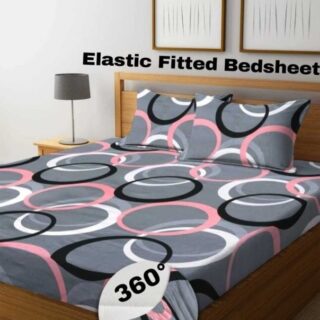 Home Garage 210 TC Cotton King Floral Fitted (Elastic) Bedsheet(Pack of 1, Grey)
Original price was: ₹999.00.₹299.00Current price is: ₹299.00.
Home Garage 210 TC Cotton King Floral Fitted (Elastic) Bedsheet(Pack of 1, Grey)
Original price was: ₹999.00.₹299.00Current price is: ₹299.00.
-
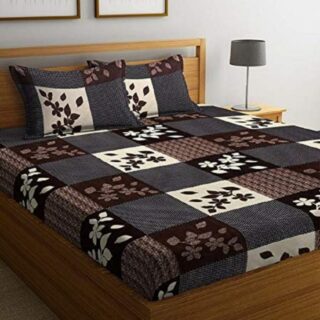 Goodrik 140 TC Cotton Double 3D Printed Flat Bedsheet(Pack of 1, Brown)
Original price was: ₹499.00.₹229.00Current price is: ₹229.00.
Goodrik 140 TC Cotton Double 3D Printed Flat Bedsheet(Pack of 1, Brown)
Original price was: ₹499.00.₹229.00Current price is: ₹229.00.
-
 GLOBALSHOP 350 TC Microfiber Double Floral Flat Bedsheet(Pack of 1, Multicolor)
Original price was: ₹1,250.00.₹263.00Current price is: ₹263.00.
GLOBALSHOP 350 TC Microfiber Double Floral Flat Bedsheet(Pack of 1, Multicolor)
Original price was: ₹1,250.00.₹263.00Current price is: ₹263.00.
-
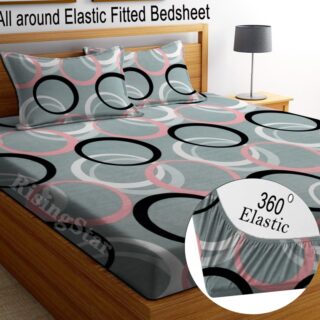 RisingStar 250 TC Microfiber King Printed Fitted (Elastic) Bedsheet(Pack of 1, FITTED-ROUND-CIRCLES-PREMIUM)
Original price was: ₹2,299.00.₹299.00Current price is: ₹299.00.
RisingStar 250 TC Microfiber King Printed Fitted (Elastic) Bedsheet(Pack of 1, FITTED-ROUND-CIRCLES-PREMIUM)
Original price was: ₹2,299.00.₹299.00Current price is: ₹299.00.
-
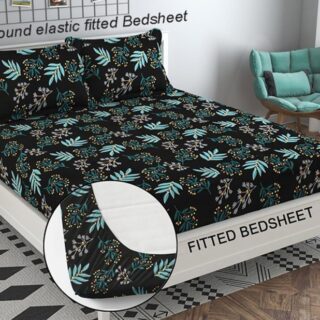 Home Garage 210 TC Cotton King Floral Fitted (Elastic) Bedsheet(Pack of 1, Fitted Black Green)
Original price was: ₹1,299.00.₹299.00Current price is: ₹299.00.
Home Garage 210 TC Cotton King Floral Fitted (Elastic) Bedsheet(Pack of 1, Fitted Black Green)
Original price was: ₹1,299.00.₹299.00Current price is: ₹299.00.
-
 Home Garage 180 TC Cotton King 3D Printed Flat Bedsheet(Pack of 1, White)
Original price was: ₹999.00.₹229.00Current price is: ₹229.00.
Home Garage 180 TC Cotton King 3D Printed Flat Bedsheet(Pack of 1, White)
Original price was: ₹999.00.₹229.00Current price is: ₹229.00.
-
 Panipat Textile Hub 152.4 cm (5 ft) Polyester Window Curtain (Pack Of 2)(Solid, Aqua)
Original price was: ₹1,899.00.₹299.00Current price is: ₹299.00.
Panipat Textile Hub 152.4 cm (5 ft) Polyester Window Curtain (Pack Of 2)(Solid, Aqua)
Original price was: ₹1,899.00.₹299.00Current price is: ₹299.00.
-
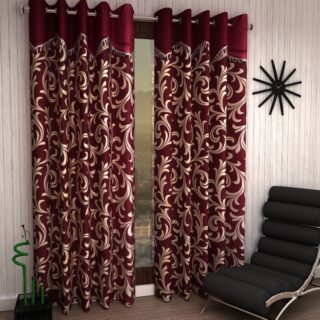 Home Sizzler 214 cm (7 ft) Polyester Semi Transparent Door Curtain (Pack Of 2)(Floral, Maroon)
Original price was: ₹1,199.00.₹399.00Current price is: ₹399.00.
Home Sizzler 214 cm (7 ft) Polyester Semi Transparent Door Curtain (Pack Of 2)(Floral, Maroon)
Original price was: ₹1,199.00.₹399.00Current price is: ₹399.00.
-
 Home Sizzler 153 cm (5 ft) Polyester Room Darkening Window Curtain (Pack Of 2)(Floral, Brown)
Original price was: ₹799.00.₹299.00Current price is: ₹299.00.
Home Sizzler 153 cm (5 ft) Polyester Room Darkening Window Curtain (Pack Of 2)(Floral, Brown)
Original price was: ₹799.00.₹299.00Current price is: ₹299.00.
-
 Stella Creations 214 cm (7 ft) Polyester Room Darkening Door Curtain (Pack Of 2)(Abstract, Brown)
Original price was: ₹1,299.00.₹449.00Current price is: ₹449.00.
Stella Creations 214 cm (7 ft) Polyester Room Darkening Door Curtain (Pack Of 2)(Abstract, Brown)
Original price was: ₹1,299.00.₹449.00Current price is: ₹449.00.
-
 Homefab India 152.5 cm (5 ft) Polyester Room Darkening Window Curtain (Pack Of 2)(Floral, Light Blue)
Original price was: ₹1,199.00.₹319.00Current price is: ₹319.00.
Homefab India 152.5 cm (5 ft) Polyester Room Darkening Window Curtain (Pack Of 2)(Floral, Light Blue)
Original price was: ₹1,199.00.₹319.00Current price is: ₹319.00.
-
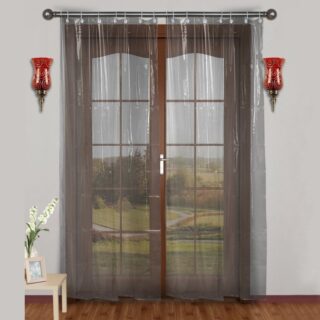 Urban Home 214 cm (7 ft) PVC Transparent Door Curtain Single Curtain(Solid, Off White)
Original price was: ₹699.00.₹203.00Current price is: ₹203.00.
Urban Home 214 cm (7 ft) PVC Transparent Door Curtain Single Curtain(Solid, Off White)
Original price was: ₹699.00.₹203.00Current price is: ₹203.00.
-
 Panipat Textile Hub 213 cm (7 ft) Polyester Door Curtain (Pack Of 2)(Solid, Brown)
Original price was: ₹1,199.00.₹349.00Current price is: ₹349.00.
Panipat Textile Hub 213 cm (7 ft) Polyester Door Curtain (Pack Of 2)(Solid, Brown)
Original price was: ₹1,199.00.₹349.00Current price is: ₹349.00.
-
 Home Sizzler 214 cm (7 ft) Polyester Semi Transparent Door Curtain (Pack Of 2)(Floral, Brown)
Original price was: ₹999.00.₹349.00Current price is: ₹349.00.
Home Sizzler 214 cm (7 ft) Polyester Semi Transparent Door Curtain (Pack Of 2)(Floral, Brown)
Original price was: ₹999.00.₹349.00Current price is: ₹349.00.
-
 Panipat Textile Hub 213 cm (7 ft) Polyester Semi Transparent Door Curtain (Pack Of 2)(Floral, Brown)
Original price was: ₹899.00.₹299.00Current price is: ₹299.00.
Panipat Textile Hub 213 cm (7 ft) Polyester Semi Transparent Door Curtain (Pack Of 2)(Floral, Brown)
Original price was: ₹899.00.₹299.00Current price is: ₹299.00.

A Smarter Home Doesn’t Have to Be Complicated!
Have you ever wished your home could take a few things off your to-do list? Imagine walking into a softly lit living room after work, adjusting your thermostat without getting off the couch, or checking whether you locked the front door while you’re already on your way to the grocery store. That’s the beauty of smart home technology.
The good news is that you don’t need an expensive renovation or a house full of complicated gadgets to enjoy these conveniences. A few well-chosen devices can help you save time, manage your home’s energy use, improve security, and make everyday routines a little more comfortable.
For homeowners and renters across the United States and Canada, smart home upgrades can be as simple as replacing a light bulb or adding a smart plug. Some devices work through a smartphone app, while others respond to voice commands, schedules, or motion sensors.
Here are 10 practical smart home ideas worth considering, whether you’re starting from scratch or looking to make your existing home more convenient.
1. Install Smart Lighting for Convenient, Personalized Illumination
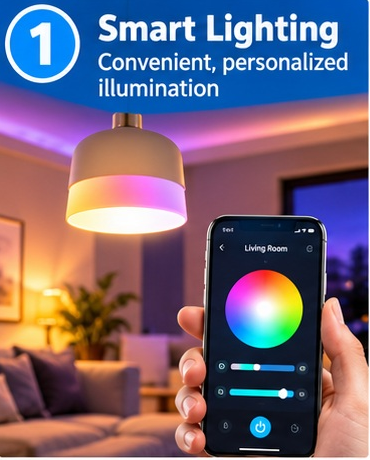
Smart lighting is one of the easiest ways to make your home feel more comfortable and convenient. Instead of walking around the house switching lights on and off, you can control compatible bulbs, switches, or light strips through a smartphone app, voice assistant, or automated schedule.
Imagine having your porch light turn on around sunset, your bedroom lights gradually dim before bedtime, and your kitchen lights switch on when you wake up. These small changes can make daily routines feel much smoother.
Many smart bulbs also offer adjustable brightness and different color temperatures. You can choose warm white lighting for a relaxing evening or brighter, cooler lighting for tasks such as cooking and reading. Some models include color options for holidays, parties, and special occasions.
How to get started: Replace a compatible bulb with a smart bulb, connect it to its manufacturer’s app, and follow the setup instructions. You can then create schedules or group several lights together.
If you rent your home, smart bulbs are particularly useful because they usually require no permanent installation. Just check that your existing fixtures and switches are compatible before buying.
2. Use a Smart Thermostat to Manage Home Comfort
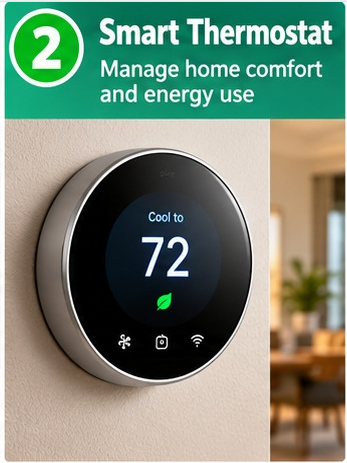
Heating and cooling can account for a substantial portion of household energy use, particularly in places with cold winters or hot summers. A smart thermostat can help you manage indoor temperatures more conveniently by adjusting heating and cooling according to your schedule and the features supported by your system.
For example, you could schedule a lower heating temperature while you’re away during a winter workday and have your home warm up before you return. During summer, you might schedule cooling to match your family’s routine rather than maintaining the same temperature all day.
Some smart thermostats offer remote controls, energy reports, learning features, and alerts when temperatures reach certain levels. Depending on the model, you may also be able to use room sensors to understand temperature differences around the house.
How to get started: Check your current heating and cooling system, thermostat wiring, and the manufacturer’s compatibility guide before purchasing a replacement. Installation requirements vary, and some systems may need professional assistance.
Remember that a smart thermostat doesn’t automatically guarantee lower energy bills. Your savings depend on your existing habits, local utility rates, weather, and how you configure the device. Start with a practical schedule and adjust it as you learn what works best.
3. Add a Robot Vacuum to Reduce Everyday Cleaning
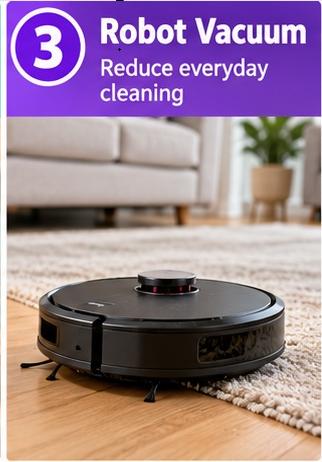
If vacuuming regularly feels like another chore competing for your attention, a robot vacuum may be worth considering. These devices can clean floors automatically according to a schedule, helping you keep dust, crumbs, and everyday debris under control between deeper cleaning sessions.
Many models can map rooms, clean selected areas, avoid certain obstacles, and return to their charging stations when their batteries run low. More advanced versions combine vacuuming with mopping or feature automatic dirt disposal. The available functions depend on the model and its price.
You could schedule a cleaning session while you’re at work, ask the vacuum to clean the kitchen after dinner, or start a quick run through the living room using an app.
How to get started: Choose a model suited to your flooring, carpets, home layout, and budget. Check whether it can handle thresholds, pet hair, and the obstacles commonly found in your home.
Before running it, pick up charging cables, loose toys, socks, and other items that could become tangled in the brushes. Keep pet waste and fragile objects out of its path.
A robot vacuum won’t replace every traditional cleaning task, but it can reduce the frequency of manual vacuuming. For busy households, that means spending less time on routine floor maintenance and more time doing something enjoyable.
4. Make Your Outlets Smarter With Smart Plugs
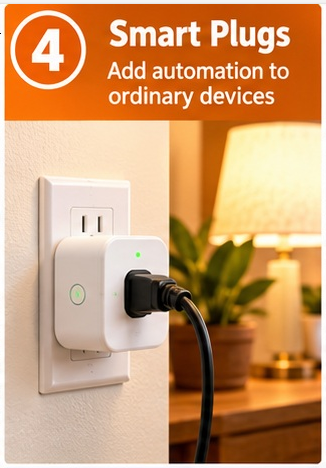
Smart plugs are a simple way to add basic automation to ordinary household devices without replacing them. You plug the smart plug into a compatible wall outlet, connect your appliance to it, and control the plug through an app or supported voice assistant.
For example, you might schedule a table lamp to switch on before sunset, turn a compatible fan on or off remotely, or automatically switch off a decorative light at bedtime. Some smart plugs also report energy consumption, helping you understand how much electricity a connected device uses.
This makes them an appealing starting point for people who want to explore smart home technology without spending much money.
How to get started: Choose a smart plug rated for your country’s electrical system and the appliance you plan to connect. Check the manufacturer’s instructions for maximum wattage, current limits, and supported devices.
One important detail: a smart plug generally controls the flow of electricity rather than the appliance’s individual functions. A plugged-in device must usually have a physical power switch that remains in the appropriate position.
Avoid using ordinary smart plugs with high-power appliances such as space heaters unless the manufacturer explicitly approves that particular use. Never use a smart plug to bypass an appliance’s built-in safety controls.
Start with low-power devices, create a schedule, and see how much easier your daily routine becomes.
5. Improve Home Security With Smart Cameras and Video Doorbells
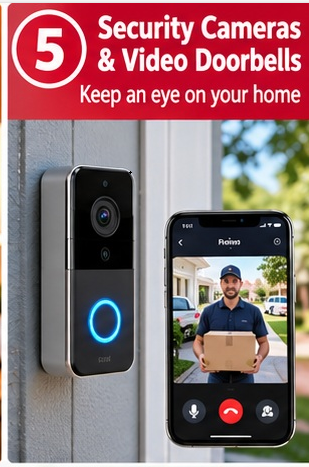
Smart security cameras and video doorbells can help you keep an eye on entrances, driveways, porches, and other areas around your home. Depending on the device, you may receive motion alerts, view live video, communicate with visitors, or review recorded footage through a smartphone app.
A video doorbell can be especially useful when a delivery arrives while you’re away. Some models let you speak to the delivery person remotely, while others provide package detection or recorded clips.
Indoor cameras may help you monitor specific areas, although privacy should always be considered. Outdoor cameras can provide additional visibility around entrances and pathways, especially when paired with suitable lighting.
How to get started: Decide which areas need monitoring and choose a camera with suitable video quality, weather resistance, night vision, and storage options. Some devices store footage locally, while others require a subscription for cloud recording or advanced features.
Protect your account with a strong, unique password and multifactor authentication when available. Install security updates, review who can access the footage, and avoid placing cameras where they unnecessarily record private spaces or neighboring properties.
Also check local privacy rules and any applicable rental or homeowners’ association requirements before installation. A smart camera is most useful when it provides practical visibility without creating unnecessary privacy concerns.
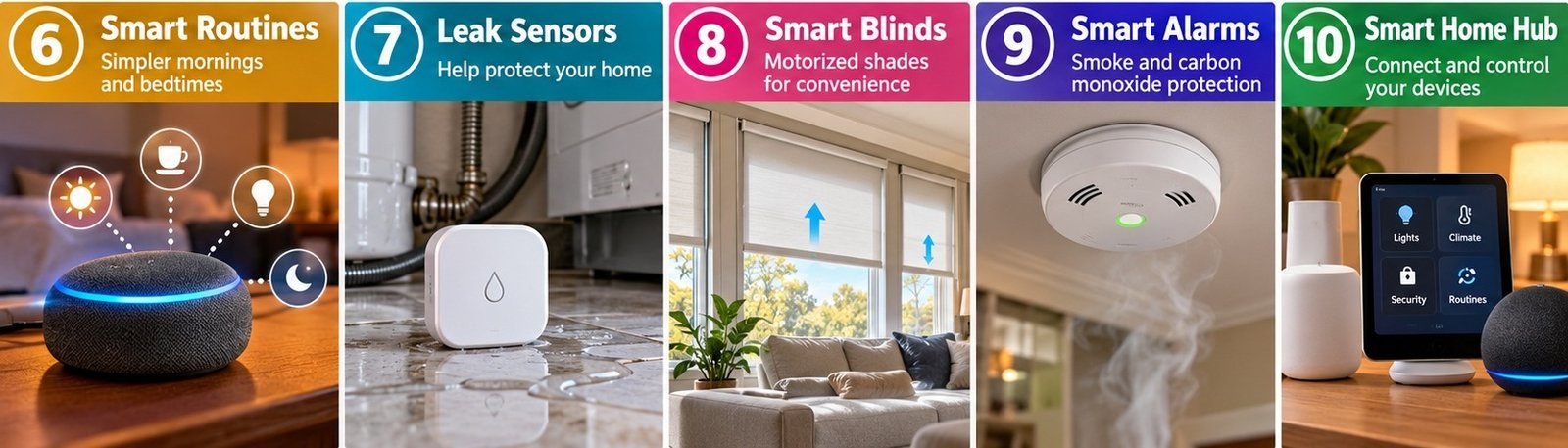
6. Create a Smarter Morning and Bedtime Routine
One of the most useful smart home ideas is connecting everyday tasks into a routine. Instead of controlling each device separately, you can use compatible automation features to make several things happen together.
For instance, a morning routine could switch on bedroom lights, announce the weather through a smart speaker, and turn on a compatible coffee maker if its manufacturer permits scheduled operation. An evening routine might dim the lights, lower the thermostat to a comfortable setting, and remind everyone that it’s time to prepare for bed.
Smart speakers, smartphone automation apps, and compatible home hubs can make these routines easier to manage. Some systems respond to voice commands, while others run automatically at a particular time or when a supported sensor detects an event.
How to get started: Choose one repetitive part of your day and identify the devices that could help. Open your smart home app and look for a feature called Routines, Automations, or Scenes. The name varies by platform.
Start with two or three actions rather than automating everything at once. Test the routine manually, check that each device responds correctly, and adjust the schedule if needed.
Be careful with routines that operate appliances, door locks, or security systems. Include safeguards where appropriate, and don’t automate anything in a way that could create a fire risk or compromise home security.
The goal isn’t to make your house do everything for you. It’s to remove small, repetitive tasks that interrupt your day.
7. Use Smart Leak Sensors to Help Protect Your Home
Water leaks can cause expensive damage when they go unnoticed. A small leak under a kitchen sink, behind a washing machine, or near a water heater may continue for hours before anyone discovers it.
Smart water leak sensors can provide an early warning. Many models detect water on the floor and send an alert to your phone. Some also sound a local alarm, making them useful even when you’re at home.
More advanced systems can connect to compatible automatic shutoff valves that stop the water supply when a leak is detected. These systems may be particularly useful for homeowners who travel frequently or live in areas where frozen pipes are a concern.
How to get started: Place sensors near common leak sources, such as under sinks, beside washing machines, near dishwashers, and around water heaters. Follow the manufacturer’s placement instructions and test each sensor regularly.
If you want automatic shutoff protection, confirm that the valve is compatible with your plumbing and that installation meets local requirements. Professional installation may be appropriate.
A sensor cannot prevent every type of water damage, and a notification is only helpful if someone can respond to it. Make sure alerts are enabled and that your phone can receive them reliably.
This is one smart home upgrade that focuses less on convenience and more on preventing a small household problem from becoming a major repair.
8. Add Smart Blinds or Motorized Window Shades
Opening and closing window coverings every day can become tedious, especially when you have several windows or hard-to-reach shades. Motorized blinds and smart shades make this task easier by allowing you to adjust them with a remote, smartphone app, voice command, or scheduled automation.
For example, you could schedule bedroom shades to open in the morning and close during the hottest part of a summer afternoon. In winter, you might open suitable south-facing shades during daylight hours to make use of available sunlight, then close them after sunset to help manage heat loss.
The actual benefits depend on your windows, insulation, climate, and the type of window covering you choose.
How to get started: Measure your windows carefully and decide whether you need a fully motorized replacement or a retrofit motor that works with your existing blinds. Check battery life, charging requirements, installation limitations, and smart home compatibility.
Some models connect directly to Wi-Fi or Bluetooth, while others require a separate hub. Confirm that the device supports your preferred platform before ordering.
If you rent, look for options that don’t require permanent changes to the window frame. Also check safety requirements for homes with children or pets, especially when existing window coverings have accessible cords.
Smart shades can add convenience, improve privacy, and help you manage natural light throughout the day. They’re particularly appealing when you want a more comfortable home without constantly adjusting every window manually.
9. Install a Smart Smoke or Carbon Monoxide Alarm
Safety deserves a place in any smart home plan. Compatible smart smoke and carbon monoxide alarms can provide alerts when you’re away from home, depending on the product and its connectivity features. Some models also identify the type or location of an alarm event through a connected app.
This can be helpful if you’re traveling, working in the backyard, or in another part of the house where you might not immediately hear a traditional alarm.
Carbon monoxide is an especially important consideration because it is an odorless, potentially deadly gas. Homes with fuel-burning appliances or attached garages should have appropriate carbon monoxide protection as required by local guidance and building codes.
How to get started: Check your existing alarms, their age, power source, and the manufacturer’s replacement recommendations. Choose products that meet the applicable safety standards in your country and follow local requirements for alarm placement.
Some smart alarms replace existing units, while others offer compatible add-on listening or notification devices. Make sure the chosen product works with your setup.
Never remove or disable a required smoke or carbon monoxide alarm simply to make room for a smart device. Keep alarms maintained, test them as directed, and replace batteries or entire units when necessary.
A smart notification is an additional layer of awareness, not a substitute for a functioning alarm. For life-safety equipment, prioritize certified products, reliable operation, and correct installation over extra app features.
10. Build a Connected Smart Home With a Compatible Hub
As you add smart bulbs, sensors, plugs, locks, and thermostats, managing everything through separate apps can become frustrating. A compatible smart home hub or platform can bring supported devices together, making it easier to control them and create coordinated automations.
Depending on your setup, you might use Apple Home, Google Home, Amazon Alexa, Samsung SmartThings, or another supported platform. Some devices work directly over Wi-Fi, while others use technologies such as Thread or Zigbee and may require a compatible hub.
The Matter smart home standard can also improve compatibility among supported devices and platforms, although not every product supports Matter or every feature offered by its manufacturer.
How to get started: Before purchasing new gadgets, decide which ecosystem you want to use most often. Check whether your smartphone, speakers, existing devices, and preferred automation features work with that platform.
Look for the appropriate compatibility labels on product packaging and verify the manufacturer’s specifications. Don’t assume that every device carrying a familiar brand name will work with every hub.
Start by connecting a few essential devices, such as lighting, a thermostat, and a motion sensor. Create a simple automation, then expand your setup as your needs become clearer.
Also review device updates, account security, internet requirements, and what happens if your Wi-Fi connection goes down.
A well-planned smart home is not necessarily the one with the most gadgets. It’s the one in which your devices work together reliably and make your everyday routines easier to manage.
Conclusion: Start Small and Make Your Home Work for You
Creating a smarter home doesn’t have to mean buying every new gadget on the market. A smart plug, a few connected lights, or a robot vacuum may be enough to make your daily routine noticeably more convenient.
The best approach is to identify the tasks that take up your time or cause the most frustration. If you’re constantly adjusting the thermostat, consider smart climate controls. If you forget to switch off lights, explore lighting schedules. If you’re concerned about leaks or home security, prioritize devices that address those specific needs.
Before buying anything, check compatibility, installation requirements, privacy settings, and ongoing subscription costs. For households in the United States and Canada, it’s also worth checking local electrical requirements and whether a device works with your existing home systems.
My advice? Start with one useful upgrade, live with it for a few weeks, and add more only when there’s a clear benefit. Smart home technology should make your life simpler, not give you another collection of apps and settings to manage.
Disclaimer
This article is for general informational purposes only. Smart home features, compatibility, installation requirements, and costs vary by product and location. Always follow manufacturer instructions and applicable local safety codes. Smart devices do not guarantee energy savings, prevent all damage, or replace essential safety equipment.

- How to Fix Wi-Fi Disconnecting Automatically on Windows 11

- How to Remotely Control Another Computer Using Windows Quick Assist

- 5 Must-Have Electronics Gadgets for a More Comfortable Living Room

- How to Create a Windows 11 System Backup on an External Hard Drive

- 10 Smart Home Ideas That Make Everyday Life Easier

Products
-
 Samsung Galaxy S26 Ultra Unlocked Android Smartphone, 256GB, Black, Privacy Display, 200MP Camera, 5000mAh Battery, US 1 Year Warranty
-
![Apple Watch Ultra 3 [GPS + Cellular 49mm] Running & Multisport Smartwatch w/Rugged Titanium Case w/Black Titanium Milanese Loop - M. Satellite Communications, Advanced Health & Fitness Tracking](https://bazaronweb.com/retailstores/wp-content/uploads/2025/09/apple-watch-320x320.jpg) Apple Watch Ultra 3 [GPS + Cellular 49mm] Running & Multisport Smartwatch w/Rugged Titanium Case w/Black Titanium Milanese Loop - M. Satellite Communications, Advanced Health & Fitness Tracking
Apple Watch Ultra 3 [GPS + Cellular 49mm] Running & Multisport Smartwatch w/Rugged Titanium Case w/Black Titanium Milanese Loop - M. Satellite Communications, Advanced Health & Fitness Tracking
-
 Apple iPad mini (A17 Pro): Apple Intelligence, 8.3-inch Liquid Retina Display, 256GB, Wi-Fi 6E, 12MP Front/12MP Back Camera, Touch ID, All-Day Battery Life — Purple
-
 Apple AirPods Max Wireless Over-Ear Headphones, Active Noise Cancelling, Transparency Mode, Personalized Spatial Audio, Dolby Atmos, Bluetooth Headphones for iPhone – Space Gray
-
 Apple AirPods Pro 2 Wireless Earbuds, Active Noise Cancellation, Hearing Aid Feature, Bluetooth Headphones, Transparency, Personalized Spatial Audio, High-Fidelity Sound, H2 Chip, USB-C Charging
Leave a Reply