Category
Popular Articles
- AI (20)
- Air Tag (1)
- Android (53)
- App Suggest (13)
- Apple (42)
- Apple TV (4)
- Bluetooth (3)
- Cars (2)
- ChatGpt (1)
- Chrome (3)
- Did you know? (1)
- E-Commerce News (1)
- Ecommerce Websites business (7)
- Electronics Shopping (5)
- Fashion Tips (3)
- Gaming (7)
- Google Gemini (3)
- Hair Care Tips (2)
- How to (13)
- iCloud (1)
- Infotainment System (1)
- Iphone (159)
- Job Posting (1)
- Lifestyle (3)
- Mac (27)
- Mobile Games (1)
- Netflix (1)
- Online Shopping Websites (2)
- Personal Finance Management (3)
- Product Reviews (3)
- Roku TV (4)
- Samsung (10)
- Shopping Tips (13)
- Spotify (1)
- Tech (162)
- VPN (2)
- Windows 11 (103)
- Youtube (1)
- Zero Waste (3)
Discounted Products
-

Leo Creation 144 TC Cotton Double Jaipuri Prints Flat Bedsheet(Pack of 1, Blue, Gree, Red, Grey, Light Grey)
₹2,999.00Original price was: ₹2,999.00.₹329.00Current price is: ₹329.00. -
Home Garage 210 TC Cotton King Floral Fitted (Elastic) Bedsheet(Pack of 1, Grey)
₹999.00Original price was: ₹999.00.₹299.00Current price is: ₹299.00. -

Goodrik 140 TC Cotton Double 3D Printed Flat Bedsheet(Pack of 1, Brown)
₹499.00Original price was: ₹499.00.₹229.00Current price is: ₹229.00. -

GLOBALSHOP 350 TC Microfiber Double Floral Flat Bedsheet(Pack of 1, Multicolor)
₹1,250.00Original price was: ₹1,250.00.₹263.00Current price is: ₹263.00. -

RisingStar 250 TC Microfiber King Printed Fitted (Elastic) Bedsheet(Pack of 1, FITTED-ROUND-CIRCLES-PREMIUM)
₹2,299.00Original price was: ₹2,299.00.₹299.00Current price is: ₹299.00. -

Home Garage 210 TC Cotton King Floral Fitted (Elastic) Bedsheet(Pack of 1, Fitted Black Green)
₹1,299.00Original price was: ₹1,299.00.₹299.00Current price is: ₹299.00. -

Home Garage 180 TC Cotton King 3D Printed Flat Bedsheet(Pack of 1, White)
₹999.00Original price was: ₹999.00.₹229.00Current price is: ₹229.00. -

Home Sizzler 153 cm (5 ft) Polyester Room Darkening Window Curtain (Pack Of 2)(Floral, Maroon)
₹799.00Original price was: ₹799.00.₹299.00Current price is: ₹299.00. -

Panipat Textile Hub 152.4 cm (5 ft) Polyester Window Curtain (Pack Of 2)(Solid, Aqua)
₹1,899.00Original price was: ₹1,899.00.₹299.00Current price is: ₹299.00. -
Home Sizzler 214 cm (7 ft) Polyester Semi Transparent Door Curtain (Pack Of 2)(Floral, Maroon)
₹1,199.00Original price was: ₹1,199.00.₹399.00Current price is: ₹399.00. -

Home Sizzler 153 cm (5 ft) Polyester Room Darkening Window Curtain (Pack Of 2)(Floral, Brown)
₹799.00Original price was: ₹799.00.₹299.00Current price is: ₹299.00. -

Stella Creations 214 cm (7 ft) Polyester Room Darkening Door Curtain (Pack Of 2)(Abstract, Brown)
₹1,299.00Original price was: ₹1,299.00.₹449.00Current price is: ₹449.00. -

Homefab India 152.5 cm (5 ft) Polyester Room Darkening Window Curtain (Pack Of 2)(Floral, Light Blue)
₹1,199.00Original price was: ₹1,199.00.₹319.00Current price is: ₹319.00. -

Urban Home 214 cm (7 ft) PVC Transparent Door Curtain Single Curtain(Solid, Off White)
₹699.00Original price was: ₹699.00.₹203.00Current price is: ₹203.00. -

Panipat Textile Hub 213 cm (7 ft) Polyester Door Curtain (Pack Of 2)(Solid, Brown)
₹1,199.00Original price was: ₹1,199.00.₹349.00Current price is: ₹349.00.
Affiliate Links
Promotion
Hi, I’m Jessica, and I never thought I would care about something called an “Internet Kill Switch” until one evening when my laptop started behaving strangely during an online banking session. Pages were freezing, random tabs attempted to open, and my Wi-Fi activity light kept blinking aggressively even after I closed my browser. My first instinct was panic. I unplugged the Ethernet cable and disabled Wi-Fi immediately because I did not want anything transmitting data from my system. Later, while researching network protection methods, I learned that what I had manually done is essentially what an Internet Kill Switch is designed for.
An Internet Kill Switch acts like a digital emergency brake. It allows you to instantly disconnect your computer or network from the internet whenever suspicious activity, hacking attempts, malware behavior, or privacy concerns appear. Many people associate kill switches only with VPN software, but the concept goes much deeper. It can protect personal data, stop malware communication, prevent leaks, and even help businesses isolate infected systems before damage spreads.
In a world where cyberattacks, phishing scams, spyware, and unauthorized access attempts are becoming increasingly common, understanding how an Internet Kill Switch works can help you respond faster and smarter during a digital emergency. Whether you are a casual home user, gamer, remote worker, or business owner, this simple feature can become one of the most important security tools you use.
Understanding What an Internet Kill Switch Actually Means
An Internet Kill Switch is a security mechanism designed to instantly cut off internet connectivity whenever a specific condition is triggered. Most commonly, it is associated with VPN services that automatically disconnect internet access if the VPN connection drops unexpectedly. However, the broader concept includes manual and automated systems that stop all internet traffic during emergencies or suspicious network activity.
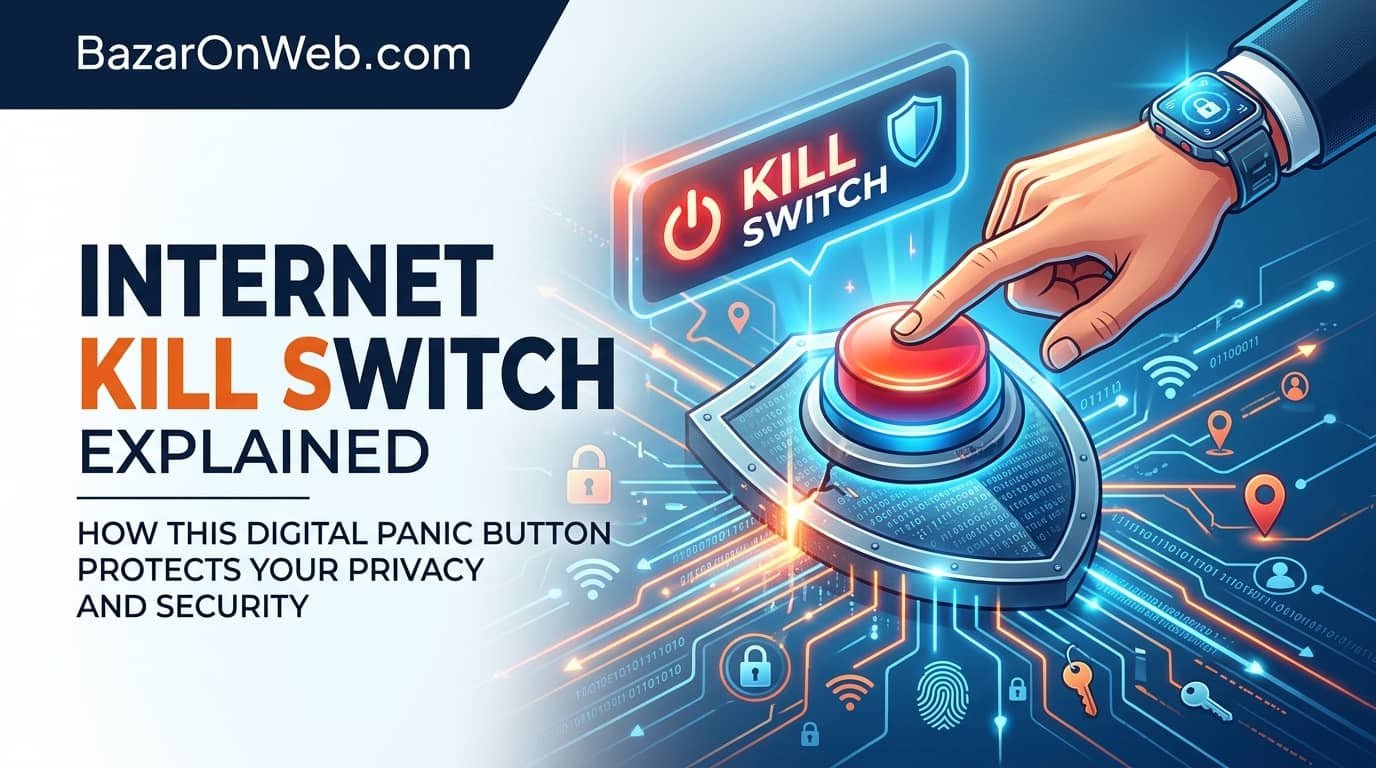
Think of it as a digital panic button. Instead of physically unplugging your Ethernet cable or turning off your router, the kill switch performs the same action electronically and often much faster. It can immediately prevent outgoing and incoming network communication. This matters because many cyber threats operate within seconds. Malware can upload stolen files rapidly, spyware can transmit personal information silently, and hackers can maintain remote access if a connection remains active.
The main purpose of a kill switch is containment. Once suspicious activity is detected, cutting the connection reduces the chances of data leakage, ransomware communication, remote control access, or credential theft. Some advanced systems can even isolate specific applications while allowing trusted traffic to continue functioning.
Many cybersecurity professionals recommend having some type of emergency network cutoff strategy because reaction speed matters during security incidents. Whether the threat comes from phishing attacks, suspicious downloads, public Wi-Fi exposure, or unauthorized remote access, a kill switch creates an immediate barrier between your device and the outside internet. That extra layer of control can significantly reduce damage during unexpected cyber events.
How an Internet Kill Switch Works Behind the Scenes
Most people imagine a kill switch as a simple on-and-off button, but the technology behind it can be surprisingly sophisticated. At its core, the system monitors network conditions and enforces rules that determine when internet connectivity should stop. Depending on the software or hardware involved, this process can happen automatically or manually.
In VPN applications, the kill switch constantly checks whether the encrypted VPN tunnel remains active. If the secure connection fails due to server issues, weak Wi-Fi, software crashes, or ISP interruptions, the kill switch instantly blocks internet traffic. Without this protection, your real IP address and unencrypted traffic could become exposed.
On operating systems and enterprise networks, kill switches may operate through firewall rules. These rules can disable adapters, block outgoing packets, terminate active sessions, or isolate devices from the network. Some advanced corporate systems integrate artificial intelligence or intrusion detection systems that trigger isolation automatically when abnormal behavior appears.
Hardware-based solutions can also exist. Businesses sometimes deploy network isolation switches that physically cut internet access for critical systems. Some organizations even maintain emergency offline modes for servers handling sensitive data.
For everyday users, the process usually feels seamless. The internet suddenly stops working when danger or connection failure is detected. Although it may seem inconvenient temporarily, that interruption is often preventing sensitive information from being exposed. The effectiveness of a kill switch depends largely on how quickly it reacts and whether it blocks all possible data transmission channels before information leaves the device or network environment.
Why Internet Kill Switches Matter in Modern Cybersecurity
Cybersecurity threats have evolved dramatically over the past decade. Hackers no longer rely only on obvious viruses that visibly damage systems. Modern threats often work silently in the background while collecting passwords, financial details, browsing habits, emails, and sensitive business information. This is one of the biggest reasons Internet Kill Switches have become increasingly important.
When suspicious activity begins, every second matters. Malware may try connecting to external command-and-control servers. Ransomware can communicate encryption keys to remote attackers. Spyware might upload screenshots or stored credentials. If internet connectivity remains active, the attack often continues spreading or transmitting information without interruption.
A kill switch interrupts this communication channel immediately. By disconnecting the system from the internet, you reduce the attacker’s ability to control, monitor, or exploit the device further. Even if the malware remains present temporarily, preventing communication with external servers can slow or stop the attack’s progression.
Privacy protection is another major reason these systems matter. VPN users rely heavily on kill switches to avoid accidental exposure of their real IP addresses. Journalists, remote workers, researchers, and travelers frequently use unsecured public Wi-Fi networks where connection instability can expose data unexpectedly.
Businesses also benefit enormously from network isolation capabilities. If one workstation becomes compromised, isolating it quickly may prevent the infection from spreading across the organization. This containment strategy can save companies from large-scale operational disruptions and financial losses.
In many situations, an Internet Kill Switch acts as a final emergency safeguard when preventive defenses fail or when users need immediate control during uncertain network conditions.
Different Types of Internet Kill Switch Systems Available Today
Internet Kill Switch technology exists in several different forms, and each serves unique purposes depending on the environment and level of security required. Understanding these variations helps users choose the right protection method for personal or professional use.
The most common type is the VPN kill switch. This feature automatically blocks internet access whenever the VPN disconnects unexpectedly. It is widely used by people who prioritize privacy, secure browsing, or geo-restricted access. Many premium VPN providers include this feature because it prevents accidental exposure of unencrypted traffic.
Operating system-based kill switches are another category. These can be configured through firewall settings, network management tools, or security applications. Advanced users often create custom rules that instantly disable internet communication during specific security events or suspicious activity.
Hardware kill switches provide even stronger isolation. Some routers, network appliances, and enterprise systems include dedicated buttons or physical controls that cut external connectivity completely. These are especially useful in high-security environments where rapid response is essential.
There are also application-specific kill switches. Instead of disconnecting the entire system, they only terminate internet access for selected applications. For example, torrent software, browsers, or remote desktop tools can be isolated individually while other services continue functioning.
Enterprise-grade security systems sometimes include automated network segmentation and device isolation tools. These solutions monitor network behavior continuously and disconnect compromised devices automatically when unusual traffic patterns appear.
Each type offers different levels of convenience, flexibility, and protection. Choosing the right solution depends on how sensitive your data is and how quickly you may need to respond during a security event.
Using an Internet Kill Switch During Suspicious Network Activity
One of the most practical uses of an Internet Kill Switch is responding quickly when something feels wrong on your network or device. Many cyberattacks begin with subtle warning signs that users often ignore until significant damage occurs. Recognizing those signs early and disconnecting immediately can limit the consequences dramatically.
Suppose you notice your browser opening strange pages automatically, your antivirus issuing alerts repeatedly, or your network activity indicator blinking continuously despite no active downloads. In such situations, disconnecting from the internet becomes a smart defensive action. A kill switch allows you to do this instantly without navigating complicated settings menus.
Remote access attacks are another example. If your cursor moves unexpectedly, applications open without your input, or system settings change mysteriously, disconnecting the network immediately can interrupt unauthorized remote control sessions. This buys valuable time to investigate the issue safely.
Businesses often use network isolation during suspected ransomware incidents. The moment abnormal encryption activity or unauthorized file access is detected, affected systems can be disconnected from the network to stop lateral movement. This containment strategy can protect shared drives and critical infrastructure.
Even home users benefit during phishing incidents. If you accidentally click a suspicious link or download a questionable attachment, disconnecting immediately may stop malware from contacting external servers.
While a kill switch is not a replacement for antivirus software or good cybersecurity habits, it provides rapid emergency control. Sometimes, the ability to stop internet communication instantly can prevent a minor incident from becoming a major security disaster.
How Internet Kill Switches Improve Privacy Protection
Privacy concerns have become a major issue in the digital age. Websites track browsing behavior, advertisers collect user activity, applications gather background data, and public networks often expose users to surveillance risks. An Internet Kill Switch adds an extra layer of privacy by preventing unintended data exposure during vulnerable moments.
VPN users especially benefit from this feature. When a VPN connection drops unexpectedly, devices normally reconnect to the internet using the regular ISP connection. This can expose the user’s real IP address, browsing habits, and geographic location. A kill switch prevents this automatic exposure by cutting internet access until the secure VPN tunnel reconnects.
People working remotely also face privacy risks. Employees handling confidential documents or sensitive company communications may unknowingly use unstable or insecure Wi-Fi networks. If the encrypted connection fails temporarily, confidential data could leak without the user realizing it. The kill switch acts as a safety barrier against accidental exposure.
Journalists, activists, researchers, and travelers frequently rely on kill switches while accessing the internet in high-risk environments. In countries with aggressive monitoring or censorship systems, maintaining privacy and avoiding accidental leaks becomes extremely important.
Some applications continuously transmit telemetry or background analytics. Advanced users sometimes configure application-specific kill switches to restrict network access whenever suspicious or unauthorized communication occurs.
Although privacy tools cannot guarantee complete anonymity, combining secure browsing practices with a reliable kill switch greatly reduces the likelihood of accidental exposure. It creates a controlled environment where internet communication only occurs under secure and approved conditions.
The Difference Between Manual and Automatic Kill Switches
Internet Kill Switches generally operate in two primary ways: manual activation and automatic triggering. Both methods provide useful protection, but they serve slightly different purposes depending on user needs and the type of threat being addressed.
A manual kill switch functions exactly like a panic button. The user activates it intentionally whenever suspicious activity appears or when internet disconnection becomes necessary. This approach offers direct control and works well for users who want immediate isolation during uncertain situations. Physically disabling Wi-Fi, unplugging Ethernet cables, or pressing a dedicated disconnect button are all forms of manual kill switch behavior.
Automatic kill switches work differently. Instead of waiting for user action, they continuously monitor predefined conditions. If the VPN disconnects, firewall rules fail, unusual traffic patterns appear, or intrusion detection systems identify threats, the system disconnects internet access automatically. This method is particularly useful because many cyber incidents happen too quickly for manual responses alone.
Automatic systems are popular in enterprise cybersecurity environments where constant monitoring is essential. Businesses often deploy automated isolation tools to contain infections before they spread across networks. Meanwhile, individual users commonly encounter automatic kill switches through VPN applications.
The main advantage of manual systems is user flexibility. You decide exactly when to disconnect. Automatic systems provide faster reaction times and reduce the risk of human hesitation or oversight.
Many advanced security setups combine both methods. Users maintain manual emergency control while automated systems monitor network conditions continuously in the background for immediate threat response.
Common Situations Where an Internet Kill Switch Can Be Extremely Useful
Many people assume Internet Kill Switches are only useful for cybersecurity professionals or advanced computer users, but everyday scenarios can make this feature incredibly valuable. In reality, there are numerous practical situations where instant internet disconnection becomes important.
Public Wi-Fi usage is one common example. Coffee shops, airports, hotels, and shared workspaces often have insecure networks vulnerable to monitoring or malicious activity. If you notice suspicious login prompts, unusual redirects, or repeated connection instability, activating a kill switch can prevent potential exposure.
Online banking sessions are another critical situation. If your browser freezes unexpectedly or suspicious pop-ups appear while handling financial transactions, disconnecting immediately can reduce the chances of credential theft or unauthorized access attempts.
Gamers and streamers also use kill switches occasionally. Distributed Denial-of-Service attacks can target gaming sessions or live streams. Quickly disconnecting the network may help protect accounts or systems temporarily while investigating the issue.
Remote workers handling confidential business data benefit significantly from rapid isolation options. If ransomware indicators or phishing attacks appear, disconnecting immediately can prevent sensitive company information from leaving the system.
Parents may even use simplified kill switch setups for digital safety management. Temporarily disabling internet access during inappropriate online behavior or suspicious application activity can provide immediate control.
Travelers frequently rely on internet isolation tools when connecting to unfamiliar networks abroad. Whether facing privacy concerns, fake hotspots, or suspicious connection requests, the ability to cut internet access instantly adds an important layer of protection and peace of mind.
Limitations and Misconceptions About Internet Kill Switches
Although Internet Kill Switches are powerful security tools, they are not magical solutions that eliminate every cybersecurity threat. Many users misunderstand their capabilities and assume that simply enabling a kill switch guarantees complete safety. Understanding the limitations is important for realistic protection expectations.
A kill switch primarily controls internet connectivity. It cannot remove malware already installed on a device, repair compromised files, or stop local system damage occurring offline. If ransomware has already begun encrypting files locally, disconnecting the internet may limit communication with attackers but will not necessarily reverse ongoing encryption immediately.
Some users also believe kill switches provide total anonymity online. While they help prevent accidental exposure during connection failures, they do not erase browsing fingerprints, device identifiers, or poor security practices. Additional measures such as secure passwords, antivirus protection, multi-factor authentication, and cautious browsing remain essential.
Improperly configured kill switches can create problems too. Incomplete firewall rules or software bugs may leave small communication gaps that still allow data transmission. This is why testing and reliable software matter significantly.
Another misconception is that only VPN users need kill switches. In reality, anyone concerned about cybersecurity, suspicious activity, or network privacy can benefit from rapid disconnection capabilities. The broader concept extends far beyond VPN applications.
Convenience can also become an issue. Aggressive automatic disconnections may interrupt downloads, online meetings, cloud backups, or remote work sessions. Users need balanced configurations that provide protection without causing unnecessary disruptions during normal internet usage.
Why an Internet Kill Switch Is Becoming Essential for Everyday Users
The internet has become deeply integrated into everyday life. People work remotely, manage finances online, store personal photos in cloud systems, communicate through messaging platforms, and connect smart devices throughout their homes. As digital dependence grows, so does the importance of rapid response tools like Internet Kill Switches.
Cybercriminals increasingly target ordinary users instead of only large corporations. Phishing emails, fake software updates, malicious browser extensions, spyware, and public Wi-Fi attacks affect millions of individuals every year. Many victims do not realize something is wrong until sensitive information has already been compromised.
An Internet Kill Switch gives users immediate control during uncertain situations. Instead of scrambling through settings menus or physically disconnecting hardware, one action can isolate the system instantly. This speed matters because modern cyber threats often operate automatically and communicate with remote servers within seconds.
The growing popularity of remote work also increases exposure risks. Employees regularly access corporate systems from home networks, hotels, airports, and cafes. A reliable kill switch can prevent accidental data exposure during unstable or compromised connections.
Smart homes create additional concerns. Devices such as cameras, smart TVs, voice assistants, and IoT appliances continuously connect to the internet. If unusual activity appears, rapidly disconnecting the network can help prevent unauthorized communication or privacy breaches.
As cybersecurity threats become more sophisticated, tools that once seemed optional are gradually becoming practical necessities. An Internet Kill Switch is no longer only for advanced users. It is evolving into a simple but powerful digital safety feature for modern internet-connected life.
Disclaimer
This article is for informational and educational purposes only. Cybersecurity practices, software configurations, and network protection methods may vary depending on devices, operating systems, VPN services, routers, and enterprise environments. Readers should consult qualified cybersecurity professionals or official software documentation before implementing advanced network security measures or firewall configurations. The information provided does not guarantee complete protection against cyber threats, malware, hacking attempts, or data breaches.
Written by Bazaronweb
Latest Tech Articles
- Internet Kill Switch Explained: How This Digital Panic Button Protects Your Privacy and Security

- How to Disable Hyper-V in Windows 11 to Improve Performance and Avoid Virtualization Conflicts

- How to Check Your Phone’s Real Charging Speed and Understand Fast Charging Performance

- How to Update Audio Drivers in Windows 11 for Better Sound Performance and Stability

- How to Open DMG Files on Windows Easily Using Safe and Reliable Methods

Products
-
Apple Watch Ultra 3 [GPS + Cellular 49mm] Running & Multisport Smartwatch w/Rugged Titanium Case w/Black Titanium Milanese Loop - M. Satellite Communications, Advanced Health & Fitness Tracking
-

Apple iPad mini (A17 Pro): Apple Intelligence, 8.3-inch Liquid Retina Display, 256GB, Wi-Fi 6E, 12MP Front/12MP Back Camera, Touch ID, All-Day Battery Life — Purple
-

Apple AirPods Max Wireless Over-Ear Headphones, Active Noise Cancelling, Transparency Mode, Personalized Spatial Audio, Dolby Atmos, Bluetooth Headphones for iPhone – Space Gray
-

Apple AirPods Pro 2 Wireless Earbuds, Active Noise Cancellation, Hearing Aid Feature, Bluetooth Headphones, Transparency, Personalized Spatial Audio, High-Fidelity Sound, H2 Chip, USB-C Charging
-
Leo Creation 144 TC Cotton Double Jaipuri Prints Flat Bedsheet(Pack of 1, Blue, Gree, Red, Grey, Light Grey)
₹2,999.00Original price was: ₹2,999.00.₹329.00Current price is: ₹329.00.
Leave a Reply