Category
Popular Articles
- AI (20)
- Air Tag (1)
- Android (53)
- App Suggest (13)
- Apple (42)
- Apple TV (4)
- Bluetooth (3)
- Cars (2)
- ChatGpt (1)
- Chrome (3)
- Did you know? (1)
- E-Commerce News (1)
- Ecommerce Websites business (7)
- Electronics Shopping (5)
- Fashion Tips (3)
- Gaming (7)
- Google Gemini (3)
- Hair Care Tips (2)
- How to (13)
- iCloud (1)
- Infotainment System (1)
- Iphone (154)
- Job Posting (1)
- Lifestyle (3)
- Mac (27)
- Mobile Games (1)
- Netflix (1)
- Online Shopping Websites (2)
- Personal Finance Management (3)
- Product Reviews (3)
- Roku TV (4)
- Samsung (10)
- Shopping Tips (13)
- Spotify (1)
- Tech (162)
- VPN (2)
- Windows 11 (92)
- Youtube (1)
- Zero Waste (3)
Discounted Products
-

Leo Creation 144 TC Cotton Double Jaipuri Prints Flat Bedsheet(Pack of 1, Blue, Gree, Red, Grey, Light Grey)
₹2,999.00Original price was: ₹2,999.00.₹329.00Current price is: ₹329.00. -
Home Garage 210 TC Cotton King Floral Fitted (Elastic) Bedsheet(Pack of 1, Grey)
₹999.00Original price was: ₹999.00.₹299.00Current price is: ₹299.00. -

Goodrik 140 TC Cotton Double 3D Printed Flat Bedsheet(Pack of 1, Brown)
₹499.00Original price was: ₹499.00.₹229.00Current price is: ₹229.00. -

GLOBALSHOP 350 TC Microfiber Double Floral Flat Bedsheet(Pack of 1, Multicolor)
₹1,250.00Original price was: ₹1,250.00.₹263.00Current price is: ₹263.00. -

RisingStar 250 TC Microfiber King Printed Fitted (Elastic) Bedsheet(Pack of 1, FITTED-ROUND-CIRCLES-PREMIUM)
₹2,299.00Original price was: ₹2,299.00.₹299.00Current price is: ₹299.00. -

Home Garage 210 TC Cotton King Floral Fitted (Elastic) Bedsheet(Pack of 1, Fitted Black Green)
₹1,299.00Original price was: ₹1,299.00.₹299.00Current price is: ₹299.00. -

Home Garage 180 TC Cotton King 3D Printed Flat Bedsheet(Pack of 1, White)
₹999.00Original price was: ₹999.00.₹229.00Current price is: ₹229.00. -

Home Sizzler 153 cm (5 ft) Polyester Room Darkening Window Curtain (Pack Of 2)(Floral, Maroon)
₹799.00Original price was: ₹799.00.₹299.00Current price is: ₹299.00. -

Panipat Textile Hub 152.4 cm (5 ft) Polyester Window Curtain (Pack Of 2)(Solid, Aqua)
₹1,899.00Original price was: ₹1,899.00.₹299.00Current price is: ₹299.00. -
Home Sizzler 214 cm (7 ft) Polyester Semi Transparent Door Curtain (Pack Of 2)(Floral, Maroon)
₹1,199.00Original price was: ₹1,199.00.₹399.00Current price is: ₹399.00. -

Home Sizzler 153 cm (5 ft) Polyester Room Darkening Window Curtain (Pack Of 2)(Floral, Brown)
₹799.00Original price was: ₹799.00.₹299.00Current price is: ₹299.00. -

Stella Creations 214 cm (7 ft) Polyester Room Darkening Door Curtain (Pack Of 2)(Abstract, Brown)
₹1,299.00Original price was: ₹1,299.00.₹449.00Current price is: ₹449.00. -

Homefab India 152.5 cm (5 ft) Polyester Room Darkening Window Curtain (Pack Of 2)(Floral, Light Blue)
₹1,199.00Original price was: ₹1,199.00.₹319.00Current price is: ₹319.00. -

Urban Home 214 cm (7 ft) PVC Transparent Door Curtain Single Curtain(Solid, Off White)
₹699.00Original price was: ₹699.00.₹203.00Current price is: ₹203.00. -

Panipat Textile Hub 213 cm (7 ft) Polyester Door Curtain (Pack Of 2)(Solid, Brown)
₹1,199.00Original price was: ₹1,199.00.₹349.00Current price is: ₹349.00.
Affiliate Links
Promotion
Hi, I’m Jessica, and I still remember the mini panic attack I had when I couldn’t find my keys one hectic morning. I retraced my steps, checked every corner of my house, and even blamed my kids before realizing I might have dropped them outside. That’s when I truly appreciated the power of Apple’s AirTag—but more importantly, I learned that simply owning an AirTag isn’t enough. You need to know how to use its Lost Mode properly to maximize your chances of getting your item back.
If you’ve ever misplaced something valuable, you know how stressful it can be. The good news is that AirTag comes with a smart feature that allows anyone who finds your lost item to contact you directly—if you set it up correctly. By marking your AirTag as lost and adding your contact details like phone number and email, you create a direct line of communication with the finder.
In this guide, I’ll walk you through everything you need to know about marking your AirTag as lost, adding your contact information, and ensuring a smooth recovery process. Whether you’re new to AirTags or just want to make sure you’re using them effectively, this guide will help you stay prepared.
Understanding How AirTag Lost Mode Works
AirTag Lost Mode is one of the most powerful features designed to help users recover lost belongings efficiently. When enabled, it transforms your AirTag into a smart recovery tool that actively communicates with the broader Apple network. This means that when someone with an Apple device comes near your lost item, its location can be updated anonymously and securely.
Once Lost Mode is activated, your AirTag is marked as “lost” within the Find My network. This allows you to receive notifications when its location is detected. The system works passively in the background, leveraging millions of Apple devices worldwide without compromising privacy. It’s important to understand that this feature doesn’t track people—it only helps locate your tagged item.
Additionally, Lost Mode enables a special feature using NFC technology. If someone finds your item and taps the AirTag with their smartphone, they can view your contact information and reach out to you. This is why setting up accurate details is crucial. Without them, even if someone finds your item, they may have no way to return it.
Understanding this system is the first step toward using AirTag effectively. It’s not just about tracking—it’s about enabling recovery through communication and smart technology.
When You Should Mark Your AirTag as Lost
Knowing when to activate Lost Mode is just as important as knowing how to use it. Many users hesitate, hoping their item will turn up soon, but delaying can reduce your chances of recovery. The moment you suspect your item is genuinely lost—not just misplaced—you should activate Lost Mode immediately.
For example, if you’ve left your bag in a public place or dropped your keys while traveling, time becomes critical. The sooner your AirTag is marked as lost, the faster it can start interacting with nearby Apple devices to update its location. Waiting too long might mean missing valuable tracking opportunities.
Another scenario where Lost Mode is useful is when your item is stationary but unreachable, such as being left in a taxi or public transport. Even if the item is not moving, Lost Mode ensures that when someone eventually comes across it, they can contact you easily.
It’s also helpful in situations where you are unsure whether the item is stolen or simply misplaced. Activating Lost Mode adds an extra layer of security and readiness. Even if the situation resolves quickly, you can always turn off Lost Mode later without any issues.
Step-by-Step Guide to Enable Lost Mode on AirTag
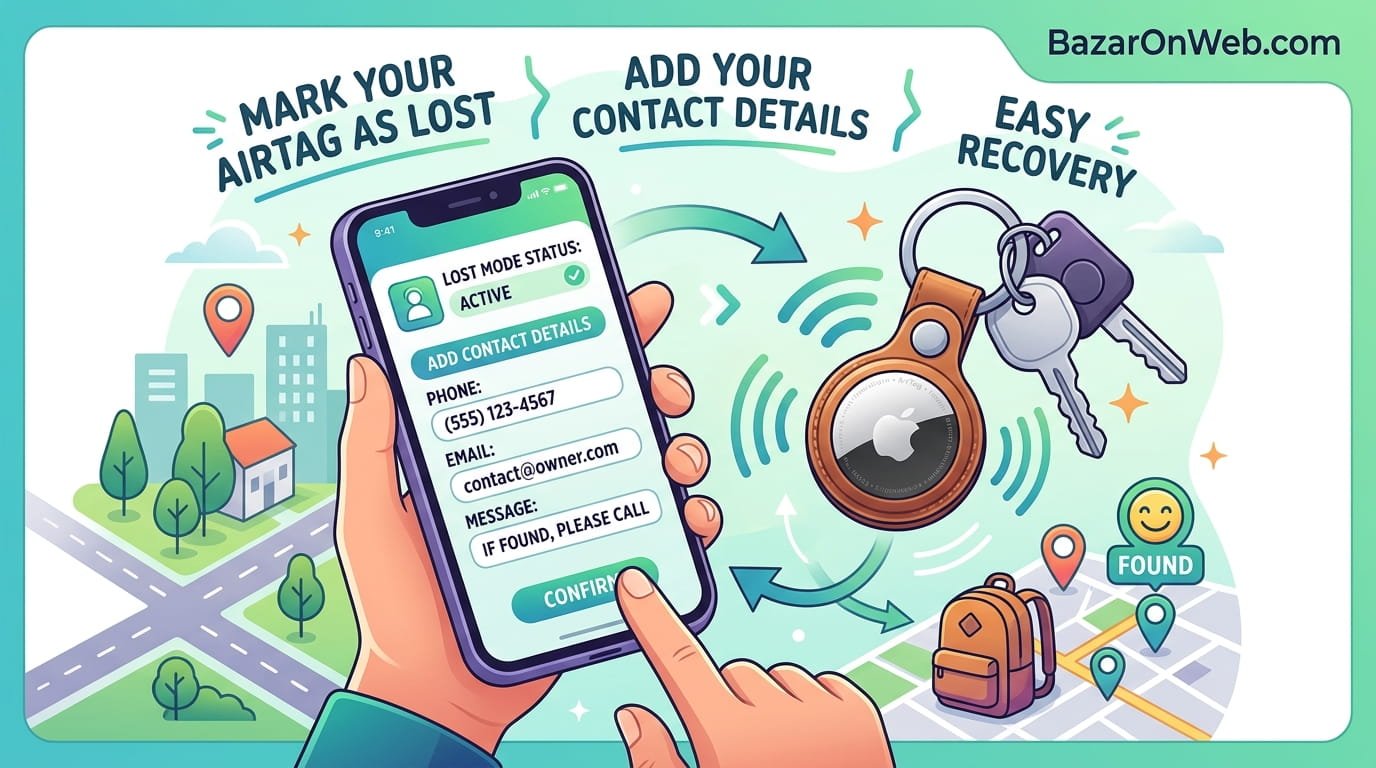
Activating Lost Mode on your AirTag is a straightforward process, but each step plays a crucial role in ensuring proper setup. Start by opening the Find My app on your iPhone or iPad. Navigate to the “Items” tab where all your connected AirTags are listed.
Select the AirTag you want to mark as lost. Once you open its details, scroll down until you find the option labeled “Lost Mode.” Tap on it and choose “Enable.” The app will then guide you through a series of prompts to configure your settings.
You’ll be asked to enter your phone number and optionally an email address. This information will be shared with anyone who scans your AirTag. Make sure the details you provide are accurate and actively monitored, as this will be the primary way someone can reach you.
After entering your contact details, you can add a custom message. This is your chance to politely request the return of your item and provide any additional instructions. Once everything is set, confirm the activation. Your AirTag is now officially in Lost Mode and ready to assist in recovery.
Adding Your Phone Number and Email Correctly
Providing the right contact information is critical when setting up Lost Mode. Many users make the mistake of entering outdated or incorrect details, which defeats the purpose of the feature. Always double-check your phone number and ensure it is active and reachable.
Including your email address is optional but highly recommended. Sometimes, the person who finds your item may prefer to contact you via email rather than calling. Offering multiple contact options increases the likelihood of a successful return.
It’s also important to consider privacy. While you are sharing your contact details, they are only visible when someone actively scans your AirTag using NFC. This ensures that your information is not publicly broadcast but only accessible to someone who physically has your item.
Additionally, you should keep your tone polite and approachable. A friendly message like “This item is lost. Please contact me to return it. Thank you!” can make a significant difference in how the finder responds. Clear communication builds trust and encourages cooperation.
Writing an Effective Lost Message for Better Response
The custom message you add in Lost Mode plays a subtle but important role in recovering your item. While it might seem like a small detail, the way you communicate can influence whether someone decides to help.
Your message should be clear, concise, and polite. Avoid using aggressive or demanding language. Instead, focus on expressing gratitude and providing simple instructions. For example, a message like “This item is lost. Please call or email me. I appreciate your help!” is more effective than a harsh or complicated message.
You can also include specific details if needed, such as mentioning that the item has sentimental value. This can create an emotional connection and motivate the finder to return it. However, avoid sharing too much personal information beyond what is necessary.
Remember that the person who finds your item is doing you a favor by reaching out. A respectful tone increases the chances of a positive interaction. It’s a small effort that can make a big difference in recovering your belongings.
How NFC Helps Someone Contact You
Near Field Communication (NFC) is the technology that enables your AirTag to share your contact details with the finder. When your AirTag is in Lost Mode, anyone with an NFC-enabled smartphone can tap it to access your information.
This process is simple and does not require the finder to have an Apple device. Even Android users can scan your AirTag and view your contact details through a web link. This broad compatibility significantly increases the chances of recovery.
Once the AirTag is tapped, the finder is directed to a webpage displaying your phone number, email, and custom message. This eliminates any confusion and provides clear instructions on how to reach you.
The beauty of NFC is that it works instantly and securely. There is no need for apps or complicated steps. This ease of use ensures that even someone unfamiliar with AirTags can still help return your item.
What Happens After You Enable Lost Mode
After activating Lost Mode, your AirTag becomes part of a powerful recovery network. It begins sending location updates whenever it comes within range of Apple devices. You’ll receive notifications if its location changes or is detected.
At the same time, your contact details are embedded within the AirTag’s NFC functionality. This means that even if the location tracking is limited, a physical finder can still contact you directly.
It’s important to monitor the Find My app regularly during this period. Keep an eye on location updates and be ready to respond quickly if someone reaches out. Prompt communication can make the recovery process smoother.
You should also remain patient. Depending on where the item is, it might take some time before it is detected or found by someone. The system is designed to work quietly in the background, increasing your chances over time.
Tips to Increase the Chances of Getting Your Item Back
While Lost Mode is powerful, there are additional steps you can take to improve your chances of recovery. First, ensure that your AirTag is properly attached to your item and not easily removable. A secure attachment prevents it from being separated.
Second, act quickly. The sooner you enable Lost Mode, the better your chances of tracking and recovery. Delays can reduce the effectiveness of the network.
Third, keep your contact details updated. If your phone number or email changes, make sure to update it in the Find My app immediately. Outdated information can prevent successful communication.
You can also retrace your steps and use the Find My app to identify the last known location. Combining manual searching with Lost Mode increases your chances significantly.
Lastly, stay responsive. If someone contacts you, reply promptly and coordinate a safe and convenient way to retrieve your item.
Common Mistakes to Avoid While Using Lost Mode
One of the most common mistakes users make is forgetting to enable Lost Mode altogether. Simply having an AirTag attached is not enough—you need to activate this feature when your item is lost.
Another mistake is entering incorrect or incomplete contact details. This can make it impossible for a finder to reach you, even if they are willing to help.
Some users also forget to add a custom message. While optional, this message provides clarity and encourages communication. Skipping it can reduce your chances of recovery.
Additionally, relying solely on location tracking without enabling Lost Mode can limit your options. Lost Mode adds an extra layer of functionality that should not be ignored.
Avoiding these mistakes ensures that your AirTag works as intended and maximizes your chances of getting your item back.
How to Turn Off Lost Mode Once Item Is Found
Once you have successfully recovered your item, it’s important to turn off Lost Mode. This prevents unnecessary notifications and ensures your AirTag returns to normal operation.
To disable Lost Mode, open the Find My app and go to the “Items” section. Select the AirTag and locate the Lost Mode option. Tap on it and choose “Disable.” Confirm your action, and the feature will be turned off.
Turning off Lost Mode also removes your contact details from the NFC display. This helps maintain your privacy once the item is no longer lost.
It’s a simple but essential step that many users overlook. Always remember to deactivate Lost Mode after recovery to keep your AirTag functioning optimally.
Disclaimer
This article is for informational purposes only and is based on general usage of AirTag features. Functionality may vary depending on device compatibility, software updates, and regional availability. Always refer to official Apple guidelines and ensure your device settings are properly configured for best results.
Written by Bazaronweb
Latest Tech Articles
- How to Mark Your AirTag as Lost and Add Contact Details for Easy Recovery

- How to Add a Photo from a Webpage to Mail on iPhone, iPad, and Mac Easily

- Safari Compact Tab Bar Returns on Mac and iPad: Everything You Need to Know

- How to Remove Chrome Extensions That Won’t Uninstall (Step-by-Step Fix Guide)

- How to Enable and Use Controlled Folder Access in Windows 11 to Protect Your Data

Products
-
Apple Watch Ultra 3 [GPS + Cellular 49mm] Running & Multisport Smartwatch w/Rugged Titanium Case w/Black Titanium Milanese Loop - M. Satellite Communications, Advanced Health & Fitness Tracking
-

Apple iPad mini (A17 Pro): Apple Intelligence, 8.3-inch Liquid Retina Display, 256GB, Wi-Fi 6E, 12MP Front/12MP Back Camera, Touch ID, All-Day Battery Life — Purple
-

Apple AirPods Max Wireless Over-Ear Headphones, Active Noise Cancelling, Transparency Mode, Personalized Spatial Audio, Dolby Atmos, Bluetooth Headphones for iPhone – Space Gray
-

Apple AirPods Pro 2 Wireless Earbuds, Active Noise Cancellation, Hearing Aid Feature, Bluetooth Headphones, Transparency, Personalized Spatial Audio, High-Fidelity Sound, H2 Chip, USB-C Charging
-
Leo Creation 144 TC Cotton Double Jaipuri Prints Flat Bedsheet(Pack of 1, Blue, Gree, Red, Grey, Light Grey)
₹2,999.00Original price was: ₹2,999.00.₹329.00Current price is: ₹329.00.
Leave a Reply