Category
Popular Articles
- AI (20)
- Android (51)
- App Suggest (13)
- Apple (42)
- Apple TV (4)
- Bluetooth (3)
- Cars (2)
- ChatGpt (1)
- Chrome (3)
- Did you know? (1)
- E-Commerce News (1)
- Ecommerce Websites business (7)
- Electronics Shopping (5)
- Fashion Tips (3)
- Gaming (6)
- Google Gemini (3)
- Hair Care Tips (2)
- How to (13)
- iCloud (1)
- Infotainment System (1)
- Iphone (149)
- Job Posting (1)
- Lifestyle (3)
- Mac (25)
- Mobile Games (1)
- Netflix (1)
- Online Shopping Websites (2)
- Personal Finance Management (3)
- Product Reviews (3)
- Roku TV (4)
- Samsung (10)
- Shopping Tips (13)
- Spotify (1)
- Tech (161)
- VPN (2)
- Windows 11 (80)
- Youtube (1)
- Zero Waste (3)
Discounted Products
-

Leo Creation 144 TC Cotton Double Jaipuri Prints Flat Bedsheet(Pack of 1, Blue, Gree, Red, Grey, Light Grey)
₹2,999.00Original price was: ₹2,999.00.₹329.00Current price is: ₹329.00. -
Home Garage 210 TC Cotton King Floral Fitted (Elastic) Bedsheet(Pack of 1, Grey)
₹999.00Original price was: ₹999.00.₹299.00Current price is: ₹299.00. -

Goodrik 140 TC Cotton Double 3D Printed Flat Bedsheet(Pack of 1, Brown)
₹499.00Original price was: ₹499.00.₹229.00Current price is: ₹229.00. -

GLOBALSHOP 350 TC Microfiber Double Floral Flat Bedsheet(Pack of 1, Multicolor)
₹1,250.00Original price was: ₹1,250.00.₹263.00Current price is: ₹263.00. -

RisingStar 250 TC Microfiber King Printed Fitted (Elastic) Bedsheet(Pack of 1, FITTED-ROUND-CIRCLES-PREMIUM)
₹2,299.00Original price was: ₹2,299.00.₹299.00Current price is: ₹299.00. -

Home Garage 210 TC Cotton King Floral Fitted (Elastic) Bedsheet(Pack of 1, Fitted Black Green)
₹1,299.00Original price was: ₹1,299.00.₹299.00Current price is: ₹299.00. -

Home Garage 180 TC Cotton King 3D Printed Flat Bedsheet(Pack of 1, White)
₹999.00Original price was: ₹999.00.₹229.00Current price is: ₹229.00. -

Home Sizzler 153 cm (5 ft) Polyester Room Darkening Window Curtain (Pack Of 2)(Floral, Maroon)
₹799.00Original price was: ₹799.00.₹299.00Current price is: ₹299.00. -

Panipat Textile Hub 152.4 cm (5 ft) Polyester Window Curtain (Pack Of 2)(Solid, Aqua)
₹1,899.00Original price was: ₹1,899.00.₹299.00Current price is: ₹299.00. -
Home Sizzler 214 cm (7 ft) Polyester Semi Transparent Door Curtain (Pack Of 2)(Floral, Maroon)
₹1,199.00Original price was: ₹1,199.00.₹399.00Current price is: ₹399.00. -

Home Sizzler 153 cm (5 ft) Polyester Room Darkening Window Curtain (Pack Of 2)(Floral, Brown)
₹799.00Original price was: ₹799.00.₹299.00Current price is: ₹299.00. -

Stella Creations 214 cm (7 ft) Polyester Room Darkening Door Curtain (Pack Of 2)(Abstract, Brown)
₹1,299.00Original price was: ₹1,299.00.₹449.00Current price is: ₹449.00. -

Homefab India 152.5 cm (5 ft) Polyester Room Darkening Window Curtain (Pack Of 2)(Floral, Light Blue)
₹1,199.00Original price was: ₹1,199.00.₹319.00Current price is: ₹319.00. -

Urban Home 214 cm (7 ft) PVC Transparent Door Curtain Single Curtain(Solid, Off White)
₹699.00Original price was: ₹699.00.₹203.00Current price is: ₹203.00. -

Panipat Textile Hub 213 cm (7 ft) Polyester Door Curtain (Pack Of 2)(Solid, Brown)
₹1,199.00Original price was: ₹1,199.00.₹349.00Current price is: ₹349.00.
Affiliate Links
Promotion
Hi, I’m Jessica, and I still remember the moment when my phone battery kept draining faster than usual, even though I wasn’t actively using many apps. Like most people, I assumed it was just “normal,” until I started digging into settings and discovered something called Background App Refresh. It sounded technical, but once I understood it, everything clicked. If you’ve ever wondered why apps seem updated the moment you open them—or why your battery drops unexpectedly—this feature plays a huge role.
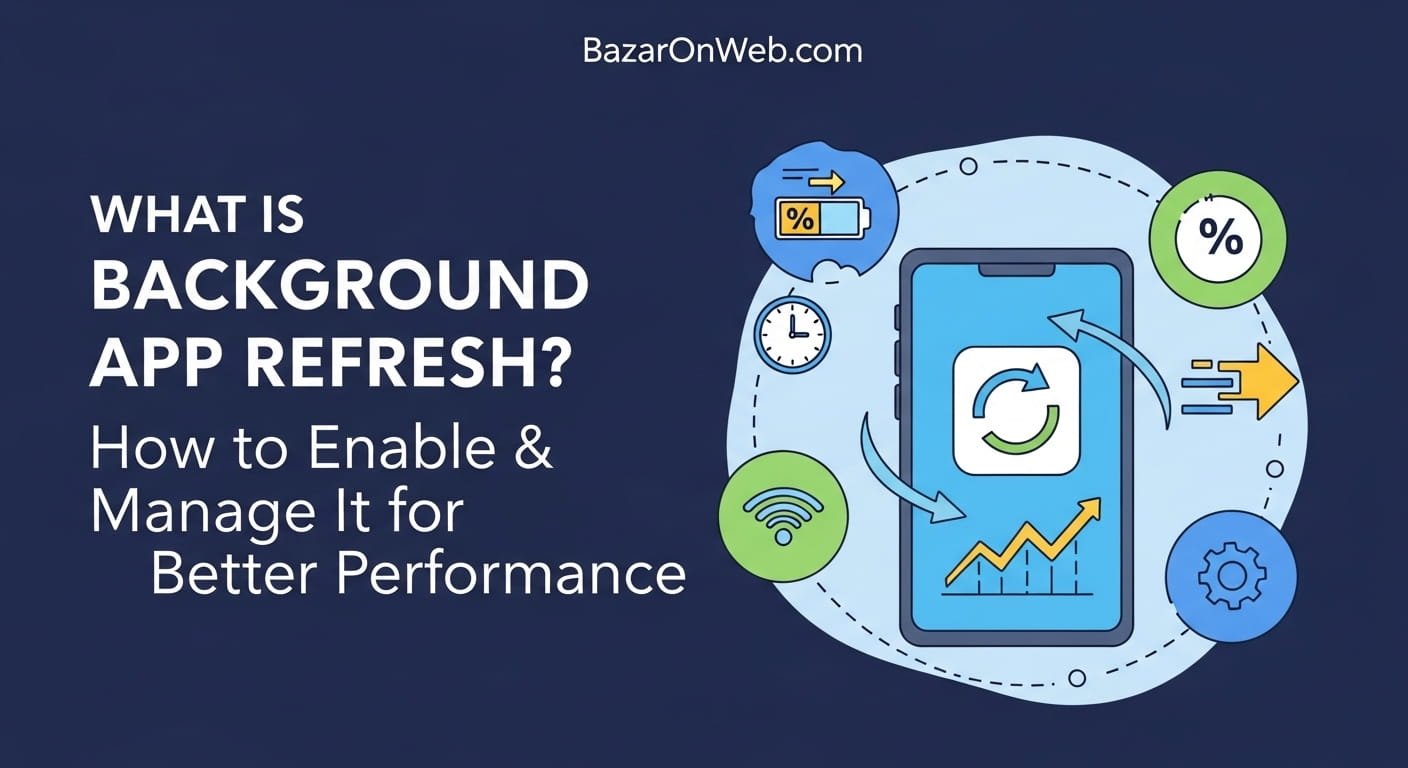
Background App Refresh allows apps on your smartphone to update their content even when you’re not using them. This ensures you get the latest notifications, updated feeds, and real-time information without manually refreshing apps.
While it improves convenience, it can also impact battery life and data usage if not managed properly. In this guide, I’ll walk you through what it is, how it works, and how to control it smartly so your device works for you—not against you.
What is Background App Refresh and Why It Matters
Background App Refresh is a system feature available on smartphones that enables apps to update their data in the background. This means even when you’re not actively using an app, it can still fetch new information, sync content, and stay updated. For example, your email app can download new messages, social media apps can load fresh posts, and weather apps can update forecasts without requiring manual refresh.
This feature is especially important for delivering a seamless user experience. When you open an app and see updated content instantly, it’s because Background App Refresh has already done the work. Without it, you would often have to wait for apps to load new data every time you open them.
However, while it enhances convenience, it also consumes system resources such as battery and mobile data. Apps running in the background can quietly drain power, especially if many are enabled at once. This is why understanding how it works and managing it effectively is crucial. It allows you to strike the right balance between performance and efficiency, ensuring your device remains fast, responsive, and power-efficient.
How Background App Refresh Works Behind the Scenes
Behind the scenes, Background App Refresh uses system-level scheduling to periodically allow apps to fetch new data. Instead of running constantly, the operating system intelligently decides when an app should refresh based on usage patterns, network conditions, and battery status.
For instance, if you frequently check a particular app, your phone learns this behavior and prioritizes refreshing that app more often. Similarly, when your device is connected to Wi-Fi and charging, it may allow more apps to refresh in the background since power and data are not constrained.
The operating system also limits background activity to prevent excessive resource usage. Apps are given short windows of time to update their content, ensuring that they don’t run indefinitely. This controlled approach helps maintain system performance while still providing updated information.
Understanding this mechanism helps you realize that Background App Refresh is not random or uncontrolled—it’s optimized. However, if too many apps are allowed to refresh, even optimized systems can become overloaded. That’s why selective management becomes important, allowing you to prioritize essential apps while restricting unnecessary ones.
Benefits of Keeping Background App Refresh Enabled
One of the biggest advantages of Background App Refresh is convenience. Apps stay updated without requiring manual interaction, which saves time and effort. For example, when you open a news app, the latest headlines are already loaded, giving you instant access to information.
Another major benefit is real-time notifications. Messaging apps, email clients, and social platforms rely on background refresh to deliver timely updates. Without it, you might miss important messages or experience delays in receiving notifications.
It also enhances multitasking. If you switch between apps frequently, Background App Refresh ensures that each app resumes with the latest data, creating a smoother experience. This is particularly useful for professionals who rely on multiple apps throughout the day.
Additionally, navigation and location-based apps benefit significantly. They can update routes, traffic conditions, and recommendations in the background, ensuring accuracy when you open them.
Despite these benefits, it’s important to use the feature wisely. Not all apps need constant updates. By enabling it selectively, you can enjoy its advantages while minimizing unnecessary battery and data consumption.
Downsides of Background App Refresh You Should Know
While Background App Refresh is useful, it does come with certain drawbacks that users should be aware of. The most noticeable impact is on battery life. Apps running in the background consume power, even when you’re not actively using your phone. Over time, this can lead to faster battery drain.
Another concern is mobile data usage. If your device is not restricted to Wi-Fi, background updates can consume significant data, especially for apps that frequently sync large amounts of content, such as social media or cloud storage apps.
Performance can also be affected if too many apps are refreshing simultaneously. This can slow down your device, especially on older smartphones with limited processing power and memory.
Privacy is another subtle concern. Some apps may collect and transmit data in the background, which might not always be obvious to users. This makes it important to review app permissions and understand how your data is being used.
By being aware of these downsides, you can make informed decisions about which apps truly need background access and which ones can be restricted without affecting your daily usage.
How to Enable Background App Refresh on iPhone
Enabling Background App Refresh on an iPhone is a straightforward process. First, open the Settings app and navigate to the General section. From there, you will find the Background App Refresh option.
Once you tap on it, you will see multiple choices, including turning it off completely, enabling it for Wi-Fi only, or allowing it on both Wi-Fi and mobile data. Choosing Wi-Fi only is often a smart option if you want to conserve mobile data.
Below this setting, you will find a list of all installed apps. Each app has a toggle that allows you to enable or disable background refresh individually. This gives you full control over which apps can update in the background.
It’s recommended to keep Background App Refresh enabled only for essential apps like email, messaging, and navigation. For apps that you rarely use, disabling it can help improve battery life.
By customizing these settings, you can optimize your iPhone’s performance while still enjoying the benefits of updated apps and real-time notifications.
How to Enable Background App Refresh on Android Devices
On Android devices, Background App Refresh works slightly differently but serves the same purpose. It is often managed through battery optimization and app-specific settings.
To control it, go to your device’s Settings and navigate to Apps or Battery settings. Select the app you want to manage and look for options like Battery Usage or Background Activity.
You will typically find options to allow unrestricted background usage, optimize battery usage, or restrict background activity entirely. Choosing the right option depends on how important the app is to you.
Some Android devices also provide a global setting for background data usage. You can enable or disable background data for all apps or customize it individually.
Additionally, newer Android versions include adaptive battery features that automatically limit background activity for apps you rarely use. This helps improve battery life without requiring manual intervention.
Understanding these options allows you to take control of your device’s performance and ensure that only the most important apps are running in the background.
Best Practices for Managing Background App Refresh
Managing Background App Refresh effectively requires a strategic approach. Start by identifying which apps truly need real-time updates. Messaging apps, emails, and navigation tools are usually essential, while many others can function without constant background updates.
Next, consider your usage patterns. If you rarely open certain apps, there’s no need to allow them to refresh in the background. Disabling them can save both battery and data.
Using Wi-Fi-only refresh is another smart practice. This ensures that background updates don’t consume your mobile data, especially if you have a limited data plan.
Regularly reviewing your app settings is also important. As you install new apps, they may automatically enable background refresh. Periodic checks help you maintain control.
Finally, combine this feature with other optimization tools like battery saver mode. This can temporarily restrict background activity when your battery is low, extending your device’s usage time.
By following these best practices, you can enjoy a balance between convenience and efficiency without compromising your device’s performance.
When You Should Turn Background App Refresh Off
There are situations where turning off Background App Refresh completely makes sense. If you’re experiencing rapid battery drain, disabling this feature can provide immediate improvement.
It’s also useful when you’re traveling or have limited access to charging. Conserving battery becomes a priority, and restricting background activity helps extend your device’s lifespan.
If you’re on a limited data plan, turning it off can prevent unexpected data usage. Background updates can quietly consume data, especially for apps that frequently sync content.
Another scenario is when you want to minimize distractions. Disabling background refresh can reduce notifications and updates, helping you stay focused.
However, keep in mind that turning it off entirely may affect app performance. Some apps may take longer to load or require manual refresh. Therefore, instead of disabling it completely, consider customizing it for specific apps to maintain a balanced experience.
Impact of Background App Refresh on Battery and Data
Background App Refresh has a direct impact on both battery life and data usage. Each time an app updates in the background, it consumes energy and may use internet data.
The impact on battery depends on how many apps are enabled and how frequently they refresh. Apps that update frequently, such as social media or email, can significantly contribute to battery drain.
Similarly, data usage can increase if apps are allowed to refresh over mobile networks. This is particularly important for users with limited data plans, as background activity can quickly add up.
However, modern smartphones are designed to manage these processes efficiently. They limit background activity and prioritize essential apps to reduce unnecessary consumption.
To minimize the impact, consider enabling refresh only for important apps and using Wi-Fi whenever possible. Monitoring your battery and data usage can also help you identify which apps are consuming the most resources.
Tips to Optimize Your Phone Performance Using This Feature
Optimizing your phone’s performance with Background App Refresh involves smart configuration. Start by disabling it for non-essential apps. This reduces unnecessary background activity and improves overall efficiency.
Next, prioritize apps that require real-time updates. This ensures that you still receive important notifications and updates without compromising performance.
Using system features like battery saver mode can further enhance optimization. These modes automatically restrict background activity when needed.
Keeping your apps updated is also important. Developers often release updates that improve efficiency and reduce resource usage, making background refresh more optimized.
Additionally, monitor your device’s performance regularly. If you notice slowdowns or increased battery drain, revisit your settings and make adjustments.
By taking a proactive approach, you can ensure that Background App Refresh works as a helpful feature rather than a hidden drain on your device’s resources.
Disclaimer
The information provided in this article is for general educational and informational purposes only. Device settings and features may vary depending on the smartphone model, operating system version, and manufacturer. Users are advised to check official device documentation or support resources for accurate instructions. The author is not responsible for any device performance issues resulting from configuration changes.
Written by Bazaronweb
Latest Tech Articles
- 4 Best Ways to Change Your Computer Name in Windows (Step-by-Step Guide for Easy Network Identification)

- What is Background App Refresh? How to Enable & Manage It for Better Performance

- Best Ways to Open MSConfig in Windows 11 Complete Step-by-Step Guide for Beginners and Professionals

- How to Run Gemma 4 Locally on Android Phone: Complete Step-by-Step Guide for Beginners

- How to Open ‘Devices and Printers’ in Windows 11 (Step-by-Step Guide)

Products
-
Apple Watch Ultra 3 [GPS + Cellular 49mm] Running & Multisport Smartwatch w/Rugged Titanium Case w/Black Titanium Milanese Loop - M. Satellite Communications, Advanced Health & Fitness Tracking
-

Apple iPad mini (A17 Pro): Apple Intelligence, 8.3-inch Liquid Retina Display, 256GB, Wi-Fi 6E, 12MP Front/12MP Back Camera, Touch ID, All-Day Battery Life — Purple
-

Apple AirPods Max Wireless Over-Ear Headphones, Active Noise Cancelling, Transparency Mode, Personalized Spatial Audio, Dolby Atmos, Bluetooth Headphones for iPhone – Space Gray
-

Apple AirPods Pro 2 Wireless Earbuds, Active Noise Cancellation, Hearing Aid Feature, Bluetooth Headphones, Transparency, Personalized Spatial Audio, High-Fidelity Sound, H2 Chip, USB-C Charging
-
Leo Creation 144 TC Cotton Double Jaipuri Prints Flat Bedsheet(Pack of 1, Blue, Gree, Red, Grey, Light Grey)
₹2,999.00Original price was: ₹2,999.00.₹329.00Current price is: ₹329.00.
Leave a Reply