Discounted Products
-
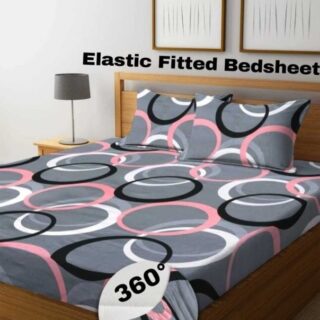 Home Garage 210 TC Cotton King Floral Fitted (Elastic) Bedsheet(Pack of 1, Grey)
Original price was: ₹999.00.₹299.00Current price is: ₹299.00.
Home Garage 210 TC Cotton King Floral Fitted (Elastic) Bedsheet(Pack of 1, Grey)
Original price was: ₹999.00.₹299.00Current price is: ₹299.00.
-
 Goodrik 140 TC Cotton Double 3D Printed Flat Bedsheet(Pack of 1, Brown)
Original price was: ₹499.00.₹229.00Current price is: ₹229.00.
Goodrik 140 TC Cotton Double 3D Printed Flat Bedsheet(Pack of 1, Brown)
Original price was: ₹499.00.₹229.00Current price is: ₹229.00.
-
 GLOBALSHOP 350 TC Microfiber Double Floral Flat Bedsheet(Pack of 1, Multicolor)
Original price was: ₹1,250.00.₹263.00Current price is: ₹263.00.
GLOBALSHOP 350 TC Microfiber Double Floral Flat Bedsheet(Pack of 1, Multicolor)
Original price was: ₹1,250.00.₹263.00Current price is: ₹263.00.
-
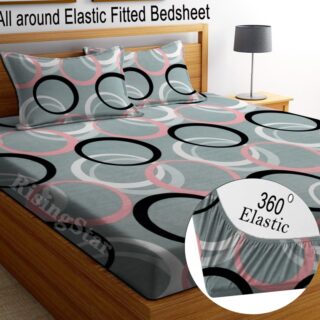 RisingStar 250 TC Microfiber King Printed Fitted (Elastic) Bedsheet(Pack of 1, FITTED-ROUND-CIRCLES-PREMIUM)
Original price was: ₹2,299.00.₹299.00Current price is: ₹299.00.
RisingStar 250 TC Microfiber King Printed Fitted (Elastic) Bedsheet(Pack of 1, FITTED-ROUND-CIRCLES-PREMIUM)
Original price was: ₹2,299.00.₹299.00Current price is: ₹299.00.
-
 Home Garage 210 TC Cotton King Floral Fitted (Elastic) Bedsheet(Pack of 1, Fitted Black Green)
Original price was: ₹1,299.00.₹299.00Current price is: ₹299.00.
Home Garage 210 TC Cotton King Floral Fitted (Elastic) Bedsheet(Pack of 1, Fitted Black Green)
Original price was: ₹1,299.00.₹299.00Current price is: ₹299.00.
-
 Home Garage 180 TC Cotton King 3D Printed Flat Bedsheet(Pack of 1, White)
Original price was: ₹999.00.₹229.00Current price is: ₹229.00.
Home Garage 180 TC Cotton King 3D Printed Flat Bedsheet(Pack of 1, White)
Original price was: ₹999.00.₹229.00Current price is: ₹229.00.
-
 Panipat Textile Hub 152.4 cm (5 ft) Polyester Window Curtain (Pack Of 2)(Solid, Aqua)
Original price was: ₹1,899.00.₹299.00Current price is: ₹299.00.
Panipat Textile Hub 152.4 cm (5 ft) Polyester Window Curtain (Pack Of 2)(Solid, Aqua)
Original price was: ₹1,899.00.₹299.00Current price is: ₹299.00.
-
 Home Sizzler 214 cm (7 ft) Polyester Semi Transparent Door Curtain (Pack Of 2)(Floral, Maroon)
Original price was: ₹1,199.00.₹399.00Current price is: ₹399.00.
Home Sizzler 214 cm (7 ft) Polyester Semi Transparent Door Curtain (Pack Of 2)(Floral, Maroon)
Original price was: ₹1,199.00.₹399.00Current price is: ₹399.00.
-
 Home Sizzler 153 cm (5 ft) Polyester Room Darkening Window Curtain (Pack Of 2)(Floral, Brown)
Original price was: ₹799.00.₹299.00Current price is: ₹299.00.
Home Sizzler 153 cm (5 ft) Polyester Room Darkening Window Curtain (Pack Of 2)(Floral, Brown)
Original price was: ₹799.00.₹299.00Current price is: ₹299.00.
-
 Stella Creations 214 cm (7 ft) Polyester Room Darkening Door Curtain (Pack Of 2)(Abstract, Brown)
Original price was: ₹1,299.00.₹449.00Current price is: ₹449.00.
Stella Creations 214 cm (7 ft) Polyester Room Darkening Door Curtain (Pack Of 2)(Abstract, Brown)
Original price was: ₹1,299.00.₹449.00Current price is: ₹449.00.
-
 Homefab India 152.5 cm (5 ft) Polyester Room Darkening Window Curtain (Pack Of 2)(Floral, Light Blue)
Original price was: ₹1,199.00.₹319.00Current price is: ₹319.00.
Homefab India 152.5 cm (5 ft) Polyester Room Darkening Window Curtain (Pack Of 2)(Floral, Light Blue)
Original price was: ₹1,199.00.₹319.00Current price is: ₹319.00.
-
 Urban Home 214 cm (7 ft) PVC Transparent Door Curtain Single Curtain(Solid, Off White)
Original price was: ₹699.00.₹203.00Current price is: ₹203.00.
Urban Home 214 cm (7 ft) PVC Transparent Door Curtain Single Curtain(Solid, Off White)
Original price was: ₹699.00.₹203.00Current price is: ₹203.00.
-
 Panipat Textile Hub 213 cm (7 ft) Polyester Door Curtain (Pack Of 2)(Solid, Brown)
Original price was: ₹1,199.00.₹349.00Current price is: ₹349.00.
Panipat Textile Hub 213 cm (7 ft) Polyester Door Curtain (Pack Of 2)(Solid, Brown)
Original price was: ₹1,199.00.₹349.00Current price is: ₹349.00.
-
 Home Sizzler 214 cm (7 ft) Polyester Semi Transparent Door Curtain (Pack Of 2)(Floral, Brown)
Original price was: ₹999.00.₹349.00Current price is: ₹349.00.
Home Sizzler 214 cm (7 ft) Polyester Semi Transparent Door Curtain (Pack Of 2)(Floral, Brown)
Original price was: ₹999.00.₹349.00Current price is: ₹349.00.
-
 Panipat Textile Hub 213 cm (7 ft) Polyester Semi Transparent Door Curtain (Pack Of 2)(Floral, Brown)
Original price was: ₹899.00.₹299.00Current price is: ₹299.00.
Panipat Textile Hub 213 cm (7 ft) Polyester Semi Transparent Door Curtain (Pack Of 2)(Floral, Brown)
Original price was: ₹899.00.₹299.00Current price is: ₹299.00.
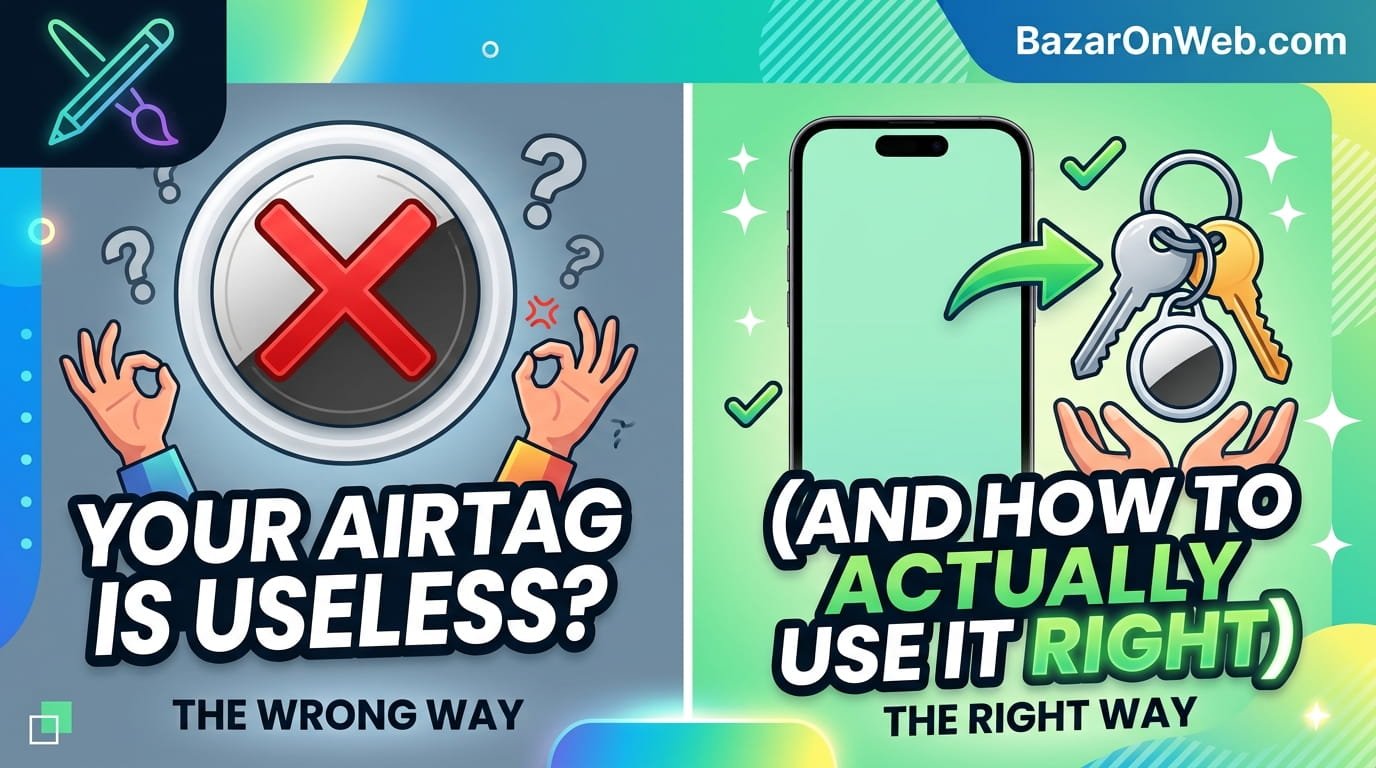
The Day My Keys Disappeared
I bought an AirTag thinking I’d solved a problem I’ve had for literally decades. I lose my keys constantly. Not dramatically—I didn’t leave them at a restaurant or in a taxi. I just… misplace them. They’re in the apartment somewhere, but finding them involves tearing my bedroom apart, checking the couch cushions, and muttering increasingly creative curses.
An AirTag seemed perfect. Stick it on my keys, open Find My, and boom—there they are. Except it didn’t work that way.
I attached the AirTag to my keys, set it up, and everything seemed fine. Then I actually needed it. My keys were somewhere in my apartment. I opened Find My on my iPhone, tapped the AirTag, and got… nothing. “Item not found” or something equally useless. Not a distance indicator, not a direction, just “nope, good luck buddy.”
After 20 minutes of frustration, I found my keys manually on top of the refrigerator (don’t ask). Then I spent way too much time on Apple support forums discovering that my experience wasn’t unusual. AirTags frequently don’t work when you actually need them. And nobody at Apple bothers explaining why.
Here’s what I eventually learned about why your AirTag is probably not doing what you think it’s supposed to do—and what you can actually do about it.
Understanding What an AirTag Is (And What It Isn’t)
First, the uncomfortable truth: an AirTag is not a GPS tracker. Stop thinking of it that way. It won’t show you real-time location on a map like your Find My iPhone does. It won’t ping your location continuously. It doesn’t have a cellular connection.
What it actually is: a Bluetooth tracker that works within Apple’s Find My network. It broadcasts a Bluetooth signal saying “here I am,” and nearby Apple devices (iPhones, iPads, Macs, even Apple Watches) pick up that signal and report its location back to Apple’s servers. This happens through a process called “crowdsourced location,” which is Apple’s polite way of saying “other people’s iPhones are helping us find your stuff.”
This distinction matters enormously because it explains everything that seems broken about AirTags.
If your keys are in your apartment and nobody else is nearby, your AirTag can’t help you. Nobody’s iPhone is picking up the signal and sending the location data to Apple. Your AirTag will just sit there, broadcasting uselessly into the void.
But if your keys are lost in a coffee shop or on public transit, the constant flow of nearby iPhones means your AirTag is probably communicating with someone’s device every few seconds. Apple can triangulate the location and tell you where it is. This is why AirTags are genuinely useful for lost luggage but terrible for finding your keys in your own home.
Apple never explains this clearly in their marketing. They show people finding their keys in their house, which is technically possible but requires luck: you need another Apple device within Bluetooth range to pick up the signal, then you can use Find My to ping it and follow the sound. But if you’re the only Apple device in range, the whole system becomes useless.
Why Your AirTag Disappears the Moment You Need It
The most infuriating AirTag behavior is when you actually need to find something and the AirTag just… gives up.
Open Find My, tap your AirTag, and sometimes it says “Item not found” or “Last seen 12 hours ago at your apartment.” You know it’s still there—it’s not in Siberia, it’s probably five feet away from you—but the system can’t locate it.
This happens because of how the Find My network actually works. Your AirTag needs to communicate with an Apple device for Apple’s servers to know where it is. If you’re the only Apple device nearby, your AirTag only reports its location when your iPhone is actually detecting it via Bluetooth. The moment your iPhone’s Bluetooth range loses the signal (your phone is in another room, Bluetooth is turned off, whatever), the AirTag becomes invisible to the system.
Additionally, Find My updates location data intermittently, not continuously. Your AirTag doesn’t send location updates constantly. It communicates periodically, maybe every few minutes when in crowdsourced range, or only when your device actively searches for it when you’re nearby. This is intentional—constant communication would drain the battery in days instead of months.
But here’s the real kicker: Find My prioritizes recent location data. If your AirTag last reported a location 30 minutes ago when you set your keys down, and nothing has reported it since, Find My shows you that old location. It doesn’t magically know your keys moved 10 feet to the right while you were in another room.
This is why “find my keys” doesn’t work like people expect. The mental model in your head—”open app, see where item is, go there”—doesn’t match how the system actually works. The reality is messier and more dependent on random factors like whether someone else’s iPhone happened to pass by.
The Setup That Actually Matters
Most people set up their AirTag, name it, attach it to something, and consider it done. That’s why most people’s AirTags are basically useless.
First, make sure you’re actually signed into iCloud on your iPhone with the same Apple ID you use for everything else. AirTags are tied to your Apple ID—if you set up an AirTag, lose it, then later use Find My on a different Apple ID, Find My won’t even see it. This seems obvious but is the number one reason people think their AirTag disappeared entirely.
Second, enable Find My. Go to Settings > [Your Name] > Find My > Find My iPhone. Make absolutely sure it’s toggled on. If it’s off, AirTags won’t communicate with your network.
Third, make sure Find My is actually using your location. Settings > Privacy > Location Services > Find My needs to be enabled. If you’ve disabled location services to save battery (which plenty of people do), Find My basically stops working.
Fourth, if you have multiple Apple devices, make sure they’re all signed into the same Apple ID. One iPad on a different Apple ID than your iPhone? That iPad becomes useless for finding AirTags. The Find My network relies on devices being unified under one account. Fragmented accounts mean fragmented tracking.
Finally, and this is important: go to Settings > [Your Name] > Find My > Find My Friends and toggle on “Share My Location.” Then do the same for “Find My iPhone.” These need to be actively enabled for the crowdsourced network to work properly.
Most people skip this stuff because Apple’s setup doesn’t force you to do it. Your AirTag works enough to make you think you’re done setting it up. But you’re not actually getting the full functionality unless you enable all this.
The Battery Situation Everyone Gets Wrong
AirTags use replaceable batteries—a standard CR2032 coin cell. They’re supposed to last about a year depending on usage. But here’s what Apple doesn’t explain clearly: not all CR2032 batteries are created equal, and using the wrong one will tank your AirTag performance.
When your AirTag battery gets low, Bluetooth range decreases dramatically. A new battery gives you solid Bluetooth range. A degraded battery? Your AirTag becomes effectively invisible unless someone’s iPhone is literally within three feet.
Replace the battery when prompted (your AirTag will tell you), but buy decent quality batteries. Don’t grab the cheapest pack at a gas station. Get Energizer or Duracell from a pharmacy or electronics store. The cheap knockoffs don’t provide consistent voltage, and your AirTag essentially stops working.
Also: if your AirTag has been in your possession for over a year and the battery warning hasn’t appeared, that’s suspicious. It probably should have shown a warning by now. The battery might be dying silently. Just replace it anyway. A year is a reasonable lifespan.
When Precision Finding Actually Works
There’s a feature buried in Find My called Precision Finding that actually works well if you understand what it does and when to use it.
Open Find My, tap your AirTag, and if you’re on an iPhone 11 or newer with an AirTag nearby, you’ll see a “Precision Finding” option. Tap it and your iPhone’s ultra-wideband radio kicks in, giving you real-time directional information to the AirTag. Point your phone in different directions and watch the distance number change. This actually works and is genuinely useful.
But—and this is important—Precision Finding only works when the AirTag is within about 30 feet and is actively communicating with your iPhone. If your AirTag’s battery is low, if you’re more than 30 feet away, or if Bluetooth range is blocked by too many walls, Precision Finding won’t work. You’ll get the same unhelpful “Item not found” message.
Additionally, Precision Finding drains your iPhone battery like crazy because it’s constantly using ultra-wideband. Don’t be surprised if your phone battery drops noticeably after searching for an AirTag.
The takeaway: Precision Finding is genuinely useful for “my AirTag is definitely somewhere nearby” situations. It’s terrible for “my AirTag might be anywhere” situations. Use it appropriately.
Privacy Concerns That Nobody Talks About
Here’s the weird part about AirTags that Apple glosses over in their marketing: because the Find My network relies on other people’s iPhones reporting your AirTag’s location, it’s theoretically possible for someone else to track your AirTag without your knowledge.
Apple built in protections. If a stranger’s iPhone detects your AirTag moving with them regularly, they get a notification that an unknown AirTag is following them. Android users get notifications too if they download the Find My app. And an AirTag that’s not registered to your device will broadcast an alert after three days saying “This item has been separated from its owner.”
But these protections aren’t perfect. There’s a grace period where an AirTag can be used to track someone without triggering alerts. And if someone buys their own AirTag and registers it to a fake Apple ID, you won’t know who’s tracking you.
The practical reality: AirTags are generally safe for tracking your own items. But yes, technically, someone could use an AirTag to track you if they wanted to commit a felony. This is a feature, not a bug (law enforcement loves being able to track stolen property), but it’s a feature with uncomfortable implications.
If you’re concerned about someone tracking you with an AirTag, go to Settings > Privacy > Find My > Items. If an AirTag appears there that you didn’t add, tap it and remove it. Your iPhone will alert you if an unknown AirTag has been traveling with you.
What Actually Works With AirTags
Let me be specific about where AirTags are actually useful because I’ve made them sound terrible:
- Lost luggage: AirTag in your suitcase, luggage gets lost, other travelers’ iPhones report its location. This works great.
- Backpack left at a cafe: Stick an AirTag in your bag, forget it at a coffee shop, and if anyone nearby has an iPhone, you’ll get the location.
- Car stolen: AirTag hidden in your car, Find My tracks its location via the crowdsourced network. Police can use this information.
- Package tracking in transit: Similar to luggage—the more people moving the package through the system, the more iPhones report its location.
What doesn’t work:
- Finding stuff in your own house: Zero other iPhones around means zero location data.
- Tracking real-time movement: Updates are intermittent, not continuous.
- Tracking something left outdoors overnight: Without other devices nearby, you get nothing.
- Tracking through walls or into buildings: Bluetooth has limited range and walls block signals.
Use an AirTag when you expect it might be found by strangers with iPhones. Don’t expect it to work like GPS when you’re the only person around.
Troubleshooting When Everything Falls Apart
If your AirTag isn’t working, go through this checklist:
Check battery first. Open Find My, tap the AirTag, and see if battery is listed as low. If so, replace it. Seriously, this fixes 40% of “broken” AirTag complaints.
Restart your iPhone. Hold power + volume up, slide to power off, wait 30 seconds, restart. This clears whatever weird Bluetooth state your phone might be in.
Toggle Bluetooth off and on. Control Center, toggle Bluetooth off, wait 10 seconds, toggle it back on. Give it a minute to reconnect.
Sign out of iCloud and back in. Settings > [Your Name] > Sign Out. Then sign back in. This refreshes your Find My credentials.
Check Find My settings. Make sure everything mentioned earlier is actually enabled. Settings > [Your Name] > Find My > make sure every toggle is on.
Unpair and re-pair the AirTag. Open Find My, swipe left on the AirTag, tap Remove. Then set it up fresh. Sometimes the connection gets corrupt.
Restart your AirTag. Hold the top of the AirTag down until the LED flashes (like 15 seconds). Release and wait for it to reconnect.
If none of this works, your AirTag battery might be genuinely dead (some batteries come defective), or there’s a hardware issue. At that point, contact Apple. But 90% of the time, one of these steps will fix it.
The Real Takeaway
AirTags aren’t magic. They’re not GPS trackers. They won’t find your keys in your house unless you’re lucky or you have multiple Apple devices with you.
But they do work for what they’re actually designed for: tracking items that might be found by strangers with iPhones. They’re genuinely useful for luggage, packages, and vehicles. They’re just not what the marketing videos suggest they are.
Set them up properly, understand their limitations, use them for appropriate situations, and replace the battery when needed. Do that and they’re actually pretty great.
Don’t do those things and you’ll end up like I did initially: frustrated, confused, wondering why Apple sold you an expensive paperweight.
The difference between a useless AirTag and a useful one is usually just understanding how it actually works versus how it looks like it should work.
Disclaimer: This article provides educational troubleshooting guidance. Procedures may have unintended consequences including data loss or system damage. Results vary by device model, OS version, and configuration. Always backup critical data before attempting system modifications. Seek professional support if problems persist or you’re uncomfortable with technical procedures. Users assume full responsibility for outcomes.

- How to Fix Wi-Fi Disconnecting Automatically on Windows 11

- How to Remotely Control Another Computer Using Windows Quick Assist

- 5 Must-Have Electronics Gadgets for a More Comfortable Living Room

- How to Create a Windows 11 System Backup on an External Hard Drive

- 10 Smart Home Ideas That Make Everyday Life Easier

Products
-
![Apple Watch Ultra 3 [GPS + Cellular 49mm] Running & Multisport Smartwatch w/Rugged Titanium Case w/Black Titanium Milanese Loop - M. Satellite Communications, Advanced Health & Fitness Tracking](https://bazaronweb.com/retailstores/wp-content/uploads/2025/09/apple-watch-320x320.jpg) Apple Watch Ultra 3 [GPS + Cellular 49mm] Running & Multisport Smartwatch w/Rugged Titanium Case w/Black Titanium Milanese Loop - M. Satellite Communications, Advanced Health & Fitness Tracking
Apple Watch Ultra 3 [GPS + Cellular 49mm] Running & Multisport Smartwatch w/Rugged Titanium Case w/Black Titanium Milanese Loop - M. Satellite Communications, Advanced Health & Fitness Tracking
-
 Apple iPad mini (A17 Pro): Apple Intelligence, 8.3-inch Liquid Retina Display, 256GB, Wi-Fi 6E, 12MP Front/12MP Back Camera, Touch ID, All-Day Battery Life — Purple
-
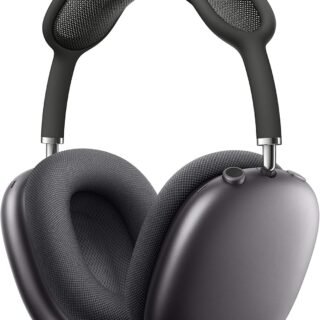 Apple AirPods Max Wireless Over-Ear Headphones, Active Noise Cancelling, Transparency Mode, Personalized Spatial Audio, Dolby Atmos, Bluetooth Headphones for iPhone – Space Gray
-
 Apple AirPods Pro 2 Wireless Earbuds, Active Noise Cancellation, Hearing Aid Feature, Bluetooth Headphones, Transparency, Personalized Spatial Audio, High-Fidelity Sound, H2 Chip, USB-C Charging
-
Home Garage 210 TC Cotton King Floral Fitted (Elastic) Bedsheet(Pack of 1, Grey)
Original price was: ₹999.00.₹299.00Current price is: ₹299.00.
Leave a Reply